
Уводзіны
Fender ChampГітара ion II 50 Amplifier is a versatile and user-friendly amplifier designed for various guitar playing styles. Whether you are a beginner seeking your first practice amp or a seasoned player needing powerful stage gear, this 50-watt amplifier offers a wide range of tones and effects.
Асноўныя функцыі ўключаюць у сябе:
- 50 watts of power with a 12-inch Fender special design guitar speaker.
- World-renowned Fender clean and overdrive tones, plus British and modern distortion flavors.
- Multi-effects with two channels, including reverb, delay/echo, chorus, tremolo, and Vibratone.
- TAP button for easy synchronization of delay times and tremolo speeds.
- Auxiliary input for external devices, headphone output for private practice, and a rear-panel USB port.
Настройка
Follow these steps to set up your Fender Champіён II 50 ampпадпітка:
- Распакаванне: Акуратна зніміце amplifier from its packaging. Retain all packaging materials for future transport or storage.
- Размяшчэнне: Месца amplifier on a stable, flat surface. Ensure adequate ventilation around the unit.
- Падключэнне сілкавання: Падключыце кабель харчавання, які ўваходзіць у камплект amplifier's power input and then to a suitable AC power outlet.
- Падключэнне інструмента: Падключыце гітару да УВОД раз'ём на пярэдняй панэлі з дапамогай стандартнага інструментальнага кабеля 1/4 цалі.
- Уключэнне: Уключыце amplifier's power switch to the ON position. The PWR LED will illuminate.
Інструкцыя па эксплуатацыі
Панэль кіравання скончыласяview
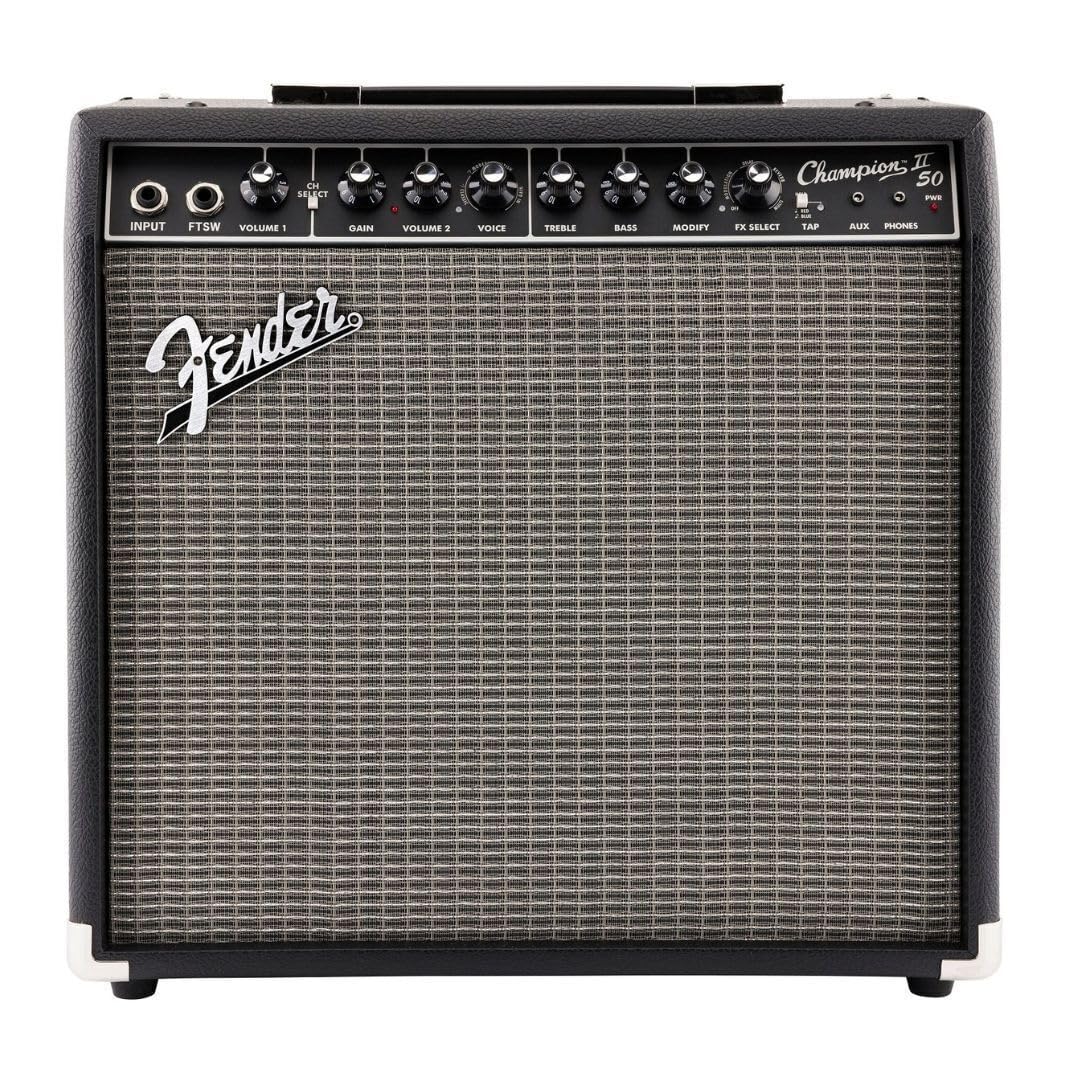
Глampion II 50 features an intuitive control panel for easy tone shaping:

- УХОД: 1/4-inch jack for connecting your instrument.
- FTSW (Footswitch): 1/4-inch jack for connecting an optional footswitch to toggle channels or effects.
- ТОМ 1: Controls the output level of Channel 1.
- ВЫБАР CH: Toggles between Channel 1 (clean) and Channel 2 (voice/effects).
- УЗБЕГАЦЬ: Controls the amount of overdrive/distortion in Channel 2.
- ТОМ 2: Controls the output level of Channel 2.
- ГОЛАС: Выбірае розныя amplifier voicings (e.g., Classic Fender, British, Modern Distortion).
- ТРЭБЛЯ: Рэгулюе высокачастотную характарыстыку.
- БАС: Рэгулюе нізкачастотную характарыстыку.
- ЗМЯНІЦЬ: Adjusts a secondary parameter for the selected effect.
- ВЫБАР ЭФЕКТАЎ: Selects from 12 built-in effects (e.g., Reverb, Delay/Echo, Chorus, Tremolo, Vibratone).
- ТАП: Used to set the tempo for time-based effects like delay and tremolo. Hold to activate dotted eighth note delay.
- AUX: 1/8-inch stereo input for connecting external audio devices (e.g., MP3 player).
- ТЭЛЕФОНЫ: 1/8-inch stereo output for headphones, automatically mutes the speaker.
- PWR: Святлодыёдны індыкатар харчавання.
Выкарыстоўваючы Amp Мадэлі і эфекты
Глampion II 50 offers a variety of amp models and effects to customize your sound:
- Amp Voicings: Выкарыстоўвайце ГОЛАС knob to select different amp types, ranging from classic Fender clean tones to various overdrive and high-gain options.
- Убудаваныя эфекты: Уключыце ВЫБАР FX knob to choose from 12 different effects. The ЗМЯНІЦЬ knob allows for fine-tuning of the selected effect's parameters.
- Кіраванне тэмпам: For effects like delay and tremolo, press the ТАП button repeatedly to set the desired tempo. Holding the ТАП button will activate a dotted eighth note delay function.
Сувязь
The amplifier provides convenient connectivity options:
- Дапаможны ўваход: Connect your music player to the ДАП input to play along with your favorite tracks.
- Выхад для навушнікаў: Выкарыстоўвайце ТЭЛЕФОНЫ jack for silent practice. The speaker output is automatically muted when headphones are connected.
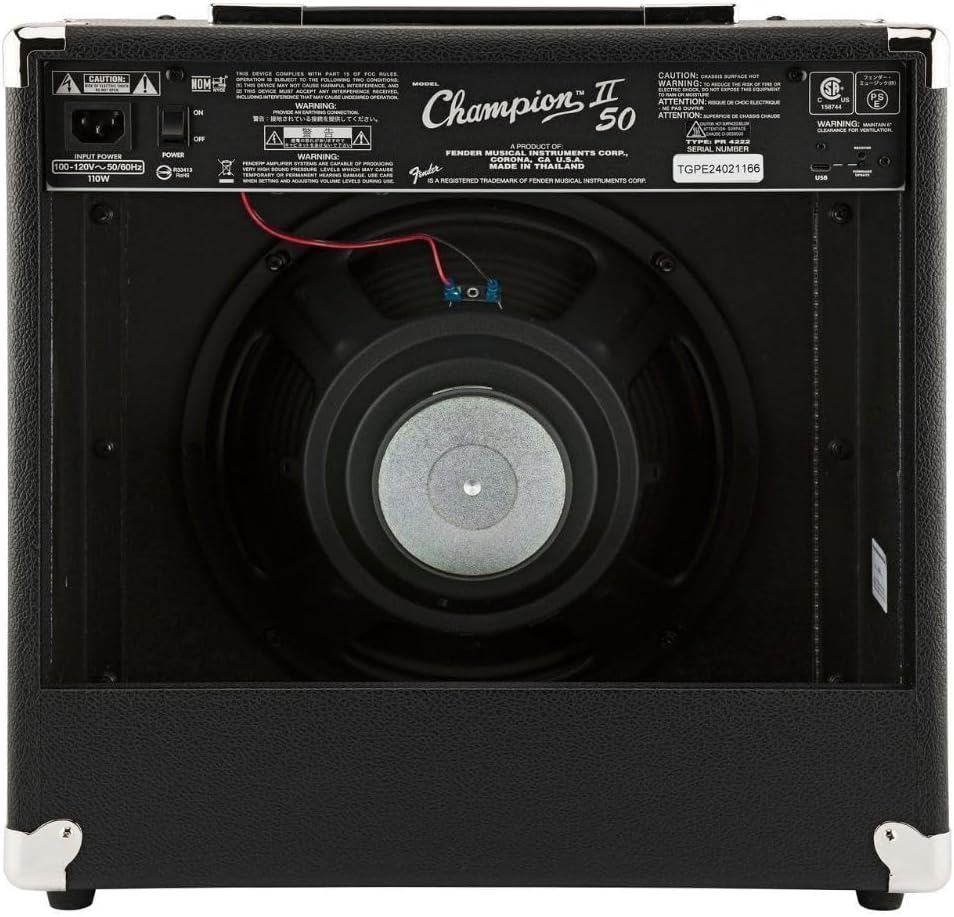
- Порт USB: A rear-panel USB port is available for recording directly to a computer.
Афіцыйныя відэа пра прадукт
Відэа 1: Champіён II Amps Demo Video. This video provides a comprehensive demonstration of the features and sound capabilities of the Fender Champіён II amplifier series, including the 50-watt model.
Відэа 2: Champіён II Amps Demo Video 2. A shorter demonstration showcasing additional tones and effects available on the Fender Champіён II ampсерыя lifier.
Тэхнічнае абслугоўванне
Правільнае абслугоўванне забяспечвае даўгавечнасць і аптымальную прадукцыйнасць вашага ampпадпітка:
- Уборка: Выкарыстоўвайце мяккую сухую тканіну для ачысткі вонкавага боку ampвыратавальнік. Пазбягайце абразіўных ачышчальнікаў або растваральнікаў.
- захоўванне: Калі ён не выкарыстоўваецца, захоўвайце яго amplifier in a dry, temperature-controlled environment, away from direct sunlight or extreme temperatures.
- Вентыляцыя: Пераканайцеся, што amplifier's vents are not obstructed to prevent overheating.
- Сыход за кабелем: Always handle power and instrument cables carefully. Avoid bending or crimping them excessively.
Ліквідацыю непаладак
Калі ў вас узнікнуць праблемы з вашым amplifier, try these basic troubleshooting steps:
- Няма харчавання: Праверце, ці надзейна падключаны кабель харчавання да абодвух amplifier and the power outlet. Ensure the power switch is ON and the PWR LED is lit. Try a different power outlet.
- Няма гуку: Verify that your instrument cable is properly connected to both the guitar and the amplifier's INPUT jack. Check the VOLUME knobs for both channels and ensure they are not set to zero. If using headphones, ensure they are fully plugged into the PHONES jack.
- Distorted Sound (unintended): Check the GAIN and VOLUME settings. High GAIN settings are intended for distortion, but excessive levels can cause unwanted clipping. Ensure your instrument's volume is not too high.
- Эфекты не працуюць: Ensure the FX SELECT knob is not set to OFF. Adjust the MODIFY knob to see if the effect parameter needs adjustment.
Тэхнічныя характарыстыкі
| Асаблівасць | Апісанне |
|---|---|
| Марка | Крыло |
| Назва мадэлі | Champіён II 50 |
| Нумар мадэлі | 2330800000 |
| Выхад ватtage | 50 ват |
| Памер дынаміка | 12 цалі |
| Output Channel Quantity | 1 (with two selectable input channels) |
| Памеры прадмета (Д х Ш х У) | 19.8" Г x 19.8" Ш x 11.5" У |
| Вага прадмета | 23 фунта |
| Матэрыял | Stainless Steel (Enclosure) |
| Убудаваныя эфекты | 12 (Reverb, Delay/Echo, Chorus, Tremolo, Vibratone, etc.) |
Гарантыя і падтрымка
Your Fender ChampГітара ion II 50 Amplifier пастаўляецца з a 2-гадовая абмежаваная гарантыя. Fender amplifiers are built with unmatched quality, and this warranty covers defects in materials and workmanship for two (2) years from the original purchase date.
For warranty claims, technical support, or service inquiries, please refer to the official Fender webсайт або звярніцеся непасрэдна ў службу падтрымкі кліентаў Fender. Захоўвайце пацвярджэнне пакупкі для пацверджання гарантыі.