
Monarch Specialties I 7414
Monarch Specialties Computer Desk User Manual
Model: I 7414 | Brand: Monarch Specialties
Уводзіны
Thank you for choosing the Monarch Specialties Computer Desk. This desk combines industrial design with rustic charm, offering a functional and stylish solution for your home office. Featuring a spacious tabletop, two side drawers with metal pulls, and a wide middle drawer with a leather pull, this desk is designed to accommodate your computer and other office essentials. This manual provides detailed instructions for assembly, operation, maintenance, and troubleshooting to ensure a long-lasting and satisfying experience with your new furniture.

Image: Monarch Specialties Computer Desk in a home office setting, showcasinяго дызайн і функцыянальнасць.
Інфармацыя па бяспецы
Please read all instructions carefully before assembly and use. Failure to follow these guidelines may result in injury or damage to the product.
- Трымайце ўсе дробныя дэталі і ўпаковачныя матэрыялы далей ад дзяцей і хатніх жывёл, каб пазбегнуць небяспекі ўдушша.
- Assemble the desk on a soft, clean surface (e.g., carpet or cardboard) to prevent scratching.
- Перад выкарыстаннем стала пераканайцеся, што ўсе шрубы і крапежныя элементы надзейна зацягнуты. Перыядычна правярайце і падцягвайце па меры неабходнасці.
- Do not overload the desk or drawers. Refer to the specifications for weight capacities.
- Не кладзіце гарачыя прадметы непасрэдна на паверхню стала без ахоўнай падкладкі.
- Не сядзіце і не стойце на стале.
- Калі якія-небудзь дэталі адсутнічаюць або пашкоджаныя, не працягвайце зборку. Неадкладна звярніцеся ў службу падтрымкі кліентаў.
Спіс запчастак
Before beginning assembly, verify that all components are present and undamaged. The following is a general list of parts you should expect:
- Desk Top Panel
- Side Drawer Units (2)
- Middle Drawer Unit (1)
- Металічныя ножкі (4)
- Metal Crossbar (1)
- Drawer Pulls (3 - 2 metal, 1 leather)
- Зборныя элементы (шрубы, балты, шайбы, шасцігранны ключ)

Image: Detailed diagram showing the dimensions of the Monarch Specialties Computer Desk and its individual drawer components.
Ўстаноўка і зборка
Assembly is required for this product. It is recommended to have two people for easier and safer assembly. Please follow these general steps:
- Распакаваць і вызначыць дэталі: Carefully remove all components from the packaging. Lay them out on a clean, soft surface. Refer to the parts list and diagrams to identify each piece.
- Attach Legs to Desk Top: Secure the metal legs to the underside of the desk top panel using the provided screws and an Allen wrench. Ensure the legs are oriented correctly as per the diagram.
- Усталяваць папярочную планку: Attach the metal crossbar between the legs to provide additional stability.
- Зборка скрынь: Follow the specific instructions for assembling the drawer boxes. This typically involves attaching the front, back, and side panels, and then the bottom panel.
- Усталюйце накіроўвалыя для скрынь: Attach the drawer glides to the inside of the desk frame and to the sides of the assembled drawers. Ensure they are aligned for smooth operation.
- Устаўныя скрыні: Акуратна ўстаўце сабраныя скрыні ў адпаведныя адсекі.
- Attach Drawer Pulls: Secure the metal and leather drawer pulls to the front of each drawer.
- Канчатковая праверка: Once assembled, gently lift and move the desk to its desired location. Ensure all connections are tight and the desk is stable.

Image: The Monarch Specialties Computer Desk fully assembled, showcasing its taupe wood-look finish and black metal legs.
Інструкцыя па эксплуатацыі
The Monarch Specialties Computer Desk is designed for straightforward use in a home office environment.
- Паверхня стала: Use the spacious tabletop for your computer, laptop, monitor, and other work essentials. Consider using a desk pad to protect the surface from scratches and spills.
- высоўныя скрыні: The desk features two side drawers and one wide middle drawer. Pull the respective handles to open and push to close. Ensure drawers are fully closed when not in use to prevent accidental opening or damage.
- Размеркаванне вагі: Distribute weight evenly across the desk surface and within the drawers to maintain stability and prevent tipping.
- Кабельнае кіраванне: While not explicitly designed with cable management features, you can use adhesive cable clips or ties (not included) to organize wires behind the desk for a tidy workspace.
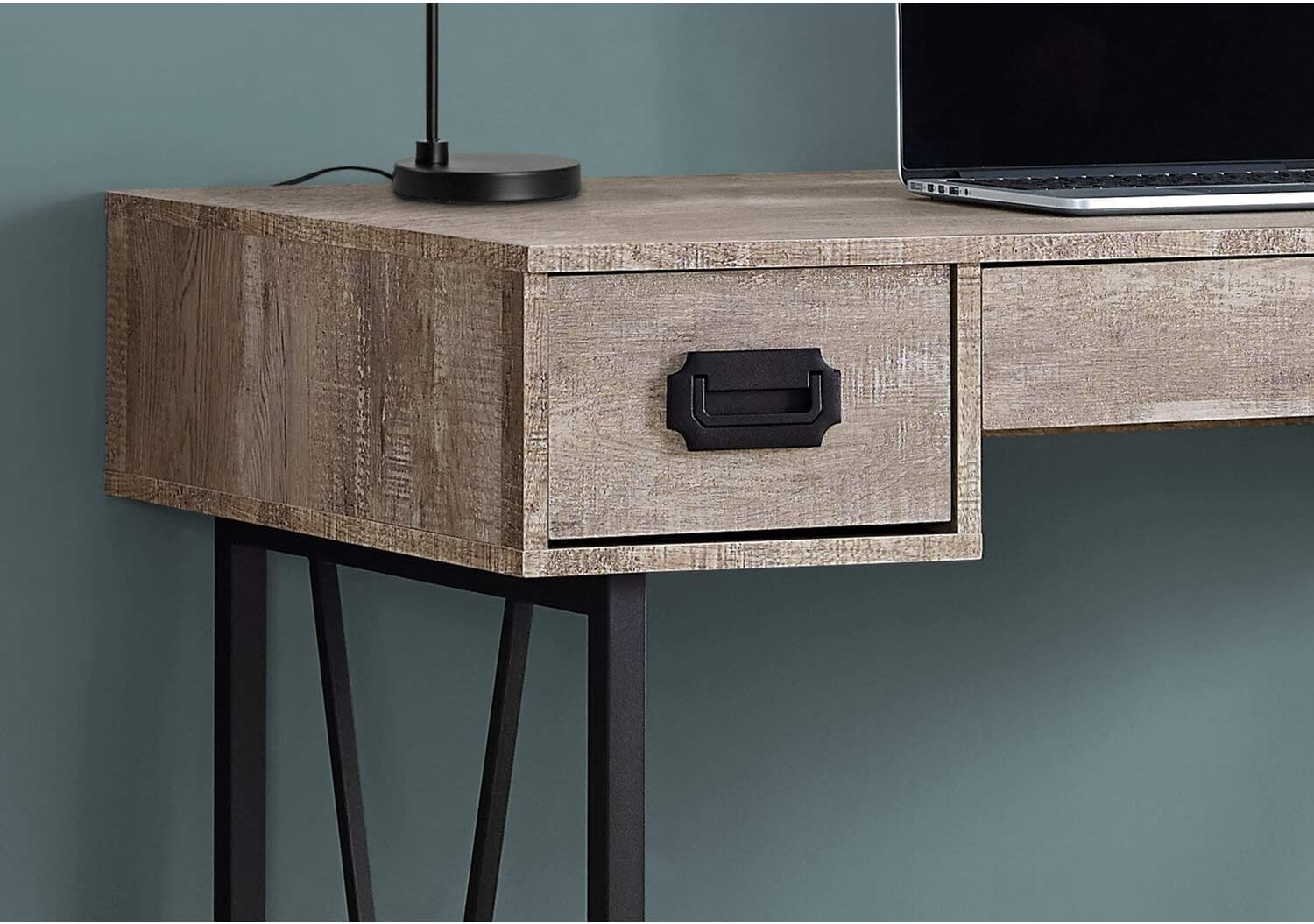
Выява: буйны план view of one of the side drawers on the Monarch Specialties Computer Desk, highlighting the metal pull handle and wood-look finish.
Догляд і абслугоўванне
Правільны догляд падоўжыць тэрмін службы і знешні выгляд вашага стала.
- Уборка: Wipe the desk surface and legs with a soft, damp тканінай. Пазбягайце выкарыстання агрэсіўных хімічных рэчываў, абразіўных ачышчальнікаў або паліроляў, якія могуць пашкодзіць пакрыццё.
- Разлівы: Immediately wipe up any spills to prevent staining or damage to the laminate finish.
- Цяпло і вільгаць: Protect the surface from extreme heat and moisture. Use coasters for drinks and heat pads for hot items.
- сонечнае святло: Пазбягайце працяглага знаходжання пад прамымі сонечнымі прамянямі, якія з часам могуць прывесці да выцвітання або змены колеру.
- Абсталяванне: Periodically check all screws and fasteners to ensure they remain tight. Re-tighten as necessary to maintain stability.
- Пераезд: When moving the desk, lift it rather than dragging it to prevent damage to the legs and frame.
Ліквідацыю непаладак
Вось рашэнні распаўсюджаных праблем, з якімі вы можаце сутыкнуцца:
- Стол хісткі:
рашэнне: Ensure all assembly screws and bolts are securely tightened. Check that the desk is on a level surface. If not, use furniture glides or shims under the legs to stabilize it. - Шуфляды захрасаюць або не слізгаюць плаўна:
рашэнне: Check that the drawer glides are properly aligned and free of obstructions. Ensure the drawers are not overloaded. A small amount of silicone spray on the glides can improve smoothness. - Адсутныя або пашкоджаныя дэталі:
рашэнне: Do not attempt to assemble the product with missing or damaged parts. Contact Monarch Specialties customer support with your model number and a description of the issue to request replacement parts. - Драпіны на паверхні:
рашэнне: For minor scratches, furniture repair markers or wax sticks matching the finish color may help. Always use a desk pad or protective mat to prevent future scratches.
Тэхнічныя характарыстыкі
| Асаблівасць | Дэталь |
|---|---|
| Марка | Спецыяльнасці Monarch |
| Нумар мадэлі | Я 7414 |
| Памеры прадукту (Д х Ш х У) | 23.75" Г x 47.25" Ш x 30.75" У |
| Колер | Цвёрда-шэры |
| стыль | CONTEMPORARY, INDUSTRIAL, MODERN |
| Базавы матэрыял | Метал |
| Тып аздаблення | Канструяваная драўніна |
| Асаблівасць | Кампактны |
| Колькасць скрынь | 3 (2 side, 1 middle) |
| Вага прадмета | 61 фунта |
| Патрабуецца зборка | так |
Гарантыя і падтрымка
Monarch Specialties products are manufactured to high standards. For specific warranty information, please refer to the documentation included with your purchase or visit the official Monarch Specialties website. If you require assistance with assembly, have questions about your product, or need to report missing/damaged parts, please contact Monarch Specialties customer support directly. Keep your purchase receipt and model number handy for faster service.
Для атрымання дадатковай інфармацыі вы можаце наведаць Monarch Specialties Store on Amazon.
Ask a question about this manual
Ask about setup, troubleshooting, compatibility, parts, safety, or missing instructions. Manuals+ will review the question and use this page’s manual context to help answer it.