
1. Уводзіны
Дзякуй за пакупкуasing the Xtrike Me GMP-501 Optical Gaming Mouse and Mat. This manual provides detailed instructions for setup, operation, and maintenance to ensure optimal performance and an enhanced gaming experience. Please read this manual thoroughly before using the product.
2. Змесціва ўпакоўкі
Калі ласка, пераканайцеся, што ўсе пералічаныя ніжэй прадметы прысутнічаюць у вашай упакоўцы:
- Xtrike Me GMP-501 Optical Gaming Mouse
- High-Density Gaming Mat (300 x 230 x 3 mm)
3. Асноўныя магчымасці
The Xtrike Me GMP-501 gaming set offers the following features:
- Эрганамічны дызайн: Engineered for a comfortable and secure grip during extended gaming sessions.
- Аптычны датчык: Provides precise tracking and responsiveness.
- Рэгуляваны DPI: Four selectable DPI levels (800 / 1600 / 2400 / 3200) for on-the-fly sensitivity adjustments.
- 7 Кнопкі: Includes standard left/right click, scroll wheel, DPI button, and two side buttons for enhanced control.
- Backlit Illumination: Integrated lighting for an immersive gaming aesthetic.
- Правадное падключэнне USB: Reliable and lag-free connection with a 180 cm (approximately 70 inches) cable.
- Шырокая сумяшчальнасць: Supports Windows XP, Windows Vista, Windows 7, Windows 8, and Windows 10.
- High-Density Gaming Mat: Provides a smooth and consistent surface for optimal mouse movement.
4. Настройка
4.1 Падключэнне мышы
- Unpack the Xtrike Me GMP-501 gaming mouse from its packaging.
- Знайдзіце даступны USB-порт на вашым кампутары.
- Шчыльна ўстаўце USB-раз'ём мышы ў USB-порт.
- Ваш камп'ютар павінен аўтаматычна выявіць і ўсталяваць неабходныя драйверы. Гэты працэс можа заняць некалькі хвілін.
- Once installed, the mouse's backlight will illuminate, indicating it is ready for use.
4.2 Positioning the Gaming Mat
Place the high-density gaming mat on a flat, stable surface where you intend to use your mouse. Ensure there is enough space for comfortable and unrestricted mouse movement.
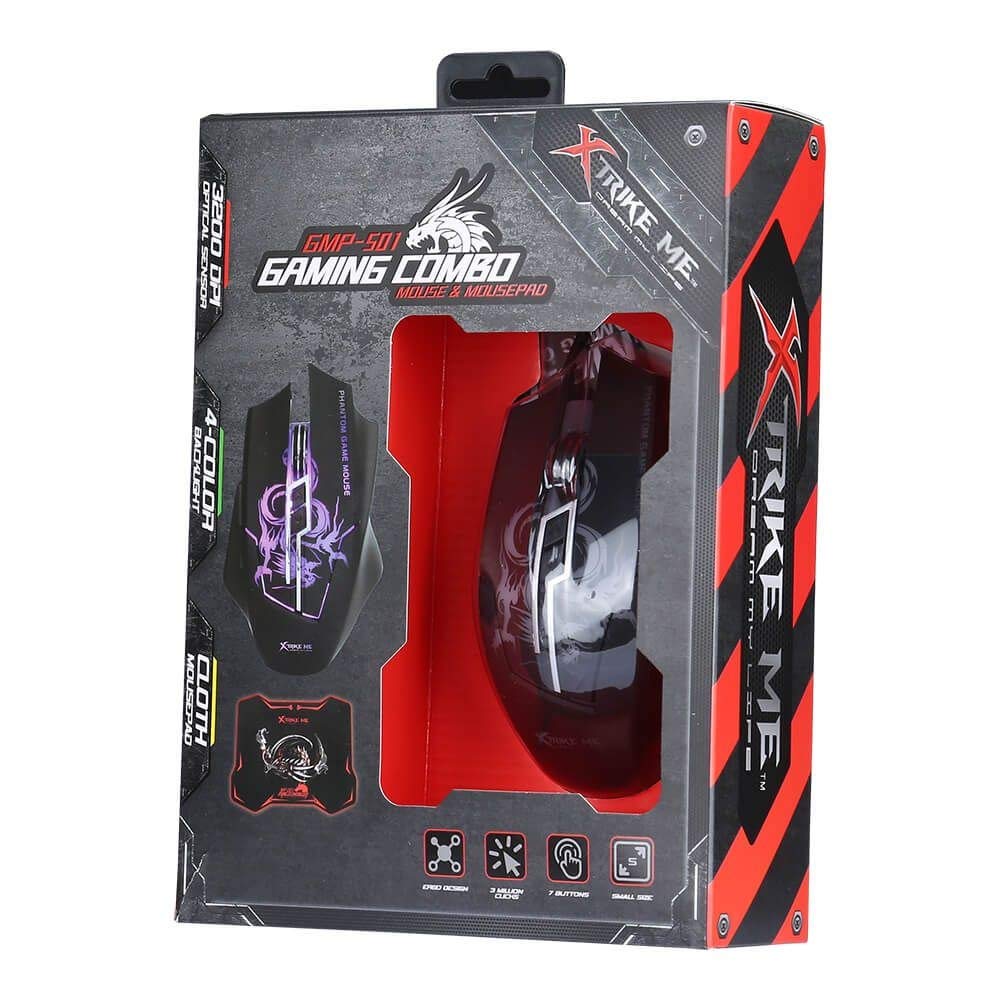
An image showing the Xtrike Me GMP-501 gaming mouse alongside its accompanying high-density gaming mat, which is rolled up. This illustrates the complete product package.
5. Інструкцыя па эксплуатацыі
5.1 Асноўныя аперацыі
The Xtrike Me GMP-501 functions as a standard optical mouse for general computer use. Move the mouse to control the cursor on your screen. Use the left and right click buttons for primary interactions, and the scroll wheel for vertical navigation.
5.2 Рэгуляванне DPI
The mouse features a dedicated DPI (Dots Per Inch) adjustment button, typically located behind the scroll wheel. Press this button to cycle through the four available DPI settings: 800, 1600, 2400, and 3200. Each press will change the mouse sensitivity, allowing you to quickly adapt to different tasks or game scenarios requiring varying cursor speeds.
5.3 Функцыі кнопак
The GMP-501 mouse is equipped with 7 buttons:
- Левы клік (кнопка 1)
- Пстрыкніце правай кнопкай мышы (кнопка 2)
- Пстрычка кола пракруткі (кнопка 3)
- DPI Adjustment (Button 4)
- Forward Side Button (Button 5)
- Backward Side Button (Button 6)
- Additional Button (Button 7, often located near the thumb rest or on top)
The functions of the side buttons and the additional button may be customizable through your operating system's mouse settings or third-party software (not included with the product).

Зверху ўніз view of the Xtrike Me GMP-501 gaming mouse resting on its high-density gaming mat. The mouse features a black body with purple backlit accents and visible buttons, illustrating its ergonomic design.
6. Тэхнічнае абслугоўванне
Proper care will extend the life of your Xtrike Me gaming mouse and mat.
- Чыстка мышкі: Disconnect the mouse from your computer before cleaning. Use a soft, dry cloth to wipe the surface. For stubborn dirt, a slightly damp cloth can be used, but ensure no moisture enters the mouse's internal components. Avoid using harsh chemicals or abrasive cleaners.
- Cleaning the Gaming Mat: The high-density gaming mat can be cleaned with a damp тканінай і мяккім мылам пры неабходнасці. Дайце цалкам высахнуць на паветры перад выкарыстаннем.
- захоўванне: Store the mouse and mat in a clean, dry environment away from extreme temperatures.
- Разборка: Do not attempt to disassemble the mouse, as this will void the warranty and may cause damage.
7. Выпраўленне непаладак
If you encounter issues with your Xtrike Me GMP-501, please refer to the following common problems and solutions:
7.1 Мыш не рэагуе
- Пераканайцеся, што кабель USB надзейна падключаны да спраўнага порта USB на вашым камп'ютары. Паспрабуйце іншы порт USB.
- Перазагрузіце кампутар.
- Check if the mouse's backlight is illuminated. If not, the mouse may not be receiving power.
7.2 Рух курсора няўстойлівы або скачковы
- Clean the optical sensor on the underside of the mouse with a soft, dry cloth to remove any dust or debris.
- Ensure the gaming mat or surface you are using is clean, flat, and free of obstructions.
- Try adjusting the DPI setting to a lower value to see if sensitivity is the issue.
7.3 Кнопкі не працуюць
- Ensure the mouse is properly connected to your computer.
- Test the mouse on another computer to determine if the issue is with the mouse or your computer's software/drivers.
- Check your operating system's mouse settings for any disabled buttons or conflicting software.
8. Тэхнічныя характарыстыкі
Detailed technical specifications for the Xtrike Me GMP-501:
| Асаблівасць | Спецыфікацыя |
|---|---|
| мадэль | GMP-501 |
| Тып датчыка | Аптычны |
| Налады DPI | 800 / 1600 / 2400 / 3200 (рэгулюецца) |
| Колькасць кнопак | 7 |
| Сувязь | Правадной USB |
| Даўжыня кабеля | 180 см |
| Сумяшчальнасць | Windows XP / Vista / 7/8/10 |
| Gaming Mat Dimensions | 300 х 230 х 3 мм |
| Эрганоміка | Амбідэкстр |
9. Інфармацыя аб гарантыі і падтрымка кліентаў
Specific warranty details for the Xtrike Me GMP-501 are not provided in the product information. For warranty claims, returns, or technical assistance, please refer to the retailer's return policy or contact Xtrike Me customer support directly. It is recommended to keep your proof of purchase for any warranty-related inquiries.
For further support and the latest product information, please visit the official Xtrike Me webсайт або звярніцеся да мясцовага дыстрыбутара.