
1. Уводзіны
Thank you for choosing the DoHonest S23 Wireless Backup Camera System. This manual provides essential information for the proper installation, operation, and maintenance of your new device. Please read it thoroughly before use to ensure optimal performance and safety.
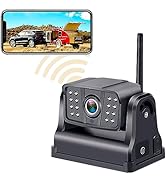
This system is designed to enhance your driving safety by providing a clear, wide-angle view of the area behind your vehicle. Its digital wireless technology ensures a stable signal, making it suitable for various vehicle types including cars, trucks, minivans, SUVs, and small RVs.
2. Змесціва ўпакоўкі
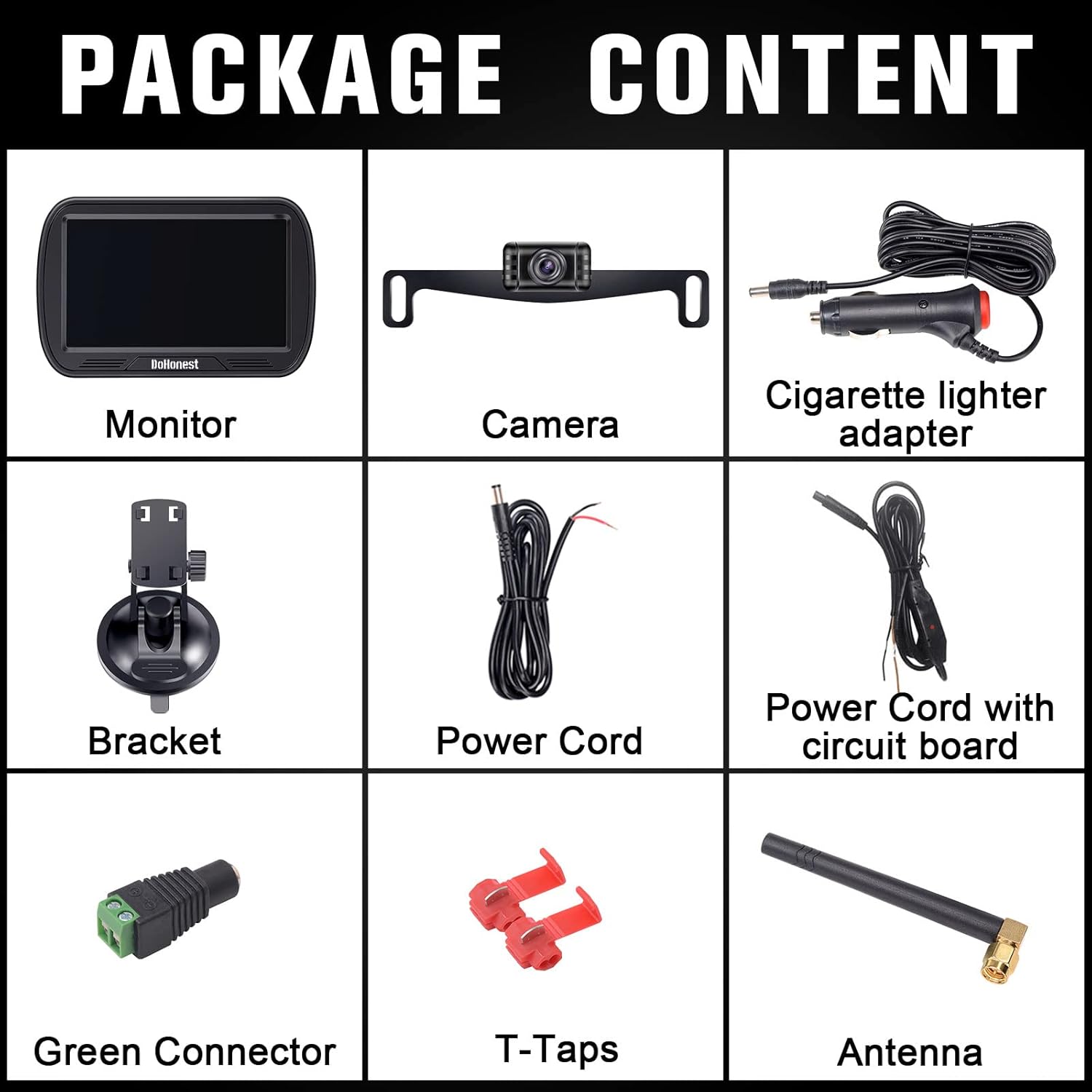
Verify that all items listed below are included in your package. If any items are missing or damaged, please contact DoHonest customer support.
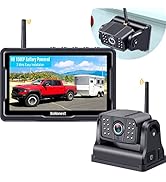
- 5-inch HD Monitor
- Wireless Backup Camera (License Plate Mount)
- Адаптар прыпальвальніка
- Monitor Bracket (Suction Cup Mount)
- Power Cord for Monitor
- Power Cord with Circuit Board for Camera
- Green Connector
- T-Taps (2x)
- Antenna (2x, one for monitor, one for camera)
3. Асаблівасці прадукту
- HD 1080P Resolution: Provides clear and sharp images for enhanced visibility.
- 5-inch Split Screen Monitor: Allows for simultaneous display from two camera channels (second camera not included).
- Шырокавугольны аб'ектыў 150°: Прапануе шырокае поле view to minimize blind spots.
- Начное бачанне: Equipped with LED lights for improved visibility in low-light conditions.
- Stable Digital Wireless Signal: Ensures reliable video transmission without interference.
- IP69K Waterproof Camera: Designed to withstand harsh weather conditions and high-pressure washing.
- Рэгуляваныя накіроўвалыя лініі: Customizable parking guide lines for precise maneuvering.
- Функцыя перавароту выявы: Allows for mirror or normal image display.
- Шырокі Voltage Сумяшчальнасць: Supports 12V-35V vehicle electrical systems.

4. Кіраўніцтва па ўстаноўцы
4.1 Усталёўка камеры
- Мантаж: The camera is designed for license plate mounting. Secure it using your vehicle's existing license plate screws.
- Падключэнне сілкавання: Connect the camera's power cord (with circuit board) to your vehicle's reverse light wiring. Use the provided T-taps for a secure connection. The red wire connects to the positive (+) lead of the reverse light, and the black wire connects to a ground (-) point.
- Антэна: Attach the antenna securely to the camera unit.
4.2 Устаноўка манітора
- Мантаж: Attach the suction cup bracket to your desired location on the dashboard or windshield. Ensure the surface is clean and dry for a strong hold.
- Падключэнне сілкавання: Plug the cigarette lighter adapter into your vehicle's 12V power outlet. Connect the monitor's power cord to the adapter.
- Антэна: Attach the antenna securely to the monitor unit.

4.3 Video Installation Guides
For a visual step-by-step installation, please refer to the official seller video:
5. Інструкцыя па эксплуатацыі
5.1 Уключэнне/выключэнне
The monitor will automatically power on when the camera receives power (e.g., when the vehicle is shifted into reverse, if wired to the reverse light). To manually power on/off, use the power button on the monitor.
5.2 Рэгуляванне налад
Use the buttons on the monitor to navigate the menu and adjust settings such as:
- Brightness/Contrast/Hue: Optimize the display for different lighting conditions.
- Фліп малюнка: Change the image orientation (mirror/normal) as needed.
- Кіруючыя лініі: Enable/disable or adjust the width and height of the parking guide lines.
- Раздзелены экран: If a second camera is connected, select split-screen mode to view both feeds simultaneously.

6. Тэхнічнае абслугоўванне
- Уборка: Regularly clean the camera lens and monitor screen with a soft, damp cloth. Avoid abrasive cleaners that could scratch the surfaces.
- Праверка кабеля: Periodically check all cables and connections for any signs of wear, damage, or loose connections.
- Бяспека мантажу: Ensure the monitor mount and camera are securely fastened to prevent dislodgement during driving.
- Абарона ад надвор'я: While the camera is waterproof, extreme weather conditions (e.g., heavy snow, ice) may temporarily affect performance. Clear any obstructions from the lens.
7. Выпраўленне непаладак
If you encounter any issues with your DoHonest S23 system, please refer to the following common troubleshooting steps:
- Няма выявы на маніторы:
- Check all power connections to both the camera and monitor. Ensure they are securely plugged in and receiving power.
- Verify the camera is properly paired with the monitor. Refer to the pairing instructions in the full manual if needed.
- Ensure the vehicle is in reverse (if wired to reverse lights).
- Flickering/Unstable Image:
- Check for any potential sources of interference (e.g., other wireless devices, strong electromagnetic fields).
- Ensure both antennas are securely attached and positioned for optimal signal reception.
- Verify the power supply is stable and sufficient.
- Image is Upside Down/Reversed:
- Access the monitor settings and use the "Image Flip" function to correct the orientation.
- Guide Lines Incorrect:
- Adjust the guide line settings (width, height, on/off) through the monitor menu.
If these steps do not resolve the issue, please contact DoHonest customer support for further assistance.
8. Тэхнічныя характарыстыкі
| Асаблівасць | Спецыфікацыя |
|---|---|
| Вага прадмета | 1.28 унцыі |
| Памеры прадукту | 11.8 см Д х 5.2 см Ш х 2.2 см В |
| Нумар мадэлі тавару | S23 |
| Марка | DoHonest |
| Памер экрана | 5 цалі |
| Сумяшчальныя прылады | Манітор |
| Тып ўстаноўкі | Bracket Mount, Dashboard Mount, Surface Mount |
| тtage | 12 вольта, 35 вольт |
| Тэхналогія аптычнага датчыка | CMOS |
| Тып аб'ектыва | Wide Angle, Fixed |
| Сапраўдны кут View | 150 градусаў |
| Тып раздыма | Бесправадная сувязь |
9. Гарантыя і падтрымка
DoHonest products come with a standard manufacturer's warranty. For specific warranty details, product registration, or technical support, please visit the official DoHonest website or contact their customer service directly. Please have your product model number (S23) and purchase information ready when contacting support.
Driving Safety, Enjoy Life!