
Yamaha WX-021 MusicCast 20
Yamaha MusicCast 20 Wireless Speaker Instruction Manual
Model: WX-021 / MusicCast 20
1. Уводзіны
This manual provides essential information for the safe and effective use of your Yamaha MusicCast 20 Wireless Speaker. Please read this manual thoroughly before using the product to ensure proper operation and to prevent damage.
The Yamaha MusicCast 20 is a versatile wireless speaker designed to deliver superior sound quality and seamless connectivity within your home audio system. It supports various streaming options including Wi-Fi, AirPlay 2, Bluetooth, and Spotify Connect, and integrates with Amazon Alexa and Google Assistant for voice control.
2. Інфармацыя па бяспецы
Always observe the following basic precautions when using this product to reduce the risk of electric shock, short-circuiting, damages, fire or other hazards.
- крыніца харчавання: Выкарыстоўвайце толькі паказаны блок харчавання абtage. Do not place the power cord near heat sources.
- Размяшчэнне: Do not expose the unit to rain, use it near water, or in damp or wet conditions. Avoid direct sunlight, extreme temperatures, or excessive dust.
- Апрацоўка: Do not insert foreign objects into the unit. Do not open the unit or attempt to disassemble or modify the internal components.
- Уборка: Адключыце шнур сілкавання ад сеткі перад чысткай. Выкарыстоўвайце мяккую сухую тканіну. Не выкарыстоўвайце вадкія ачышчальнікі або аэразолі.
- Вентыляцыя: Забяспечце належную вентыляцыю вакол прылады. Не блакуйце вентыляцыйныя адтуліны.
3. Змесціва ўпакоўкі
Праверце, ці ўсе пералічаныя ніжэй прадметы ўваходзяць у вашу ўпакоўку:
- WX-021 MusicCast 20 Wireless Speaker (Pair)
- Шнур(ы) сілкавання
- Кароткае кіраўніцтва
- Брашура па бяспецы
- Yamaha 2 Year Limited Warranty Information
4. Прадукт скончыўсяview
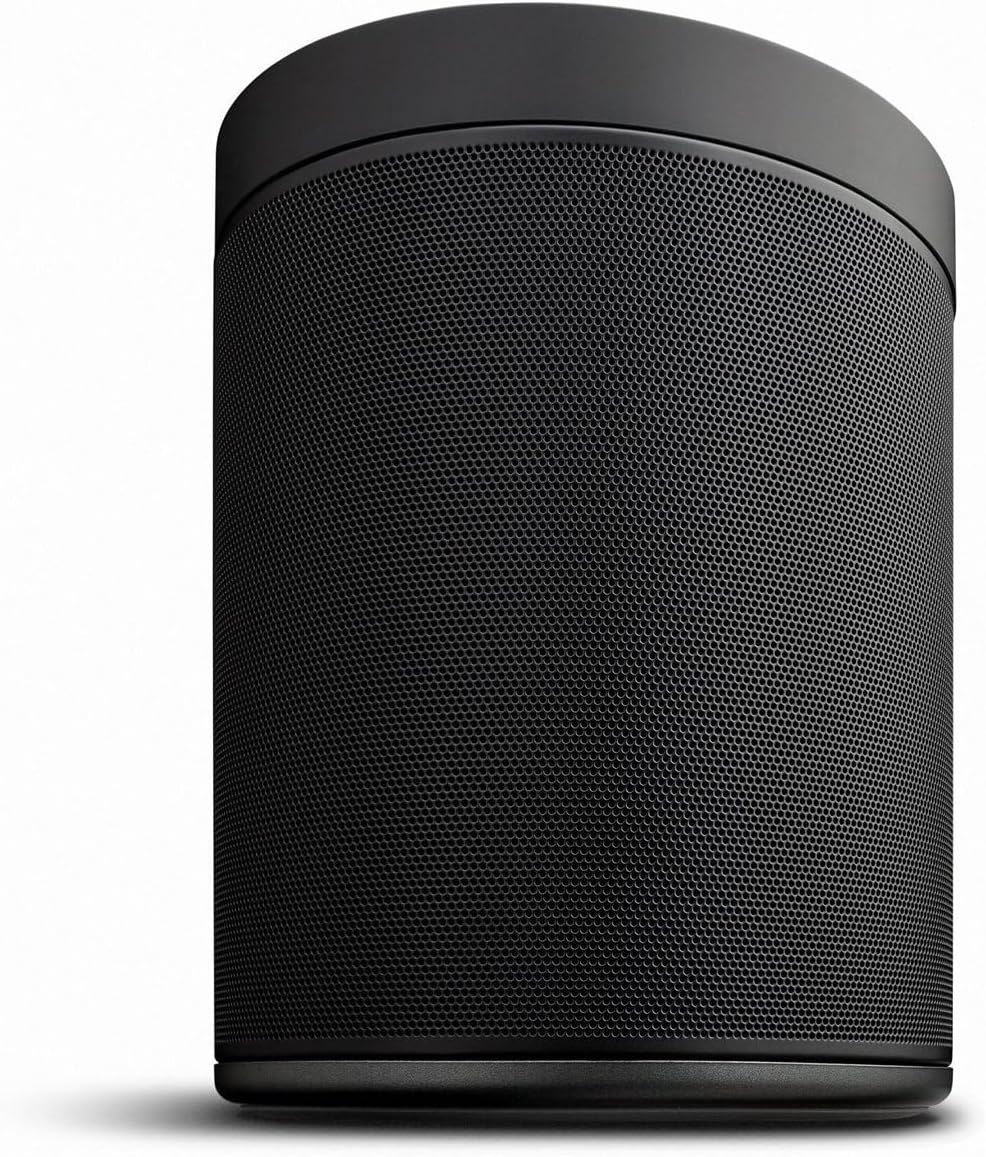
The Yamaha MusicCast 20 speaker features a compact, cylindrical design with a durable black finish. It is equipped with a 3.5" woofer, a 1.125" soft dome tweeter, and dual passive radiators for balanced audio output.
4.1 Элементы кіравання на верхняй панэлі
Выява: Уверсе view of the Yamaha MusicCast 20 speaker, highlighting the control panel. The panel includes buttons for Power, Alarm, Wi-Fi status, Bluetooth status, three preset buttons (1, 2, 3), Play/Pause, Volume Down, Volume Up, and Connect. The Yamaha logo is centrally located.
- Кнопка харчавання: Уключае або выключае дынамік.
- Кнопка сігналізацыі: Sets or checks alarm settings.
- Індыкатар Wi-Fi: Паказвае стан падключэння да Wi-Fi.
- Індыкатар Bluetooth: Паказвае стан падключэння Bluetooth.
- Кнопкі загадзя настроеных налад (1, 2, 3): Quickly access saved radio stations or playlists.
- Кнопка прайгравання/паўзы: Кіруе прайграваннем мультымедыя.
- Кнопкі павелічэння / памяншэння гучнасці: Рэгулюе гучнасць дынаміка.
- Кнопка падлучэння: Used for network setup and MusicCast linking.
4.2 Злучэнні задняй панэлі

Выява: Задняя частка view of the Yamaha MusicCast 20 speaker, showing the power input at the bottom and a mounting point with a screw hole in the center. The "MusicCast" logo is visible at the top.
- Спажываная магутнасць: Падключыце сюды шнур сілкавання, які ўваходзіць у камплект.
- Ethernet порт: Для падключэння да правадной сеткі (неабавязкова).
- Кропка мацавання: Allows for wall mounting (hardware sold separately).
5. Настройка
5.1 Пачатковае размяшчэнне
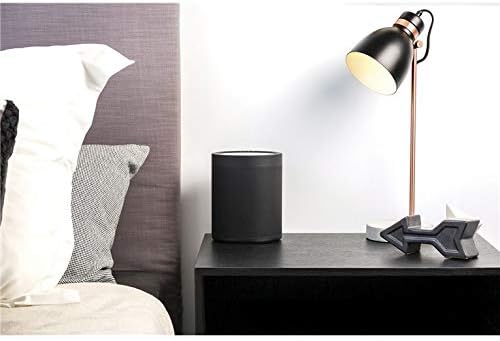
Image: A single Yamaha MusicCast 20 speaker positioned on a bedside table, demonstrating its compact size and suitability for various room placements.
Place the speaker on a stable, flat surface. Ensure there is adequate space around the speaker for proper ventilation. For optimal sound, avoid placing it in enclosed spaces or directly against walls, unless using wall-mount accessories.
5.2 Падключэнне харчавання
- Connect the supplied power cord to the power input on the rear of the speaker.
- Падключыце другі канец шнура сілкавання да насценнай разеткі.
- Press the Power button on the top panel to turn on the speaker.
5.3 Network Setup (MusicCast App)
The MusicCast app is essential for full functionality, including Wi-Fi setup, multi-room audio, and advanced settings.
- Download the "MusicCast CONTROLLER" app from the App Store (iOS) or Google Play Store (Android) on your smartphone or tablet.
- Ensure your mobile device is connected to the Wi-Fi network you wish to connect the speaker to.
- Open the MusicCast app and follow the on-screen instructions to add a new device.
- The app will guide you through connecting the speaker to your Wi-Fi network. This typically involves pressing the "CONNECT" button on the speaker's top panel when prompted.
- Alternatively, you can connect the speaker directly to your router using an Ethernet cable for a wired network connection.
6. Інструкцыя па эксплуатацыі
6.1 Асноўныя функцыі прайгравання
- Рэгулятар гучнасці: Выкарыстоўвайце Павялічыць гучнасць і Памяншэнне гучнасці buttons on the top panel or within the MusicCast app.
- Прайграванне/Паўза: Націсніце Прайграванне/Паўза button on the top panel to start or stop playback.
- Прэсеты: Выкарыстоўвайце 1, 2, 3 preset buttons to quickly access pre-registered internet radio stations or music services via the MusicCast app.
6.2 Падключэнне прылад
The MusicCast 20 offers multiple ways to connect and stream audio:
- Wi-Fi: For streaming from music services, network-attached storage (NAS), or other MusicCast devices. Requires setup via the MusicCast app.
- Bluetooth:
- Націсніце і ўтрымлівайце Bluetooth button on the top panel until the Bluetooth indicator flashes.
- On your mobile device, enable Bluetooth and select "MusicCast 20" from the list of available devices.
- The Bluetooth indicator will glow solid when connected.
- AirPlay 2: For streaming from Apple devices. Ensure your Apple device and the speaker are on the same Wi-Fi network, then select the MusicCast 20 from the AirPlay menu on your device.
- Spotify Connect: Stream directly from the Spotify app. Select the MusicCast 20 as the playback device within the Spotify app.
6.3 Voice Control (Alexa / Google Assistant)
The MusicCast 20 is compatible with Amazon Alexa and Google Assistant devices for voice control.
- Ensure your MusicCast 20 speaker is connected to your network via the MusicCast app.
- Open the Amazon Alexa app or Google Home app on your mobile device.
- Enable the "MusicCast Skill" for Alexa or link your MusicCast account for Google Assistant.
- Follow the app's instructions to discover and link your MusicCast 20 speaker.
- You can now use voice commands to control playback, volume, and group speakers.
7. Multi-Room & Stereo Pairing
The MusicCast system allows for flexible audio configurations throughout your home.
7.1 Мультырумны гук
Play the same music across multiple MusicCast devices in different rooms, or stream different music to each speaker.
- Ensure all MusicCast devices are connected to the same network via the MusicCast app.
- In the MusicCast app, drag and drop rooms together to link them and play synchronized audio.
7.2 Стэрэаспалучэнне

Image: A pair of Yamaha MusicCast 20 speakers, illustrating their use as a stereo pair for enhanced audio.
Pair two MusicCast 20 speakers to create a dedicated stereo setup for a wider soundstage and more immersive listening experience.
- Ensure both MusicCast 20 speakers are connected to your network via the MusicCast app.
- In the MusicCast app, select one of the MusicCast 20 speakers.
- Navigate to the speaker settings and look for the "Stereo Pair" or "Link" option.
- Follow the app's instructions to designate one speaker as the left channel and the other as the right channel.
7.3 Wireless Surround Sound
Combine a MusicCast Surround-capable AV receiver with a pair of MusicCast 20 speakers to create a 5.1 home theater system with wireless rear surround speakers.
- Ensure your MusicCast Surround-capable AV receiver and both MusicCast 20 speakers are connected to the same network.
- In the MusicCast app, select your AV receiver.
- Navigate to the settings for the AV receiver and look for the "Wireless Surround" setup option.
- Follow the app's instructions to assign the MusicCast 20 speakers as wireless rear channels.
8. Тэхнічнае абслугоўванне
- Ачыстка прылады: Wipe the unit with a soft, dry cloth. Do not use chemical cleaning cloths, thinners, alcohol, or other chemical agents, as they may damage the finish.
- Выдаленне пылу: Use a soft brush or a vacuum cleaner with a brush attachment to gently remove dust from the speaker grille.
- захоўванне: If storing the unit for an extended period, disconnect the power cord and place the unit in a cool, dry place away from direct sunlight.
9. Выпраўленне непаладак
| праблема | Магчымая прычына | Рашэнне |
|---|---|---|
| Няма ўлады | Шнур харчавання ненадзейна падключаны. | Ensure the power cord is firmly plugged into the speaker and the wall outlet. |
| Няма гуку | Volume is too low or muted. Input source not selected correctly. | Increase volume. Check the MusicCast app to ensure the correct input source is selected. |
| Немагчыма падключыцца да Wi-Fi | Incorrect Wi-Fi password. Speaker too far from router. Network interference. | Verify Wi-Fi password. Move speaker closer to router. Try connecting via Ethernet. Restart router and speaker. |
| Збой спалучэння Bluetooth | Speaker not in pairing mode. Device already connected. | Ensure speaker's Bluetooth indicator is flashing. Disconnect other Bluetooth devices. Try pairing again. |
| MusicCast speakers become unpaired (stereo/multi-room) | Temporary network instability. One speaker lost power. | Restart both speakers by unplugging and replugging them. Re-link them in the MusicCast app. Check router settings for stability. |
If the problem persists, please refer to the Yamaha support webсайт або звярніцеся ў службу падтрымкі.
10. Тэхнічныя характарыстыкі
| Асаблівасць | Дэталь |
|---|---|
| Назва мадэлі | WX-021 / MusicCast 20 |
| Тып дынаміка | Multi-Room Wireless Speaker |
| Вадзіцелі | 3.5" Woofer, 1.125" Soft Dome Tweeter, Dual Passive Radiators |
| Сувязь | Wi-Fi (2.4/5 GHz), Bluetooth (Ver. 4.2 + EDR, SBC/AAC), AirPlay 2, Ethernet |
| Падтрымка аўдыя з высокім дазволам | Up to 192 kHz / 24-bit (ALAC, FLAC, WAV, AIFF) |
| Сумяшчальнасць галасавога кіравання | Amazon Alexa, Google Assistant |
| Максімальная выхадная магутнасць | 60 ват |
| Памеры (Ш х У х Г) | 7.5 цалі х 11.1 цалі х 7.5 цалі (19.05 см х 28.19 см х 19.05 см) |
| Вага прадмета | 12.3 фунтаў (5.58 кг) |
| Колер | Чорны |
| Крыніца харчавання | Пераменнае сілкаванне |
| Канфігурацыя канала аб'ёмнага гуку | 5.1 (when used as wireless rear speakers with compatible AV receiver) |
Заўвага: Тэхнічныя характарыстыкі могуць быць зменены без папярэдняга паведамлення.
11. Гарантыя і падтрымка
Your Yamaha MusicCast 20 Wireless Speaker comes with a Yamaha 2 Year Limited Warranty. Please refer to the warranty information included in your product package for full terms and conditions.
For technical support, product registration, or to download the latest firmware updates and manuals, please visit the official Yamaha support webсайт:
Yamaha Official Support Webсайт
When contacting support, please have your product model number (WX-021 / MusicCast 20) and serial number ready.
Звязаныя дакументы - WX-021 MusicCast 20
 |
Кіраўніцтва карыстальніка бесправадной струменевай калонкі Yamaha WX-021 MusicCast 20 Гэта кіраўніцтва змяшчае падрабязныя інструкцыі па наладзе і выкарыстанні бесправадной струменевай калонкі Yamaha WX-021 MusicCast 20, ахопліваючы функцыі, падключэнне да сеткі, прайграванне аўдыё і ліквідацыю непаладак. |
 |
Як скінуць налады дынамікаў Yamaha MusicCast WX-010, WX-030, MusicCast 20, 50 Падрабязныя інструкцыі па скідзе налад бесправадных дынамікаў Yamaha MusicCast да заводскіх, у тым ліку мадэляў WX-010, WX-030, MusicCast 20 і MusicCast 50. Даведайцеся, як скінуць налады і пераініцыялізаваць прыладу. |
 |
Кіраўніцтва карыстальніка бесправадной струменевай калонкі Yamaha WX-051 MusicCast 50 Гэта кіраўніцтва карыстальніка змяшчае падрабязныя інструкцыі па бесправадной струменевай калонцы Yamaha WX-051 MusicCast 50. У ім апісаны пытанні налады, падключэння да сеткі, прайгравання музыкі з розных крыніц (Bluetooth, AirPlay, інтэрнэт-радыё, медыясервер), такіх як стэрэа і аб'ёмны гук, карысныя функцыі, ліквідацыі непаладак, тэхнічныя характарыстыкі і гандлёвыя маркі. |
 |
Кіраўніцтва карыстальніка AV-рэсівера Yamaha TSR-700 Кіраўніцтва карыстальніка для AV-рэсівера Yamaha TSR-700, у якім падрабязна апісаны налада, функцыі, параметры прайгравання, падключэнне да сеткі і канфігурацыя для палепшанага вопыту хатніх забавак. |
 |
Yamaha RX-A2A AVENTAGКіраўніцтва карыстальніка AV-рэсівера Поўнае кіраўніцтва карыстальніка для Yamaha RX-A2A AVENTAGAV-рэсівер, падрабязнае апісанне налады, такіх функцый, як MusicCast і YPAO, канфігурацыі гуку, падключэнне да сеткі, параметры прайгравання і ліквідацыя непаладак для палепшанага хатняга кінатэатра. |
 |
Кіраўніцтва карыстальніка бесправадной струменевай калонкі Yamaha WX-051 Гэта кіраўніцтва змяшчае падрабязныя інструкцыі па эксплуатацыі бесправадной струменевай калонкі Yamaha WX-051, у тым ліку па наладзе, падключэнні да сеткі, прайграванні аўдыё з розных крыніц і ліквідацыі непаладак. |
Ask a question about this manual
Ask about setup, troubleshooting, compatibility, parts, safety, or missing instructions. Manuals+ will review the question and use this page’s manual context to help answer it.