
Logitech C922/960-001088
Logitech HD Pro Webcam C922 Instruction Manual
Model: C922 / 960-001088
Уводзіны
This manual provides detailed instructions for the setup, operation, maintenance, and troubleshooting of your Logitech HD Pro Webcam C922. Please read this manual thoroughly before using the product to ensure optimal performance and longevity.
Logitech C922 HD Pro Webcam is designed for high-definition video calls and streaming, offering clear 1080p video capture and reliable performance.
Прадукт скончаныview
Familiarize yourself with the components of your Logitech C922 Webкулачок.

Малюнак 1: Фронт view Logitech C922 HD Pro Webcam, showing the lens and "HD 1080p" branding.

Малюнак 2: Logitech C922 HDPro Webcam with its adjustable clip extended, suitable for mounting on monitors or laptops.
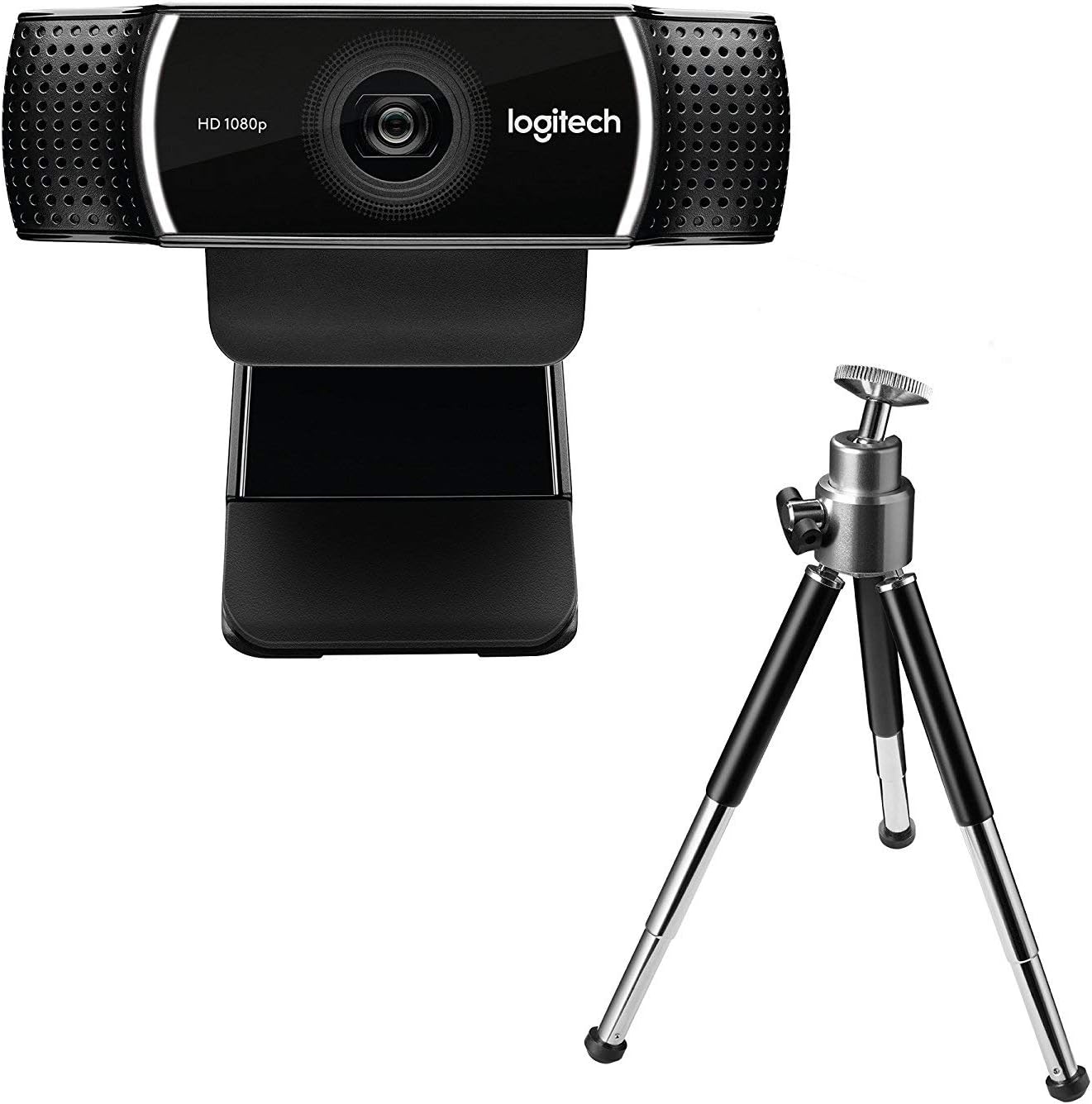
Малюнак 3: Logitech C922 HDPro Webcam shown with its included mini-tripod, offering alternative placement options.
Настройка
Сістэмныя патрабаванні
- Windows 7 або больш позняй версіі
- macOS 10.10 або больш позняй версіі
- Chrome OS
- Порт USB 2.0
- Інтэрнэт-злучэнне для загрузкі праграмнага забеспячэння
Этапы ўстаноўкі
- Распакуйце Webкамера: Carefully remove the C922 webcam and any accessories from its packaging.
- Падключыцеся да кампутара: Plug the USB cable of the C922 webcam into an available USB 2.0 or 3.0 port on your computer.
- Размясціце Webкамера:
- На маніторы/ноўтбуку: Open the flexible clip base and place it over the top edge of your monitor or laptop screen. Adjust the front part of the clip so the webcam sits securely.
- На штатыве: If using the included tripod, screw the webcam onto the tripod mount. Place the tripod on a stable, flat surface.
- Ўстаноўка праграмнага забеспячэння: Your operating system should automatically detect and install basic drivers. For full functionality, including advanced settings and features, download and install the Logitech G HUB software from the official Logitech webсайт (www.logitech.com/ghub).
- Праверце Webкамера: Open a video conferencing application (e.g., Zoom, Skype, Google Meet) or your computer's camera application to verify the webкамера працуе правільна.
Інструкцыя па эксплуатацыі
Базавая аперацыя
- Once connected and drivers are installed, the C922 webcam is ready for use with most video applications.
- Select "Logitech C922 Pro Stream Webcam" as your video device within your chosen application's settings.
- The integrated dual microphones will automatically be selected as the audio input.
Using Logitech G HUB Software
The Logitech G HUB software provides advanced control over your C922 webкамера:
- Дазвол і частата кадраў: Adjust video resolution (up to 1080p) and frame rate (up to 60fps at 720p, 30fps at 1080p).
- Поле в View: Наладзьце поле view.
- Аўтафокус: Enable or disable autofocus.
- Exposure and White Balance: Manually adjust exposure, white balance, and other image settings for optimal lighting conditions.
- ChromaCam (Background Replacement): Utilize the ChromaCam feature for virtual background replacement (requires compatible system).
- профіfiles: Стварыць і захаваць карыстальніцкі профільfiles for different applications or lighting scenarios.
Тэхнічнае абслугоўванне
- Ачыстка аб'ектыва: Выкарыстоўвайце мяккую тканіну без ворса, спецыяльна распрацаваную для оптыкі, каб акуратна працерці webаб'ектыў камеры. Пазбягайце абразіўных матэрыялаў або агрэсіўных хімічных рэчываў.
- Ачышчэнне арганізма: Працярыце цела webкулачок з мяккім, damp тканіна. Не апускайце webне класці ў ваду або выкарыстоўваць празмерную вільготнасць.
- захоўванне: Калі ён не выкарыстоўваецца, захоўвайце яго webЗахоўвайце камеру ў чыстым, сухім месцы, удалечыні ад экстрэмальных тэмператур і прамых сонечных прамянёў.
- Сыход за кабелем: Пазбягайце празмернага згінання або абціскання кабеля USB, каб пазбегнуць пашкоджанняў.
Ліквідацыю непаладак
| праблема | Рашэнне |
|---|---|
| WebКамера не распазнаецца кампутарам. |
|
| No video or black screen. |
|
| Дрэнная якасць відэа (размытае, цёмнае, зерне). |
|
| Няма гуку або якасць гуку нізкая. |
|
Тэхнічныя характарыстыкі
| Асаблівасць | Дэталь |
|---|---|
| Нумар мадэлі | 960-001088 |
| Марка | Logitech |
| Дазвол відэазахопу | 1080p (Full HD) at 30fps, 720p (HD) at 60fps |
| Тэхналогія датчыка выявы | CMOS |
| Максімальная дыяфрагма | 1.8 F |
| Максімальная фокусная адлегласць | 52 міліметры |
| Тэхналогія падлучэння | USB 2.0 |
| Падтрымоўваны аўдыяфармат | AAC |
| Фармат захопу відэа | MP4 |
| Колер | Чорны |
| Памеры дастаўкі | 12.8 х 8.6 х 5.2 см; 162 грамаў |
| Першая даступная дата | 11 лютага 2019 г |
Note: Some specifications from the source data (e.g., "Removable Memory Type: SD", "Connectivity Technology: Wi-Fi") appear to be generic or incorrect for this specific webcam model and have been omitted or corrected for accuracy. The C922 is a wired USB webкулачок.
Гарантыя і падтрымка
Прадукцыя Logitech звычайна пастаўляецца з абмежаванай гарантыяй на абсталяванне. Каб атрымаць падрабязную інфармацыю аб гарантыі, рэгістрацыі і тэхнічнай падтрымцы, наведайце афіцыйны сайт падтрымкі Logitech. webсайт:
Служба падтрымкі Logitech Webсайт
You can also find FAQs, driver downloads, and community forums on their support page.
Ask a question about this manual
Ask about setup, troubleshooting, compatibility, parts, safety, or missing instructions. Manuals+ will review the question and use this page’s manual context to help answer it.