
1. Уводзіны
This manual provides detailed instructions for the safe and efficient operation, setup, and maintenance of your Bernina 590 Sewing and Embroidery Machine. Please read this manual thoroughly before using the machine to ensure optimal performance and longevity.
2. Інструкцыі па тэхніцы бяспекі
Заўсёды выконвайце асноўныя меры бяспекі пры выкарыстанні электрапрыбораў, каб знізіць рызыку пажару, паражэння электрычным токам або траўмаў людзей.
- Ensure the machine is unplugged before cleaning, lubricating, or performing any user servicing.
- Трымайце пальцы далей ад усіх рухомых частак. Патрэбна асаблівая асцярожнасць вакол іголкі швейнай машынкі.
- Выкарыстоўвайце правільную ігольную пласціну. Няправільная пласціна можа прывесці да зламання іголкі.
- Не выкарыстоўвайце сагнутыя іголкі.
- Не цягніце і не праціскайце тканіну падчас шыцця. Гэта можа адхіліць іголку і прывесці да яе зламання.
- Апранайце ахоўныя акуляры.
- Ніколі не працуйце з машынай, калі якія-небудзь паветраныя адтуліны заблакіраваны. Сачыце за тым, каб вентыляцыйныя адтуліны швейнай машыны і педалі не назапашваліся ад ворса, пылу і няшчыльнай тканіны.
3. Прадукт скончыўсяview
The Bernina 590 is a versatile machine designed for both sewing and embroidery tasks, offering advanced features for precision and ease of use.
Асноўныя характарыстыкі:
- Аўтаматычны абрэзчык ніткі: Performs three steps in one: cuts the thread, positions the needle, and lifts the presser foot.
- Bernina Hook: Ensures consistent and precise stitches at speeds up to 1,000 stitches per minute.
- Bernina Dual Feed: Moves fabric evenly from both top and bottom, easily activated and deactivated.
- Embroidery Capabilities: Maximum embroidery area of 400 x 150 mm, includes 275 embroidery designs and 8 embroidery alphabets.
- Каляровы сэнсарны экран: Intuitive interface for machine control and stitch selection.
- Святлодыёдны святло: Provides bright illumination of the work area.
- Invisible Secure Stitch and Intelligent Tie-off Recognition: Ensures high-quality embroidery results.
- Precise Motif Positioning: Allows accurate placement of embroidery designs on hooped fabric.
- On-screen Guides: Sewing and embroidery guides provide direct assistance and answer questions.
Кампаненты машыны:


4. Настройка
Before operating your Bernina 590, ensure it is properly set up.
4.1 Пачатковае падключэнне электрасілкавання
- Пастаўце машыну на ўстойлівую роўную паверхню.
- Падключыце шнур харчавання да прылады, а затым да адпаведнай электрычнай разеткі.
- Уключыце машыну з дапамогай галоўнага выключальніка сілкавання.
4.2 Запраўка ніткі ў машыну
Follow the numbered threading path indicated on the machine for the upper thread. For the bobbin, refer to the following illustration:

4.3 Attaching the Presser Foot and Needle
Ensure the correct presser foot and needle are installed for your chosen task.

5. Інструкцыя па эксплуатацыі
5.1 Sewing Operations
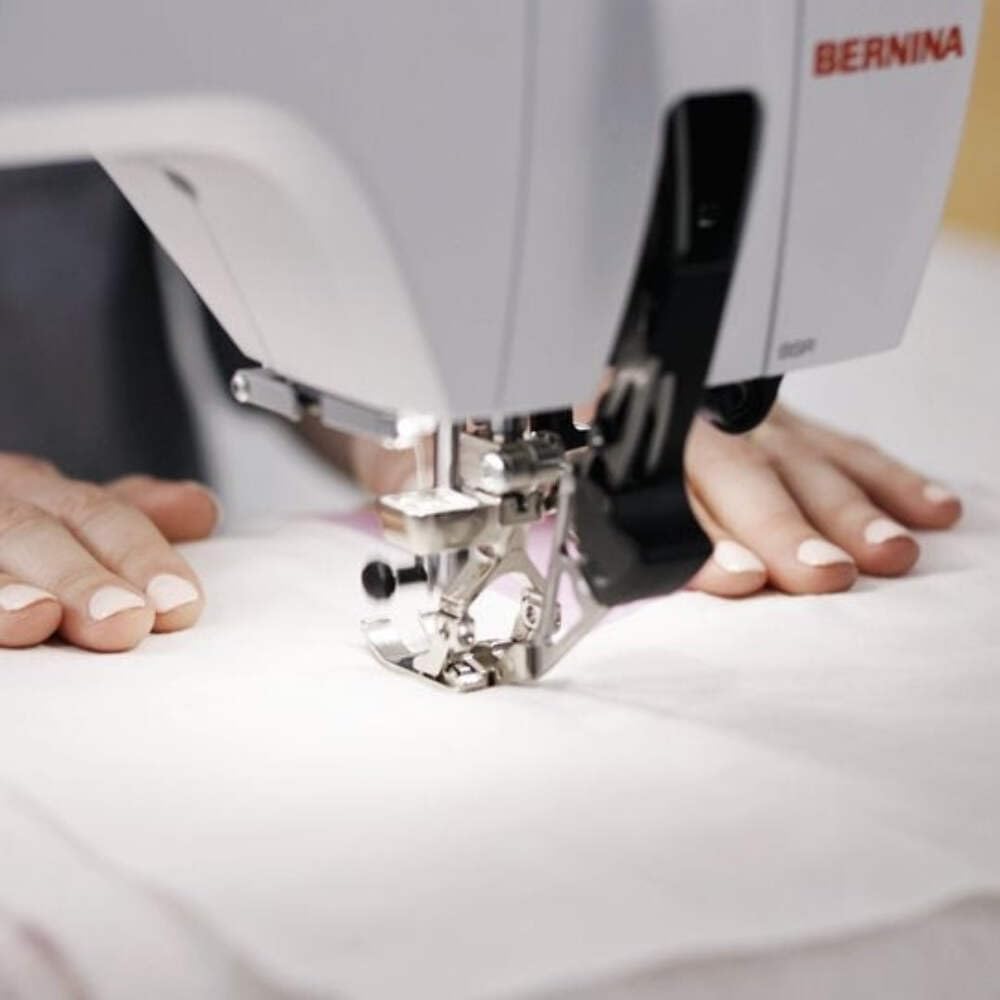
Select your desired stitch pattern and adjust settings using the color touchscreen. The Bernina 590 offers precise control for various sewing projects.
- Выбар шва: Navigate the touchscreen to choose from a wide range of utility and decorative stitches.
- Bernina Dual Feed: Activate the dual feed for even fabric transport, especially useful for challenging materials.
- Аўтаматычны абрэзчык ніткі: Utilize this feature to automatically cut threads at the end of a seam.
5.2 Embroidery Operations
Attach the embroidery module and hoop your fabric to begin embroidery projects.
- Design Selection: Choose from 275 built-in embroidery designs or load your own.
- Motif Positioning: Use the precise motif positioning feature to align your design accurately on the fabric.
- Embroidery Guide: Follow the on-screen guide for step-by-step assistance during embroidery.

6. Тэхнічнае абслугоўванне
Regular maintenance ensures the smooth operation and extends the lifespan of your Bernina 590.
- Уборка: Regularly clean the bobbin area, feed dogs, and needle plate to remove lint and dust. Use a small brush provided with the machine.
- змазка: Refer to the machine's internal instructions for specific lubrication points and frequency.
- Замена іголкі: Replace needles frequently, especially when working with different fabric types or if the needle shows signs of wear.
- Абнаўленні праграмнага забеспячэння: Check the official Bernina website for any available software updates for your machine.
7. Выпраўленне непаладак
This section addresses common issues you might encounter. For more complex problems, contact Bernina support.
| праблема | Магчымая прычына | Рашэнне |
|---|---|---|
| Прапушчаныя шыўкі | Няправільная іголка, пагнутая іголка, няправільная запраўка ніткі. | Заменіце іголку, перазапраўце нітку ў машыну, пераканайцеся, што тып іголкі правільны для тканіны. |
| Абрыў ніткі | Incorrect tension, poor quality thread, burr on needle plate, incorrect threading. | Adjust tension, use quality thread, check for burrs, re-thread machine. |
| Машына не запускаецца | Power cord not connected, main switch off, foot control issue. | Check power connections, ensure switch is on, inspect foot control. |
8. Тэхнічныя характарыстыкі
Detailed technical specifications for the Bernina 590 Sewing and Embroidery Machine.
- мадэль: Bernina 590
- Памеры (пакет): 58 х 50 х 48 см
- Вага (выраб): 15 кг
- Maximum Embroidery Area: 400 х 150 мм
- Maximum Embroidery Speed: 1000 шыўкоў у хвіліну
- Included Embroidery Designs: 275
- Embroidery Alphabets: 8
- Сістэма кручка: Bernina Hook
- Дысплей: Каляровы сэнсарны экран
- асвятленне: святлодыёд

9. Гарантыя і падтрымка
For warranty information, please refer to the documentation provided with your purchase or visit the official Bernina website. For technical support, service, or to order parts, please contact your authorized Bernina dealer or Bernina customer service.
Bernina Official Webсайт: www.bernina.com