
Zerone H980
Zerone Mini Portable LED Projector User Manual
Мадэль: H980
Уводзіны
Дзякуй за пакупкуasing the Zerone Mini Portable LED Projector. This compact and versatile projector is designed to provide an immersive home theater experience, allowing you to enjoy movies, videos, and games in a dark environment, whether at home or outdoors. With its multiple input interfaces and long-life LED light source, it offers a convenient and environmentally friendly solution for your entertainment needs.
This manual provides essential information on setting up, operating, and maintaining your projector to ensure optimal performance and longevity. Please read it thoroughly before use and keep it for future reference.
Змест пакета
Пасля адкрыцця ўпакоўкі пераканайцеся, што ўсе пералічаныя ніжэй прадметы наяўныя і знаходзяцца ў добрым стане:
- 1 x Zerone Mini Portable LED Projector
- 1 х пульт дыстанцыйнага кіравання (батарэйкі не ўключаны)
- 1 х адаптар сілкавання (раз'ём ЗША)
- 1 х AV-кабель
- 1 х Кіраўніцтва карыстальніка (гэты дакумент)

Figure 1: Zerone Mini Portable LED Projector and its accessories. The image shows the compact white and yellow projector, a black remote control, a black power adapter with a US plug, and a black AV cable with red, white, and yellow connectors.
Прадукт скончаныview
The Zerone Mini Portable LED Projector is designed for ease of use and portability. It features a compact form factor, making it suitable for various environments. Below is an overview яго ключавых кампанентаў і асаблівасцей.

Малюнак 2: Зверху ўніз view of the projector's input and control panel. Visible ports include MicroSD, AV, and a 3.5mm earphone port. Control buttons are also visible on the top surface.
Асноўныя характарыстыкі:
- 1500lm High Brightness: Delivers clear and vibrant images.
- Уласнае раздзяленне: 320 x 240P, supporting up to 1080P HD input.
- Long-Life LED Light Source: 30,000 hours of operation, environmentally friendly.
- Некалькі ўваходных інтэрфейсаў: HDMI, USB, AV, VGA, Micro Secure Digital, 3.5mm Earphone Port.
- Партатыўны дызайн: Small and lightweight for easy transport.

Figure 3: Connectivity options for the projector. This diagram illustrates how various devices such as laptops, desktop PCs, U disks/TF cards, DVD/VCD players, game consoles, TV boxes, and HDMI players can connect to the projector via its HDMI, AV, USB, VGA, and Micro SD inputs.
Настройка
1. Падключэнне сілкавання:
- Connect the provided power adapter to the "DC IN" port on the projector.
- Падключыце адаптар сілкавання да стандартнай электрычнай разеткі.
- Індыкатар харчавання на праектары загарыцца.
2. Positioning the Projector:
Place the projector on a stable, flat surface. Ensure there is adequate ventilation around the unit to prevent overheating. The ideal projection distance ranges from 1.0 to 2.8 meters (approximately 3.3 to 9.2 feet) to achieve a screen size of 24 to 60 inches.
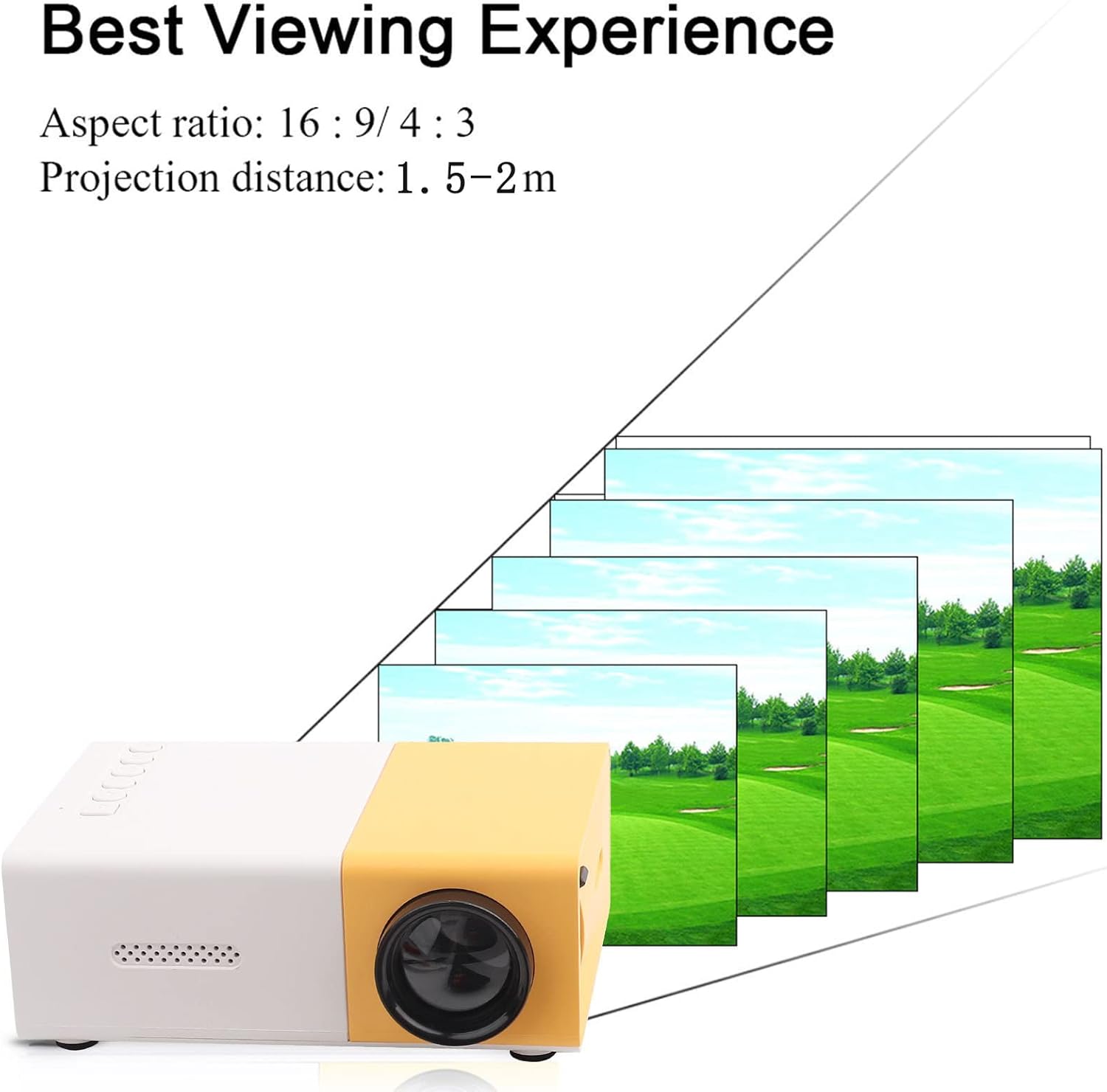
Малюнак 4: Лепшае Viewing Experience. This image shows the projector projecting onto a screen, with text indicating an aspect ratio of 16:9/4:3 and a projection distance of 1.0-2.8m. It visually represents how the image size changes with distance.
3. Connecting Input Devices:
Connect your desired media device (e.g., laptop, TV box, game console, USB drive) to the appropriate port on the projector:
- HDMI: Для відэа і аўдыё высокай выразнасці.
- USB: Для прайгравання мультымедыя files непасрэдна з флэшкі USB.
- АВ: For connecting devices using the included AV cable (e.g., older DVD players).
- VGA: Для падключэння кампутараў.
- Micro Secure Digital (MicroSD): Для прайгравання мультымедыя files directly from a MicroSD card.
- 3.5-мм раз'ём для навушнікаў: Для падлучэння знешніх навушнікаў або дынамікаў.
Інструкцыя па эксплуатацыі
1. Уключэнне/выключэнне:
Націсніце кнопку харчавання на праектары або пульце дыстанцыйнага кіравання, каб уключыць або выключыць прыладу.
2. Focusing the Image:
The projector features manual focusing. Rotate the focus ring on the lens until the projected image appears clear and sharp on the screen.
3. Выбар крыніцы ўводу:
Use the "Source" button on the projector or remote control to cycle through the available input sources (HDMI, USB, AV, VGA, MicroSD) until your connected device's content is displayed.
4. Adjusting Aspect Ratio:
The projector supports aspect ratios of 16:9 and 4:3. You can adjust this setting via the projector's menu or remote control to best suit your content.
5. Прайграванне мультымедыя:
When playing media from USB or MicroSD, navigate through files using the remote control's directional buttons and "OK" button. The projector supports a wide range of formats:
- Аўдыё Files: MP3, WMA, OGG, AAG, FLAC, APE, WAV
- Малюнак Files: JPEG, BMP, PNG
- Відэа Files: Supports Full Format Files
- Тэкст Files: TXT
Тэхнічнае абслугоўванне
1. Ачыстка аб'ектыва:
Выкарыстоўвайце мяккую тканіну без ворса, спецыяльна распрацаваную для аптычных лінзаў, каб акуратна працерці аб'ектыў праектара. Пазбягайце выкарыстання абразіўных ачышчальнікаў або празмернага прымянення сілы, бо гэта можа падрапаць аб'ектыў.
2. Cleaning the Projector Body:
Працірайце знешнія паверхні праектара мяккай сухой тканінай. Не выкарыстоўвайце вадкія ачышчальнікі або растваральнікі.
3. Вентыляцыя:
Ensure that the ventilation vents on the projector are not blocked. Proper airflow is crucial to prevent overheating and maintain the lifespan of the LED light source.
4. Захоўванне:
Калі праектар не выкарыстоўваецца працяглы час, захоўвайце яго ў прахалодным, сухім месцы, удалечыні ад прамых сонечных прамянёў і празмернай колькасці пылу. Рэкамендуецца выкарыстоўваць арыгінальную ўпакоўку або ахоўны чахол.
Ліквідацыю непаладак
| праблема | Магчымая прычына | Рашэнне |
|---|---|---|
| Выява не праецыруецца. |
|
|
| Выява размытая. |
|
|
| Няма гуку. |
|
|
| Праектар пераграваецца або выключаецца. |
|
|
Тэхнічныя характарыстыкі
| Асаблівасць | Дэталь |
|---|---|
| Крыніца святла | LED, 30,000 hours lifespan |
| Роднае дазвол | 320 x 240P |
| Яркасць | 1500 лм |
| Каэфіцыент кантраснасці | 800:1 |
| Рэжым факусоўкі | Ручная факусоўка |
| Адлюстроўваныя колеры | 1.67М |
| Суадносіны бакоў | 16:9 / 4:3 |
| Адлегласць праекцыі | 1.0 - 2.8 м |
| Памер праекцыйнага экрана | 24 - 60 цалі |
| Уваходная магутнасць | DC12V-2A |
| Памеры | Прыблізна 127 x 81.5 x 48.5 мм (5 x 3.2 x 1.9 цалі) |
| Вага | Прыблізна 500 г (1.1 фунта) |
| Інтэрфейсы | 1 x HDMI, 1 x USB, 1 x AV, 1 x VGA, 1 x Micro Secure Digital, 1 x 3.5mm Earphone Port |
Гарантыя і падтрымка
For warranty information and technical support, please refer to the purchase documentation or contact your retailer. Keep your proof of purchase for any warranty claims.
For further assistance, you may also visit the official Zerone store on Amazon: Zerone Store.