
1. Уводзіны
Thank you for choosing the Macally USB Type C Wired Mouse. This manual provides detailed instructions for setting up, operating, and maintaining your new mouse. Designed for simplicity and reliability, this plug-and-play mouse offers comfortable use with adjustable DPI settings for various computing needs.
2. Змесціва ўпакоўкі
- Macally USB Type C Wired Mouse
- Кіраўніцтва па эксплуатацыі
3. Настройка
The Macally USB Type C Wired Mouse is designed for easy plug-and-play functionality, requiring no additional drivers for most operating systems.
- Падключыце мыш: Locate an available USB-C port on your computer (MacBook Pro, iMac, PC, Laptop, Tablet, etc.). Insert the USB-C connector of the mouse cable firmly into the USB-C port.
- Аўтаматычнае распазнаванне: Your operating system should automatically detect and configure the mouse. No software installation is typically required.
- Пачаць выкарыстанне: Пасля распазнання мыш гатовая да неадкладнага выкарыстання.

Image: The Macally USB-C mouse connected to a laptop via its USB-C cable, demonstrating the plug-and-play setup.
Video: A demonstration of connecting the wired USB-C mouse to a laptop, highlighting its plug-and-play functionality for Type-C computers.
4. Інструкцыя па эксплуатацыі
4.1 Асноўнае выкарыстанне
The mouse features a standard 3-button layout for intuitive control:
- Левая кнопка мышы: Выкарыстоўваецца для выбару элементаў, адкрыцця fileс і выкананне каманд.
- Правая кнопка мышы: Used for accessing contextual menus and additional options.
- Кола пракруткі: Выкарыстоўваецца для пракруткі дакументаў і web pages. The scroll wheel can also be pressed as a middle click button for specific functions in some applications.

Выява: зверху ўніз view of the Macally USB-C mouse, clearly showing the left-click, right-click, and scroll wheel buttons.
4.2 Рэгуляванне DPI
The mouse features a dedicated DPI (Dots Per Inch) switch to adjust cursor sensitivity. This allows you to change the speed and responsiveness of the cursor to suit your preference or task.
- Націсніце Кнопка DPI (located below the scroll wheel) to cycle through the available sensitivity settings: 800, 1200, 1600, and 2400 DPI.
- Select the DPI setting that provides the most comfortable and efficient cursor movement for your current activity.
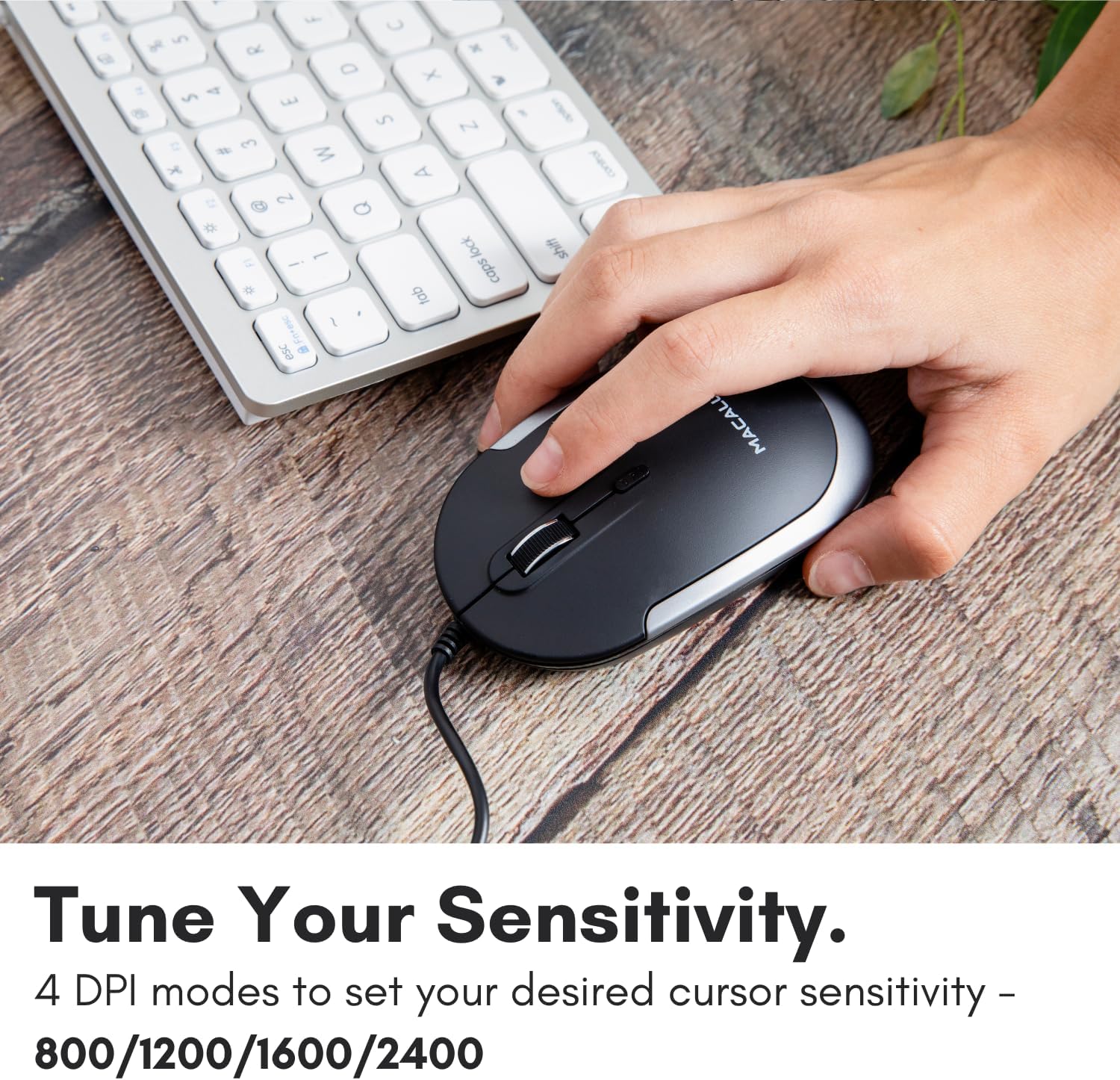
Image: A hand demonstrating how to press the DPI button on the Macally USB-C mouse to adjust sensitivity.
4.3 Сумяшчальнасць
The Macally USB Type C Wired Mouse is universally compatible with a wide range of devices and operating systems:
- Mac (macOS)
- ПК (Windows)
- iPadOS
- Android devices with USB-C ports

Image: The Macally USB-C mouse displayed with compatibility logos for Mac, PC, iPadOS, and Android operating systems.
5. Асноўныя магчымасці
- Падключэнне USB-C: Specifically designed for modern laptops and computers with USB-C ports, ensuring a reliable wired connection.
- Тонкі і кампактны дызайн: With a height of only 1 inch, the mouse is slim, comfortable, and portable, fitting snugly in your hand.
- Quiet Click Buttons: Reduces clicking noise by 90% compared to traditional mice, providing a quieter work environment.
- Рэгуляваны DPI: Easily switch between 800, 1200, 1600, and 2400 DPI settings for precise cursor control.
- 5-Foot Cable: Забяспечвае ample length for flexible setup and comfortable use, even with desktop computers.
- Амбідэкстральны дызайн: Падыходзіць як для правшей, так і для леўшуноў.

Image: The Macally USB-C mouse highlighting its elegant and slim design with dimensions.
Video: A detailed look at the Macally USB-C Optical Mouse, emphasizing its quiet click buttons and compatibility with Mac and PC.
6. Тэхнічнае абслугоўванне
To ensure the longevity and optimal performance of your Macally USB Type C Wired Mouse, follow these simple maintenance guidelines:
- Уборка: Выкарыстоўвайце мяккую, сухую тканіну без ворса, каб праціраць паверхню мышы. Для выдалення ўстойлівага бруду злёгкуampПрацярыце тканіну вадой або мяккім ачышчальным растворам. Пазбягайце выкарыстання агрэсіўных хімікатаў або абразіўных матэрыялаў.
- Аптычны датчык: Трымайце аптычны датчык на ніжняй частцы мышы чыстым і без пылу або смецця. Пры неабходнасці выкарыстоўвайце ватовы тампон або сціснутае паветра.
- Сыход за кабелем: Avoid sharp bends or excessive pulling on the USB-C cable to prevent damage. Store the cable neatly when not in use.
- захоўванне: Калі мыш не выкарыстоўваецца, захоўвайце яе ў чыстым, сухім месцы, удалечыні ад экстрэмальных тэмператур.
7. Выпраўленне непаладак
If you encounter any issues with your Macally USB Type C Wired Mouse, please refer to the following common solutions:
| праблема | Рашэнне |
|---|---|
| Мышка не рэагуе. |
|
| Рух курсора няўстойлівы або скачковы. |
|
| Кнопкі або кола пракруткі не працуюць. |
|
8. Тэхнічныя характарыстыкі
| Марка | Макальна |
| Нумар мадэлі | UCDYNAMOUSESG |
| Тэхналогія падлучэння | Правадны USB-C |
| Тэхналогія выяўлення руху | Аптычны |
| Налады DPI | 800, 1200, 1600, 2400 |
| Даўжыня кабеля | 5 футы (прыблізна 1.5 метра) |
| Гузікі | 3 (Left, Right, Scroll Wheel/Middle Click) + DPI Switch |
| Вага прадмета | 2.56 унцыі (прыблізна 72.5 грамаў) |
| Памеры прадукту (ДxШxВ) | 2.8 х 4.21 х 1 цалі (прыблізна 7.1 х 10.7 х 2.5 см) |
| Сумяшчальнасць | Mac (macOS), PC (Windows), iPadOS, Android (with USB-C) |
9. Гарантыя і падтрымка
Macally provides a Гарантыя 1 год for this product. For technical support, troubleshooting assistance, or warranty claims, please contact Macally customer service. You can find contact information and additional resources on the official Macally webсайт:
Webсайт: www.macally.com
Macally also offers easy returns and lifetime support with your purchase.