
Уводзіны
Thank you for choosing the Riwbox CT-7S Kids Wireless Headphones. These headphones are designed with children in mind, featuring a fun cat-ear design with LED lights, 85dB volume limiting for hearing protection, and versatile wired/wireless connectivity. This manual provides detailed instructions to help you get the most out of your new headphones.
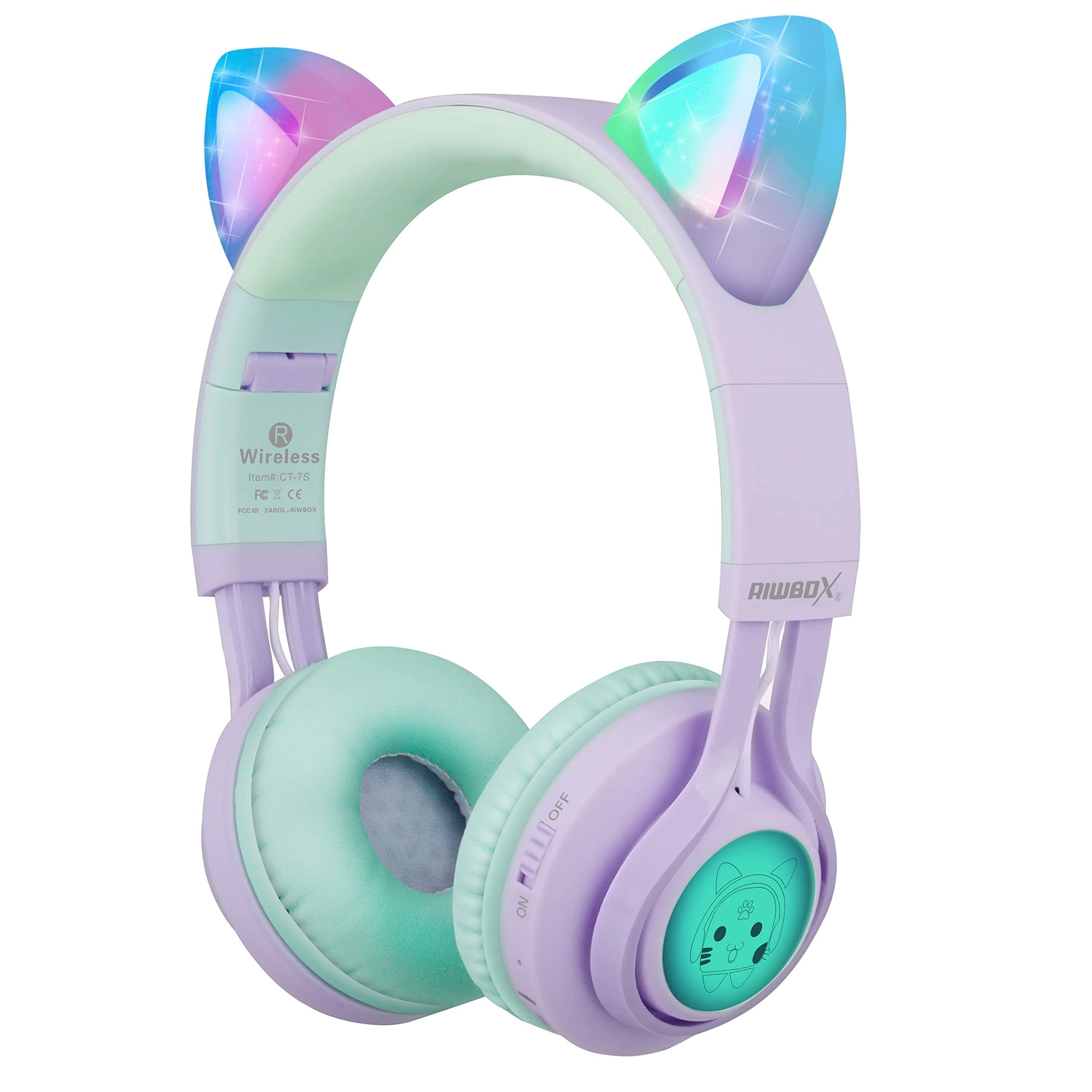
Image: Riwbox CT-7S Kids Wireless Headphones in purple and green, showcasing the cat-ear design and soft earcups.
Што ў скрынцы
- Volume limiting cat ear headphones (Wireless)
- 3.5mm Anti-Tangle Audio Cable with Mic
- Кабель для зарадкі USB-C
- Кіраўніцтва карыстальніка

Image: The included 3.5mm audio cable and USB-C charging cable.
Настройка
1. Зарадка навушнікаў
Before first use, fully charge the headphones. Connect the provided USB-C charging cable to the charging port on the headphone and the other end to a USB power source (e.g., computer, wall adapter). The LED indicator will show charging status. A full charge takes approximately 2 hours and provides up to 40 hours of playback.
2. Уключэнне / выключэнне харчавання
Locate the ON/OFF switch on the side of the headphone. Slide the switch to the "ON" position to power on. Slide to "OFF" to power off.
3. Спарванне Bluetooth
- Пераканайцеся, што навушнікі адключаны.
- Slide the ON/OFF switch to the "ON" position. The headphones will automatically enter pairing mode, and the LED indicator will flash.
- На вашай прыладзе (смартфоне, планшэце, ноўтбуку) уключыце Bluetooth і знайдзіце даступныя прылады.
- Select "CT-7S" from the list of devices.
- Once paired, the LED indicator will stop flashing and remain solid, and a voice reminder will confirm the connection.
- The connection status and battery level will be shown on your smartphone screen.

Image: Detailed diagram showing the location of the ON/OFF switch, microphone, LED indicator, USB charge port, and 3.5mm audio AUX port on the headphones.
Інструкцыя па эксплуатацыі
1. Wired Mode (Optional)
If the headphone battery runs out, or if you prefer a wired connection, you can use the provided 3.5mm anti-tangle audio cable. Simply plug one end into the headphone's AUX port and the other end into your device's 3.5mm audio jack. The cable includes a built-in microphone for phone calls.
2. Рэгулятар гучнасці
In Bluetooth mode, use the volume control buttons on the headphone to adjust the sound level. The 85dB volume limiting feature ensures safe listening levels for children.
3. Music Playback & Call Management
- Прайграванне/Паўза: Кароткае націсканне кнопкі Прайграванне/Паўза.
- Наступная песня: Доўга націсніце кнопку павелічэння гучнасці (+).
- Папярэдняя песня: Доўга націсніце кнопку памяншэння гучнасці (-).
- Адказ/завяршэнне выкліку: Кароткае націсканне кнопкі Прайграванне/Паўза.
4. Кіраванне святлодыёдным святлом
The cat ears and side panels feature colorful LED lights that can blink and change color with the rhythm of the music. To turn the LED lights ON or OFF, press and hold the 'M' button for 3 seconds. Turning off the LED lights can help conserve battery for longer music playback.

Image: Illustration showing the LED lights on the cat ears and side panels of the headphones.
Тэхнічнае абслугоўванне
- Трымайце навушнікі ў чысціні, праціраючы іх мяккай сухой тканінай.
- Пазбягайце ўздзеяння навушнікаў экстрэмальных тэмператур або прамых сонечных прамянёў.
- Захоўвайце навушнікі ў прахалодным, сухім месцы, калі яны не выкарыстоўваюцца. Складаная канструкцыя забяспечвае кампактнае захоўванне.
- Do not attempt to disassemble or repair the headphones yourself, as this may void the warranty.
- Keep away from water. While the product description mentions "Waterproof" in one specification, it's generally safer to avoid direct water exposure for electronic devices.

Image: Riwbox CT-7S headphones shown in their folded position, highlighting portability.
Ліквідацыю непаладак
| праблема | Рашэнне |
|---|---|
| Навушнікі не ўключаюцца. | Ensure the headphones are charged. Connect the USB-C charging cable and try again. |
| Немагчыма падключыцца праз Bluetooth. |
|
| Няма гуку ў бесправадным рэжыме. |
|
| У правадным рэжыме гуку няма. |
|
| Святлодыёдныя ліхтары не працуюць. | Press and hold the 'M' button for 3 seconds to toggle the LED lights on/off. Ensure headphones are charged. |
Тэхнічныя характарыстыкі
| Асаблівасць | Дэталь |
|---|---|
| Нумар мадэлі | КТ-7С |
| Марка | Riwbox |
| Тэхналогія падлучэння | Bluetooth, Wired, Wireless |
| Версія Bluetooth | 5.3 |
| Дыяпазон Bluetooth | 50 футаў |
| Памер аўдыё драйвера | 40 міліметра |
| Адчувальнасць | 85 dB (Volume Limiting) |
| АЧХ | 2 кГц |
| Час зарадкі акумулятара | 2 гадзін |
| Сярэдні тэрмін службы батарэі | 40 гадзін |
| Тып кіравання | Volume Control, Touch, Button |
| Размяшчэнне вушэй | На вуха |
| Формаў-фактар | Over Ear, Foldable |
| Матэрыял | Пластыкавыя |
| Вага прадмета | 0.35 фунта |
Гарантыя і падтрымка
Riwbox offers a Гарантыя 1 год for products purchased from Amazon. To register for warranty service, please email support@riwbox.com within one week of purchase. Don't forget to offer your order number for verification.
For further assistance or inquiries, please visit the official Riwbox webсайт або звярніцеся ў службу падтрымкі кліентаў.