
1. Прадукт скончыўсяview
The Elecom M-FBL01DBXSBK is a 5-button wireless mouse designed for comfortable and quiet operation. It features a Blue LED sensor for versatile surface compatibility and a compact USB receiver.

Image 1.1: Elecom M-FBL01DBXSBK Wireless Mouse with its compact USB receiver.
2. Змесціва ўпакоўкі
- Elecom M-FBL01DBXSBK Wireless Mouse
- Бесправадны USB-прыёмнік
- AA Alkaline Battery (for operation confirmation)
- Кіраўніцтва карыстальніка (гэты дакумент)
3. Інструкцыі па ўсталёўцы
3.1. Устаноўка батарэі
- Знайдзіце вечка адсека для батарэй на ніжняй частцы мышы.
- Зрушыце або падніміце вечка, каб адкрыць адсек.
- Insert one AA alkaline battery, ensuring the positive (+) and negative (-) terminals align correctly with the markings inside the compartment.
- Надзейна зачыніце крышку батарэйнага адсека.

Image 3.1: The underside of the mouse, indicating the battery compartment and power switch.
3.2. Падключэнне USB-прыёмніка
- Remove the compact USB receiver from its storage slot on the underside of the mouse.
- Падключыце USB-прыёмнік да даступнага порта USB-A на вашым кампутары.
- Ваш камп'ютар павінен аўтаматычна выявіць і ўсталяваць неабходныя драйверы. Гэта можа заняць некалькі хвілін.
3.3. Уключэнне мышы
After installing the battery and connecting the receiver, locate the power switch on the underside of the mouse and slide it to the 'ON' position. The mouse is now ready for use.
3.4. OS Compatibility
The Elecom M-FBL01DBXSBK Wireless Mouse is compatible with:
- Windows 11, Windows 10, Windows RT8.1, Windows 8.1, Windows 7, Windows Vista
- macOS High Sierra 10.13 і пазнейшыя версіі
Ensure your operating system is updated to the latest version and any service packs are installed for optimal performance.
4. Кіраванне мышшу
4.1. Асноўныя функцыі
The mouse features five buttons and a scroll wheel:
- Левая кнопка: Функцыя асноўнага націску.
- Правая кнопка: Функцыя другаснага кліку (кантэкстнае меню).
- Кола пракруткі: Пракручвае дакументы і web pages vertically. Can also be pressed for a middle-click function.
- Кнопка "Наперад": Перамяшчаецца наперад web браўзэры або file даследчыкі.
- Кнопка "Назад": Пераходзіць назад у web браўзэры або file даследчыкі.

Image 4.1: The five buttons of the Elecom M-FBL01DBXSBK mouse, including the scroll wheel.
4.2. Функцыя ціхага кліку
All five buttons incorporate a silent switch mechanism, significantly reducing clicking noise. This allows for quiet operation in various environments.

Image 4.2: The silent switch design minimizes operational noise.
4.3. Blue LED Sensor
The mouse is equipped with a Blue LED optical sensor, which provides accurate tracking on a variety of surfaces, including those with slight unevenness or dust. This enhances usability in diverse settings.

Image 4.3: The Blue LED sensor allows for comfortable use on various surfaces.
4.4. Бесправадное падключэнне
The mouse utilizes a 2.4 GHz wireless band for stable communication. The effective radio distance is approximately 3 meters (9.8 feet) on magnetic surfaces (e.g., steel desks) and up to 10 meters (32.8 feet) on non-magnetic surfaces (e.g., wooden desks).
4.5. Індыкатар батарэі
An integrated battery indicator light notifies you when the battery level is low, signaling that a replacement is needed.
4.6. Elecom Mouse Assistant Software
Button functions can be customized using the free downloadable Elecom Mouse Assistant software. This allows users to reassign functions to the mouse buttons for improved workflow efficiency.
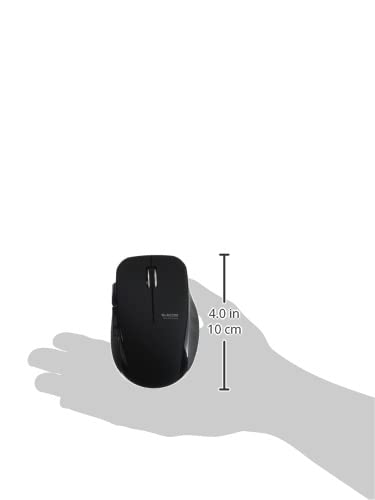
Image 4.4: The Elecom Mouse Assistant software enables button customization.
5. Тэхнічнае абслугоўванне
5.1. Замена батарэі
When the battery indicator signals low power, replace the AA battery with a new AA alkaline, manganese, or NiMH battery. Follow the battery installation steps outlined in Section 3.1.
5.2. Уборка
To clean the mouse, gently wipe its surface with a soft, dry cloth. Avoid using harsh chemicals or abrasive materials, as these can damage the finish. Ensure no liquid enters the mouse.
5.3. Receiver Storage
The USB receiver can be stored inside the mouse body when not in use or during transport. This helps prevent loss of the receiver.
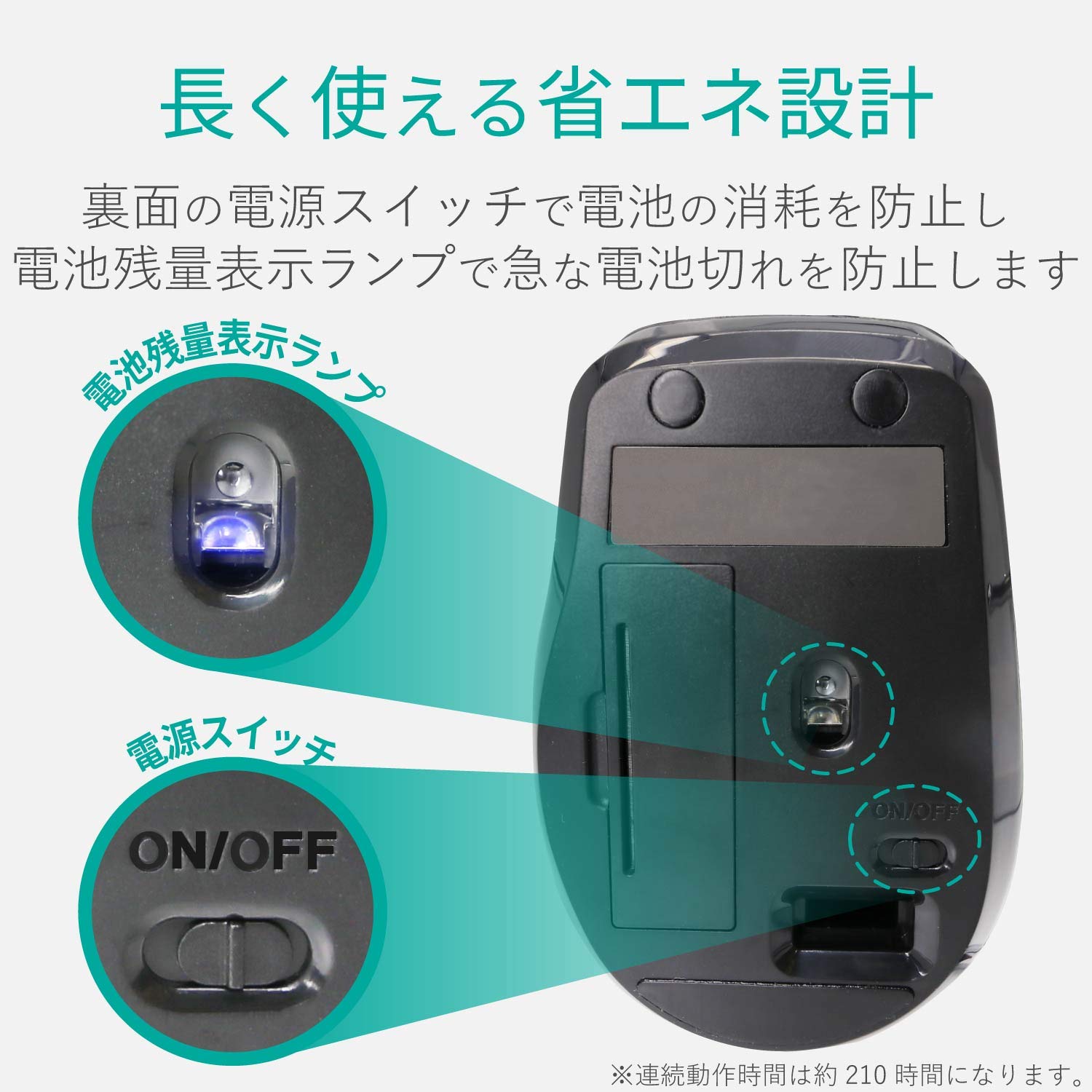
Image 5.1: The compact receiver can be stored within the mouse for convenience.
6. Выпраўленне непаладак
- Мышка не рэагуе:
- Check if the mouse is powered on (power switch on the underside).
- Пераканайцеся, што батарэя правільна ўсталявана і не разраджана. Пры неабходнасці заменіце яе.
- Пераканайцеся, што USB-прыёмнік надзейна падключаны да спраўнага USB-порта вашага кампутара. Паспрабуйце іншы USB-порт.
- Перазагрузіце кампутар.
- Няправільны рух курсора:
- Clean the optical sensor area on the underside of the mouse.
- Пераканайцеся, што вы карыстаецеся мышшу на адпаведнай паверхні. Пазбягайце моцна бліскучых або празрыстых паверхняў.
- Check for interference from other wireless devices. Move the mouse closer to the receiver.
- Кнопкі працуюць няправільна:
- If using Elecom Mouse Assistant, ensure button assignments are correct.
- Reinstall the Elecom Mouse Assistant software if issues persist.
7. Тэхнічныя характарыстыкі
| Інтэрфейс | USB |
| Форма раздыма | Мужчынскі USB-A |
| Сумяшчальная АС | Windows 11, 10, RT8.1, 8.1, 7, Vista; macOS High Sierra 10.13+ |
| дазвол | 1600 кол |
| Метад сувязі | Метад ГФСК |
| радыёчастотныя | Дыяпазон 2.4 ГГц |
| Radio Distance | Magnetic objects: 3m (9.8 ft); Non-magnetic objects: 10m (32.8 ft) |
| Метад чытання | Аптычная сістэма датчыкаў (сіні святлодыёд) |
| Колькасць кнопак | 5 (including wheel button) |
| Колькасць колаў | 1 |
| Захоўванне прыёмніка | так |
| Час бесперапыннай працы | Прыбл. 210 гадзіны |
| Час чакання | Прыбл. 1666 дзён |
| Estimated Battery Usage Time | Прыбл. 478 дзён |
| Блок харчавання (асноўны блок) | 1 AA alkaline, manganese, or NiMH battery |
| Намінальны выпtage (Body) | 1.5В |
| Колер | Чорны |
| Вага (мыш) | Прыбл. 62 г (без батарэі) |
| Знешнія памеры (прыёмнік) | 14.5 х 18.0 х 6.3 мм |
| Вага (прыёмнік) | Прыбл. 2 г |
8. Гарантыя і падтрымка
8.1. Гарантыйны перыяд
На гэты прадукт даецца 6-месячная гарантыя з моманту пакупкі.
8.2. Product Inquiries
For product inquiries or technical support, please contact the Elecom General Information Center:
- ТЭЛ.: 0570-084-465
- ФАКС: 0570-050-012
- Час прыёму: 10:00 - 19:00 (кругласутачна)