
Уводзіны
The Nyko Wireless Core Controller is designed to enhance your gaming experience across multiple platforms, including Nintendo Switch, Android devices, and PC. This controller features an ergonomic design, reliable Bluetooth connectivity, and a programmable turbo function. Please read this manual thoroughly to ensure proper setup and operation of your new controller.
Што ўключана
Праверце наяўнасць усіх прадметаў у камплекце:
- 1x Nyko Wireless Core Controller
- 1x зарадны кабель USB Type-C

Image: Contents of the Nyko Wireless Core Controller package, showing the controller and its USB Type-C charging cable.
Асаблівасці
The Nyko Wireless Core Controller offers a range of features for an optimized gaming experience:
- Бесправаднае падключэнне: Utilizes Bluetooth for a responsive, lag-free connection.
- Эрганамічны дызайн: Full-sized controller with comfortable grips for extended gameplay sessions.
- Функцыя турба: Programmable turbo button for any face buttons or triggers, allowing for rapid, automatic inputs.
- Акумулятарная батарэя: Internal battery provides up to 20 hours of playtime, recharged via the included USB Type-C cable.
- Элементы кіравання рухам: Integrated gyroscope supports games requiring motion control.
- Вібрацыйная зваротная сувязь: Забяспечвае захапляльную тактыльную зваротную сувязь падчас гульні.
- Мультыплатформенная сумяшчальнасць: Works with Nintendo Switch, Android, and PC.
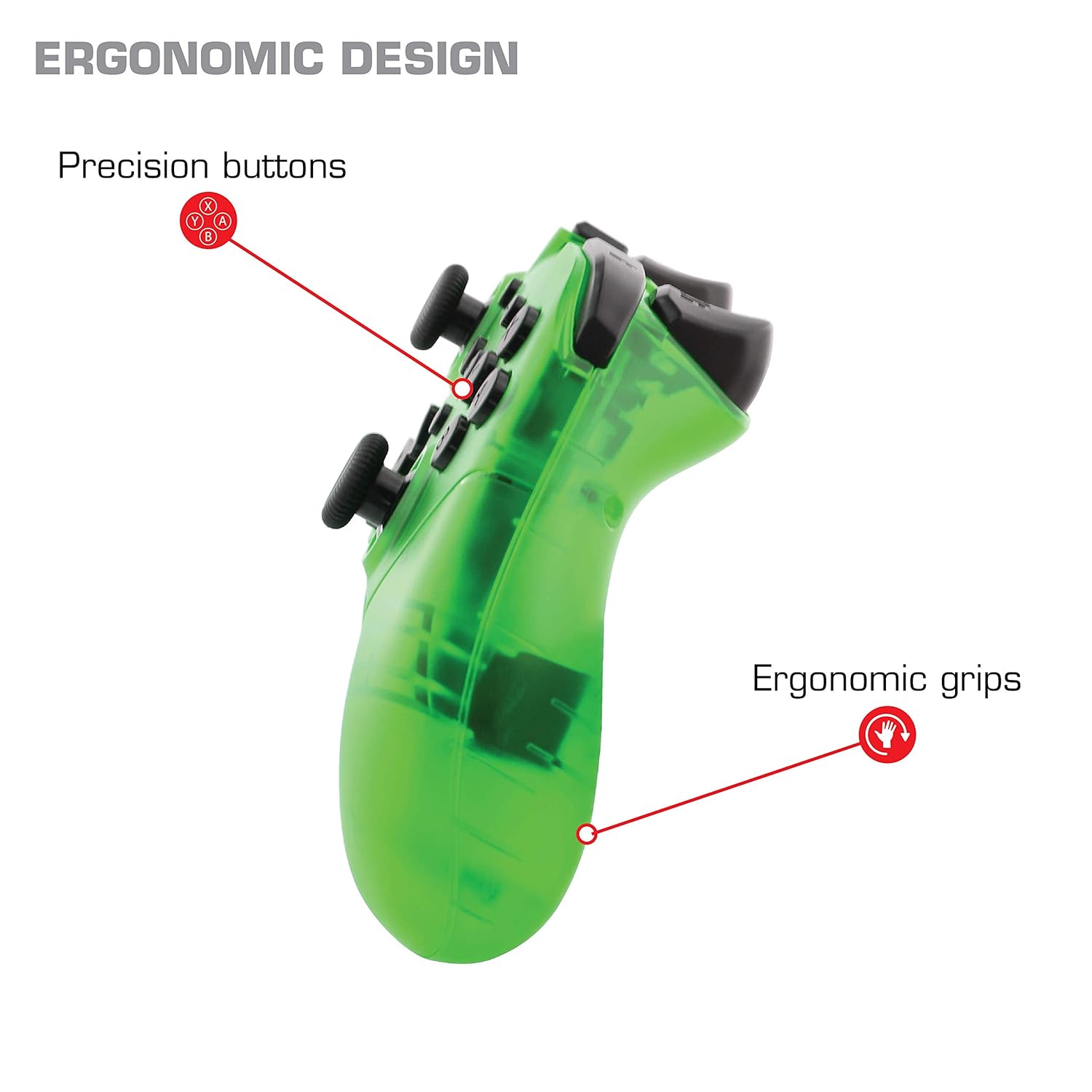
Выява: Крупны план view of the Nyko Wireless Core Controller highlighting its ergonomic design and precision buttons.

Выява: спераду view of the Nyko Wireless Core Controller, indicating its compatibility with PC, the turbo feature, and LED player indicators.
Video: A comparison between the Nyko Wireless Core Controller and a standard Nintendo Switch Pro Controller, showcasing their similar layouts and features.
Настройка
Першапачатковая зарадка
Before first use, fully charge the controller using the included USB Type-C cable. Connect the small end of the cable to the controller's USB-C port and the larger end to a USB power source (e.g., Nintendo Switch dock, PC, or USB wall adapter).
Спалучэнне з Nintendo Switch
- Ensure your Nintendo Switch console is powered on and updated to the latest system software.
- У меню ГАЛОЎНАЯ абярыце «Кантролеры» > «Змяніць захоп/парадак».
- While on this screen, press and hold the SYNC button on the top of the Nyko controller for a few seconds until the player indicator LEDs begin to flash.
- Once the controller is recognized and paired, the player indicator LED(s) will light up solid.
- Заўвага: For the first connection, it may be necessary to connect the controller physically to the Switch dock via the USB-C cable to initiate pairing.
Pairing with Android/PC
- Ensure Bluetooth is enabled on your Android device or PC.
- На прыладзе перайдзіце ў налады Bluetooth і знайдзіце новыя прылады.
- Press and hold the SYNC button on the top of the Nyko controller until the player indicator LEDs begin to flash, indicating it's in pairing mode.
- Select "Nyko Core Controller" (or similar name) from the list of available devices on your Android/PC.
- Once paired, the player indicator LED(s) will light up solid.
Інструкцыя па эксплуатацыі
Асноўныя элементы кіравання
The controller features standard button layouts including A, B, X, Y buttons, D-Pad, Left and Right Analog Sticks, L/R and ZL/ZR shoulder buttons, HOME, +, -, and Screenshot buttons. Refer to your game's instructions for specific button functions.
Programmable Turbo Functionality
The turbo function allows for rapid, repeated input of a button press. This can be set for multiple buttons simultaneously.

Image: Diagram of the Nyko Wireless Core Controller indicating which buttons are programmable for turbo functionality and which are not.
Enabling Turbo and Auto-Fire
- To enable Turbo: Націсніце і ўтрымлівайце Кнопка турба, then press any face button (Y, X, B, A) or trigger (L, R, ZL, ZR) you wish to have turbo functionality. While holding the assigned button, it will rapidly input.
- To enable Auto-Fire: Націсніце і ўтрымлівайце Кнопка турба, then press the desired button двойчы. The button will now continuously input without needing to be held down.
Disabling Turbo and Auto-Fire
- To disable Turbo/Auto-Fire for a specific button: Націсніце і ўтрымлівайце Кнопка турба, then press the assigned button двойчы.
- To reset all Turbo/Auto-Fire settings: Націсніце і ўтрымлівайце Кнопка турба і кнопка (-). адначасова.
Changing the Speed of Turbo and Auto-Fire
This setting affects the speed of all active turbo/auto-fire enabled buttons.
- Націсніце і ўтрымлівайце Кнопка турба.
- To increase speed, tilt the right analog stick up.
- To decrease speed, tilt the right analog stick down.
- Адпусціце Кнопка турба when your desired speed is set.
Тэхнічнае абслугоўванне
Уборка
Для чысткі кантролера выкарыстоўвайце мяккую сухую тканіну. Для ўстойлівага бруду злёгкуampen the cloth with water. Avoid using harsh chemicals, solvents, or abrasive cleaners, as these can damage the controller's finish and internal components.
Сыход за батарэяй
The controller contains a built-in Lithium Ion battery. To prolong battery life:
- Пазбягайце частай поўнай разрадкі акумулятара.
- Захоўвайце кантролер у прахалодным, сухім месцы, калі ён не выкарыстоўваецца працяглы час.
- Не падвяргайце кантролер уздзеянню экстрэмальных тэмператур.
Ліквідацыю непаладак
Controller Not Connecting/Losing Connection
- Праверце акумулятар: Ensure the controller is fully charged. A completely drained battery may prevent initial connection.
- Re-pair Controller: Follow the pairing instructions in the "Setup" section. For Nintendo Switch, try connecting via USB-C to the dock first.
- Адлегласць і перашкоды: Ensure the controller is within range of the console/device and there are no major obstructions or sources of wireless interference.
- Абнаўленне сістэмы: Ensure your Nintendo Switch console or PC operating system is up to date.
Кнопкі не рэагуюць
- Паўторная сінхранізацыя: Try re-syncing the controller with your device.
- Перазапуск: Power off and on both the controller and the console/device.
- Чысты: Пераканайцеся, што вакол кнопак няма смецця.
Rumble is Too Strong
The controller's vibration feature is designed to provide strong feedback. If the rumble intensity is too high, check the in-game settings of the specific game you are playing, as some games allow for rumble intensity adjustment. The controller itself does not have a direct setting to adjust rumble strength.
Тэхнічныя характарыстыкі
- Нумар мадэлі: 87264
- Падключэнне: Бесправадная сувязь Bluetooth
- Порт для зарадкі: USB Type-C
- Тып батарэі: Літый-іённы (у камплекце)
- Прыблізны час гульні: Да 20 гадзін
- Памеры прадукту: 6.3 х 2.76 х 5.91 цалі
- Вага прадмета: 10.6 унцыі
- вытворца: Nyko
- Сумяшчальнасць: Nintendo Switch, Android, PC
Гарантыя і падтрымка
Nyko products are manufactured to high-quality standards. For specific warranty information, please refer to the warranty card included with your product or visit the official Nyko website. For technical support, troubleshooting assistance, or to inquire about replacement parts, please contact Nyko Customer Support through their official channels.
Інтэрнэт-падтрымка: www.nyko.com/support