
1. Уводзіны
This manual provides detailed instructions for the installation, operation, and maintenance of your TooQ TQE-2528B 2.5-inch SATA USB 3.1 Gen1 HDD Enclosure. This device allows you to convert a 2.5-inch SATA I/II/III hard disk drive or solid-state drive into an external storage solution, connecting via USB 3.1 Gen1 for high-speed data transfer.
2. Змесціва ўпакоўкі
Калі ласка, пераканайцеся, што ўсе прадметы прысутнічаюць у камплекце:
- TooQ TQE-2528B 2.5-inch SATA USB 3.1 Gen1 HDD Enclosure
- USB 3.0 Type-A to Micro-B Cable
- Кіраўніцтва карыстальніка (гэты дакумент)

Image 2.1: The TooQ TQE-2528B enclosure shown with its included USB 3.0 cable.
3. Прадукт скончыўсяview
The TooQ TQE-2528B is designed for ease of use and portability. Key features include:
- Compatible with 2.5-inch SATA I/II/III HDDs and SSDs up to 9.5mm height.
- USB 3.1 Gen1 (USB 3.0) interface for data transfer speeds up to 5.0 Gbps.
- Tool-free installation for quick setup.
- LED indicator for connection status and data access.
- Powered directly via USB port.
3.1. Ідэнтыфікацыя кампанентаў
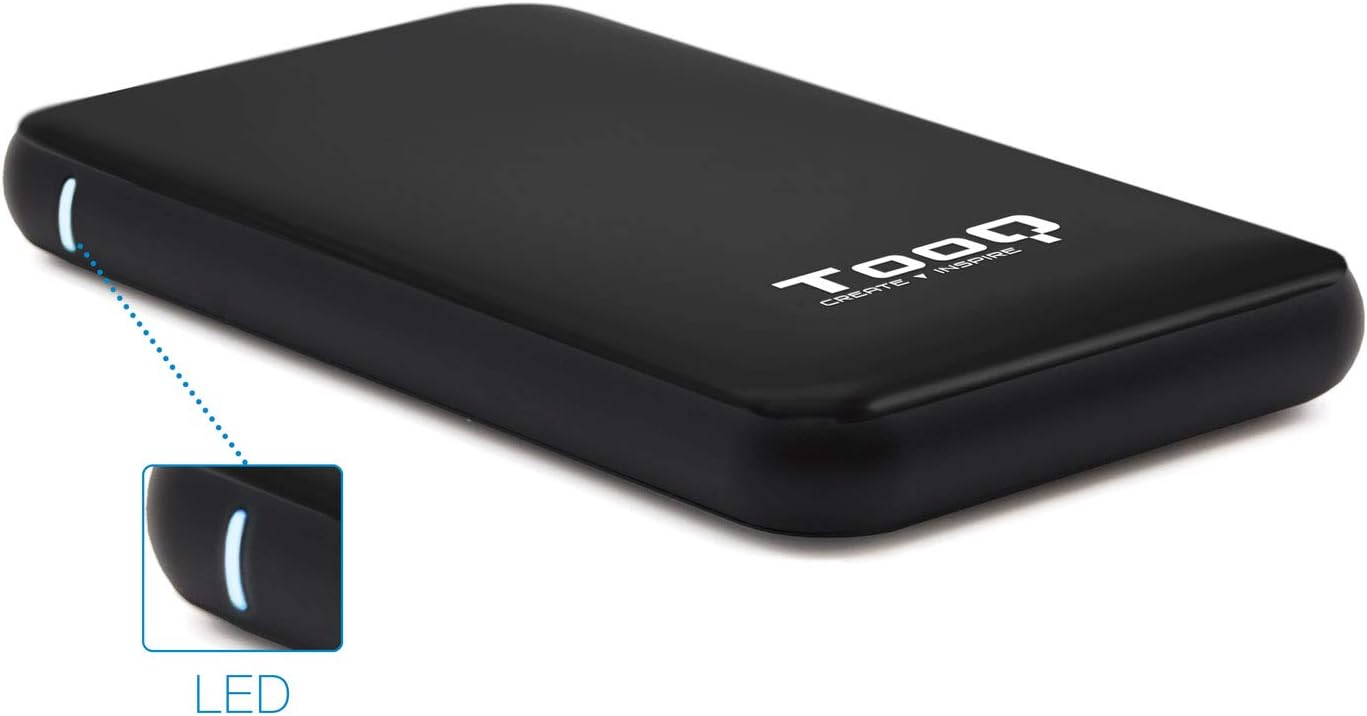
Image 3.1: The enclosure features an LED indicator on the side, which illuminates to show power and data activity.

Image 3.2: The rear of the enclosure includes a power button and a Micro-USB port for connection.
4. Setup: Hard Drive Installation
Follow these steps to install a 2.5-inch SATA HDD or SSD into the enclosure:
- Адкрыйце корпус: Gently slide the top cover of the enclosure to open it. The design allows for tool-free access.
- Падключыце дыск: Align your 2.5-inch SATA HDD/SSD with the SATA connector inside the enclosure. Carefully push the drive into the connector until it is firmly seated. Ensure the drive is flush with the internal tray.
- Зачыніце корпус: Засуньце верхнюю крышку назад на месца, пакуль яна надзейна не зашчоўкне.
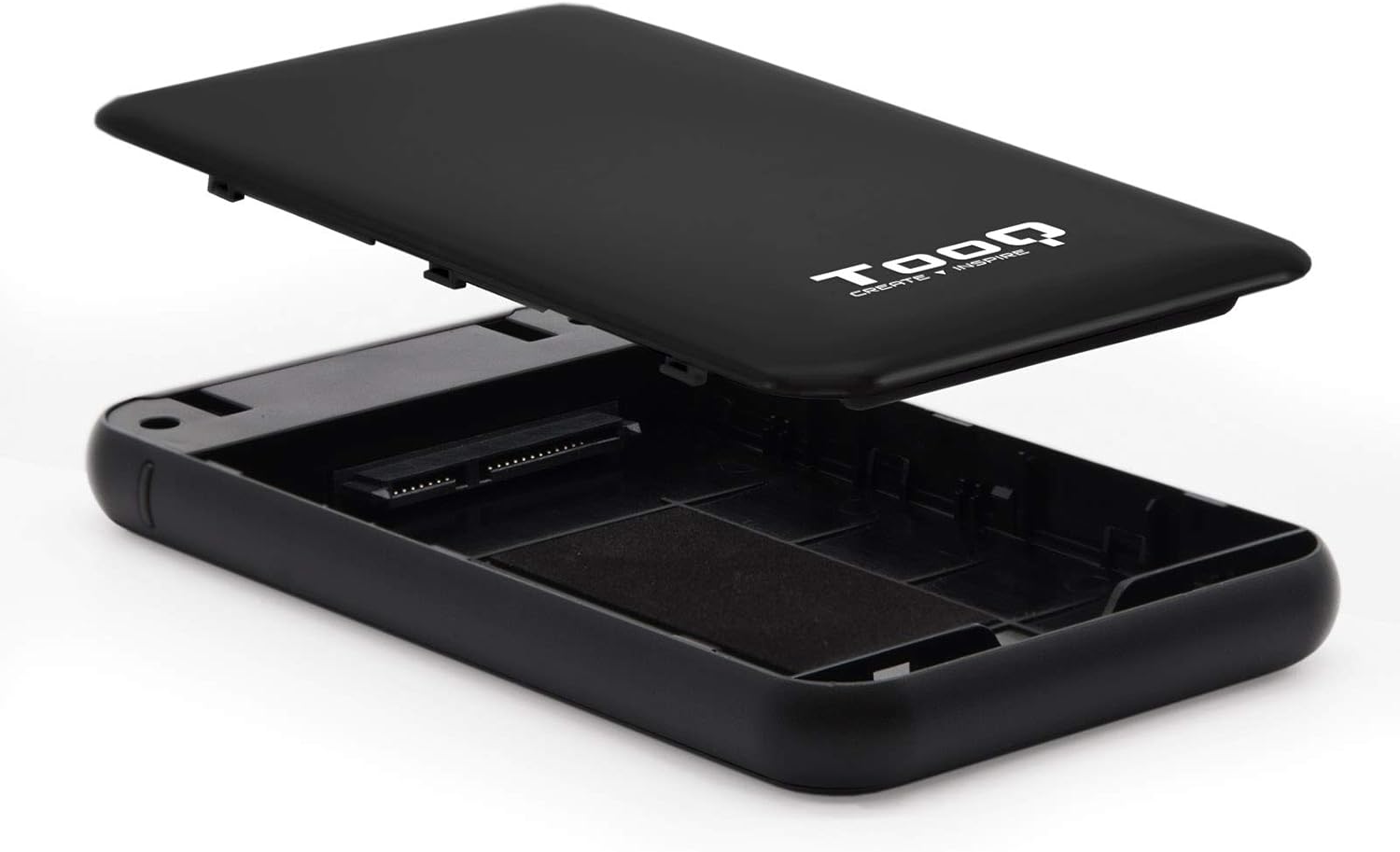
Image 4.1: The enclosure opened, revealing the internal SATA data and power connector for a 2.5-inch drive.
5. Інструкцыя па эксплуатацыі
After installing your hard drive, connect the enclosure to your computer:
- Падключыце кабель USB: Plug the Micro-B end of the included USB 3.0 cable into the enclosure's Micro-USB port.
- Падключыцеся да кампутара: Plug the Type-A end of the USB cable into an available USB port on your computer. For optimal performance, use a USB 3.0 or USB 3.1 Gen1 port.
- Уключэнне: If the enclosure has a power button (refer to Image 3.2), press it to turn on the device. The LED indicator (Image 3.1) will illuminate, indicating power and connection status.
- Доступ да дыска: Your operating system should automatically detect the new storage device.
- Новыя дыскі: If you are using a brand new hard drive, it may need to be initialized and formatted before use. Refer to your operating system's disk management tools for this process.
- Existing Drives: If the drive contains data, it should appear as a removable drive in 'My Computer' (Windows) or on the desktop (macOS).

Image 5.1: The TooQ TQE-2528B enclosure connected to a laptop, demonstrating a typical usage scenario.
6. Тэхнічнае абслугоўванне
To ensure the longevity and optimal performance of your enclosure:
- Трымайце корпус у чысціні і без пылу. Выкарыстоўвайце для чысткі мяккую сухую тканіну.
- Пазбягайце ўздзеяння на прыладу экстрэмальных тэмператур, вільготнасці або прамых сонечных прамянёў.
- Do not drop or subject the enclosure to strong impacts.
- Заўсёды бяспечна вымайце дыск з аперацыйнай сістэмы перад адключэннем USB-кабеля, каб прадухіліць пашкоджанне дадзеных.
7. Выпраўленне непаладак
If you encounter issues with your TooQ TQE-2528B enclosure, refer to the following common solutions:
- Дыск не выяўлены:
- Ensure the USB cable is securely connected to both the enclosure and the computer.
- Паспрабуйце падключыцца да іншага порта USB на вашым кампутары.
- Verify that the hard drive is correctly seated within the enclosure's SATA connector.
- Праверце кіраванне дыскамі (Windows) або дыскавую ўтыліту (macOS) на вашым камп'ютары, каб убачыць, ці распазнаецца дыск, але неініцыялізаваны або нефарматаваны.
- Test the enclosure with a different 2.5-inch SATA drive, if available, to rule out a drive issue.
- Павольная перадача дадзеных:
- Ensure you are connected to a USB 3.0 or USB 3.1 Gen1 port on your computer. Connecting to a USB 2.0 port will result in slower speeds.
- Праверце, ці абноўленая ваша аперацыйная сістэма і драйверы.
- Enclosure Does Not Power On:
- Ensure the USB cable is properly connected and providing power. The enclosure is bus-powered.
- Паспрабуйце іншы порт USB на вашым кампутары.
8. Тэхнічныя характарыстыкі
| Нумар мадэлі | TQE-2528B |
| Сумяшчальныя дыскі | 2.5-inch SATA I/II/III HDD/SSD (up to 9.5mm height) |
| Інтэрфейс | USB 3.1 Gen1 (USB 3.0) |
| Хуткасць перадачы даных | Да 5.0 Гбіт/с |
| Электразабеспячэнне | USB Bus-powered (5 Volts) |
| Матэрыял | АБС-пластык |
| Памеры (Д х Ш х У) | 13.5 см х 8 см х 1.6 см (прыблізна 5.3 х 3.1 х 0.6 цалі) |
| Вага | 50 г (прыблізна 0.11 фунта) |
| Сумяшчальнасць аперацыйнай сістэмы | Universal (Windows, macOS, Linux) |

Image 8.1: Technical drawing illustrating the dimensions of the TooQ TQE-2528B enclosure.
9. Гарантыя і падтрымка
TooQ products are designed for reliability and performance. This product comes with a standard manufacturer's warranty. For specific warranty terms and conditions, please refer to the warranty card included with your product or visit the official TooQ webсайт.
For technical support, frequently asked questions, or to download the latest drivers (if applicable), please visit the official TooQ support webсайт або звярніцеся ў службу падтрымкі кліентаў. Кантактную інфармацыю звычайна можна знайсці на ўпакоўцы прадукту або на афіцыйным сайце webсайт.
вытворца: TOOQ
Global Trade Item Number (GTIN): 08433281008304