
1. Уводзіны
This manual provides comprehensive instructions for the Foscam FI9902P Outdoor Security Camera. It covers product features, installation procedures, operational guidelines, maintenance tips, and troubleshooting steps to ensure optimal performance and security for your property.
The Foscam FI9902P camera provides 1080P Full HD video resolution at 25 frames per second, ensuring clear and detailed surveillance. It supports remote viewing and playback via the Foscam App or a web browser. The camera features a 105° wide viewing angle and a night vision range of up to 20 meters (66 feet) using 30 IR-LEDs. Motion and sound detection trigger real-time push alerts to your smartphone, tablet, or email. Storage options include an external SD card slot (up to 128GB), Network Video Recorder (NVR) compatibility, and optional Foscam Cloud service.
2. Прадукт скончыўсяview
2.1 Змест пакета
Праверце наяўнасць усіх прадметаў у камплекце:
- Foscam FI9902P Camera
- Адаптар сілкавання
- Кабель Ethernet
- Мантажныя шрубы і анкеры
- Шасцігранны ключ
- Кіраўніцтва па хуткай усталёўцы (не ўваходзіць у гэты лічбавы дапаможнік)

Image: Contents of the Foscam FI9902P camera package, showing the camera, power adapter, Ethernet cable, and mounting accessories.
2.2 Асаблівасці камеры
The Foscam FI9902P is designed for outdoor surveillance with robust features:
- Раздзяленне Full HD 1080P: Забяспечвае выразнае і падрабязнае відэа footage.
- Шырокі дынамічны дыяпазон (WDR): Enhances image quality in varying light conditions.
- Магутнае начное бачанне: Equipped with 30 IR-LEDs for up to 20 meters (66 feet) of visibility in low light.
- Выяўленне руху і гуку: Triggers alerts and recordings upon detecting activity.
- Real-time Push Alerts: Sends notifications to your smartphone, tablet, or email.
- Некалькі варыянтаў захоўвання: Supports external SD card (up to 128GB), NVR, and Foscam Cloud service.
- Ўстойлівы да надвор'я дызайн: Built to withstand outdoor elements (thermostable, weatherproof, snow resistant).
- Шырокі Viewкут нахілу: Дыяганальнае поле 105 градусаў view.

Выява: Зверхуview of key features including 1080P resolution, cloud service, motion detection, wide angle, night vision, external SD card slot, and weatherproof design.

Image: The Foscam FI9902P camera demonstrating its weatherproof, snow-resistant, and thermostable capabilities.
3. Настройка і ўстаноўка
3.1 Фізічная ўстаноўка
The Foscam FI9902P is designed for wall mounting. Choose a location that provides the desired viewing angle and is within range of your Wi-Fi network or an Ethernet connection.
- Выберыце месцазнаходжанне: Identify a suitable outdoor wall location, ensuring a clear line of sight and access to a power outlet.
- Мантажны шаблон: Use the provided mounting template (if applicable) to mark drill holes on the wall.
- Свідраваць адтуліны: Прасвідруйце адтуліны і ўстаўце ў іх анкеры ў сцяну.
- Бяспечная камера: Attach the camera's mounting bracket to the wall using the provided screws.
- Наладзіць кут: Loosen the adjustment screws on the bracket to position the camera for optimal coverage, then tighten to secure.

Image: The Foscam FI9902P camera securely mounted on an exterior wall.
3.2 Падключэнне да электрасілкавання і сеткі
- Падключэнне сілкавання: Падключыце адаптар сілкавання да камеры і ўстаўце яе ў разетку.
- Падключэнне да сеткі:
- Wi-Fi: For wireless connection, ensure the camera is within range of your Wi-Fi router. Configuration will be done via the Foscam App.
- Ethernet: For a wired connection, connect one end of the Ethernet cable to the camera and the other end to your router or network switch.
3.3 Initial Setup with Foscam App
Download the Foscam App from your device's app store (iOS or Android). Follow the in-app instructions to add your camera, which typically involves scanning a QR code on the camera or manually entering its ID.
4. Кіраванне камерай
4.1 У прамым эфіры Viewзапіс і прайграванне
Access live video streams and recorded footage through the Foscam App or a web browser. The app provides a timeline feature for easy navigation of past recordings.
4.2 Запіс і захоўванне
The FI9902P offers flexible storage solutions:
- Micro SD-карта: Insert a Micro SD card (up to 128GB) into the external slot for local storage. The slot is located under a protective cover on the camera body.
- Сеткавы відэарэгістратар (NVR): Connect the camera to a compatible NVR for continuous recording and larger storage capacity.
- Foscam Cloud: Subscribe to Foscam Cloud service for secure, remote storage of your video footage.
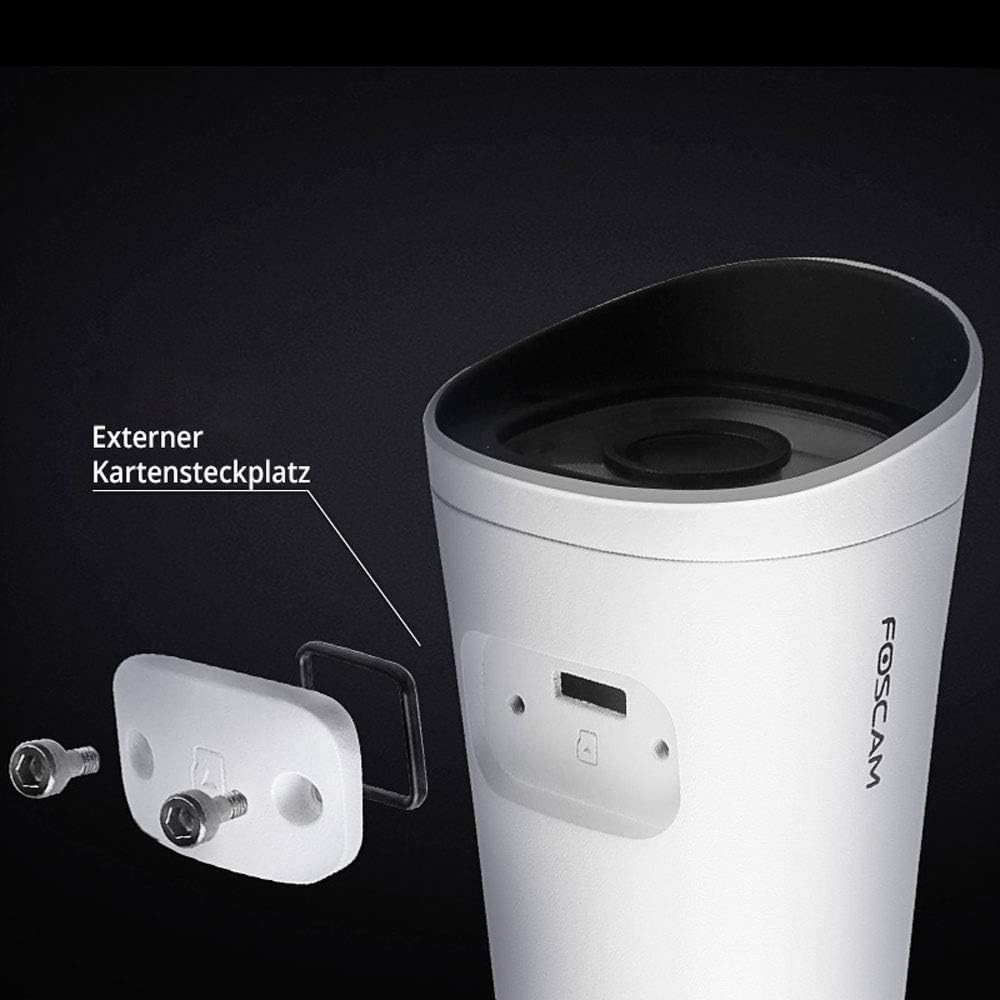
Image: The external Micro SD card slot on the Foscam FI9902P camera, accessible for local storage.
4.3 Выяўленне руху і гуку
Configure motion and sound detection settings within the Foscam App. You can define detection zones, sensitivity levels, and schedule times for alerts.
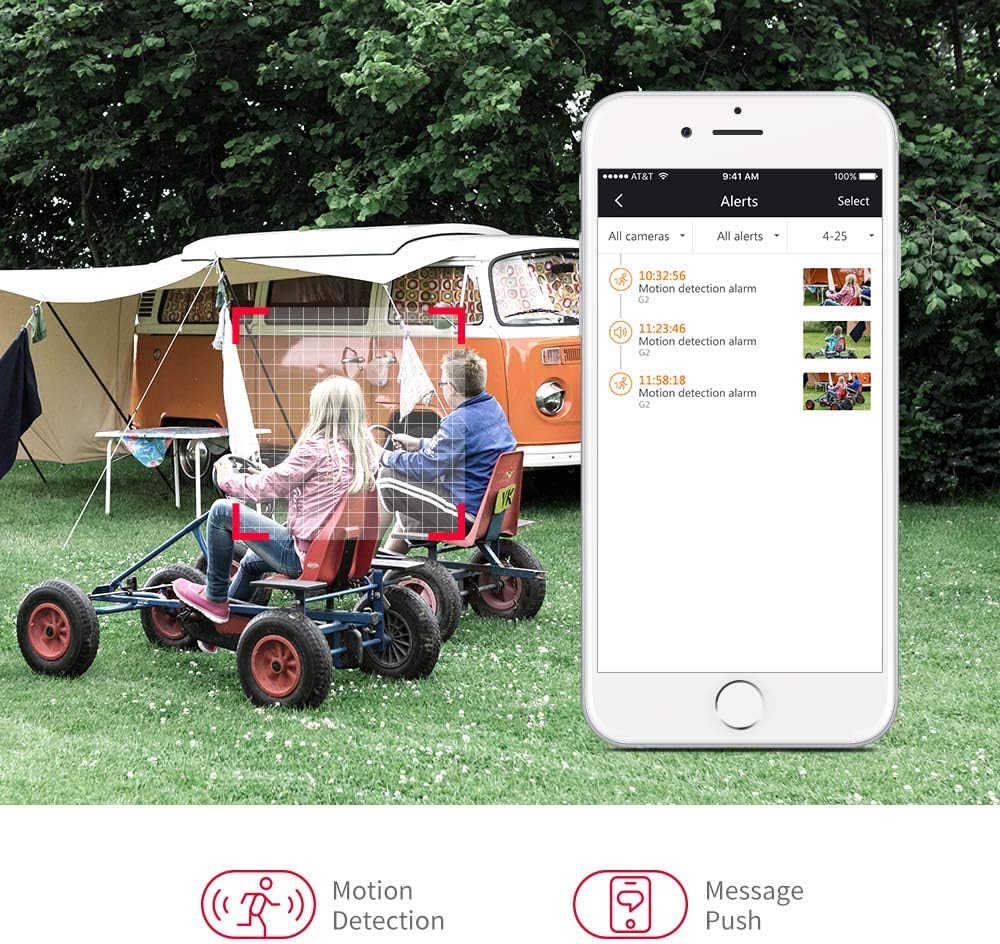
Image: A smartphone displaying motion detection alerts received from the Foscam camera.
4.4 Начное бачанне
The camera automatically switches to night vision mode in low-light conditions, providing clear black-and-white video up to 20 meters (66 feet).

Image: Illustration of the camera's 110-degree viewing angle and 20-meter night vision capability.
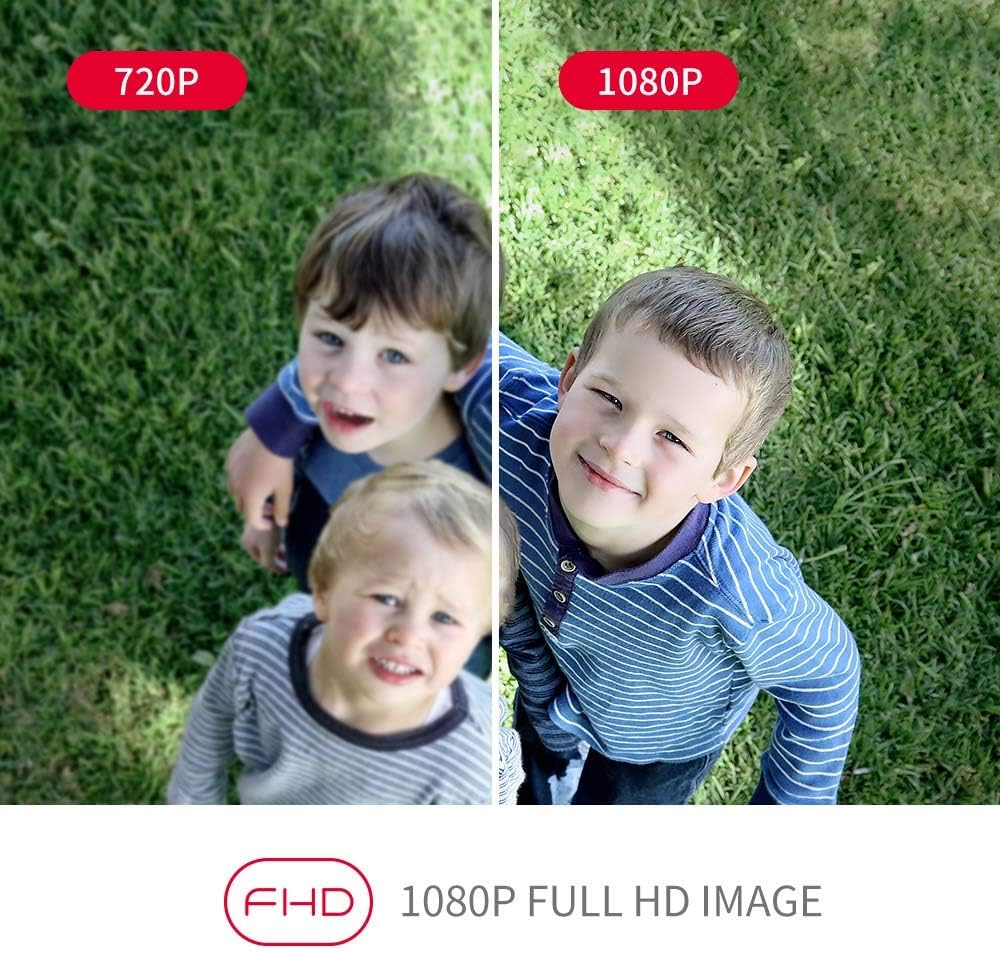
Image: A visual comparison demonstrating the enhanced clarity of 1080P Full HD video compared to 720P.
5. Тэхнічнае абслугоўванне
Regular maintenance ensures the longevity and optimal performance of your Foscam FI9902P camera.
- Уборка: Перыядычна чысціце аб'ектыў і корпус камеры мяккай губкайamp тканіна. Пазбягайце абразіўных ачышчальнікаў.
- Абнаўленні прашыўкі: Check the Foscam App or official website for available firmware updates to ensure your camera has the latest features and security enhancements.
- Кіраванне SD-картай: Калі вы карыстаецеся SD-картай, рэгулярна рабіце рэзервовыя копіі важных дадзеныхtagі перыядычна фарматуйце карту, каб падтрымліваць яе прадукцыйнасць.
- Праверка кабеля: Inspect power and Ethernet cables for any signs of wear or damage, especially in outdoor environments.
6. Выпраўленне непаладак
If you encounter issues with your Foscam FI9902P camera, refer to the following common troubleshooting steps:
- Няма харчавання: Ensure the power adapter is securely connected to the camera and a working power outlet.
- Няма падключэння да сеткі:
- Wi-Fi: Verify the camera is within Wi-Fi range and the network password is correct. Restart your router.
- Ethernet: Check the Ethernet cable connection to both the camera and the router. Try a different cable.
- Дрэнная якасць відэа: Ensure the lens is clean. Check your internet connection speed. For 1080P streaming, a stable and sufficient bandwidth is required.
- Выяўленне руху не працуе: Verify that motion detection is enabled in the app and the detection zone is correctly configured. Adjust sensitivity settings.
- Немагчыма атрымаць доступ да камеры дыстанцыйна: Ensure your home network has internet access. Check firewall settings on your router.
- Камера ў аўтаномным рэжыме: Try restarting the camera by unplugging and replugging the power. If the issue persists, reset the camera to factory defaults (refer to the Foscam website for specific reset instructions for your model) and reconfigure.
For further assistance, visit the official Foscam support webсайт або звярніцеся ў службу падтрымкі кліентаў.
7. Тэхнічныя характарыстыкі
Detailed technical specifications for the Foscam FI9902P camera:
| Асаблівасць | Спецыфікацыя |
|---|---|
| мадэль | FI9902P |
| Колер | Чорны, Белы |
| Формаў-фактар | Куля |
| Эфектыўнае дазвол відэа | Full HD 1080P |
| Разрозненне аптычнага датчыка | 2 мегапікселяў |
| Частата кадраў | 25 кадраў у секунду |
| Viewing кут | 105 градусаў |
| Дыяпазон начнога бачання | 20 метра (66 футаў) |
| Тэхналогія падлучэння | Fast Ethernet + WiFi, Wireless |
| Пратакол злучэння | ONVIF |
| Тып ўстаноўкі | Насценнае мацаванне |
| Захоўванне | External Micro SD Card (up to 128GB), NVR, Cloud |
| Асаблівасці | Начное бачанне, выяўленне руху |
| Матэрыял | Метал |
| тtage | 12 вольт |
| Энергаспажыванне | 5 ват |
| Памеры (Д х Ш х У) | 9.7 х 6.6 х 6.4 см |
| Вага прадмета | 290 грам |
| Тып маштабавання | Аптычны зум |
| Тып фокусу | Motion Detection Trigger (Feature) |
| Рэкамендуемае выкарыстанне | Назіранне |
8. Гарантыя і падтрымка
8.1 Інфармацыя аб гарантыі
For detailed warranty information regarding your Foscam FI9902P camera, please refer to the official Foscam webсайт або гарантыйны талон, які ўваходзіць у камплект пастаўкі вашага прадукту. Умовы гарантыі могуць адрознівацца ў залежнасці ад рэгіёна.
8.2 Падтрымка кліентаў
If you require technical assistance or have questions about your Foscam FI9902P, please utilize the following resources:
- Афіцыйны Foscam Webсайт: Наведайце www.foscam.com каб атрымаць адказы на часта задаваныя пытанні, артыкулы падтрымкі і кантактную інфармацыю.
- Foscam App: The app often includes a support section with troubleshooting guides and direct contact options.