
Уводзіны
This manual provides detailed instructions for the installation, operation, and maintenance of your NEC SL2100 IP7WW-12TXH-B1 12-Button Display Speaker Telephone. Please read this manual thoroughly before using the telephone to ensure proper functionality and to prevent damage.
Інфармацыя па бяспецы
Заўсёды выконвайце асноўныя меры бяспекі пры выкарыстанні гэтага вырабу, каб знізіць рызыку пажару, паражэння электрычным токам і траўмаў людзей.
- Не выкарыстоўвайце гэты прадукт каля вады, напрыкладample, каля ванны, рукамыйніцы, кухоннай ракавіны або ванны для бялізны, у вільготным склепе або каля басейна.
- Avoid using the telephone during an electrical storm. There may be a remote risk of electric shock from lightning.
- Не выкарыстоўвайце тэлефон для паведамлення аб уцечцы газу паблізу месца ўцечкі.
- Use only the power source specified in this manual or marked on the product. This telephone is powered by the phone system.
- Перад чысткай адключыце прадукт ад насценнай разеткі. Не выкарыстоўвайце вадкія або аэразольныя ачышчальнікі. Выкарыстоўвайце рэкламуamp тканіна для чысткі.
Змест пакета
Праверце наяўнасць усіх прадметаў у камплекце:
- NEC SL2100 IP7WW-12TXH-B1 12-Button Display Speaker Telephone (Black)
- Трубка
- Шнур слухаўкі
- Base Stand (for desk or wall mounting)
- Ethernet Cable (if applicable for IP connection)
Прадукт скончаныview
The NEC SL2100 IP7WW-12TXH-B1 is a corded 12-button display speaker telephone designed for use with NEC SL2100 systems. It features a clear display for call information and menu navigation, a built-in speakerphone for hands-free communication, and 12 programmable function keys.
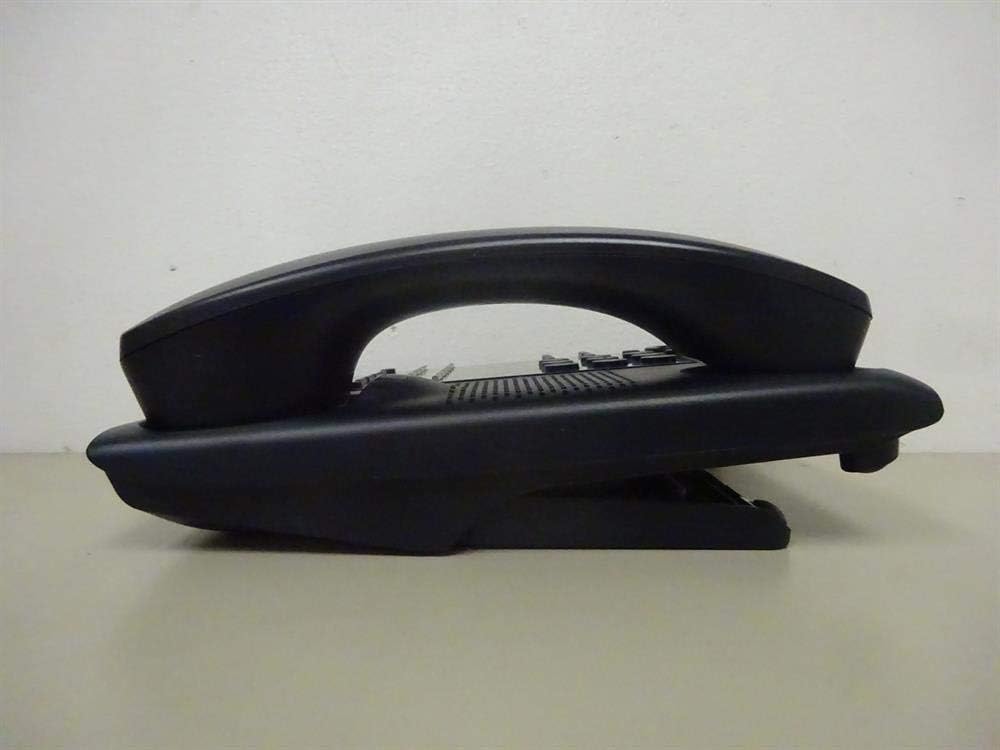
Малюнак 1: Збоку view of the NEC SL2100 IP7WW-12TXH-B1 telephone, showing the ergonomic design of the handset and base unit.

Малюнак 2: Тыл view of the telephone, illustrating the various connection ports for the handset and network, as well as the integrated wall-mounting slots.
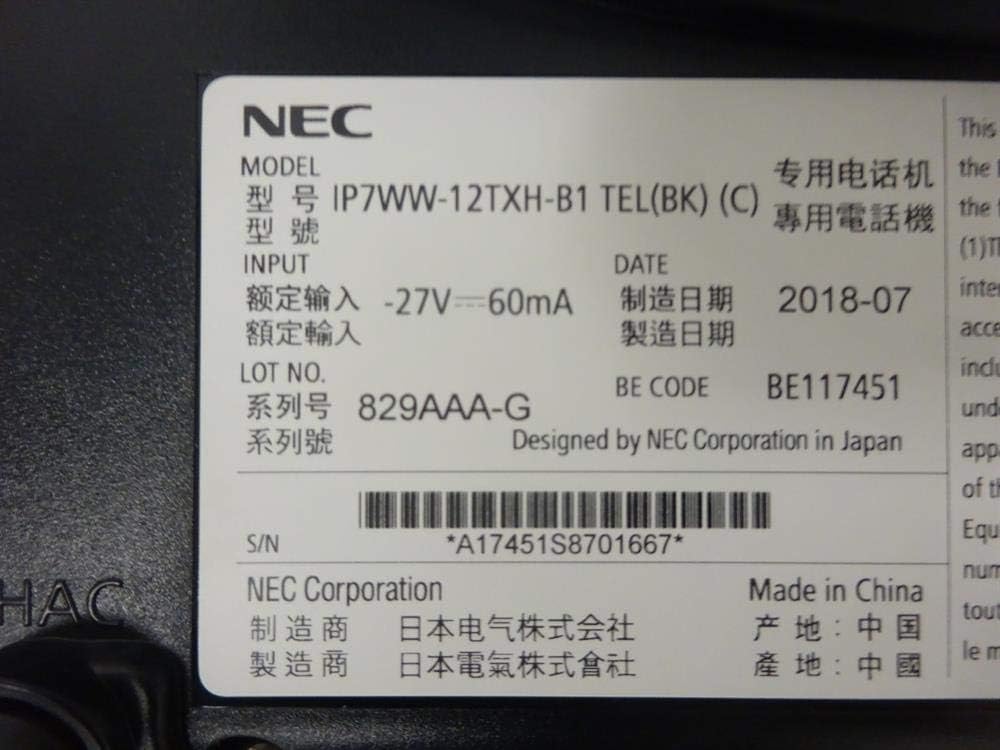
Малюнак 3: Close-up of the product label, displaying model number IP7WW-12TXH-B1, input specifications, and manufacturer details.
Настройка
1. Assembling the Telephone
- Прымацаваць базавую падстаўку: Align the base stand with the slots on the bottom of the telephone. Slide it into place until it clicks securely. The stand can be adjusted for different viewing angles or reversed for wall mounting.
- Падключыце тэлефон: Plug one end of the coiled handset cord into the handset and the other end into the designated port on the side of the telephone base.
2. Connecting to the System
This telephone is designed to connect to an NEC SL2100 system. Ensure your SL2100 system is properly installed and configured.
- Падключыце сеткавы кабель: Plug one end of an Ethernet cable into the LAN port on the back of the telephone. Plug the other end into an available port on your NEC SL2100 system or a network switch connected to the system.
- Уключэнне: The telephone receives power directly from the NEC SL2100 system (Power over Ethernet - PoE) or via a separate power adapter (not included, if PoE is not available). Once connected, the telephone should power on automatically.
- Першапачатковая канфігурацыя: The telephone will typically register with the SL2100 system automatically. If prompted, follow the on-screen instructions or consult your system administrator for specific extension number assignment or network settings.
Інструкцыя па эксплуатацыі
Здзяйсненне званкоў
- Lift Handset: Падніміце слухаўку і паслухайце сігнал набору.
- Набраць нумар: Набярыце патрэбны нумар тэлефона з дапамогай клавіятуры.
- Гучная сувязь: Націсніце СПІКЕР button to activate the speakerphone, then dial the number.
Прыём званкоў
- Lift Handset: When the telephone rings, lift the handset to answer.
- Гучная сувязь: Націсніце СПІКЕР button to answer the call hands-free.
Выкарыстанне дысплея
The display shows call information, menu options, and system status. Use the navigation buttons (usually arrow keys) to scroll through menus and the УВОД or ВЫБРАЦЬ кнопку для пацверджання выбару.
Programmable Function Keys (12 Buttons)
The 12 buttons on the telephone can be programmed for various functions such as speed dial, line access, feature activation, or direct station selection. Consult your system administrator for the specific programming of these keys.
Канферэнц-званкі
The telephone supports 3-way conference calls. To initiate a conference call:
- Establish a call with the first party.
- Націсніце КАНФ (Conference) button or the designated programmable key. The first party will be put on hold.
- Набярыце нумар другога абанента.
- Пасля падключэння да другога абанента націсніце кнопку КАНФ зноў націсніце кнопку, каб далучыцца да ўсіх трох груп.
Ідэнтыфікатар абанента
When an incoming call is received, the caller's information (name and number, if available) will be displayed on the screen.
Шматлінейная аперацыя
This telephone supports multi-line operation, allowing you to manage multiple calls simultaneously. Use the designated line keys or programmable keys to switch between active lines or place calls on hold.
Тэхнічнае абслугоўванне
Уборка
To clean the telephone, unplug it from the network connection. Use a soft, slightly damp cloth. Do not use harsh chemicals, abrasive cleaners, or excessive moisture. Avoid spraying cleaners directly onto the telephone.
Захоўванне
If storing the telephone for an extended period, ensure it is clean and dry. Store it in a cool, dry place away from direct sunlight and extreme temperatures.
Ліквідацыю непаладак
- Няма сігналу набору:
- Check all cable connections, especially the network cable to the SL2100 system.
- Ensure the SL2100 system is powered on and functioning correctly.
- If using a separate power adapter (not PoE), ensure it is properly connected and receiving power.
- Дысплей не працуе:
- Verify the telephone is receiving power.
- Try disconnecting and reconnecting the network cable.
- Нельга рабіць/прымаць званкі:
- Праверце сігнал набору.
- Ensure the telephone is properly registered with the SL2100 system.
- Contact your system administrator to verify line assignments and system status.
- Дрэнная якасць гуку:
- Check handset and network cable connections.
- Пераканайцеся, што няма перашкод ад іншых электронных прылад.
- Test with another telephone if possible to isolate the issue.
Тэхнічныя характарыстыкі
| Асаблівасць | Спецыфікацыя |
|---|---|
| Марка | NEC |
| Нумар мадэлі | IP7WW-12TXH-B1 (Mfr Part Number: BE117451) |
| Колер | Чорны |
| Тып тэлефона | рубчатая |
| Матэрыял | Пластыкавыя |
| Крыніца харчавання | Phone System (PoE compatible) |
| Тып дазвону | Адзіная клавіятура |
| Памеры прадмета (Д х Ш х У) | 15 х 12 х 6 цалі |
| Тып аўтаадказчыка | Digital (System Dependent) |
| Сумяшчальныя прылады | NEC SL2100 Systems, NEC SL2100 IP7WW-082U-B1 8 Port Digital Station Card |
| Магчымасць канферэнц-сувязі | 3-баковы |
| Шматлінейная аперацыя | так |
| Ідэнтыфікатар абанента | так |
Гарантыя і падтрымка
For warranty information, please refer to the documentation provided with your NEC SL2100 system or contact your NEC authorized dealer. For technical support, please contact your system administrator or NEC customer service.
Карпарацыя NEC
For further assistance, please visit the official NEC website or contact your local support representative.