
1. Уводзіны
Thank you for choosing the Yantop Wireless Mouse. This device offers reliable 2.4G wireless connectivity, an ergonomic design for comfortable use, and adjustable DPI settings to enhance your productivity and gaming experience. This manual provides detailed instructions for setup, operation, maintenance, and troubleshooting.

Figure 1: Yantop Wireless Mouse and USB Nano Receiver. A top-down view of the black Yantop wireless mouse, showcasing its ergonomic design, scroll wheel, and DPI button. The compact USB nano receiver is shown next to it.
2. Змесціва ўпакоўкі
- 1 x Yantop Wireless Mouse
- 1 x USB Nano Receiver (stored in the battery compartment)
- 1 х Кіраўніцтва карыстальніка
Заўвага: Патрабуюцца 2 батарэйкі тыпу ААА, яны не ўваходзяць у камплект.
3. Прадукт скончыўсяview
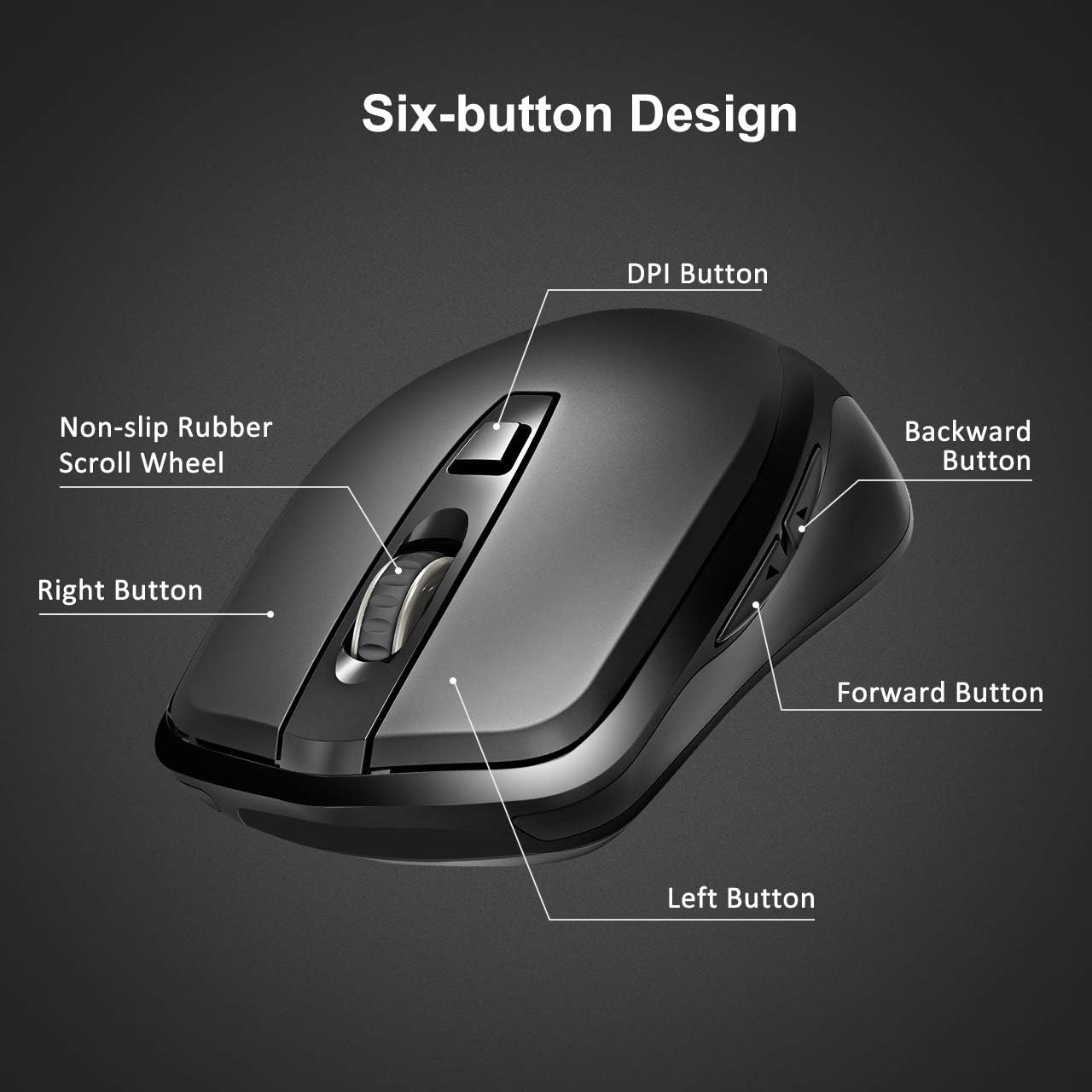
Figure 2: Six-Button Design. A detailed diagram labeling the six buttons of the Yantop wireless mouse: Left Button, Right Button, Non-slip Rubber Scroll Wheel, DPI Button, Forward Button, and Backward Button.
- Левая кнопка: Стандартная функцыя левага кліку.
- Правая кнопка: Стандартная функцыя правай кнопкі мышы.
- Кола пракруткі: For scrolling up and down, and can also function as a middle-click button.
- Кнопка DPI: Рэгулюе адчувальнасць курсора (DPI).
- Кнопка "Наперад": Перамяшчаецца наперад web браўзэры або file даследчыкі.
- Кнопка "Назад": Пераходзіць назад у web браўзэры або file даследчыкі.
4. Настройка
4.1 Усталёўка батарэй
- Знайдзіце батарэйны адсек на ніжняй баку мышы.
- Адкрыйце крышку батарэйнага адсека.
- Устаўце дзве батарэйкі тыпу ААА, сачыце за правільнай палярнасцю (+/-).
- Зачыніце крышку батарэйнага адсека.
4.2 Падключэнне прымача
- The USB Nano Receiver is stored inside the battery compartment of the mouse. Carefully remove it.
- Plug the USB Nano Receiver into an available USB port on your computer (desktop, laptop, MacBook, etc.).
- Ваш камп'ютар павінен аўтаматычна выявіць і ўсталяваць неабходныя драйверы. Дадатковая ўсталёўка праграмнага забеспячэння не патрабуецца.
4.3 Уключэнне/выключэнне
Locate the ON/OFF switch on the bottom of the mouse. Slide the switch to the "ON" position to power on the mouse. Slide it to the "OFF" position when not in use to conserve battery life.

Figure 3: Battery and Receiver Location. An image of the mouse's underside, illustrating the battery compartment where two AAA batteries are inserted, the storage slot for the USB nano receiver, and the ON/OFF power switch.
5. Аперацыя
5.1 Adjusting DPI (Cursor Sensitivity)
The Yantop Wireless Mouse features three adjustable DPI settings: 800, 1200 (default), and 1600. To change the DPI, press the DPI button located below the scroll wheel. Each press will cycle through the available settings, allowing you to select the cursor speed that best suits your needs.
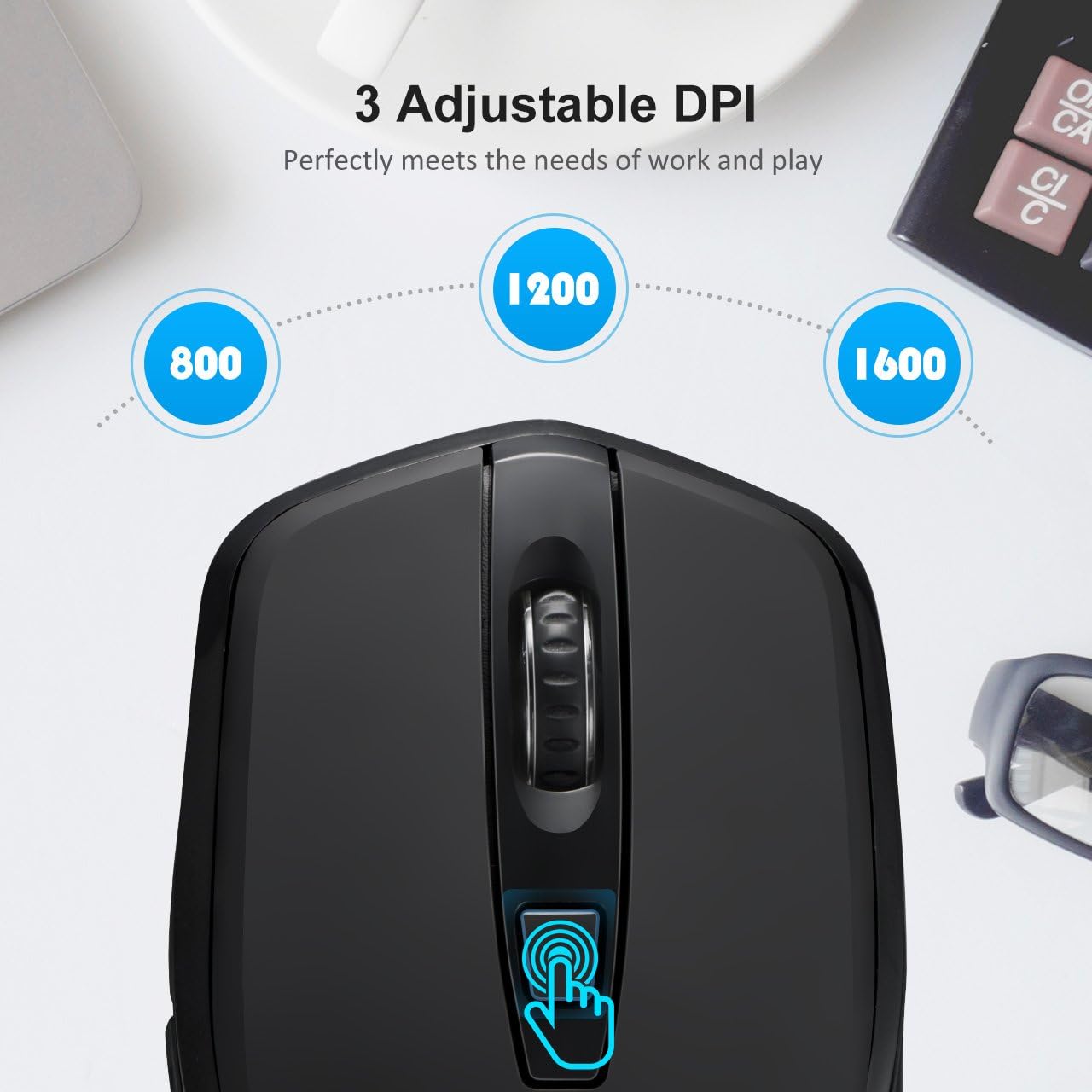
Figure 4: Adjustable DPI Settings. A close-up of the mouse's top, showing the DPI button and visual indicators for the three adjustable DPI settings: 800, 1200 (default), and 1600.
5.2 Функцыі энергазберажэння
To conserve battery life, the mouse is equipped with a smart power-saving mode. If the mouse is inactive for 10 minutes, it will automatically enter sleep mode. To wake it up, simply click any button on the mouse.
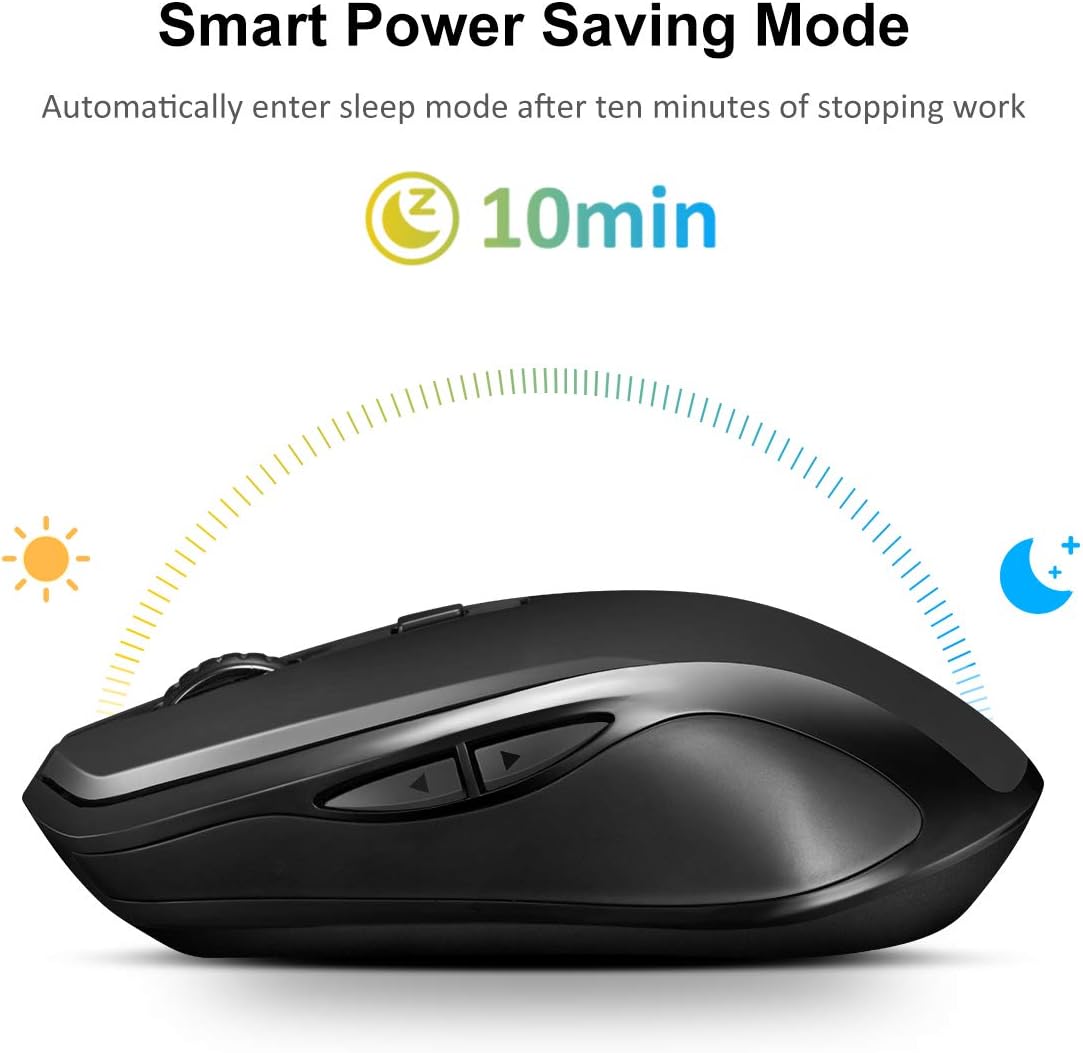
Figure 5: Smart Power Saving Mode. An image depicting the mouse's smart power-saving feature, showing it automatically entering sleep mode after 10 minutes of inactivity.
6. Сумяшчальнасць
The Yantop Wireless Mouse is compatible with a wide range of operating systems, including:
- Windows XP / 7 / 8 / 10
- Mac OS (Note: Side buttons are not supported on Mac OS)
- Linux
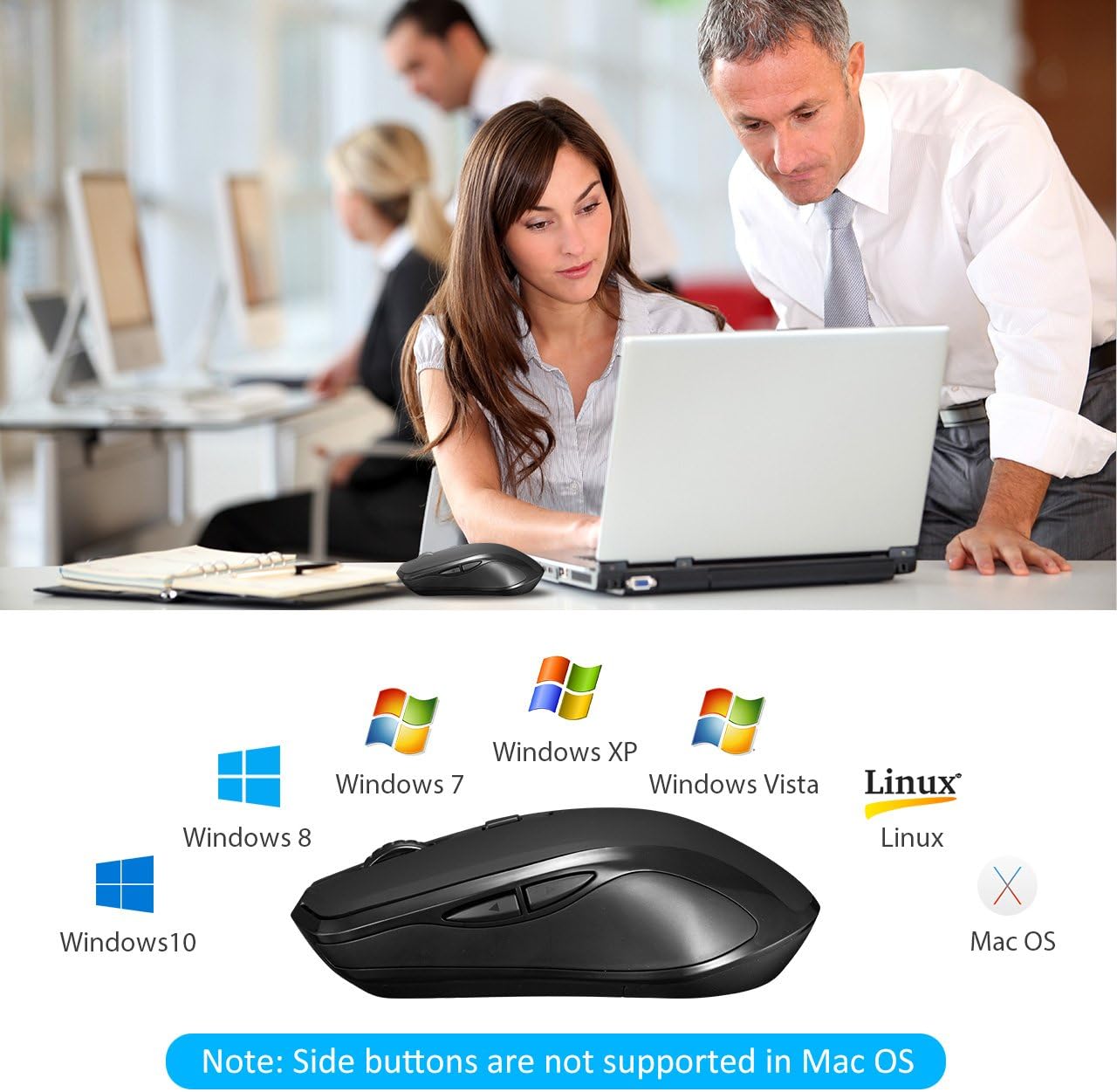
Figure 6: Operating System Compatibility. The Yantop wireless mouse displayed alongside logos of compatible operating systems.
7. Тэхнічнае абслугоўванне
7.1 Ачыстка
Каб пачысціць мыш, акуратна працярыце паверхню мяккай губкайamp cloth. Avoid using harsh chemicals or abrasive materials, as these may damage the finish. Ensure no liquid enters the mouse's internal components.
7.2 Замена батарэі
When the mouse performance degrades or it stops responding, it's likely time to replace the batteries. Follow the steps in Section 4.1 to replace the two AAA batteries. Dispose of old batteries responsibly according to local regulations.
8. Выпраўленне непаладак
- Мышка не рэагуе:
- Ensure the mouse is powered on (ON/OFF switch on the bottom).
- Праверце, ці правільна ўстаўлены батарэйкі і ці дастаткова яны зараджаныя. Пры неабходнасці замяніце іх.
- Ensure the USB Nano Receiver is securely plugged into a working USB port on your computer. Try a different USB port.
- Move the mouse closer to the receiver to rule out range issues (maximum 15m/32ft).
- Рух курсора няўстойлівы або павольны:
- Ачысціце аптычны датчык у ніжняй частцы мышы.
- Паспрабуйце выкарыстоўваць мыш на іншай паверхні.
- Adjust the DPI setting using the DPI button (see Section 5.1).
- Side buttons not working:
- If you are using a Mac OS system, the side buttons are not supported. This is a known compatibility limitation.
- For Windows/Linux, ensure no software conflicts are present.
9. Тэхнічныя характарыстыкі
| Асаблівасць | Дэталь |
|---|---|
| Нумар мадэлі | USAA1-YPGEPC157AB |
| Тып злучэння | Бесправадная сувязь 2.4G (USB Nano прыёмнік) |
| Налады DPI | 800 / 1200 (па змаўчанні) / 1600 |
| Колькасць кнопак | 6 (Left, Right, Scroll Wheel, DPI, Forward, Backward) |
| Працоўная адлегласць | Да 15 метраў (32 футаў) |
| Крыніца харчавання | 2 х ААА батарэі (не ўключаны) |
| Тэрмін службы батарэі | Up to 12 months (with power-saving mode) |
| Аўтаматычны рэжым сну | Пасля 10 хвілін бяздзейнасці |
| Трываласць націсканняў клавіш | Больш за 5 000 000 клікаў |
| Памеры прадукту | 12.5 х 7.01 х 3.99 см (4.92 х 2.76 х 1.57 цалі) |
| Вага прадукту | 90.72 г (0.2 фунта) |
| Сумяшчальнасць | Windows XP/7/8/10, Mac OS (side buttons not supported), Linux |
10. Гарантыя і падтрымка
For warranty information and technical support, please refer to the documentation included with your purchase or contact Yantop customer service through the retailer where the product was purchased. Keep your proof of purchase for warranty claims.