
Уводзіны
Thank you for choosing the Vocal-Star P180 Portable Karaoke Machine and PA Speaker. This device combines a powerful PA speaker with karaoke functions, Bluetooth connectivity, and MP3 playback, making it suitable for various audio needs. This manual provides essential information for safe and efficient operation of your new system.
Інфармацыя па бяспецы
- Перад эксплуатацыяй прылады прачытайце ўсе інструкцыі.
- Трымайце прыладу далей ад вады і вільгаці.
- Не перакрывайце вентыляцыйныя адтуліны.
- Выкарыстоўвайце толькі насадкі/аксэсуары, указаныя вытворцам.
- Адключайце прыладу ад сеткі падчас навальніцы або калі яна не выкарыстоўваецца на працягу доўгага часу.
- Звяртайцеся да кваліфікаванага абслугоўваючага персаналу.
Змест пакета
Калі ласка, праверце, ці ўсе пералічаныя ніжэй прадметы ўваходзяць у ваш пакет:
- Vocal-Star P180 Karaoke Machine / PA Speaker Unit
- 2 бесправадныя мікрафоны
- Пульт дыстанцыйнага кіравання
- Адаптар сілкавання
- Кіраўніцтва карыстальніка (гэты дакумент)

Прадукт скончаныview
Панэль кіравання
The main control panel is located on the top of the unit, providing access to various functions and adjustments.
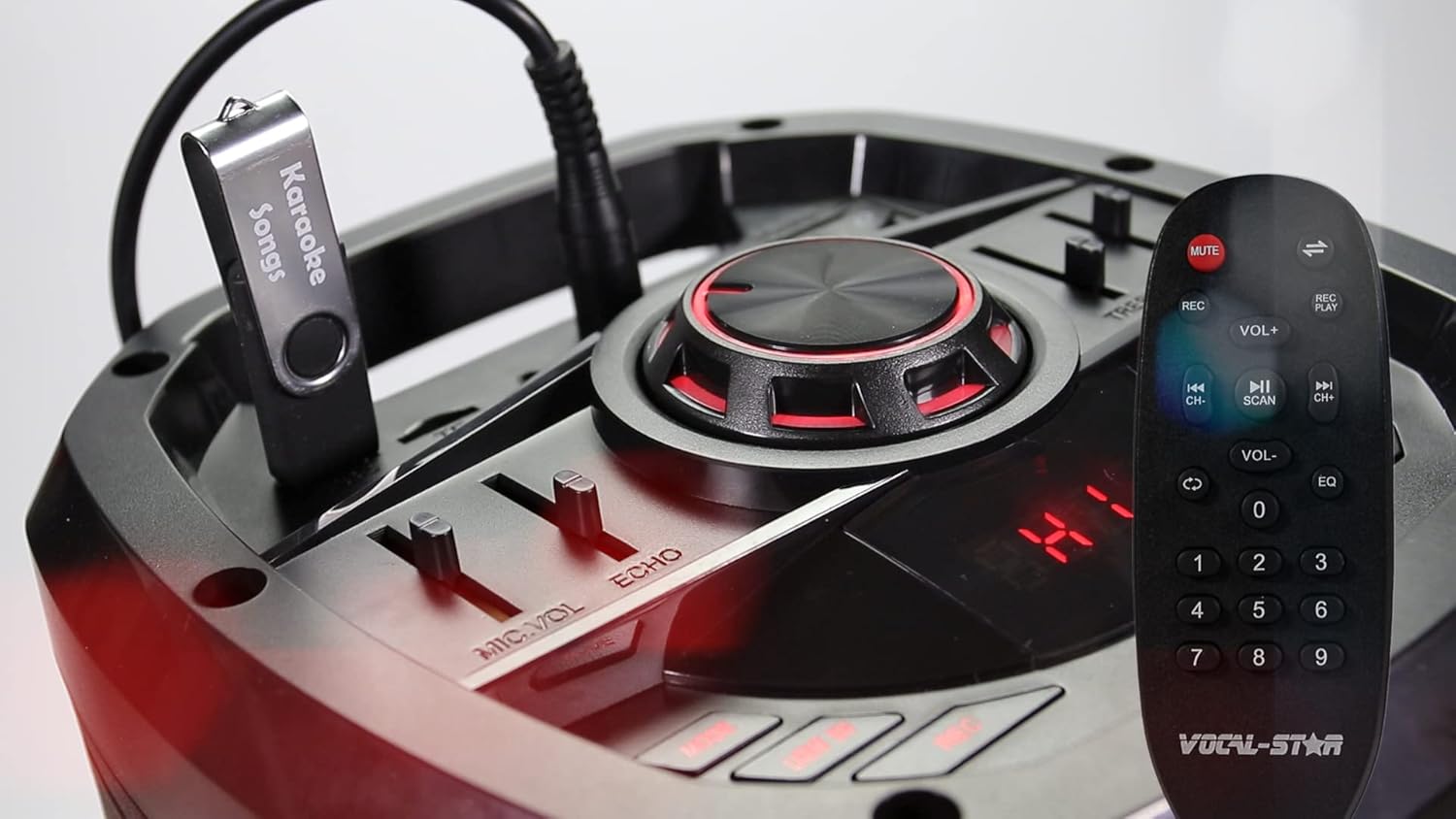
- Галоўная ручка гучнасці: Рэгулюе агульны ўзровень гуку.
- MIC VOL Slider: Controls the volume of the connected microphones.
- ECHO Slider: Рэгулюе эфект рэха для мікрафонаў.
- TREBLE Slider: Adjusts the high-frequency audio levels.
- BASS Slider: Adjusts the low-frequency audio levels.
- Кнопка рэжыму: Пераключэнне паміж рэжымамі ўваходу (Bluetooth, USB, SD, AUX, FM-радыё).
- Кнопка прайгравання/паўзы: Кіруе прайграваннем мультымедыя.
- Кнопкі папярэдняга/наступнага трэка: Navigates through tracks in USB/SD mode.
- Порт USB: For connecting USB flash drives for MP3 playback.
- Слот для SD-карты: For inserting SD cards for MP3 playback.
Злучэнні задняй панэлі
The rear panel provides additional input and power connections.
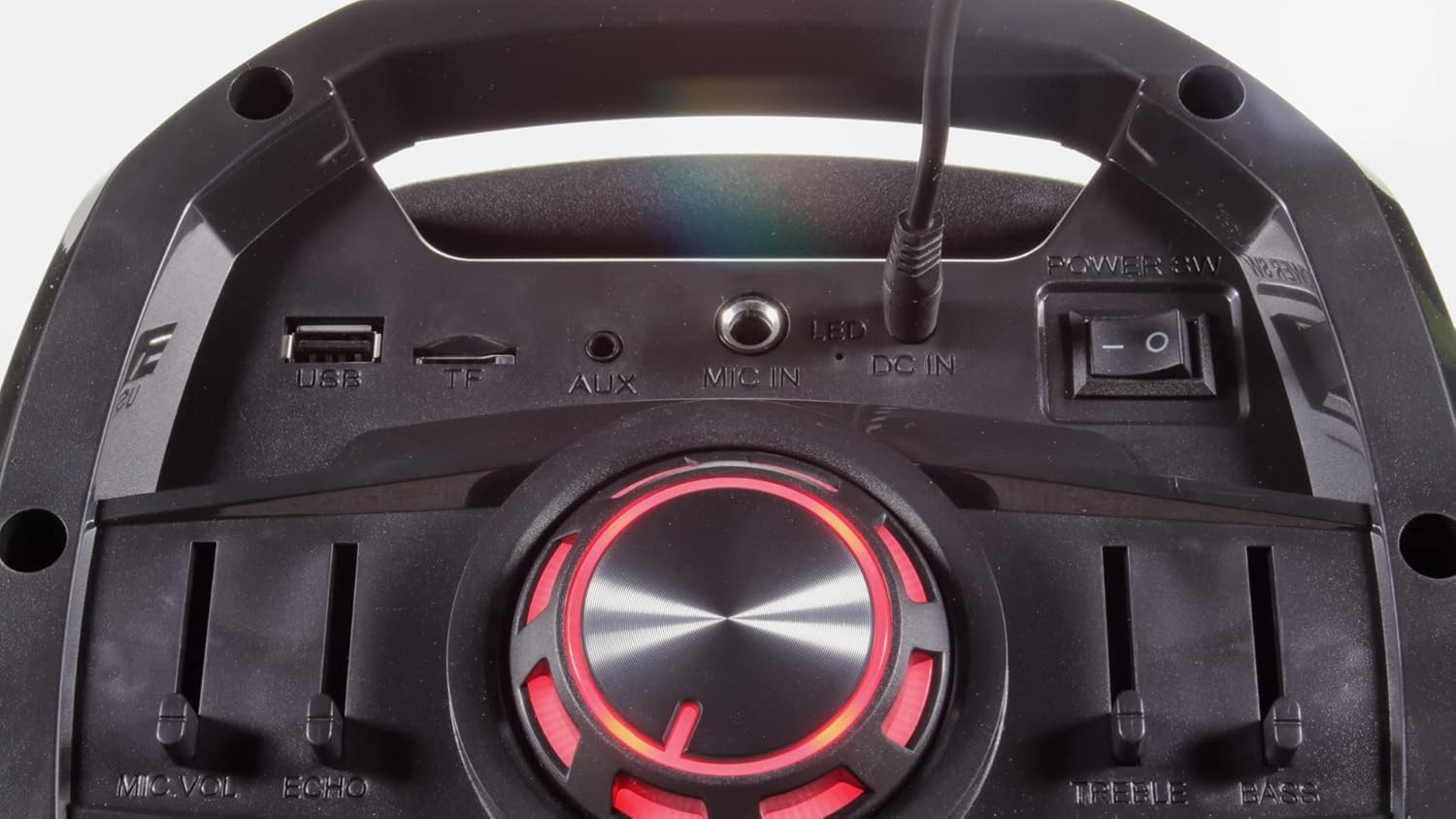
- Порт USB: Для падлучэння USB-флэш-назапашвальнікаў.
- Слот для карты TF (MicroSD): For inserting MicroSD cards.
- AUX IN: Дапаможны ўваход 3.5 мм для падключэння знешніх аўдыёпрылад.
- УХОД мікрафона: 6.35mm jack for an additional wired microphone or guitar.
- DC IN: Power input for the included power adapter.
- Выключальнік сілкавання: Уключае або выключае прыладу.
- Святлодыёдны выключальнік: Controls the LED light effects on the woofers.
Настройка
- Распакаванне: Асцярожна выміце ўсе кампаненты з упакоўкі. Захавайце ўпакоўку для наступнай транспарціроўкі або захоўвання.
- Падключэнне сілкавання: Connect the provided power adapter to the DC IN port on the unit and then to a suitable power outlet. Ensure the unit is fully charged before first use for optimal battery life.
- Уключэнне: Flip the main Power Switch to the "ON" position. The display will illuminate.
- Батарэйкі для мікрафонаў: Insert 2 AA batteries into each wireless microphone (batteries not included).
Інструкцыя па эксплуатацыі
Злучэнне Bluetooth
Connect your smartphone, tablet, or other Bluetooth-enabled device to the P180 for wireless audio streaming.
- Turn on the P180 unit.
- Press the "Mode" button until "BLUE" appears on the display, indicating Bluetooth mode. The unit will enter pairing mode automatically.
- On your external device, enable Bluetooth and search for available devices.
- Select "Vocal-Star" from the list of devices. A confirmation tone will sound when successfully paired.
- You can now play audio from your device through the P180 speaker.


Прайграванне USB/SD карты
Прайграванне аўдыё ў фармаце MP3 files directly from a USB flash drive or SD card.
- Устаўце флэш-назапашвальнік USB у порт USB або SD-карту ў слот для SD-карты.
- Press the "Mode" button until the display shows "USB" or "SD". The unit will automatically begin playing compatible audio files.
- Use the Play/Pause and Previous/Next buttons to control playback.
Выкарыстанне мікрафона
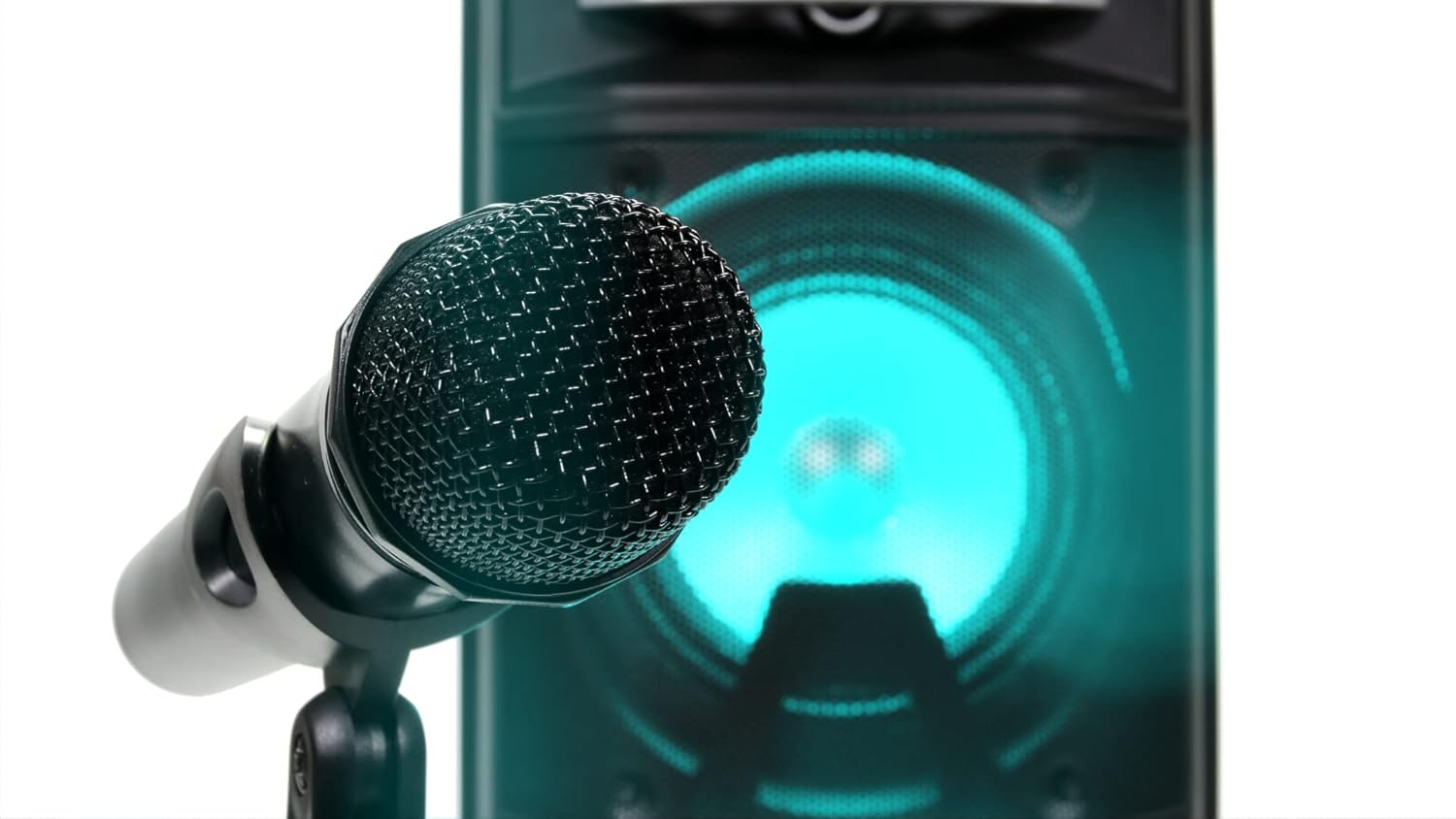
The P180 comes with two wireless microphones. An additional wired microphone or guitar can be connected.
- Ensure batteries are correctly inserted into the wireless microphones.
- Turn on the wireless microphones. They should automatically connect to the P180 unit.
- Adjust the "MIC VOL" slider on the control panel to set the microphone volume.
- Use the "ECHO" slider to add an echo effect to the vocals.
- For a wired microphone or guitar, connect it to the "MIC IN" jack on the rear panel.
Audio Equalization (EQ)
Adjust the sound output to your preference using the Treble and Bass sliders.
- ТРЭБЛЯ: Move the slider up to increase high frequencies for brighter sound, or down to reduce them.
- БАС: Move the slider up to increase low frequencies for deeper bass, or down to reduce them.
Святлодыёдныя светлавыя эфекты
The P180 features integrated LED lights on its woofers for visual enhancement.
- Use the "LED" switch on the rear panel to turn the lights on or off.
- The lights will cycle through various colors automatically.

Дапаможны ўваход (AUX IN)
Падключыце знешнія крыніцы гуку з дапамогай аўдыёкабеля 3.5 мм.
- Connect one end of a 3.5mm audio cable to the AUX IN port on the P180.
- Падключыце другі канец да раздыма для навушнікаў або аўдыёвыхаду вашай знешняй прылады.
- Press the "Mode" button until "AUX" appears on the display.
- Кіруйце прайграваннем і гучнасцю з вашай знешняй прылады.
Тэхнічнае абслугоўванне
- Уборка: Для чысткі вонкавых паверхняў прылады выкарыстоўвайце мяккую сухую тканіну. Не выкарыстоўвайце вадкія ачышчальнікі або абразіўныя матэрыялы.
- захоўванне: Калі прылада не выкарыстоўваецца, захоўвайце яе ў прахалодным, сухім месцы, удалечыні ад прамых сонечных прамянёў і экстрэмальных тэмператур.
- Сыход за батарэяй: If the unit will not be used for an extended period, remove batteries from the wireless microphones to prevent leakage.
Ліквідацыю непаладак
| праблема | Магчымая прычына | Рашэнне |
|---|---|---|
| Няма ўлады | Unit not charged or power adapter not connected. | Connect the power adapter and ensure it's plugged into a working outlet. Check battery level. |
| Няма выхаду гуку | Volume too low, incorrect input mode, or device not connected properly. | Increase master volume. Select the correct input mode (Bluetooth, USB, AUX). Ensure external device volume is up. |
| Мікрафоны не працуюць | Microphones off, low batteries, or MIC VOL slider too low. | Turn on microphones. Replace batteries. Increase MIC VOL slider. |
| Спалучэнне Bluetooth не атрымалася | P180 not in Bluetooth mode, or device too far. | Ensure P180 is in Bluetooth mode. Move device closer. Try unpairing and re-pairing. |
Тэхнічныя характарыстыкі
- Марка: Vocal-Star
- Нумар мадэлі: VS-P180-KM
- колер: Чорны
- Падключэнне: Bluetooth, USB, TF (MicroSD), AUX, MIC IN
- Выходная магутнасць: 200W Макс
- Асаблівасці: Echo effect, LED lights, Digital MP3 audio player, Remote control
- Колькасць выступоўцаў: 2
- Крыніца харчавання: Battery powered, Electric wired
- Склад батарэі: Lithium-ion (for main unit), AA (for microphones)
- Сумяшчальныя прылады: Speaker, Smartphones, Tablets, Laptops, Smart TVs (with Bluetooth)
Гарантыя і падтрымка
For warranty information and technical support, please refer to the documentation provided at the time of purchase or contact Vocal-Star customer service directly. Keep your proof of purchase for any warranty claims.