
1. Уводзіны
The EVISTR V508 is a portable digital voice recorder designed for capturing high-quality audio in various settings such as lectures, meetings, and interviews. It features a dual enhanced dynamic noise-canceling microphone for clear stereo recordings at 1536kbps, one-button recording, voice-activated recording (AVR), password protection, and expandable storage. This manual provides detailed instructions for operating and maintaining your device.

Выява 1.1: Спераду view of the EVISTR V508 Digital Voice Recorder, showing the display, control buttons, and microphone grille.
2. Пачатак працы
2.1 Змест пакета
- EVISTR V508 Digital Voice Recorder
- Кабель USB
- Навушнікі
- Кіраўніцтва карыстальніка (гэты дакумент)
2.2 Зарадка прылады
Before first use, fully charge the device. Connect the EVISTR V508 to a computer USB port or a USB wall adapter using the provided USB cable. The battery indicator on the display will show charging status. A full charge typically takes a few hours and provides up to 45 hours of recording time.
2.3 Уключэнне/выключэнне
- Каб уключыць: Slide the power switch to the 'ON' position. The device will boot up and display the main interface.
- Каб выключыць: Slide the power switch to the 'OFF' position. Ensure all recordings are saved before powering off.
2.4 Initial Setup (Date and Time)
Upon first use or after a factory reset, you may need to set the date and time. Navigate to the 'Settings' menu, select 'Date & Time', and adjust the year, month, day, hour, and minute using the navigation buttons. Confirm your selection to save.
3. Асноўная аперацыя
3.1 Запіс аўдыя
The EVISTR V508 features a one-button recording function for ease of use.
- Пераканайцеся, што прылада ўключана.
- To start recording, push the 'REC' button (usually a slider switch) upwards. The recording indicator will illuminate, and the display will show the recording time.
- To save the recording, push the 'REC' button downwards. The file будуць захаваны аўтаматычна.

Image 3.1: Illustration of pushing the 'REC' button up to start recording and pushing it down to save the recording.
3.2 Прайграванне
Для прайгравання запісанага files:
- From the main menu, navigate to 'Recordings' or 'Fileс.
- Use the navigation buttons to select the desired audio file.
- Press the 'Play/Pause' button to start playback.
- Press 'Play/Pause' again to pause.
- Use the 'Next/Previous' buttons to skip between files or fast forward/rewind within a file.
3.3 Рэгуляванне гучнасці
During playback, use the dedicated volume buttons (usually '+' and '-') on the side of the device to increase or decrease the audio output level.
4. Пашыраныя магчымасці
4.1 Voice Activated Recording (AVR/VOR)
The Voice Activated Recording (AVR) mode allows the recorder to automatically start recording when sound is detected and pause when silence occurs, saving memory and battery life.
- Перайдзіце ў меню «Налады».
- Select 'AVR Mode' or 'VOR Mode'.
- Choose the desired sensitivity level (e.g., high, medium, low).
- Activate AVR mode. When you start recording, the device will only capture audio when sound is present.
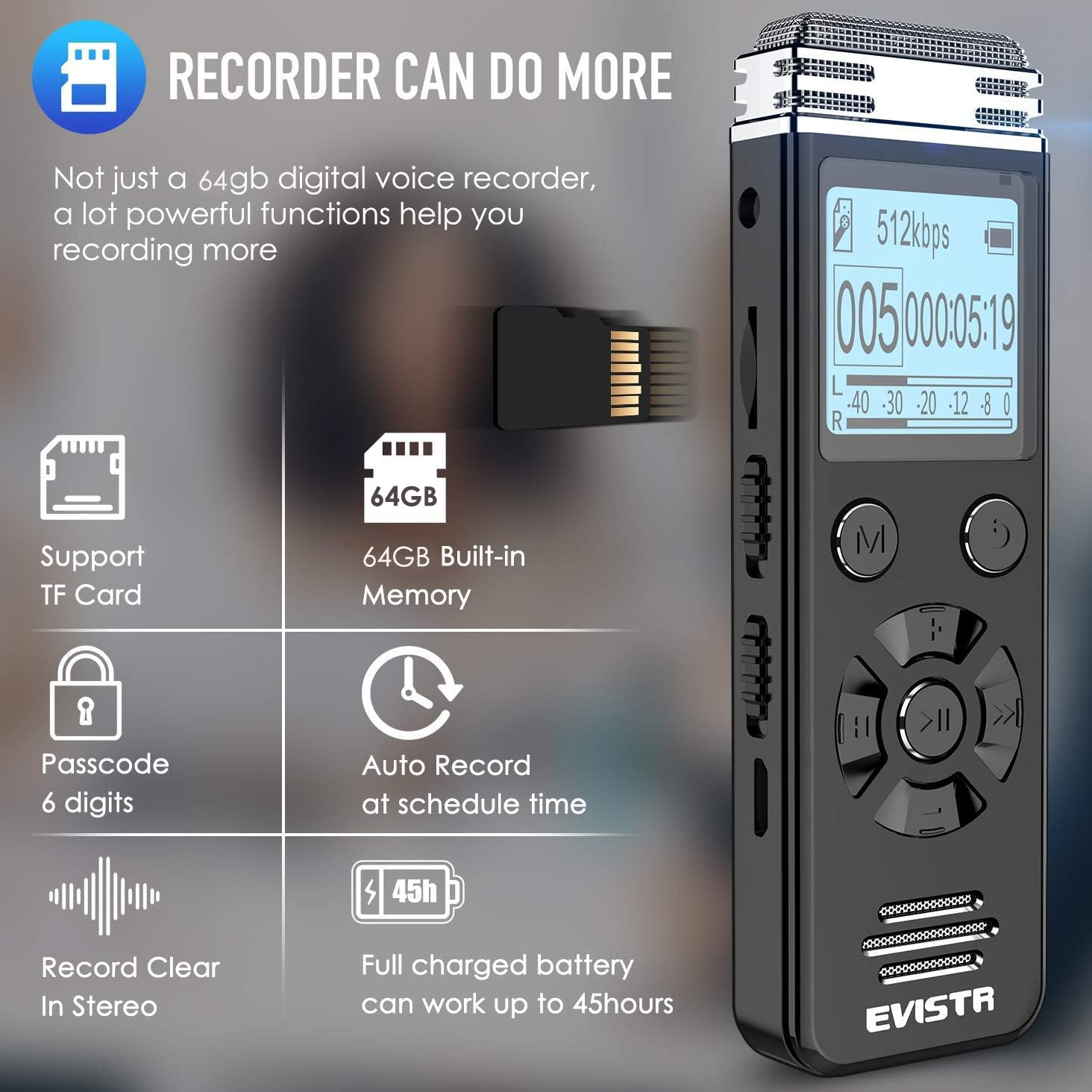
Image 4.1: Diagram illustrating how Voice Operated Recording (VOR) captures only the audible parts of a sound wave, reducing silent segments.
4.2 Абарона паролем
To protect your recordings, you can set a password for the device.
- Go to the 'Settings' menu.
- Select 'Password' or 'Security'.
- Choose 'Set Password' and follow the on-screen prompts to enter a 6-digit password using the navigation buttons.
- Confirm the password. The device will now require this password to access its contents.

Image 4.2: Display showing the password input screen on the EVISTR V508, indicating the device's privacy protection feature.
4.3 Line-in Recording
The line-in feature allows you to record audio directly from external sources such as another audio player or a microphone with a 3.5mm output.
- Connect the external audio source to the 'Line-in' port on the EVISTR V508 using an appropriate audio cable.
- Start recording as usual. The device will capture audio from the connected source.
4.4 MP3 Player Functionality
The EVISTR V508 can also function as an MP3 player. You can store music files (MP3/WAV/FLAC/APE/OGG/WMA formats) in a dedicated 'MUSIC' folder (or outside the 'RECORD' folder) on the device's internal memory or an inserted MicroSD card.
- Перадаць музыку fileз вашага кампутара на прыладу.
- Navigate to the 'Music' menu on the device.
- Select and play your desired music files.
4.5 External Storage (MicroSD Card)
The device supports MicroSD cards for expanded storage capacity, allowing you to record more audio or store additional media files.
- Знайдзіце на прыладзе слот для карт MicroSD.
- Gently insert a compatible MicroSD card (up to 64GB, though 32GB is mentioned in specs) until it clicks into place.
- The device will automatically detect the external storage. You can then select whether to save recordings to internal memory or the MicroSD card via the settings.
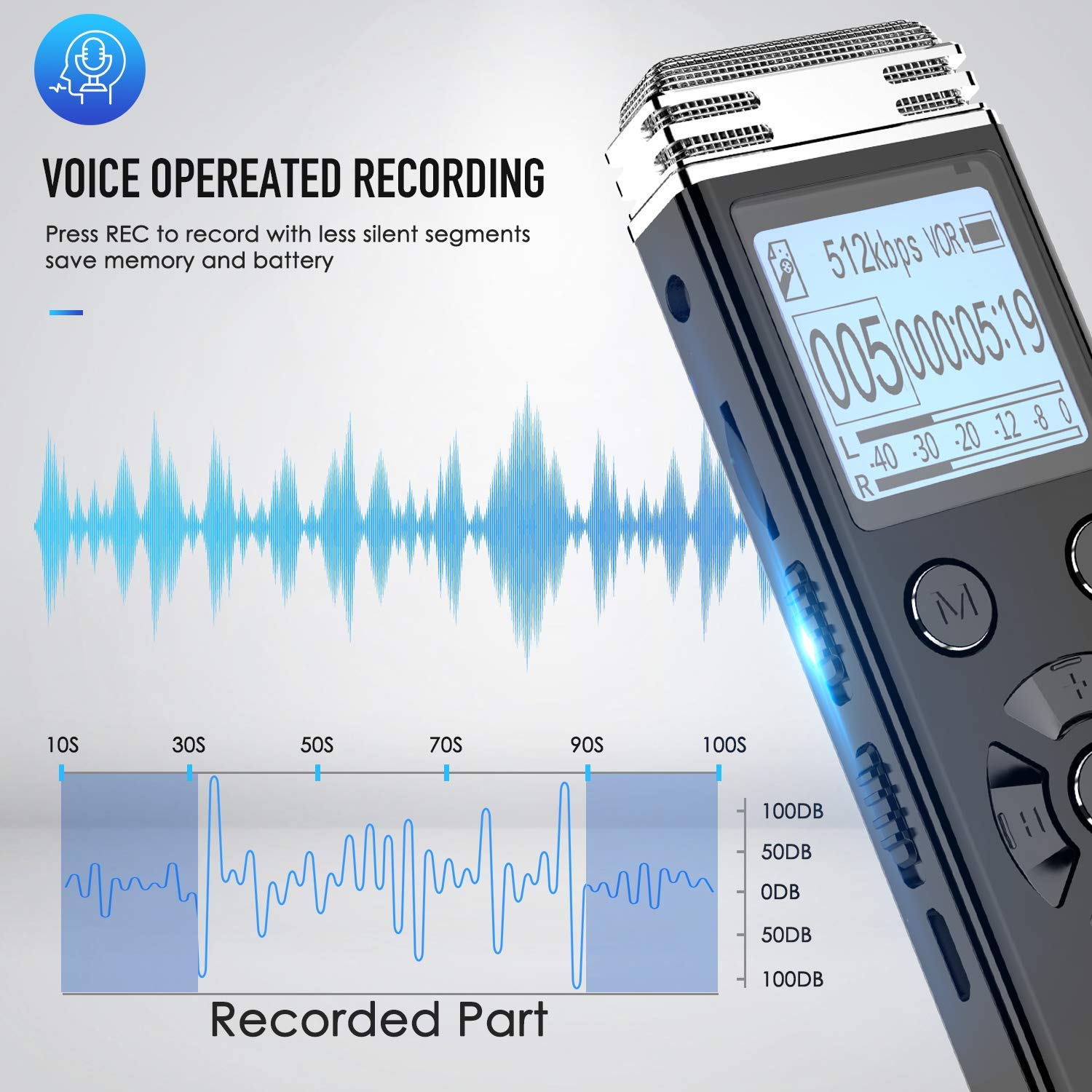
Image 4.3: The EVISTR V508 highlighting its MicroSD card support for expanded memory, alongside other features like password protection and auto-record.
4.6 Auto Record (Scheduled Recording)
You can schedule the device to start and stop recording automatically at specific times.
- Ensure the power button is in the 'ON' position for scheduled recording to function.
- Navigate to 'Settings' and select 'Auto Record' or 'Scheduled Recording'.
- Set the desired start time and end time for the recording.
- Activate the auto-record function.

Image 4.4: Visual representation of the Auto Record feature, showing how to set start and end times for automatic recording, with an important note to keep the power button in the 'ON' position.
4.7 Манітор запісу
The record monitor function allows you to listen to the audio being recorded in real-time through earphones or an external microphone connected to the device.
- Connect earphones to the headphone jack.
- Пачаць запіс.
- Activate the 'Record Monitor' option in the recording settings (if available) or simply listen through the connected earphones.

Image 4.5: A user monitoring a recording with the EVISTR V508, demonstrating the ability to record and listen simultaneously using headphones or an external microphone.
5. File Кіраванне
5.1 Падключэнне да кампутара
You can connect the EVISTR V508 to a computer (Windows or Mac) to transfer files.
- Пераканайцеся, што прылада ўключана.
- Падключыце прыладу да кампутара з дапамогай USB-кабеля, які ўваходзіць у камплект.
- Прылада будзе адлюстроўвацца на вашым кампутары як здымны дыскавод.

Image 5.1: The EVISTR V508 connected to a laptop via USB cable, illustrating its charging and data download capabilities for both Mac and Windows systems.
5.2 Перадача Files
Once connected to a computer, you can drag and drop audio files from the device's 'RECORD' folder to your computer, or vice versa for music files.
5.3 Выдаленне Files
Files can be deleted directly from the device or via a connected computer.
- На прыладзе: Перайдзіце да раздзела «Запісы» або «Files' menu, select the file you wish to delete, and choose the 'Delete' option. Confirm your selection.
- Праз кампутар: Access the device's storage on your computer, select the desired files, and delete them as you would any other file на вашым кампутары.
6. Тэхнічнае абслугоўванне
6.1 Сыход за акумулятарам
- Пазбягайце частай поўнай разрадкі акумулятара.
- Рэгулярна зараджайце прыладу, нават калі яна не выкарыстоўваецца, каб падтрымліваць яе ў працоўным стане.
- Захоўвайце прыладу ў прахалодным, сухім месцы, калі яна не выкарыстоўваецца працяглы час.
6.2 Ачыстка
- Выкарыстоўвайце мяккую сухую тканіну для ачысткі вонкавага боку прылады.
- Do not use liquid cleaners or solvents, as they may damage the device.
- Keep the microphone grille free from dust and debris for optimal audio quality.
6.3 Захоўванне
Store the device in a protective case or pouch to prevent scratches and damage. Avoid exposing it to extreme temperatures, humidity, or direct sunlight.
7. Выпраўленне непаладак
7.1 Прылада не ўключаецца
- Пераканайцеся, што акумулятар зараджаны. Падключыце прыладу да крыніцы харчавання і дайце ёй зарадзіцца не менш за 30 хвілін.
- Check the power switch position. Make sure it is firmly in the 'ON' position.
- If the device is unresponsive, try performing a soft reset by pressing and holding the power button for 10-15 seconds.
7.2 Poor Recording Quality
- Пераканайцеся, што мікрафон нічым не перакрыты.
- Check the recording settings (e.g., bitrate, microphone sensitivity). Higher bitrate (1536kbps) generally provides better quality.
- Запісвайце ў ціхім асяроддзі, каб мінімізаваць фонавы шум.
- If using AVR mode, adjust the sensitivity level.
- Consider using an external microphone for specific recording needs.
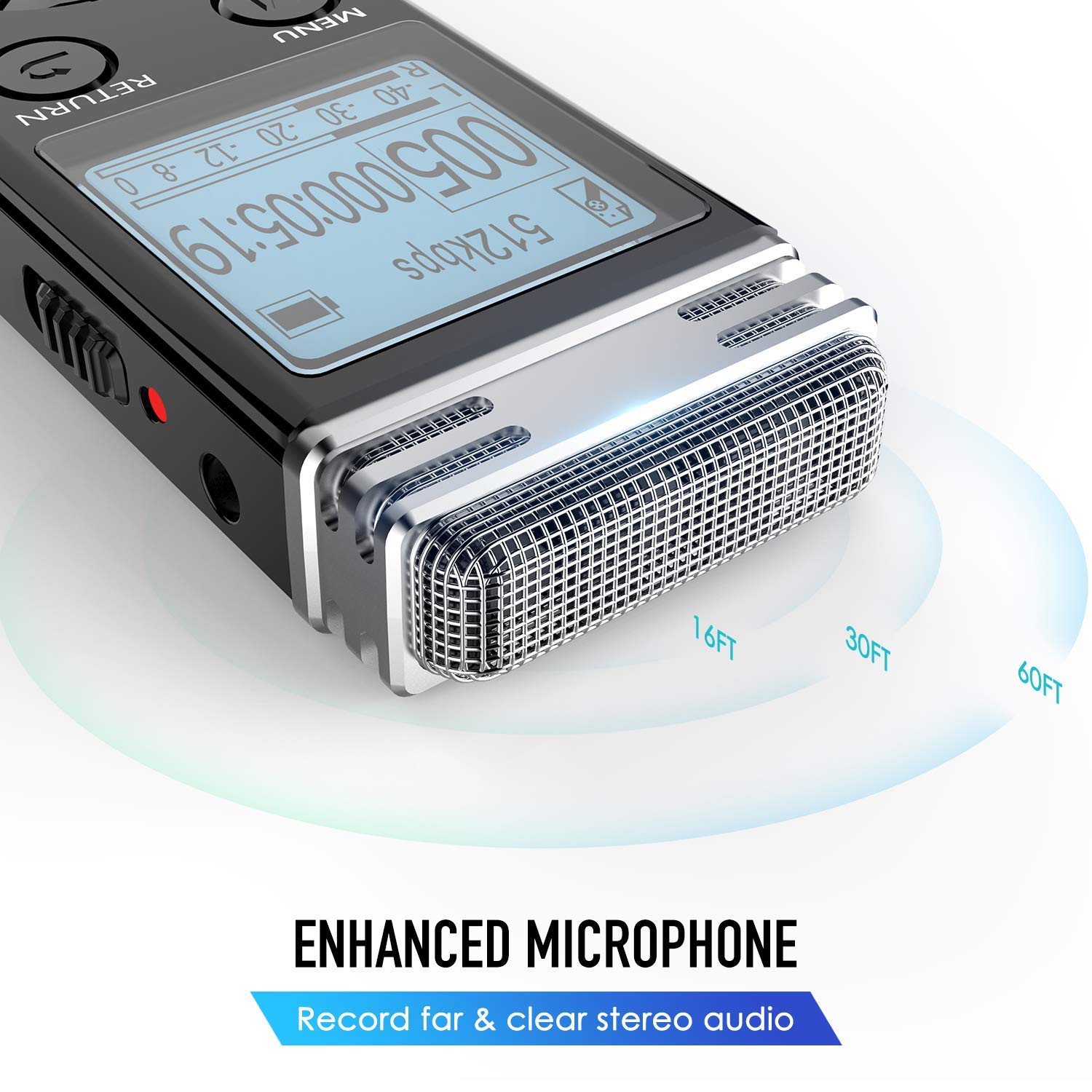
Image 7.1: Close-up of the EVISTR V508's enhanced microphone, illustrating its capability to record clear stereo audio from various distances.
7.3 Cannot Connect to Computer
- Пераканайцеся, што USB-кабель надзейна падключаны як да прылады, так і да кампутара.
- Паспрабуйце іншы порт USB на вашым кампутары.
- Паспрабуйце іншы кабель USB.
- Перазагрузіце і прыладу, і камп'ютар.
7.4 Забыты пароль
If you forget your password, you may need to perform a factory reset. Please note that a factory reset will erase all data on the device. Refer to the device's settings menu for the factory reset option or contact customer support for assistance.
8. Тэхнічныя характарыстыкі
| Асаблівасць | Спецыфікацыя |
|---|---|
| Марка | ЭВІСТР |
| мадэль | V508 |
| Памеры прадукту | 10.01 х 2.69 х 1.19 см |
| Вага прадмета | 73 г |
| Ёмістасць памяці | 16GB (Internal), expandable via MicroSD (up to 64GB) |
| Ёмістасць лічбавай памяці | 8 GB (Internal, as per some listings) |
| Здымная памяць | MicroSD |
| Абсталяванне інтэрфейсу | USB 3.0 тыпу C |
| Сумяшчальныя прылады | MP3-плэер |
| Тэхналогія адлюстравання | ВК |
| Памер пастаяннага экрана | 1.4 цалі |
| Фармат мікрафона | Built-In (Dual enhanced dynamic noise-canceling) |
| тtage | 3.7 вольт |
| Сярэдні тэрмін службы батарэі | 45 Hours (recording) |
| Тып батарэі | 1 літый-палімерны (у камплекце) |
| Фармат носьбіта | MP3 Audio, WAV, FLAC, APE, OGG, WMA |
9. Гарантыя і падтрымка
EVISTR products are designed for reliability and performance. For warranty information, technical support, or service inquiries, please refer to the warranty card included with your product or visit the official EVISTR webсайт. Захоўвайце чэк аб куплі як пацвярджэнне пакупкі для гарантыйных прэтэнзій.