
1. Уводзіны
This manual provides essential information for the proper setup, operation, and maintenance of your FEITIAN bR301-C45 BLE Bluetooth Smart Card Reader. This device is designed for secure ID authentication, e-payment, and access control applications, supporting various smart card types.
2. Інфармацыя па бяспецы
- Не падвяргайце прыладу ўздзеянню экстрэмальных тэмператур, вільгаці або прамых сонечных прамянёў.
- Не кідайце прыладу і не падвяргайце яе моцным ударам.
- Не спрабуйце разбіраць або мадыфікаваць прыладу. Гэта прывядзе да анулявання гарантыі.
- Выкарыстоўвайце толькі прадастаўлены або рэкамендаваны зарадны кабель.
- Захоўваць у месцах, недаступных дзецям.
3. Змесціва ўпакоўкі
Праверце, ці ёсць усе прадметы ў вашай упакоўцы:
- FEITIAN bR301-C45 BLE Bluetooth Smart Card Reader
- USB Type-C to USB-A Charging/Data Cable
- Кароткае кіраўніцтва карыстальніка (не ўваходзіць у гэты дапаможнік)

Малюнак 3.1: Package contents including the bR301-C45 reader and USB cable.
4. Прадукт скончыўсяview
Familiarize yourself with the components of your smart card reader.

Малюнак 4.1: Фронт view of the bR301-C45 reader, showing the card insertion slot and FEITIAN logo.

Малюнак 4.2: Назад view of the bR301-C45 reader, displaying regulatory compliance marks (RoHS, CE, FC) and Bluetooth logo.
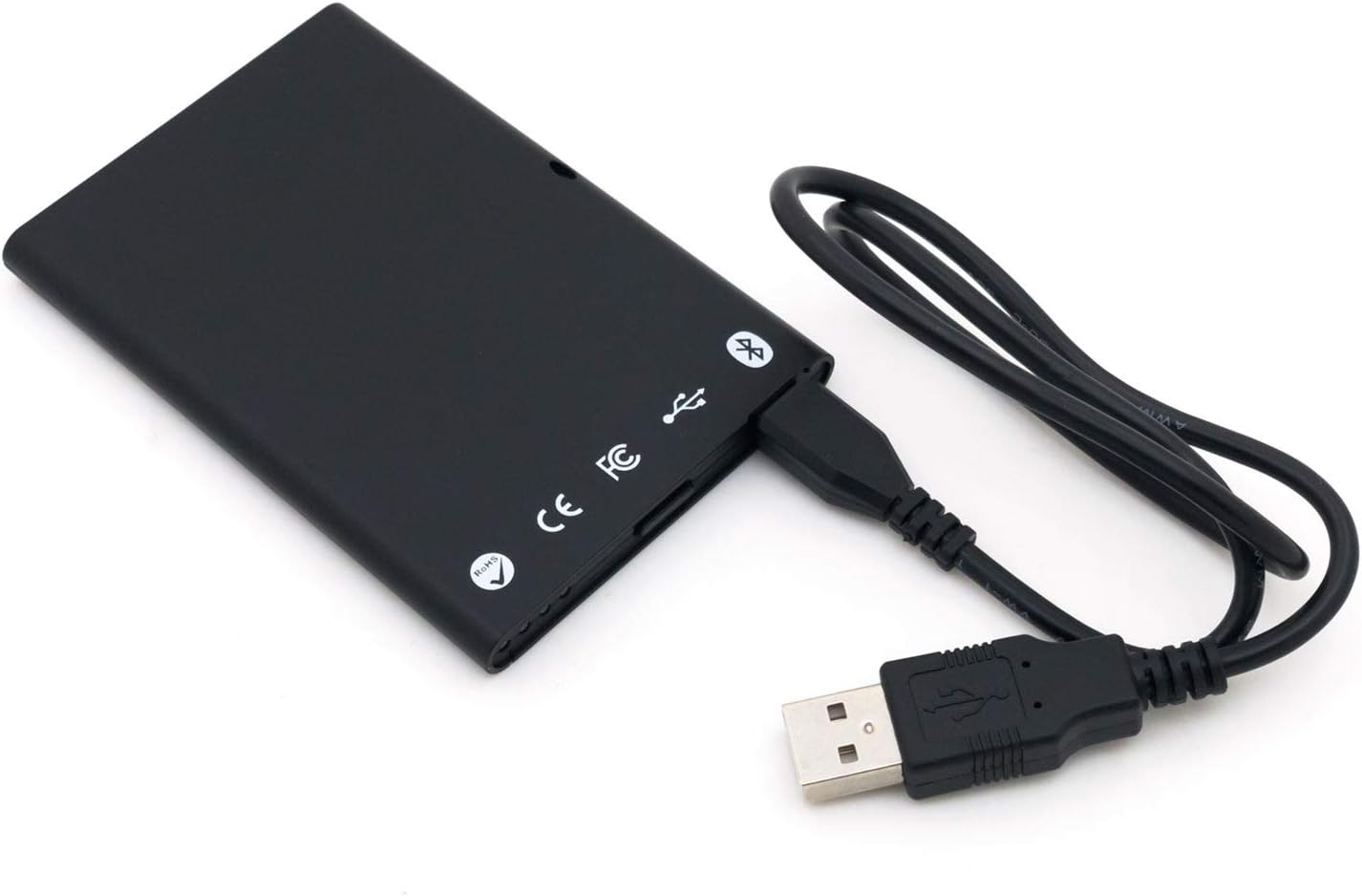
Малюнак 4.3: The bR301-C45 reader connected to a USB cable, illustrating the USB-C port location.
5. Настройка
5.1 Зарадка прылады
The bR301-C45 reader includes a 350mAh Li-Ion battery. Before initial use, or if the battery is low, charge the device using the provided USB cable.
- Connect the USB Type-C end of the cable to the reader's port.
- Connect the USB-A end of the cable to a powered USB port on a computer or a USB wall adapter.
- The device will indicate charging status (e.g., an LED indicator, refer to specific product documentation for LED behavior).
5.2 USB Connection (Plug and Play)
For direct connection to a computer, the bR301-C45 supports plug-and-play functionality, requiring no additional drivers for basic operation.
- Ensure the reader is charged or connected to a power source.
- Connect the USB Type-C end of the cable to the reader.
- Падключыце канец кабеля USB-A да даступнага порта USB на вашым кампутары.
- Your operating system should automatically detect and configure the device.
5.3 Bluetooth (BLE) Connection
The bR301-C45 can connect wirelessly via Bluetooth Low Energy (BLE) to compatible devices.
- Ensure the reader is sufficiently charged.
- Уключыце Bluetooth на вашай прыладзе (напрыклад, смартфоне, планшэце, камп'ютары).
- Put the bR301-C45 into pairing mode (refer to specific product documentation for button presses or indicators).
- Пошук available Bluetooth devices on your host device.
- Select "FEITIAN bR301-C45" or a similar identifier from the list and complete the pairing process.
Заўвага: For certain applications, especially those involving government CAC or PIV cards, specific software or utilities (e.g., "Smart Card Utility") may be required on your host device. These applications may involve additional licensing or configuration steps not covered in this general manual. Consult the software provider's documentation for details.
6. Эксплуатацыя прылады
6.1 Inserting a Smart Card
- Identify the correct orientation for your smart card. Typically, the chip on the card faces upwards and is inserted into the reader.
- Gently slide the smart card into the card slot until it is fully seated. Do not force the card.
- The reader or associated software will indicate successful card detection.
6.2 Removing a Smart Card
To remove a smart card, gently pull it out from the slot. Ensure no active operations are being performed with the card before removal to prevent data corruption.
6.3 Выкарыстанне з праграмамі
Once connected and a smart card is inserted, the bR301-C45 reader facilitates secure communication between the smart card and your application. This includes:
- Secure ID Authentication: For logging into systems or verifying identity.
- E-Payment: For secure transactions.
- Кантроль доступу: For gaining access to restricted areas or digital resources.
The specific steps for using the reader will depend on the application you are using. Refer to the documentation for your specific software or service.
7. Тэхнічнае абслугоўванне
7.1 Ачыстка
To clean the device, use a soft, dry, lint-free cloth. Do not use liquid cleaners, aerosols, or solvents, as these can damage the device.
7.2 Сыход за акумулятарам
- Пазбягайце частай поўнай разрадкі акумулятара.
- Захоўвайце прыладу ў прахалодным, сухім месцы, калі яна не выкарыстоўваецца працяглы час.
- Перыядычна зараджайце прыладу, калі яна захоўвалася працяглы час, каб падтрымліваць яе працаздольнасць.
8. Выпраўленне непаладак
- Device not recognized via USB:
- Паспрабуйце іншы порт USB.
- Пераканайцеся, што кабель USB надзейна падключаны з абодвух канцоў.
- Перазагрузіце кампутар.
- Праблемы з спалучэннем Bluetooth:
- Ensure the reader is in pairing mode.
- Праверце, ці ўключаны Bluetooth на вашай прыладзе.
- Move the reader closer to the host device.
- Выдаліце папярэднія пары і паспрабуйце зноў.
- Smart card not detected:
- Ensure the smart card is inserted correctly and fully seated.
- Check if the smart card is damaged or dirty.
- Verify that the necessary software/drivers are installed and configured on your computer for the specific smart card type.
- Акумулятар не зараджаецца:
- Ensure the USB cable is functional and properly connected.
- Паспрабуйце іншую крыніцу харчавання USB.
- Калі праблема не знікне, звярніцеся ў службу падтрымкі.
9. Тэхнічныя характарыстыкі
| Асаблівасць | Дэталь |
|---|---|
| Нумар мадэлі | bR301 C45 |
| Сувязь | USB Type C, Bluetooth Low Energy (BLE) |
| Падтрымліваюцца тыпы карт | 1.8V, 3V, and 5V smart cards |
| акумулятар | 350 мАг літый-іённы акумулятар (у камплекце) |
| Сумяшчальнасць аперацыйнай сістэмы | All operating systems (Plug & Play for USB) |
| Памеры (ДхШхВ) | 3.66 х 2.09 х 0.31 цалі |
| Вага | 1.27 унцыі |
| Колер | Чорны |
10. Інфармацыя аб гарантыі
FEITIAN products typically come with a limited warranty. For specific warranty terms and conditions, please refer to the warranty card included with your product or visit the official FEITIAN webсайт. Захоўвайце пацвярджэнне пакупкі для прэтэнзій па гарантыі.
11. Падтрымка
For further assistance, technical support, or to download the latest drivers and software, please visit the official FEITIAN webсайт:
You may also contact FEITIAN customer service through the contact information provided on their webсайт.