
1. Уводзіны і большview
The Estink Power Meter Plug is designed to monitor the electricity consumption of your household appliances. It provides real-time data on various electrical parameters, helping you understand and manage your energy usage. This device features a digital LCD display with multiple modes, an overload warning function, and a user-friendly interface for easy operation.

Figure 1: Estink Power Meter Plug.
2. Настройка
- Распакуйце: Carefully remove the power meter plug from its packaging.
- Падключыць: Insert the power meter plug into a standard wall outlet.
- Падключыць прыладу: Plug the appliance you wish to monitor into the socket on the front of the power meter plug.
- Пачатковы дысплей: Upon connection, the device will power on and display default information, typically voltagе і частата.
3. Інструкцыя па эксплуатацыі
3.1 Рэжымы адлюстравання
The power meter features 7 distinct display modes. Press the ФУНКЦЫЯ button to cycle through these modes:
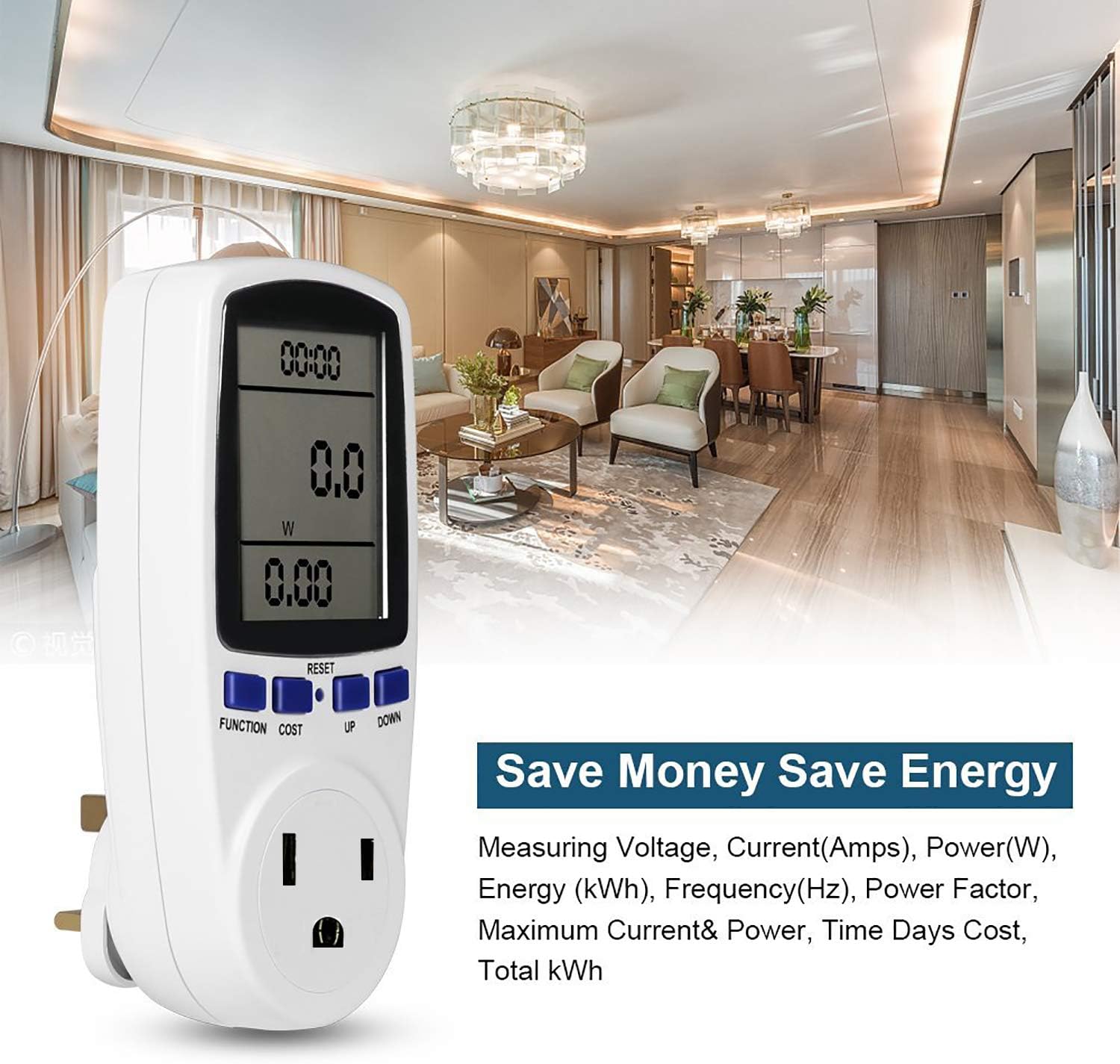
Figure 2: Cycling through display modes.
- Рэжым 1: Time, Wattage (W), and Cost.
- Рэжым 2: Time, Cumulative Electrical Quantity (kWh), and Days.
- Рэжым 3: Час, выпtage (V), and Frequency (Hz).
- Рэжым 4: Time, Current (A), and Power Factor.
- Рэжым 5: Time, Minimum Power (Lo W).
- Рэжым 6: Time, Maximum Power (Hi W).
- Рэжым 7: Time, Cost per kWh.
3.2 Setting Cost per kWh
To set the electricity cost per kilowatt-hour (kWh):
- Націсніце КОШТ button to enter cost setting mode.
- Выкарыстоўвайце UP і УНІЗ buttons to adjust the cost value.
- Прэса ФУНКЦЫЯ каб пацвердзіць і выйсці з рэжыму налад.
3.3 Скід дадзеных
To clear all accumulated data (time, kWh, cost), press and hold the СКІД button for approximately 5 seconds until the display clears.
4. Асаблівасці дысплея
The Estink Power Meter Plug features a clear digital LCD with an optional blue backlight for enhanced visibility in various lighting conditions. For accurate readings, always view the display directly from the front, as the visual angle is optimized for vertical viewing (120°).
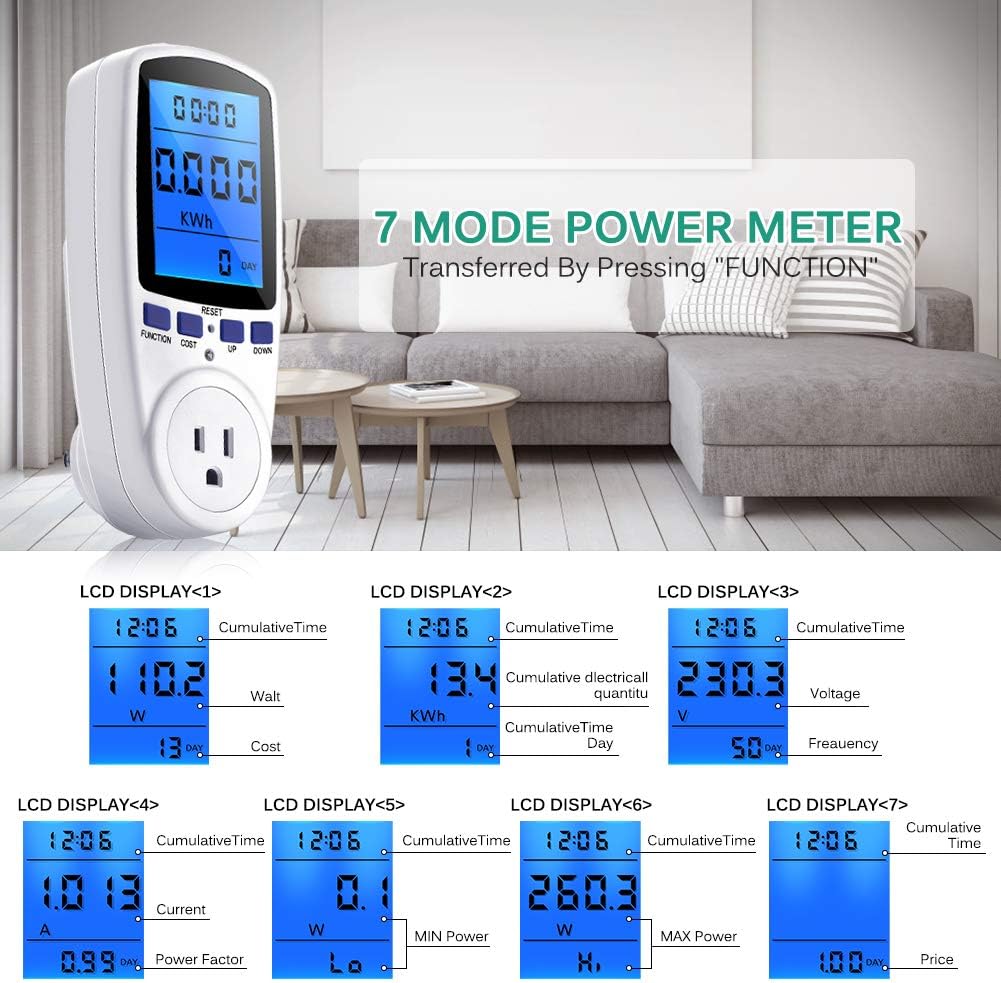
Figure 3: Blue backlight display for improved readability.
5. Абарона ад перагрузкі
The device includes an overload protection feature to prevent damage to the meter and connected appliances. If the connected load exceeds 1650W, the LCD will display "OVERLOAD" and emit an audible warning sound. Immediately disconnect the appliance if this occurs to prevent potential hazards.
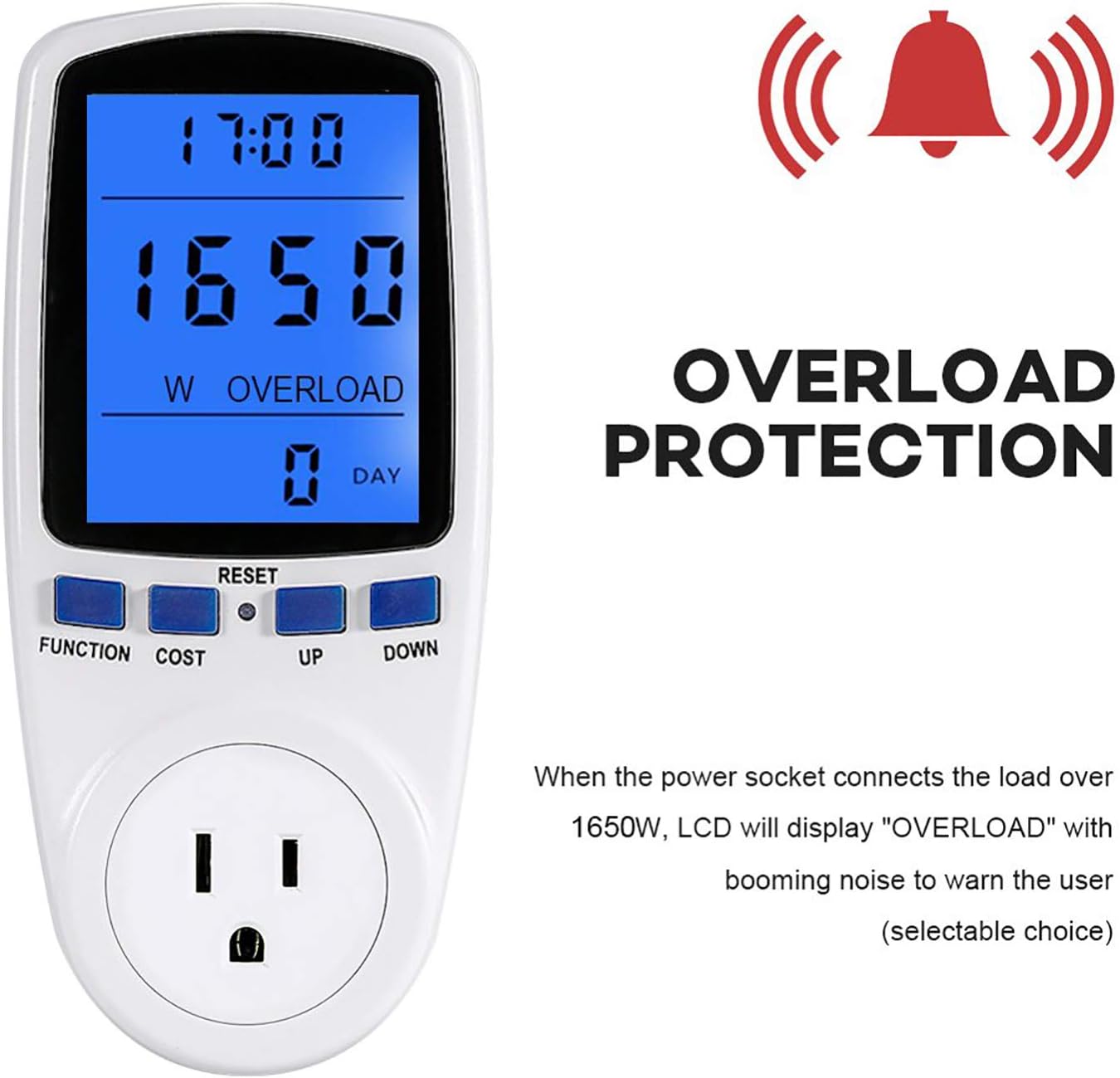
Figure 4: Overload warning display.
6. Тэхнічныя характарыстыкі
| Асаблівасць | Каштоўнасць |
|---|---|
| Вага прадмета | 7.2 унцыі |
| Памеры ўпакоўкі | 6.8 х 3.5 х 3 цалі |
| Колькасць у пакаванні | 1 |
| Батарэі ў камплекце? | няма |
| Патрабуюцца батарэі? | няма |
| ASIN | B07M9KJRKP |
| Дата першай даступнасці | 24 снежня 2018 г |
7. Выпраўленне непаладак
- Дысплей пусты: Ensure the power meter is securely plugged into a live outlet and an appliance is connected. If the issue persists, try a different outlet.
- Няправільныя паказанні: Verify that the appliance is functioning correctly. If the readings seem unusually high or low, try resetting the device by holding the СКІД кнопка.
- Папярэджанне аб перагрузцы: If the "OVERLOAD" message appears, the connected appliance is drawing more than 1650W. Disconnect the appliance immediately. This device is not suitable for appliances exceeding its maximum wattagе рэйтынг.
8. Тэхнічнае абслугоўванне і догляд
- Уборка: Працірайце прыладу мяккай сухой тканінай. Не выкарыстоўвайце абразіўныя ачышчальнікі і не апускайце яе ў ваду.
- захоўванне: Store the power meter in a cool, dry place away from direct sunlight and extreme temperatures when not in use.
- Пазбягайце ўздзеяння: Абараняйце прыладу ад падзенняў або моцных удараў, якія могуць пашкодзіць унутраныя кампаненты.
9. Гарантыя і падтрымка
For warranty information or technical support, please refer to the contact details provided with your purchase or visit the official Estink webсайт. Захоўвайце чэк аб куплі як пацвярджэнне пакупкі ў выпадку любых гарантыйных прэтэнзій.