
1. Уводзіны
Welcome to the user manual for your Genius Manticore Gaming Keyboard. This guide provides essential information for setting up, operating, maintaining, and troubleshooting your new gaming keyboard. Please read these instructions carefully to ensure optimal performance and longevity of your device.
2. Прадукт скончыўсяview
The Genius Manticore Gaming Keyboard is designed for an enhanced gaming experience, featuring a durable build and responsive keys. It connects via USB and is compatible with a wide range of devices. The keyboard includes 104 keys with a standard QWERTY layout, complemented by additional gaming-specific features.
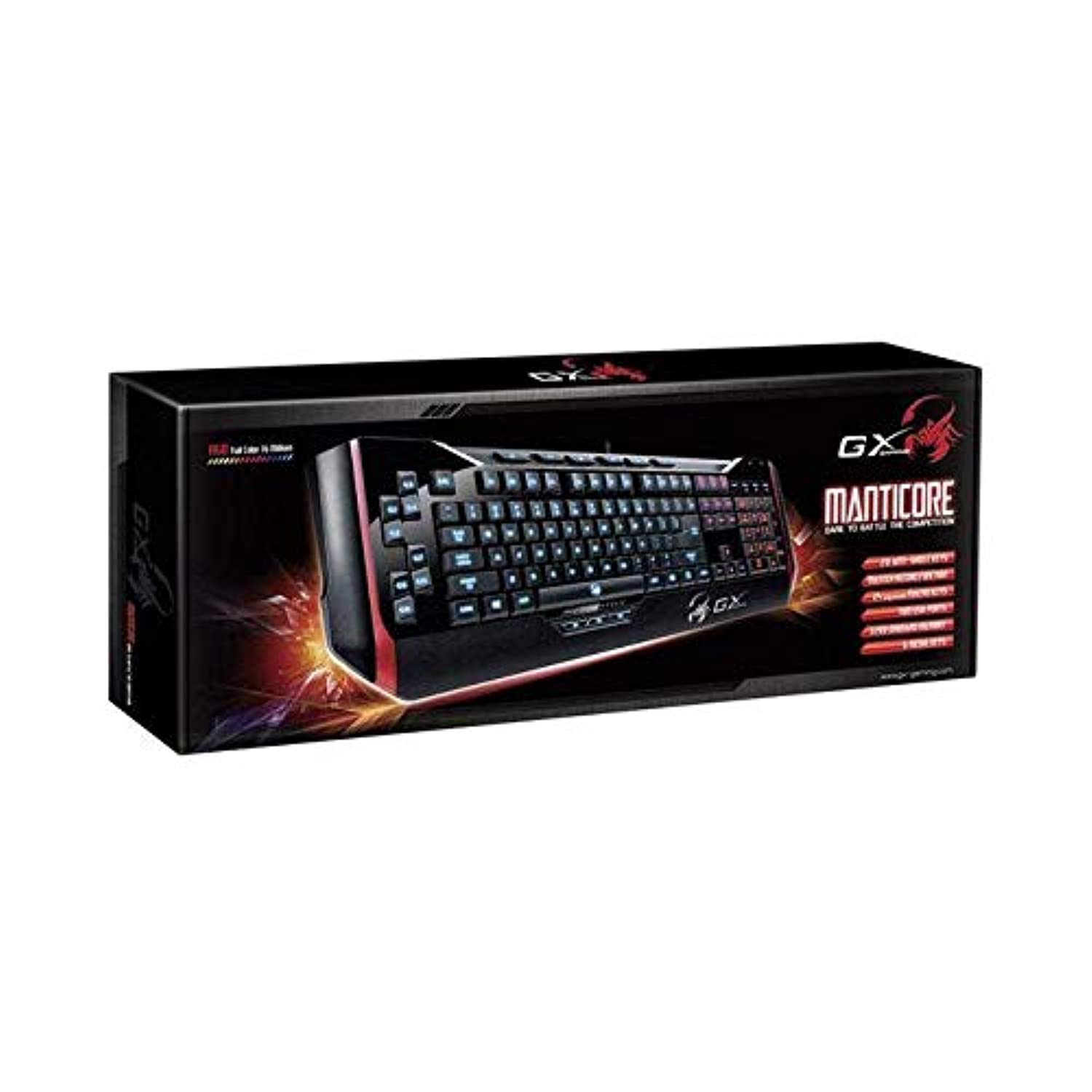
Малюнак 1: Genius Manticore Gaming Keyboard. This image displays the Genius Manticore Gaming Keyboard, featuring a black body with red accents on the sides. The keys are illuminated, indicating its gaming functionality. The keyboard has a standard QWERTY layout with additional keys on the left side, likely for macros, and a numeric keypad on the right.
3. Настройка
- Распакуйце клавіятуру: Carefully remove the Genius Manticore Gaming Keyboard from its packaging. Ensure all components are present.
- Падключыцеся да вашай прылады: Locate an available USB port on your computer or compatible device. Insert the USB connector of the keyboard firmly into the USB port.
- Ўстаноўка драйвера (пры неабходнасці): For most modern operating systems, the keyboard will be recognized automatically, and standard drivers will be installed. If prompted, follow the on-screen instructions to complete any driver installation.
- Праверка функцыянальнасці: Адкрыйце тэкставы рэдактар або web browser and test the keys to ensure they are responding correctly.
4. Інструкцыя па эксплуатацыі
The Genius Manticore Gaming Keyboard offers a standard QWERTY layout for general typing and dedicated features for gaming.
- Standard Key Functions: All standard alphanumeric, symbol, and function keys operate as expected on a typical QWERTY keyboard.
- Гульнявыя асаблівасці: The keyboard is designed for gaming. Specific gaming features, such as customizable backlighting or programmable macro keys (if available on your model), can typically be configured through dedicated software provided by Genius or through specific key combinations. Refer to the Genius website for any available software downloads or advanced feature guides.
- Крыніца харчавання: The keyboard is powered directly via the USB connection to your device. No external power supply or batteries are required.
5. Тэхнічнае абслугоўванне
Правільнае абслугоўванне забяспечвае даўгавечнасць і прадукцыйнасць вашай клавіятуры.
- Уборка: Выкарыстоўвайце мяккую сухую тканіну, каб выцерці паверхню клавіятуры. Для выдалення пылу і смецця паміж клавішамі выкарыстоўвайце сціснутае паветра. Пазбягайце выкарыстання агрэсіўных хімічных рэчываў або абразіўных матэрыялаў.
- Ўздзеянне вадкасці: This keyboard is не воданепранікальны. Avoid spilling liquids on the keyboard, as this can cause permanent damage. If liquid exposure occurs, immediately disconnect the keyboard from your device and allow it to dry completely before attempting to use it again.
- захоўванне: Калі клавіятура не выкарыстоўваецца, захоўвайце яе ў чыстым, сухім месцы, удалечыні ад экстрэмальных тэмператур і прамых сонечных прамянёў.
6. Выпраўленне непаладак
Калі ў вас узніклі праблемы з клавіятурай, паспрабуйце наступныя рашэнні:
- Клавіятура не адказвае:
- Пераканайцеся, што USB-кабель надзейна падключаны як да клавіятуры, так і да кампутара.
- Паспрабуйце падключыць клавіятуру да іншага USB-порта на вашым кампутары.
- Праверце клавіятуру на іншым камп'ютары, каб вызначыць, ці праблема ў клавіятуры, ці ў зыходным камп'ютары.
- Перазагрузіце кампутар.
- Не працуюць пэўныя клавішы:
- Check for any physical obstructions under the non-functional keys.
- Ачысціце клавіятуру, як апісана ў раздзеле «Тэхнічнае абслугоўванне».
- Ensure no software conflicts are present (e.g., macro software interfering with standard key functions).
- Праблемы з падсветкай:
- If your model features adjustable backlighting, ensure it is not turned off or set to the lowest brightness level. Consult the Genius website for specific key combinations to control backlighting.
If these steps do not resolve the issue, please contact Genius customer support for further assistance.
7. Тэхнічныя характарыстыкі
| Асаблівасць | Дэталь |
|---|---|
| Фірмовае найменне | Геній |
| Нумар мадэлі | GE31310058108 |
| Сумяшчальныя прылады | Усе |
| Тэхналогія падлучэння | USB |
| Апісанне клавіятуры | Гульнявая |
| Асаблівасці | Гульнявая |
| Колер | Multi-color (Black and Red) |
| стыль | Сучасны |
| Матэрыял | Розныя матэрыялы |
| Тэма | гульні |
| Крыніца харчавання | USB харчаванне |
| Колькасць ключоў | 104 |
| Раскладка клавіятуры | Клавіятура QWERTY |
| Рука арыентацыі | Амбідэкстр |
| Колькасць кнопак | 104 |
| Узровень воданепранікальнасці | Не воданепранікальны |
| Вытворца | Геній |
| ASIN | B07MQMXJS9 |
8. Гарантыя і падтрымка
Your Genius Manticore Gaming Keyboard is covered by a standard manufacturer's warranty. For detailed information regarding warranty terms, registration, or to access technical support, please visit the official Genius webсайт або звярніцеся ў службу падтрымкі кліентаў. Захоўвайце чэк аб куплі як пацверджанне пакупкі.
Каб атрымаць дадатковую дапамогу, вы можаце наведаць Genius Official Webсайт.