
Уводзіны
This manual provides instructions for the setup, operation, maintenance, and troubleshooting of your new replacement remote control for Optoma projectors. This remote is designed to be compatible with a wide range of Optoma projector models, offering a convenient and reliable control solution.
Compatible Optoma Projector Models:
- HD26, X412, HD26B, HD26BR, UHD300X
- GT1080, GT1080E, GT1080DARBEE, GT1070X, VDGTGZBZ, GT1070Xe
- HD141X, HD143X, H181X, DH1008, DH1009
- HD37, UHD60, HDF536, HDF537ST, HD200D
- HD39DARBEE, VDHDNBDSE, UHD65, HD27, HD27E, HD27HDR, HD29DARBEE
- EH200ST, EH412ST, GT5600, VDHDNL, HD142X, HD144X, HD152X
- UHD550X, HD28HDR, HD28DSE, UHD40, UHD50, UHZ65, VDUHDLZ, ZH403, HD39HDR, UHD35
Please verify that your original remote control is identical to this replacement model for full functionality. If your original remote differs, some functions may not be fully compatible.
Настройка
Ўстаноўка акумулятара
The remote control requires two (2) AA batteries for operation. Batteries are not included with the remote control.
- Знайдзіце батарэйны адсек на задняй частцы пульта дыстанцыйнага кіравання.
- Зрушыце вечка батарэйнага адсека ўніз або націсніце на зашчапку і падніміце яе, каб адкрыць.
- Устаўце дзве батарэйкі тыпу АА, пераканаўшыся, што станоўчая (+) і адмоўная (-) клемы правільна сумяшчаюцца з пазнакамі ўнутры адсека.
- Зачыніце вечка батарэйнага адсека, зрушыўшы яго назад да пстрычкі.

The remote control's rear panel, with the battery cover removed, revealing the battery compartment and regulatory markings.

The remote control's front, highlighting the requirement for two AA batteries for operation.
Аперацыя
Асноўныя функцыі
Point the remote control directly at the infrared receiver on your Optoma projector. The maximum effective range is approximately 10 meters (33 feet).
Ясна view of the remote control's front face, displaying all functional buttons including power, menu, volume, and source selection.
- ВКЛ/ВЫКЛ: Press the 'ON' button to power on the projector. Press the 'OFF' button to power off the projector.
- Меню: Access the projector's on-screen display (OSD) menu.
- Кнопкі навігацыі (уверх, уніз, налева, направа, Enter): Use these buttons to navigate through menu options and confirm selections.
- Гучнасць +/-: Адрэгулюйце ўзровень гукавога вываду.
- Крыніца: Cycle through available input sources (e.g., HDMI1, HDMI2, VGA1, VGA2, Video, YPbPr).
- Адключэнне гуку: Адключыць або ўключыць гук.
- Яркасць: Adjust the projector's brightness setting.
- Кантраст: Adjust the projector's contrast setting.
- Каменны камень: Access keystone correction settings to adjust image geometry.
- Суадносіны бакоў: Change the image aspect ratio.
- рэжым: Select different display modes.
- 3D: Activate or deactivate 3D mode (if supported by projector).
- Таймер сну: Set a timer for the projector to automatically power off.
- Паўторная сінхранізацыя: Re-synchronize the input signal.
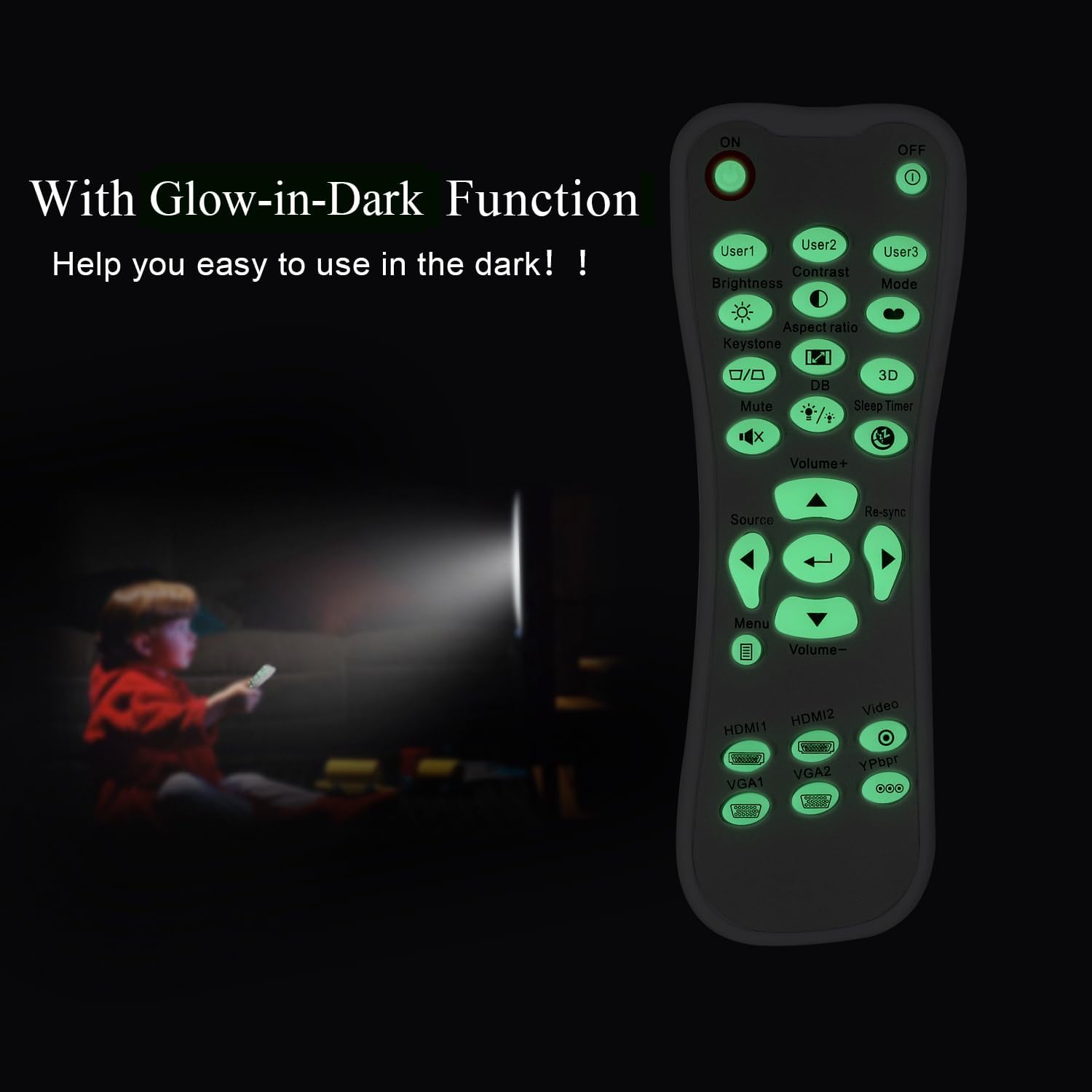
Glow-in-Dark Function
Certain buttons on this remote control are designed to glow in the dark, enhancing visibility and ease of use in low-light conditions. For optimal luminous effect, expose the remote control to bright light for a period before use in the dark.

The remote control features glow-in-the-dark buttons, making it visible and easy to use in low-light environments, such as a darkened room during projector use.
Працоўны дыяпазон
The remote control operates using infrared (IR) technology. Ensure a clear line of sight between the remote control and the projector's IR receiver. The effective operating distance is up to 10 meters (approximately 33 feet).
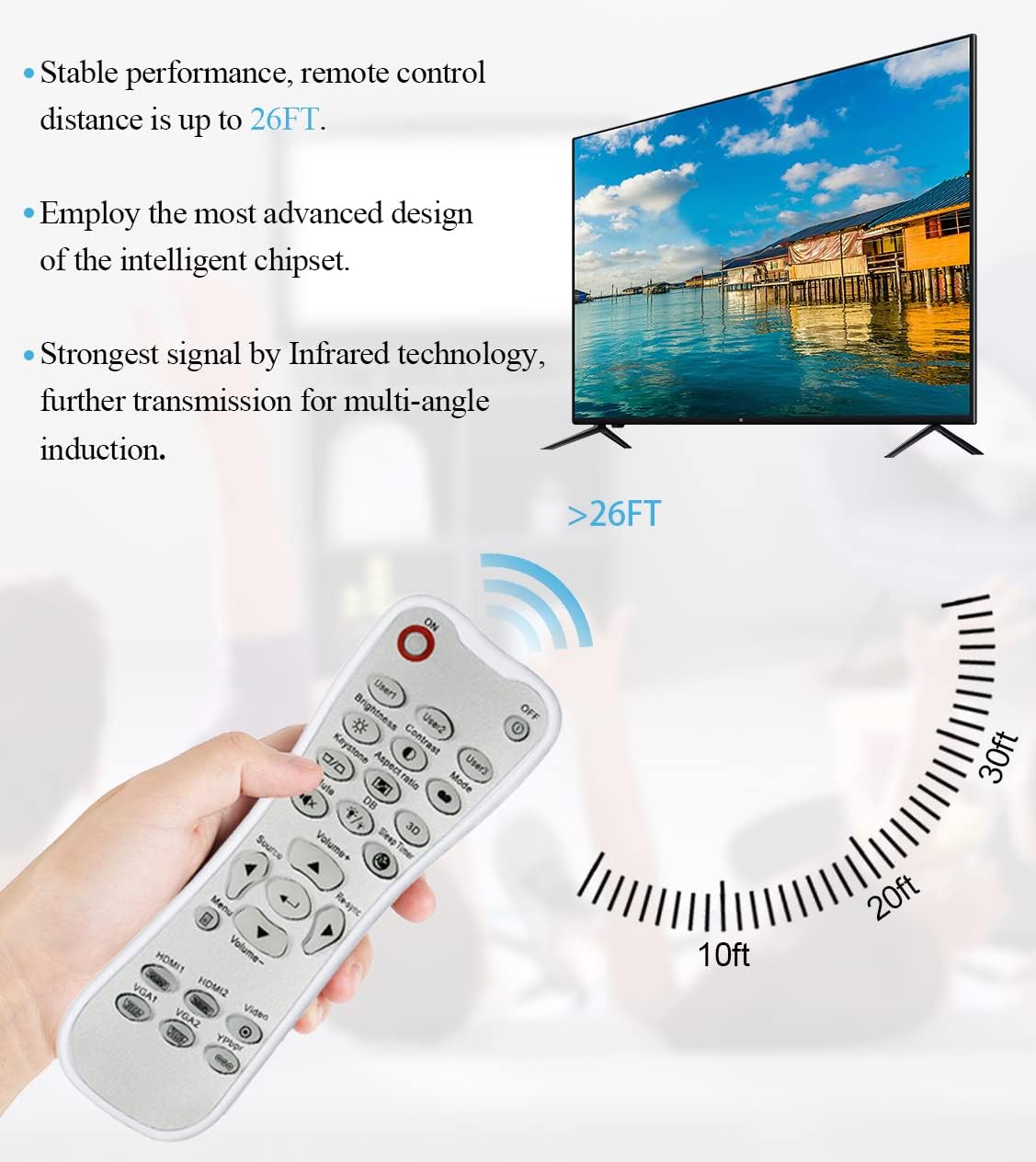
The remote control utilizes infrared technology for signal transmission, offering a reliable operating range of up to 26 feet (approximately 8 meters) for controlling your projector.
Тэхнічнае абслугоўванне
Уборка
Для чысткі пульта дыстанцыйнага кіравання выкарыстоўвайце мяккую сухую тканіну. Не выкарыстоўвайце вадкія ачышчальнікі, абразіўныя губкі або хімічныя растваральнікі, бо яны могуць пашкодзіць паверхню або ўнутраныя кампаненты.
Замена батарэі
Замяняйце батарэйкі, калі пульт дыстанцыйнага кіравання пачынае рэагаваць павольна або перастае працаваць. Заўсёды замяняйце абедзве батарэйкі адначасова на новыя батарэйкі тыпу АА. Не выкарыстоўвайце разам старыя і новыя батарэйкі, а таксама батарэйкі розных тыпаў.
Захоўванне
Захоўвайце пульт дыстанцыйнага кіравання ў прахалодным, сухім месцы, удалечыні ад прамых сонечных прамянёў і экстрэмальных тэмператур. Калі пульт не будзе выкарыстоўвацца працяглы час, рэкамендуецца выняць батарэйкі, каб прадухіліць іх уцечку.
Ліквідацыю непаладак
- Пульт не адказвае:
- Пераканайцеся, што батарэйкі ўсталяваны правільна з захаваннем палярнасці.
- Заменіце старыя батарэі на новыя.
- Check for any obstructions between the remote control and the projector's IR receiver.
- Пераканайцеся, што вы знаходзіцеся ў межах эфектыўнай рабочай адлегласці (да 10 метраў).
- Кнопкі тугія або не рэагуюць:
- Ensure the remote control is clean and free from debris that might impede button movement.
- If buttons are consistently stiff, this may indicate a manufacturing issue.
- Glow-in-dark function is weak:
- Expose the remote control to bright light for a longer duration to charge the luminous material.
Тэхнічныя характарыстыкі
| Асаблівасць | Спецыфікацыя |
|---|---|
| Назва мадэлі | L-27-5KEY |
| Сумяшчальнасць брэндаў | Праектары Optoma |
| Асаблівасць | Universal Replacement, Glow-in-Dark Buttons |
| Колер | Белы |
| Тэхналогія падлучэння | Інфрачырвоны (ВК) |
| Колькасць кнопак | 5 (referring to the main function keys, though more buttons are present) |
| Тып кантролера | Кіраванне кнопкамі |
| Максімальны дыяпазон | 10 Meters (approximately 33 feet) |
| Тып батарэі | 2 батарэйкі АА (не ўключаны) |
| Матэрыял | Пластыкавыя |
| Памеры прадмета (Д х Ш х У) | 14.9 см (5.9 цалі) х 5.3 см (2.1 цалі) х 2.5 см (1 цалі) |

A dimensional diagram illustrating the compact size of the remote control, measuring approximately 14.9 cm (5.9 inches) in length, 5.3 cm (2.1 inches) in width, and 2.5 cm (1 inch) in thickness.
Гарантыя і падтрымка
For any issues not covered in this manual, or for warranty inquiries, please contact the seller or manufacturer directly through your purchase platform. Keep your purchase receipt as proof of purchase.