
1. Уводзіны
This manual provides instructions for the Altec Lansing Mini LifeJacket Jolt Bluetooth Speaker. This portable speaker features Bluetooth connectivity, Qi wireless charging, a built-in USB charging port, and a durable, waterproof design. Please read this manual thoroughly before using the device to ensure proper operation and longevity.

Малюнак 1: Спераду view of the Altec Lansing Mini LifeJacket Jolt Bluetooth Speaker.
2. Змесціва ўпакоўкі
Праверце, ці ёсць усе прадметы ў вашай упакоўцы:
- Altec Lansing Mini LifeJacket Jolt Bluetooth Speaker
- Зарадны кабель (USB-C да USB-A)
- Кароткае кіраўніцтва карыстальніка (не ўваходзіць у гэты лічбавы дапаможнік)
3. Прадукт скончыўсяview
Азнаёмцеся з кампанентамі і элементамі кіравання дынамікам.

Малюнак 2: Верх view of the speaker, highlighting control buttons and the Qi wireless charging pad.
3.1. Кнопкі кіравання
- Кнопка харчавання: Націсніце і ўтрымлівайце, каб уключыць/выключыць харчаванне.
- Кнопка спалучэння Bluetooth: Запускае рэжым спалучэння Bluetooth.
- Павялічыць гучнасць (+): Павялічвае аб'ём.
- Памяншэнне гучнасці (-): Памяншае гучнасць.
- Кнопка прайгравання/паўзы: Прайграе або прыпыняе аўдыё. Таксама адказвае на выклікі і завяршае іх.
- Кнопка галасавога памочніка: Activates your device's voice assistant (Siri, Google Assistant).
- House Party Pairing Button: Connects multiple Altec Lansing speakers.
3.2. Парты і індыкатары

Малюнак 3: бок view of the speaker, showing the protected charging port.
- Порт для зарадкі USB-C: Для зарадкі ўбудаванай батарэі дынаміка.
- Выхадны порт USB-A: Для зарадкі знешніх прылад.
- Святлодыёдны індыкатар: Паказвае стан харчавання, зарадкі і Bluetooth.
- Бесправадная падстаўка для зарадкі Qi: Размешчаны на верхняй паверхні для прылад, сумяшчальных з бесправадной зарадкай.
4. Настройка
4.1. Зарадка дынаміка
Before first use, fully charge the speaker. The speaker provides up to 16 hours of playback on a single charge.

Figure 4: The speaker offers up to 16 hours of play time.
- Open the protective flap on the side of the speaker to access the USB-C charging port.
- Падключыце кабель USB-C з камплекта да зараднага порта дынаміка.
- Падключыце другі канец кабеля USB-C да адаптара харчавання USB (не ўваходзіць у камплект) або да USB-порта кампутара.
- Святлодыёдны індыкатар будзе паказваць стан зарадкі і выключацца пры поўнай зарадцы.
4.2. Уключэнне / выключэнне харчавання
- Каб уключыць, націсніце і ўтрымлівайце Кнопка харчавання пакуль не пачуеце гукавое паведамленне і не загарыцца святлодыёдны індыкатар.
- Каб выключыць харчаванне, націсніце і ўтрымлівайце Кнопка харчавання зноў, пакуль не пачуеце гукавое паведамленне і не пагасне святлодыёдны індыкатар.
4.3. Спарванне Bluetooth
The speaker can connect to your device via Bluetooth 4.2, offering a range of up to 100 feet.
- Ensure the speaker is powered on. The LED indicator will flash, indicating it is in pairing mode.
- На смартфоне, планшэце або іншай прыладзе з падтрымкай Bluetooth перайдзіце ў налады Bluetooth.
- Select "Mini LifeJacket Jolt" from the list of available devices.
- Once paired, the LED indicator will glow solid, and you will hear a confirmation tone.
- Калі спалучэнне не атрымалася, выключыце дынамік і Bluetooth на прыладзе, а затым паўтарыце дзеянні.
5. Інструкцыя па эксплуатацыі
5.1. Прайграванне аўдыё
- Прайграванне/Паўза: Націсніце Кнопка прайгравання/паўзы адзін раз.
- Рэгулятар гучнасці: Націсніце Павелічэнне гучнасці (+) or Volume Down (-) кнопкі.
- Прапусціць трэк: Націсніце і ўтрымлівайце Павелічэнне гучнасці (+) for next track, or Volume Down (-) для папярэдняга трэка.
5.2. Бесправадная зарадка Qi
The speaker features a Qi wireless charging pad on its top surface to charge compatible devices.
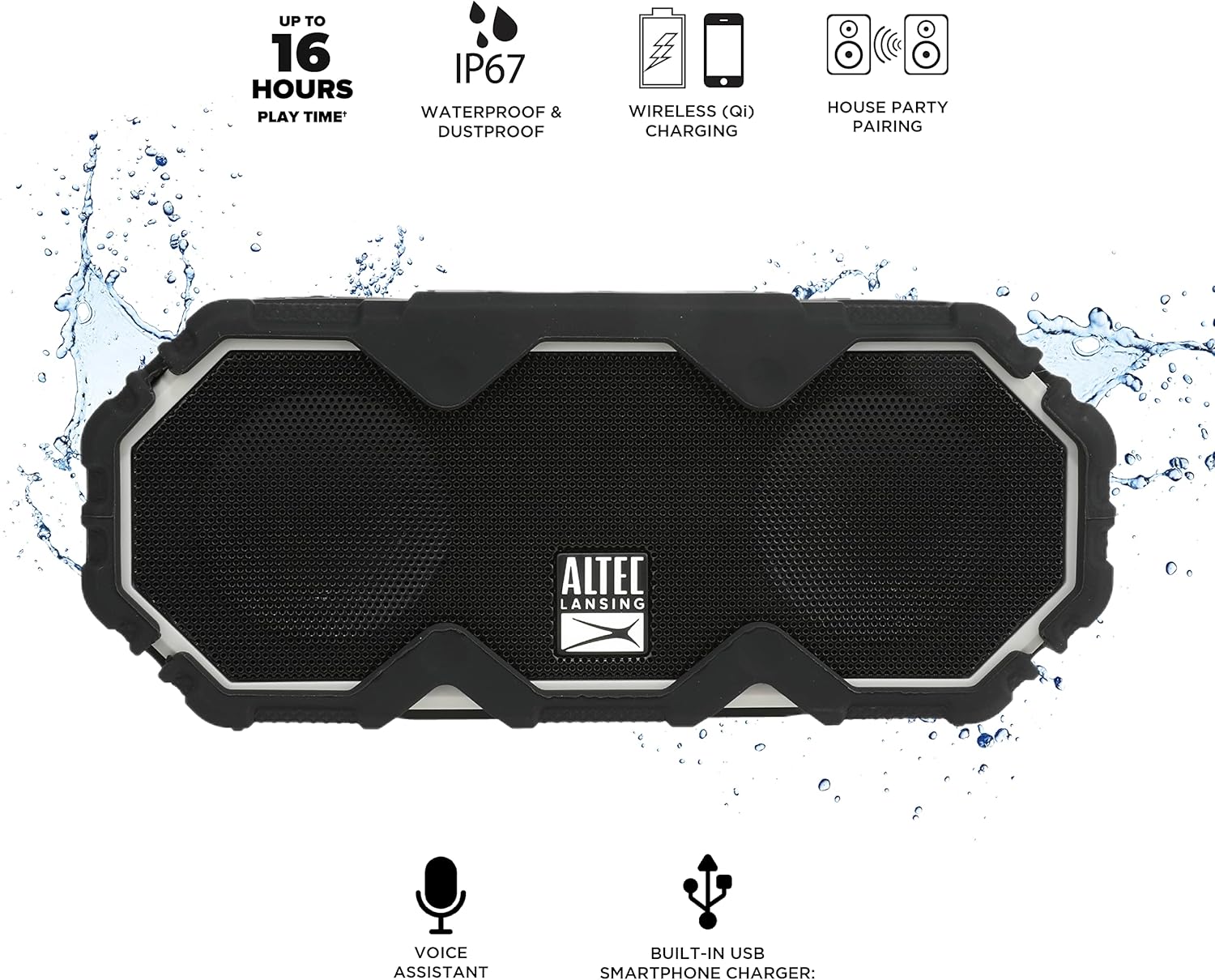
Figure 5: A smartphone being charged wirelessly on the speaker's Qi pad.
- Пераканайцеся, што дынамік уключаны.
- Place your Qi-enabled device directly on the charging pad located on the top of the speaker.
- The device should begin charging automatically. Adjust its position if charging does not start immediately.
5.3. USB Device Charging
Use the built-in USB-A port to charge other devices via a cable.

Figure 6: The speaker's USB-A port can charge external devices.
- Пераканайцеся, што дынамік уключаны.
- Адкрыйце ахоўную засланку збоку дынаміка.
- Connect your device's USB charging cable to the USB-A output port on the speaker.
- Ваша прылада пачне зараджацца.
5.4. Інтэграцыя галасавога памочніка
Access your smartphone's voice assistant directly through the speaker.

Figure 7: The speaker supports voice assistant integration.
- Ensure the speaker is paired with your smartphone.
- Націсніце Кнопка галасавога памочніка на дынамік.
- Speak your command into the speaker's microphone.
5.5. House Party Pairing
Connect multiple Altec Lansing speakers for a synchronized audio experience.

Figure 8: Multiple speakers can be paired for a wider sound experience.
- Пераканайцеся, што абодва дынамікі ўключаны і не падключаны да прылад Bluetooth.
- On the first speaker, press the House Party Pairing Button. The LED indicator will flash.
- On the second speaker, press the House Party Pairing Button.
- The speakers will connect automatically. Once connected, the LED indicators will glow solid.
- Now, connect your device to one of the paired speakers via Bluetooth. Audio will play through both speakers.
6. Асаблівасці даўгавечнасці
The Mini LifeJacket Jolt is designed for rugged use with an IP67 rating, making it waterproof, shockproof, snowproof, and dustproof.

Figure 9: The speaker is designed to withstand water exposure.
- Воданепранікальны: Can be submerged in water up to 1 meter for 30 minutes. Ensure all port covers are securely closed before exposure to water.
- Ударопрочный: Распрацаваны, каб вытрымліваць падзенні і ўдары.
- Snowproof: Operates reliably in snowy conditions.
- Пылаахоўны: Абаронены ад траплення пылу.
Important: Always ensure the protective flap covering the charging ports is securely closed when using the speaker near water or in dusty environments.
7. Тэхнічнае абслугоўванне
- Уборка: Выкарыстоўвайце мяккі, damp cloth to clean the speaker. Avoid abrasive cleaners or solvents.
- захоўванне: Захоўвайце дынамік у прахалодным, сухім месцы, удалечыні ад прамых сонечных прамянёў і экстрэмальных тэмператур.
- Сыход за батарэяй: Каб падоўжыць тэрмін службы батарэі, пазбягайце частай поўнай разрадкі батарэі. Рэгулярна зараджайце дынамік, нават калі ён не выкарыстоўваецца працяглы час.
8. Выпраўленне непаладак
8.1. Speaker Not Powering On or Charging
If your speaker stops working or does not charge, a connection issue or a system freeze might be the cause. This procedure requires careful handling and may void your warranty if not performed correctly. Proceed with caution.
- Remove the Rubber Exterior: Gently pry off the rubberized outer casing. It is designed to snap off at the seams around the speaker mesh.
- Доступ да ўнутраных кампанентаў: Using a small flat-head tool, carefully insert it between the speaker mesh and the main body, particularly on the back of the speaker. Slowly work your way around to loosen the mesh.
- Locate and Remove Screws: You will find six small Phillips head screws deep inside the holes. Use a long, thin Phillips screwdriver to remove them. Keep track of these screws.
- Separate the Casing: Gently pull the front and back sections of the speaker apart along the seam that becomes visible after removing the rubber protector.
- Inspect Internal Connections: Inside, you will see the motherboard, buttons, wires, and the cylindrical battery. Locate the battery holder and remove any screw securing it.
- Reset Battery Connection: Carefully disconnect the battery's wiring connector from the motherboard. Ensure you pull the entire plastic insert, not just the wires, to avoid damage.
- Падключыцеся зноў і пратэстуйце: Reconnect the battery connector firmly. Press the power button. If you hear the "Welcome to Altec Lansing!" prompt, the issue may be resolved.
- Зборка: If the speaker functions, carefully re-adjust any wires to ensure they have sufficient slack and are not pinched. Ensure the battery is centered and not clinging to speaker magnets. Re-secure the battery holder, then carefully align and re-screw the casing. Finally, reattach the speaker mesh and the rubber exterior.
This process can reset the motherboard and address issues caused by loose internal connections. If the problem persists after these steps, contact customer support.
8.2. Праблемы з падключэннем Bluetooth
- Ensure the speaker is within the 100-foot Bluetooth range of your device.
- Verify that the speaker is in pairing mode (flashing LED).
- Forget the speaker from your device's Bluetooth settings and attempt to re-pair.
- Перазагрузіце і дынамік, і прыладу Bluetooth.
9. Тэхнічныя характарыстыкі

Малюнак 10: Памеры вырабу.
| Асаблівасць | Дэталь |
|---|---|
| Назва мадэлі | Mini LifeJacket Jolt |
| Марка | Альтэк Лансінг |
| Тэхналогія падлучэння | Bluetooth, USB |
| Бесправадная сувязь | Bluetooth 4.2 |
| Дыяпазон Bluetooth | Да 100 футаў |
| Крыніца харчавання | Працуе ад батарэі (1 літый-іённая батарэя, у камплекце) |
| Тэрмін службы батарэі | Да 16 гадзін |
| Асаблівасці | Waterproof (IP67), Shockproof, Snowproof, Dustproof, Qi Wireless Charging, USB Charging Output, Voice Assistant Integration, House Party Pairing |
| Тып дынаміка | На адкрытым паветры |
| Рэжым выхаду гуку | Стэрэа |
| Памеры прадукту | 7.2" Г x 3" Ш x 4.3" У |
| Вага прадмета | 1.52 фунта |
| Матэрыял | Rubber or Silicone |
10. Гарантыя і падтрымка
The Altec Lansing Mini LifeJacket Jolt Bluetooth Speaker comes with a Limited Warranty. For specific warranty terms and conditions, please refer to the documentation included with your product or visit the official Altec Lansing webсайт.
Каб атрымаць дадатковую дапамогу або тэхнічную падтрымку, калі ласка, наведайце Altec Lansing Brand Store on Amazon або звярніцеся да чыноўніка Кіраўніцтва карыстальніка (PDF).