
Уводзіны
Прадукт скончаныview
The D-Link DAP-1820-US AC2000 Wi-Fi Range Extender is designed to expand the coverage of your existing wireless network. It operates as a portable plug-in device, supporting Wireless AC speeds up to 2000 Mbps across dual bands (2.4 GHz and 5 GHz). This device helps eliminate Wi-Fi dead zones and provides a stronger, more reliable connection throughout your home.

Выява: спераду view of the D-Link DAP-1820-US AC2000 WiFi Range Extender, showing its compact design and signal indicator lights.
Што ў скрынцы
- DAP-1820 device
- Кіраўніцтва па хуткай ўстаноўцы (QIG)
- Гарантыйны талон
- Карта канфігурацыі Wi-Fi
Настройка
Quick Setup using WPS (Wi-Fi Protected Setup)
This method allows for a quick and easy connection to your existing Wi-Fi network.
- Plug the D-Link DAP-1820-US into a power outlet within range of your existing Wi-Fi router.
- Пачакайце, пакуль індыкатар харчавання на пашыральніку не загарыцца белым колерам.
- Press the WPS button on your existing Wi-Fi router.
- Within two minutes, press the WPS button on the D-Link DAP-1820-US extender.
- The Wi-Fi signal indicator LEDs on the extender will illuminate, indicating a successful connection.
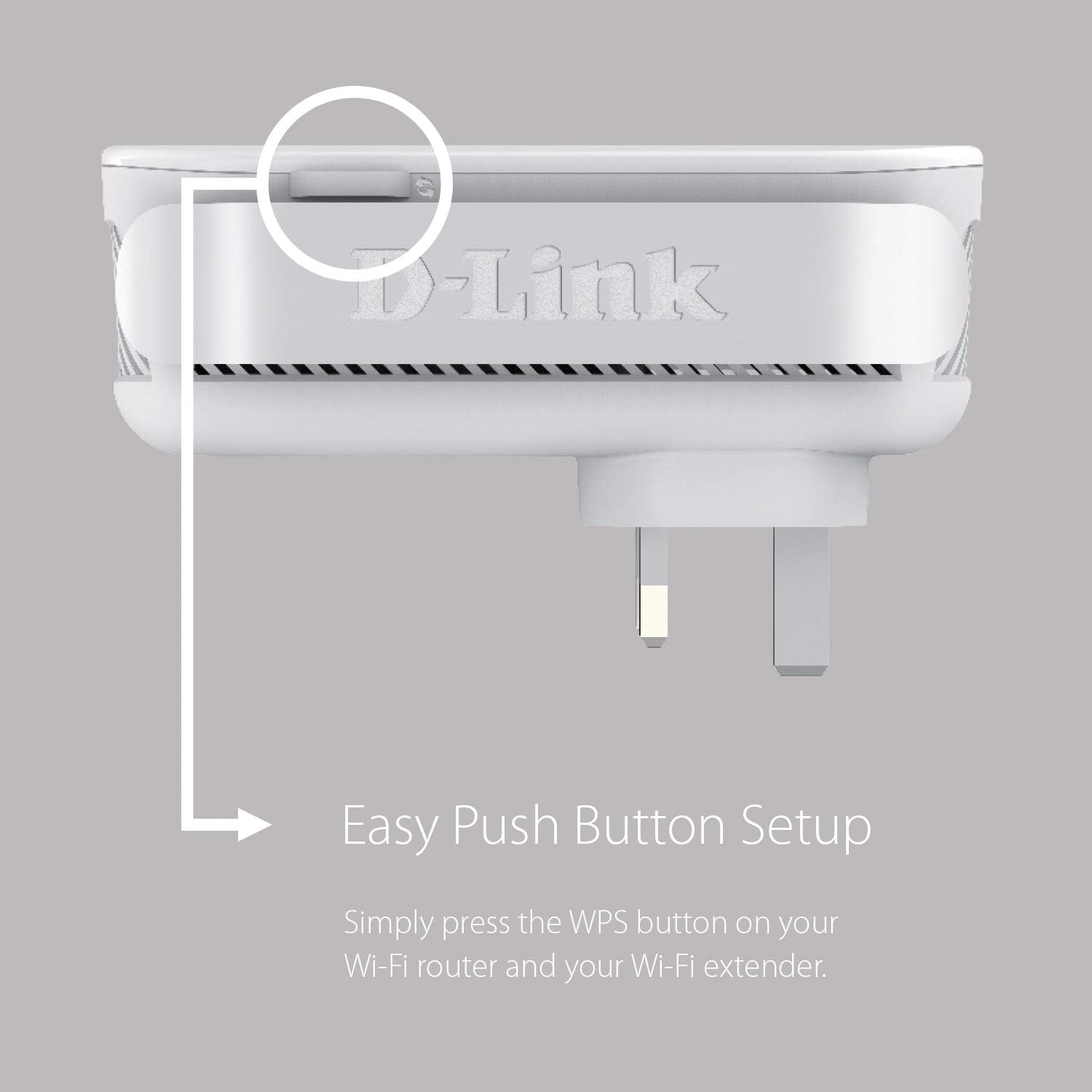
Image: Close-up of the WPS button on the D-Link DAP-1820-US extender, indicating its location for easy setup.
Setup using the D-Link Wi-Fi App
For advanced setup and management, download the D-Link Wi-Fi app.
- Download the D-Link Wi-Fi app from the Apple App Store or Google Play.
- Plug the D-Link DAP-1820-US into a power outlet.
- Open the D-Link Wi-Fi app and follow the on-screen instructions to set up your extender.
- The app will guide you through connecting to your existing Wi-Fi network and configuring settings.
Аптымальнае размяшчэнне
The Smart Signal Indicator LEDs on the front of the extender help you find the best location for optimal Wi-Fi coverage. Aim for a location where the LEDs indicate a strong signal from your router.
- Strong Signal (Green LEDs): Indicates excellent signal strength.
- Weak Signal (Orange LEDs): Indicates a weaker signal; consider moving the extender closer to your router.

Image: Diagram showing the D-Link DAP-1820-US plugged into an outlet with a visual representation of strong and weak signal indicators.
Рэжымы працы
Рэжым пашырэння дыяпазону
In this mode, the DAP-1820-US extends the coverage of your existing wireless network, eliminating dead zones.
Рэжым кропкі доступу
The DAP-1820-US can also function as a wired access point. Connect an Ethernet cable from your router to the Gigabit Ethernet Port on the extender to create a new Wi-Fi hotspot.
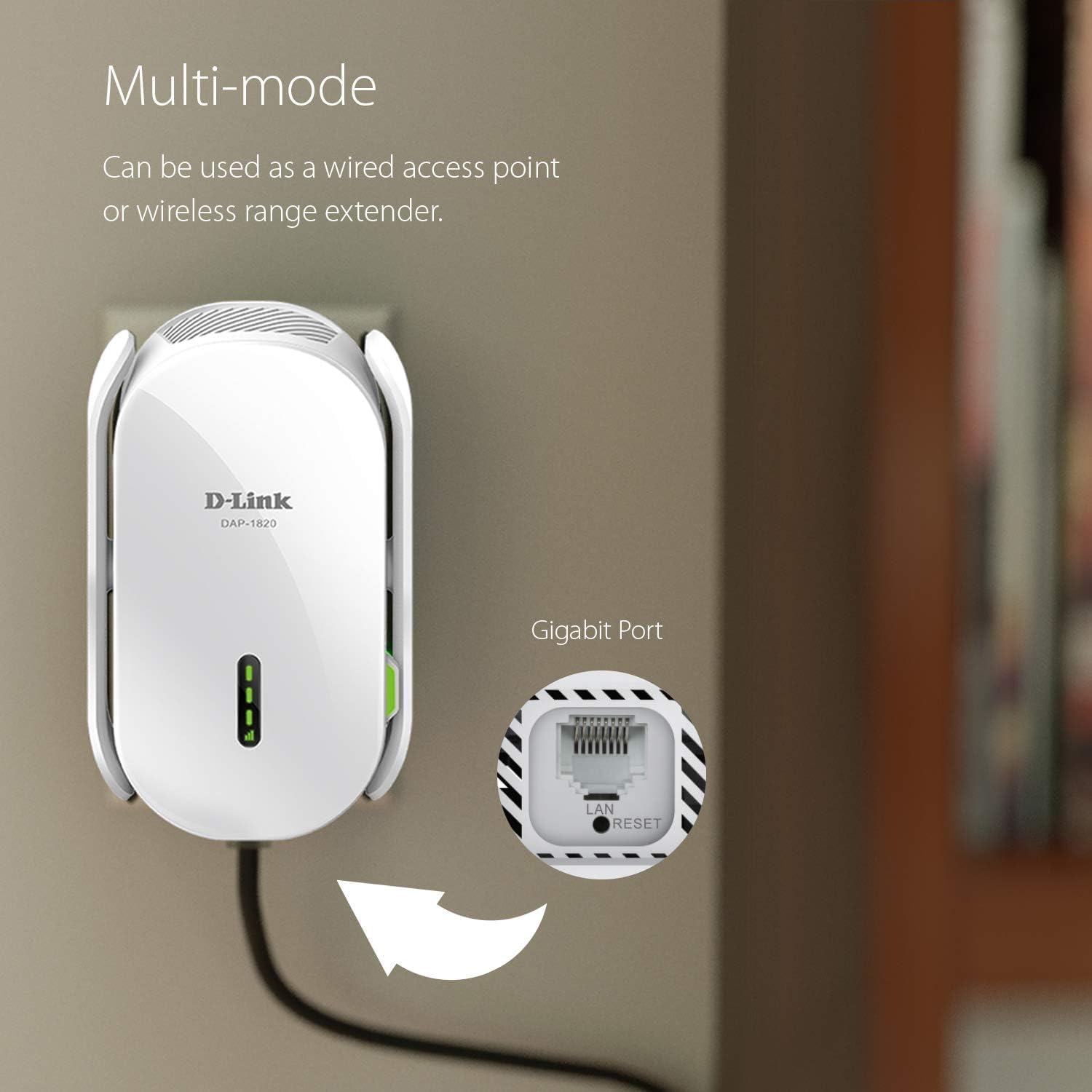
Image: The D-Link DAP-1820-US plugged into a wall outlet with a cable connected to its Gigabit Ethernet port, illustrating its multi-mode capability.
Асноўныя характарыстыкі
- Двухдыяпазонная сувязь: Supports both 2.4 GHz and 5 GHz Wi-Fi bands for combined speeds up to 2000 Mbps.
- Порт Gigabit Ethernet: Provides a high-speed wired connection for devices like smart TVs, gaming consoles, or desktop computers.
- D-Link Wi-Fi Mesh Compatibility: Pair with a D-Link Wi-Fi Mesh enabled router to create a seamless whole-home mesh network with a single Wi-Fi name (SSID).
- Інтэлектуальны індыкатар сігналу: Visual LEDs assist in finding the ideal placement for maximum Wi-Fi coverage.
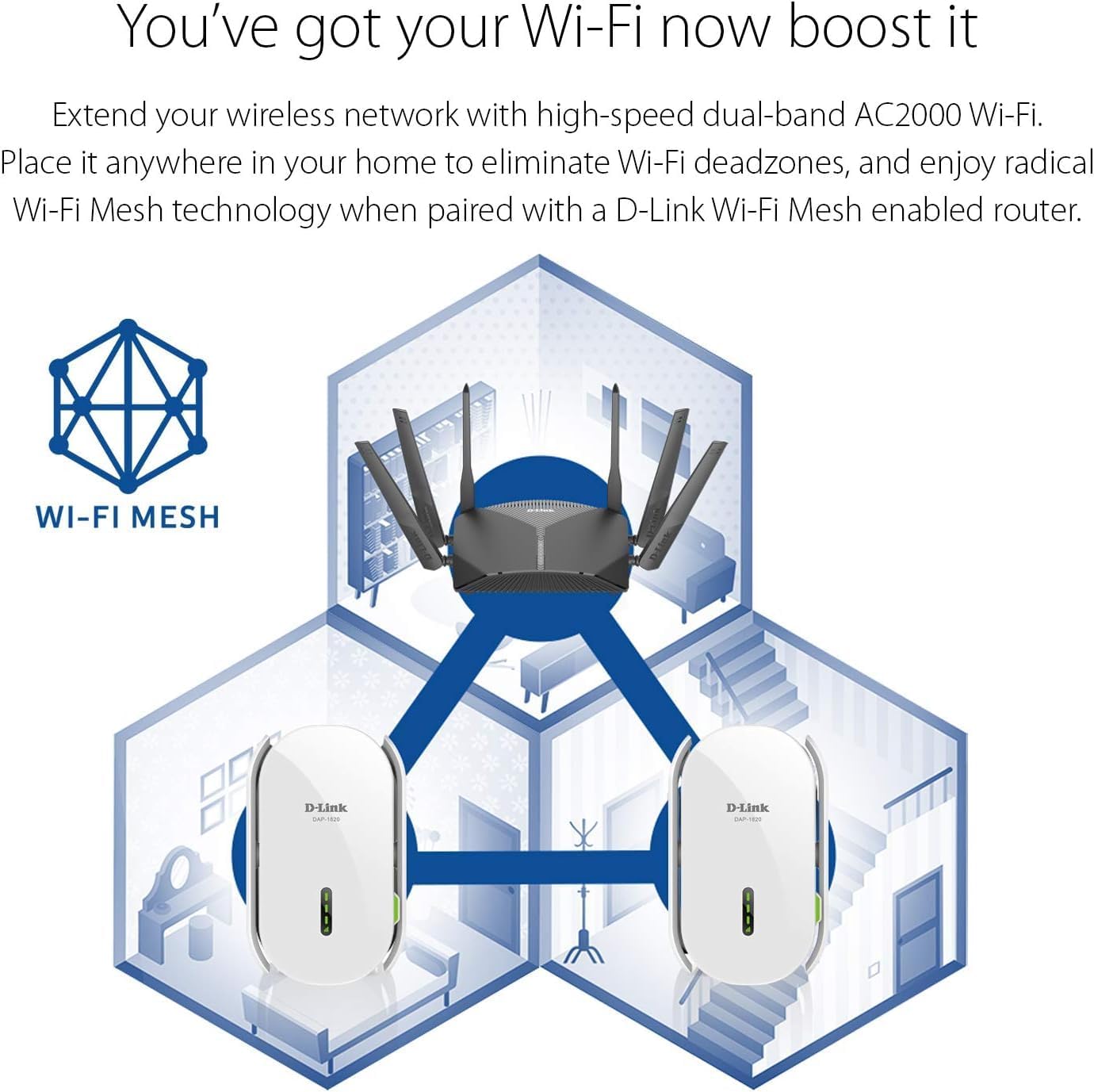
Image: Diagram illustrating how the D-Link DAP-1820-US extends a mesh Wi-Fi network throughout a multi-story home, eliminating dead zones.
Ліквідацыю непаладак
Няма падключэння да Інтэрнэту
- Ensure the extender is properly plugged into a power outlet and powered on.
- Verify that your main Wi-Fi router is working correctly and has an active internet connection.
- Check the Smart Signal Indicator LEDs on the extender. If they are orange, move the extender closer to your router.
- Try restarting both your router and the extender.
Difficulty Connecting via WPS
- Ensure you press the WPS button on your router and then on the extender within the specified time frame (usually 2 minutes).
- If WPS fails, try setting up the extender using the D-Link Wi-Fi app or a web браўзер.
Скід налад пашыральніка
To restore the extender to factory default settings, use a paperclip to press and hold the Reset button (located on the side) for approximately 5-10 seconds until the Power LED blinks.
Тэхнічныя характарыстыкі
| Асаблівасць | Дэталь |
|---|---|
| Нумар мадэлі | DAP-1820-US |
| бесправадной стандарт | 802.11ac, 802.11n, 802.11g |
| Хуткасць перадачы даных | Up to 2000 Mbps (300 Mbps 2.4 GHz + 1733 Mbps 5 GHz) |
| Дыяпазон частот | Двухдыяпазонны (2.4 ГГц і 5 ГГц) |
| Порт Ethernet | 1 гігабітны Ethernet |
| Памеры | 2.75 х 3.54 х 5.51 цалі |
| Вага прадмета | 9.4 унцыі |
| Магутнасць | Патрабуецца 1 батарэйка для канкрэтнага прадукту (у камплекце). |
Інфармацыя па бяспецы
Агульная бяспека
- Не адкрывайце прыладу casing.
- Не падвяргайце прыладу ўздзеянню вады, агню або высокіх тэмператур.
- Выкарыстоўвайце прыладу ў добра вентыляваным памяшканні.
Электрабяспека
- Plug the device directly into a wall outlet. Do not use extension cords or power strips unless absolutely necessary.
- Пераканайцеся, што разетка лёгкадаступная.
Афіцыйнае відэа пра прадукт
Video: An official D-Link video showcasing the AC2000 Range Extender DAP-1820, highlighting its features and benefits.
Гарантыя і падтрымка
For warranty information and technical support, please refer to the included Warranty Card or visit the official D-Link webсайт.