
1. Уводзіны
The CHACON DiO 1.0 Nano On/Off Plugs and 3-Channel Remote Control system allows you to wirelessly control your lamps and electrical appliances. This system offers individual, centralized, or automatic control via the included remote control, a compatible switch, or a smartphone when integrated with a home automation hub. This manual provides essential information for safe and effective use of your device.
2. Змесціва ўпакоўкі
Праверце, ці ёсць усе прадметы ў вашай упакоўцы:
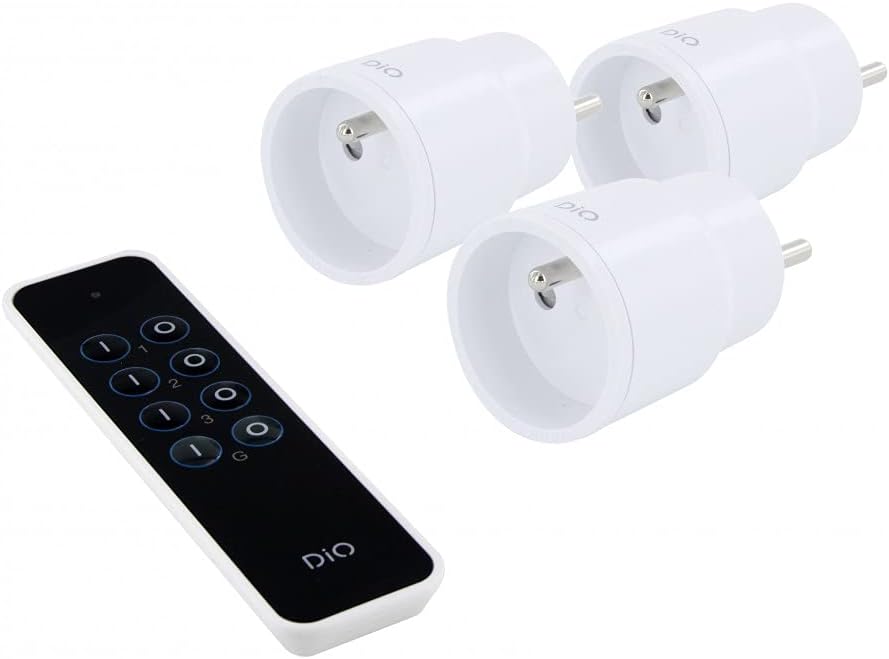
- 3 x DiO 1.0 Nano On/Off Plugs
- 1 x 3-Channel Remote Control
- 1 x CR2032 - 3V Battery (for remote control)

Малюнак 1: Contents of the CHACON DiO 1.0 Nano Plugs and Remote Control package. Shows three compact white plugs and a sleek black remote control.
3. Тэхнічныя характарыстыкі
| Марка | ШАКОН |
| Нумар мадэлі | 54895 |
| Тэхналогія падлучэння | Радыёчастота (РФ) |
| Частата | 433.92 MHz (DiO 1.0) |
| Максімальны дыяпазон | Да 30 метраў (без перашкод) |
| Power Supply (Plugs) | 230 В пераменнага току / 50 Гц |
| Maximum Load (Plugs) | 2300 Вт |
| Сумяшчальныя тыпы лямпаў | LED, Halogen, Energy-saving, Incandescent |
| Акумулятар пульта дыстанцыйнага кіравання | 1 x CR2032 (3V) Lithium Manganese Dioxide |
| Number of Channels (Remote) | 3 channels + 1 group |
| Maximum Emitters Supported | Up to 32 commands |
| Памеры (прыблізныя) | 16cm (L) x 9cm (W) x 5cm (H) (Package) |
| Вага (прыблізна) | 250g (Package) |

Малюнак 2: Illustration of the wireless connection between a DiO plug and the remote control, highlighting the 230VAC/50Hz power and CR2032 3V battery for the remote.
4. Настройка
4.1. Устаноўка батарэі пульта дыстанцыйнага кіравання
- Знайдзіце батарэйны адсек на задняй частцы пульта дыстанцыйнага кіравання.
- Адкрыйце крышку адсека.
- Insert the CR2032 3V battery, ensuring the correct polarity (+/-).
- Надзейна зачыніце крышку батарэйнага адсека.
4.2. Pairing Plugs with the Remote Control
Each plug needs to be paired with the remote control to establish communication. Follow these steps for each plug:
- Plug the DiO Nano On/Off Plug into a standard wall socket. The LED indicator on the plug will flash slowly.
- Within 5 seconds of plugging in the device, press the ON button for the desired channel (1, 2, or 3) on your remote control.
- The LED indicator on the plug will flash rapidly to confirm successful pairing.
- Repeat this process for each plug, assigning each to a different channel (or the same channel if you wish to control multiple plugs simultaneously).
Заўвага: If the pairing is not successful within 5 seconds, unplug the device and try again. Each plug can be linked to up to 32 different DiO 1.0 transmitters.
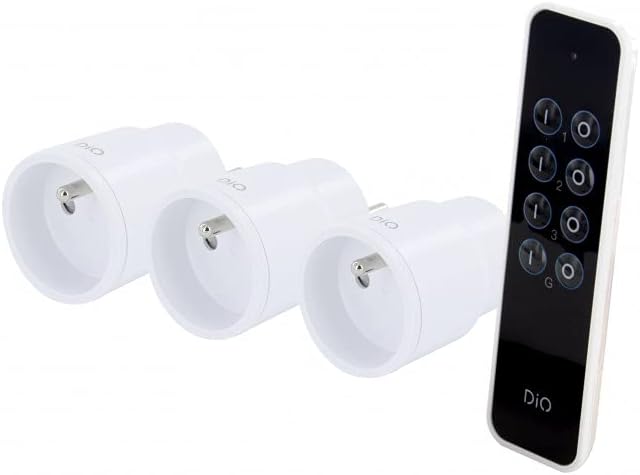
Малюнак 3: The remote control and three nano plugs, ready for pairing and use.
5. Аперацыйная
Once paired, you can control your appliances using the remote control.
5.1. Individual Control
- To turn on an appliance connected to a specific plug, press the ON button corresponding to its assigned channel (1, 2, or 3).
- To turn off an appliance, press the ВЫКЛ button corresponding to its assigned channel (1, 2, or 3).

Малюнак 4: A hand operating the DiO remote control to switch an appliance on or off.
5.2. Групавы кантроль
The remote control includes a group function to control all paired plugs simultaneously.
- To turn on all paired appliances, press the G ON кнопка.
- To turn off all paired appliances, press the G OFF кнопка.
Малюнак 5: A user comfortably controlling home lighting with the DiO remote control from a sofa.
6. Тэхнічнае абслугоўванне
- Уборка: Use a soft, dry cloth to clean the plugs and remote control. Do not use liquid cleaners or abrasive materials.
- Замена батарэі: Replace the CR2032 battery in the remote control when its range decreases or it stops responding. Ensure proper disposal of used batteries according to local regulations.
- захоўванне: Захоўвайце прылады ў прахалодным, сухім месцы, удалечыні ад прамых сонечных прамянёў і экстрэмальных тэмператур, калі яны не выкарыстоўваюцца працяглы час.
7. Выпраўленне непаладак
| праблема | Магчымая прычына | Рашэнне |
|---|---|---|
| Plug does not respond to remote control. |
|
|
| LED on plug does not flash during pairing. |
|
|
| Зона дзеяння пульта дыстанцыйнага кіравання зніжаецца. |
|
|
8. Інфармацыя па бяспецы
- Не разбірайце і не мадыфікуйце прыладу.
- Не падвяргайце прылады ўздзеянню вады, вільгаці або экстрэмальных тэмператур.
- Ensure the total load of connected appliances does not exceed 2300W.
- Захоўваць у месцах, недаступных дзецям.
- Выкарыстоўвайце толькі ў памяшканні.
- Dispose of electronic waste and batteries responsibly according to local regulations.
9. Гарантыя і падтрымка
This product comes with a 2-year warranty. For technical support or warranty claims, please contact your retailer or the manufacturer directly. Information regarding spare parts availability is not provided.
Manufacturer: Chacon