
1. Уводзіны
This manual provides instructions for the safe and effective operation of the SMART SENSOR AS8906 Handheld NO2 Gas Leak Detector. This device is designed for detecting Nitrogen Dioxide (NO2) gas concentrations in various environments. Please read this manual thoroughly before using the product.
1.1 Інфармацыя па бяспецы
- Always operate the device in accordance with the instructions provided.
- Do not attempt to modify or repair the device yourself. Refer to qualified personnel for service.
- Ensure the device is charged using the provided charging adapter and USB cable.
- Avoid exposing the device to extreme temperatures or humidity outside the specified operating conditions.
- This device is intended for professional use and should be handled with care.
2. Прадукт скончыўсяview
2.1 Змест пакета
Стандартны пакет уключае наступныя элементы:
- 1 x Nitrogen Dioxide Gas Monitor (AS8906)
- 1 х Кіраўніцтва карыстальніка
- 1 х зарадны адаптар
- 1 х USB-кабель
- 1 x Hand Carry Case
- 1 х сертыфікат каліброўкі
- 1 x CNEX Certificate
- 1 x Gift Paper Box

Малюнак 2.1: Стандартны камплект.
2.2 Кампаненты прылады
Familiarize yourself with the main components of the AS8906 detector:

Малюнак 2.2: Спераду view and labeled components of the AS8906 detector.
- High Sensitive Sensor: Detects NO2 gas concentration.
- Sampling Pump Connecting Port: For attaching the optional sampлінг помпа.
- ВК-экран: Displays gas concentration, battery status, and other information.
- Кнопка ўніз: Used for navigation and decreasinзначэнні g.
- Кнопка ўверх: Used for navigation and increasinзначэнні g.
- Гукавы сігнал: Emits an audible alert when gas concentration exceeds set limits.
- Порт для зарадкі: Для падключэння USB-кабеля для зарадкі.
- Светлавая сігналізацыя: Visual alert (LED) when gas concentration exceeds set limits.
- Кнопка ўключэння/выключэння: Кіруе харчаваннем прылады.
- Кнопка ўводу: Пацвярджае выбар і налады.
2.3 Памеры
The AS8906 detector features a compact design for portability.
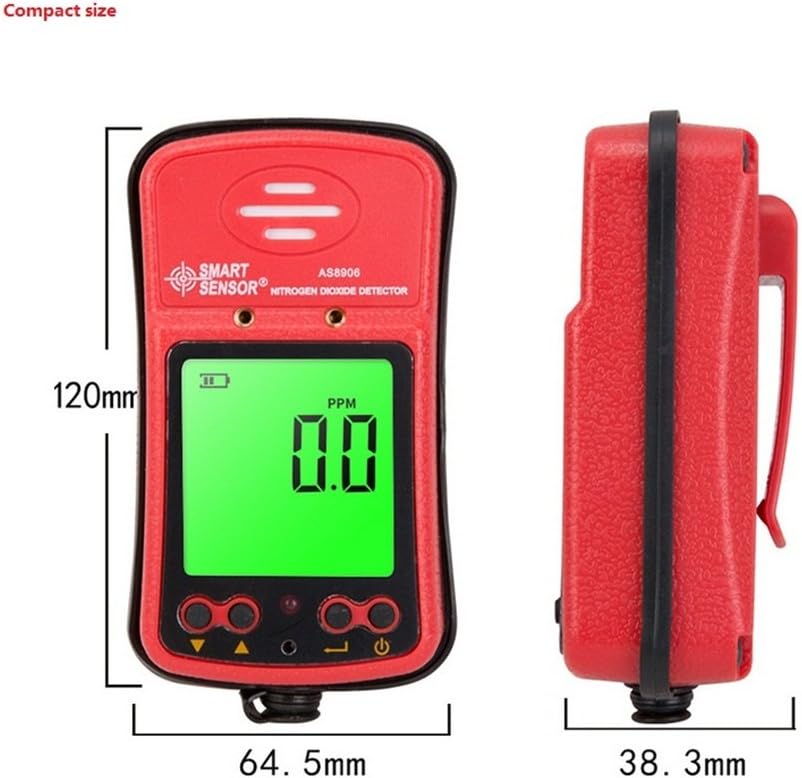
Малюнак 2.3: Памеры прылады.
Dimensions: 120.2mm (Height) x 64.5mm (Width) x 38.3mm (Depth).

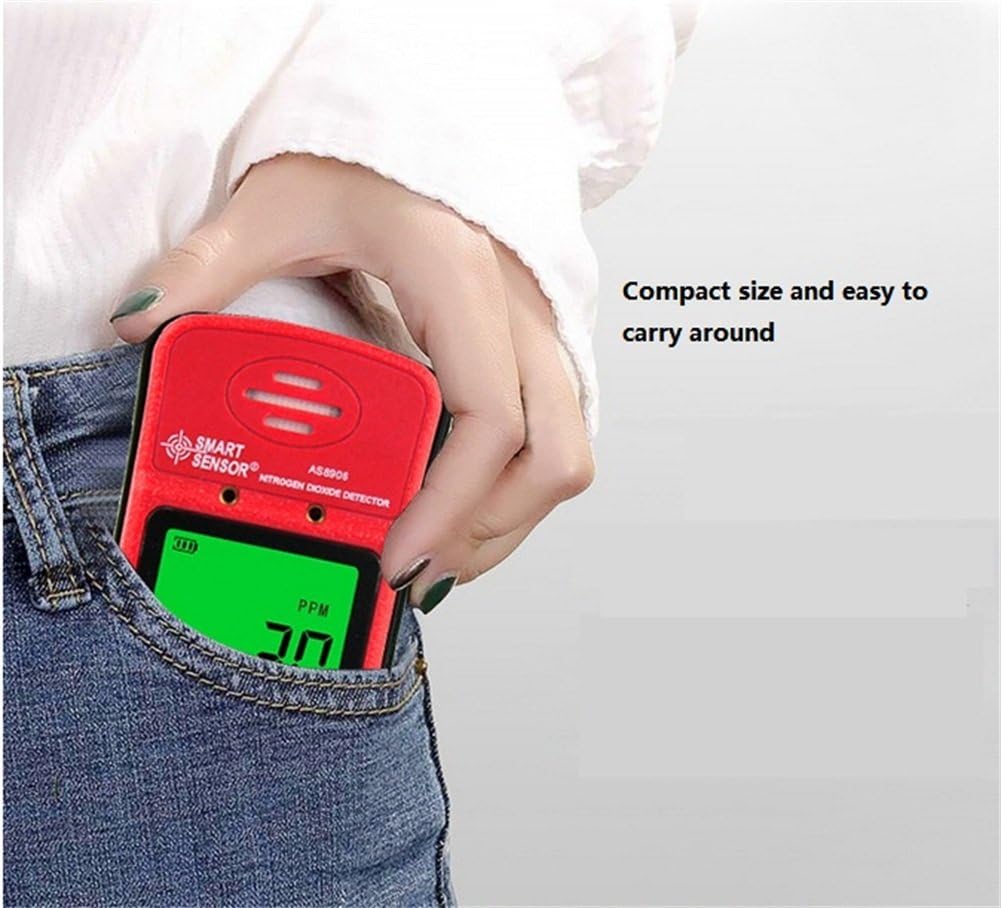
Figure 2.4: The compact size allows for easy portability.
3. Настройка
3.1 Зарадка прылады
The AS8906 detector is powered by a built-in 3.7V Li-battery. Before first use, ensure the device is fully charged.
- Locate the charging port at the bottom of the device.
- Падключыце кабель USB, які ўваходзіць у камплект, да порта для зарадкі.
- Connect the other end of the USB cable to the charging adapter.
- Plug the charging adapter into a standard power outlet.
- The battery indicator on the LCD screen will show charging status. A full charge typically provides up to 12 hours of continuous operation.
Малюнак 3.1: Размяшчэнне порта зарадкі.

Figure 3.2: Gas detector with recharge adapter.
3.2 Падключэнне Sampling Pump (Optional)
The optional sampling pump (AS8930) is designed to assist the gas detector in environments with limited access or poor air circulation. It does not operate independently and requires power from the gas detector.
- Выраўнаваць sampling pump with the gas detector's sampling pump connecting port.
- Securely attach the sampling pump to the gas detector using the two closed-type screws. Ensure a tight connection to avoid poor contact.
- Connect the soft rubber tube (500mm long) to the nozzle of the sampлінг помпа.
- Важна: Do not connect any other voltage power supply to the sampling pump to prevent damage.
Малюнак 3.3: Sampling pump and accessories.
4. Аперацыя
4.1 Уключэнне/выключэнне
- Каб уключыць: Націсніце і ўтрымлівайце Кнопка ўключэння/выключэння until the LCD screen illuminates. The device will perform a self-test.
- Каб выключыць: Націсніце і ўтрымлівайце Кнопка ўключэння/выключэння пакуль экран не выключыцца.
4.2 Разуменне дысплея
The high-density digital LCD screen displays real-time gas concentration values, battery status, and other operational indicators. The backlight function allows for use in dark areas.
- PPM: Indicates parts per million, the unit for gas concentration.
- Значок батарэі: Паказвае бягучы ўзровень зарада батарэі.
- Індыкатары трывогі: Visual cues for alarm status.
4.3 функцый сігналізацыі
The device features high and low alarm functions with three alert methods: sound, light, and vibration. Alarm values are adjustable.
- When the gas concentration reaches a preset high or low alarm value, the device will activate its sound, light, and vibration alarms.
- The alarm sound can reach up to 80dB.
4.4 Adjusting Alarm Values
Refer to the on-screen menu for adjusting high and low alarm thresholds. Use the Up і Уніз buttons to navigate and change values, and the Увайдзіце кнопку для пацверджання.
4.5 Using the SampЛінг помпа
Калі сampling pump is connected, it will draw air into the detector, allowing for gas concentration measurement in remote or confined spaces. The air flow velocity is approximately 0.5 cubic inches per hour, with a maximum gas sample collecting distance of about 50 feet.
5. Тэхнічнае абслугоўванне
5.1 Сыход за акумулятарам
- Recharge the device when the battery indicator shows low power to ensure continuous operation.
- Пазбягайце частай поўнай разрадкі акумулятара, каб падоўжыць тэрмін яго службы.
- If storing the device for an extended period, charge it to approximately 50% and recharge every few months.
5.2 Ачыстка
- Працярыце знешні выгляд прылады мяккай, damp тканіна.
- Не выкарыстоўвайце абразіўныя ачышчальнікі або растваральнікі, бо яны могуць пашкодзіць casinг або экран.
- Ensure no liquids enter the sensor area or charging port.
5.3 Каліброўка
The device comes with a calibration certificate. For optimal accuracy and compliance, periodic professional calibration is recommended. Refer to the manufacturer or authorized service centers for calibration services.
6. Выпраўленне непаладак
If you encounter issues with your AS8906 detector, refer to the following common problems and solutions:
| праблема | Магчымая прычына | Рашэнне |
|---|---|---|
| Прылада не ўключаецца. | Нізкі або разраджаны акумулятар. | Charge the device using the provided adapter and USB cable. |
| Няправільныя паказанні. | Sensor contamination or need for calibration. | Ensure the sensor area is clean. Consider professional calibration if readings remain inconsistent. |
| Alarm not sounding/lighting/vibrating. | Alarm settings configured incorrectly or disabled. | Check alarm settings in the device menu. Ensure volume and vibration are enabled. |
| Sampling pump not working. | Poor connection to the detector or pump malfunction. | Пераканайцеся, што сampling pump is securely attached with screws. Verify the detector is powered on. |
Калі праблема не знікне пасля спробы гэтых рашэнняў, звярніцеся ў службу падтрымкі кліентаў для атрымання дадатковай дапамогі.
7. Тэхнічныя характарыстыкі
7.1 Тэхнічныя характарыстыкі дэтэктара
| Асаблівасць | Дэталь |
|---|---|
| Марка | РАЗУМНЫ ДАТЧЫК |
| мадэль | AS8906 |
| Тып газу | Дыяксід азоту (NO2) |
| Дыяпазон вымярэнняў | 0~20 праміле |
| дазвол | 0.1 праміле |
| Прынцып працы | Электрахімічны датчык |
| Тып сігналізацыі | Sound, Light, Vibration (adjustable values) |
| Узровень гуку сігналізацыі | Да 80 дБ |
| Працоўная тэмпература | -10~50°C |
| Працоўная вільготнасць | 15~95% RH (standard) |
| Крыніца харчавання | 3.7V Li-battery (Built-in) |
| Працоўны ток | 16 мА |
| Бесперапынная праца | Прыблізна 12 гадзіны (поўная зарадка) |
| Матэрыял | АБС пластык |
| Вага нета | 200 г (7.1 унцыі) |
| Памеры | 120.2 х 64.5 х 38.3 мм |
| Сертыфікаты | JJG693; JJG695: JJG915 and GB3836 series anti-explosion standard, CNEX |
7.2 Сampling Pump Specifications (Optional Accessory)
| Асаблівасць | Дэталь |
|---|---|
| Аперацыйная Voltagе далёкасць | Пастаянны ток 2.2-3.2 В |
| Працоўны ток | <280 мА |
| Дыяметр сопла | 2.5 мм |
| Шум | <75 дБ |
| Памеры | 100.8 х 62.3 х 50 мм |
| Макс Сample Distance | Прыбл. 50 футы |
| Air Flow Velocity | Approx. 0.5 cubic inches per hour |
8. Гарантыя і падтрымка
8.1 Інфармацыя аб гарантыі
Your SMART SENSOR AS8906 Handheld NO2 Gas Leak Detector comes with a warranty. Please refer to the included Warranty Card in your package for specific terms and conditions, including warranty period and coverage details.
8.2 Падтрымка кліентаў
For technical assistance, troubleshooting beyond this manual, or warranty claims, please contact SMART SENSOR customer support. Contact information can typically be found on the product packaging, the warranty card, or the official SMART SENSOR webсайт.