Уводзіны
This manual provides essential information for the installation, operation, and maintenance of your Intel Core i7-8700 processor. The Intel Core i7-8700 is a high-performance desktop processor featuring 6 cores and 12 threads, designed for the LGA 1151 socket. It supports a 64-bit instruction set with extensions including Intel SSE4.1, Intel SSE4.2, and Intel AVX2, and incorporates Intel Hyper-Threading Technology.
Калі ласка, уважліва прачытайце гэта кіраўніцтва перад пачаткам усталёўкі, каб забяспечыць правільную наладу і аптымальную прадукцыйнасць.
1. Настройка і ўстаноўка
Proper installation of your Intel Core i7-8700 processor is crucial for system stability and performance. This processor is compatible only with motherboards based on Intel 300 Series Chipsets.
1.1 Перш чым пачаць
- Ensure your motherboard supports the LGA 1151 socket and is based on an Intel 300 Series Chipset.
- Gather necessary tools: thermal paste, CPU cooler, screwdriver, anti-static wrist strap (recommended).
- Power off and unplug your computer from the wall outlet.
- Зніміце статычную электрычнасць, дакрануўшыся да заземленага металічнага прадмета.
1.2 Этапы ўстаноўкі працэсара
- Падрыхтуйце матчыну плату: Locate the CPU socket on your motherboard. Lift the load plate lever to open the socket.
- Выраўнуйце працэсар: Carefully remove the processor from its packaging. Note the two alignment notches on the processor and the corresponding keys on the socket. Do not force the processor into the socket.
- Устаўце працэсар: Gently place the processor into the socket, ensuring the notches align perfectly with the keys. The processor should drop into place without resistance.
- Забяспечце працэсар: Lower the load plate and then push down the load plate lever until it clicks into place, securing the processor.
- Вырабіце термопасту: Нанесці невялікую колькасць высакаякаснай цеплапасты памерам з гарошыну ў цэнтр інтэграванага размеркавальніка цяпла (IHS) працэсара.
- Усталюйце кулер для працэсара: Carefully place your CPU cooler onto the processor, ensuring even pressure distribution. Secure the cooler according to its manufacturer's instructions. Connect the CPU cooler fan cable to the designated header on the motherboard.
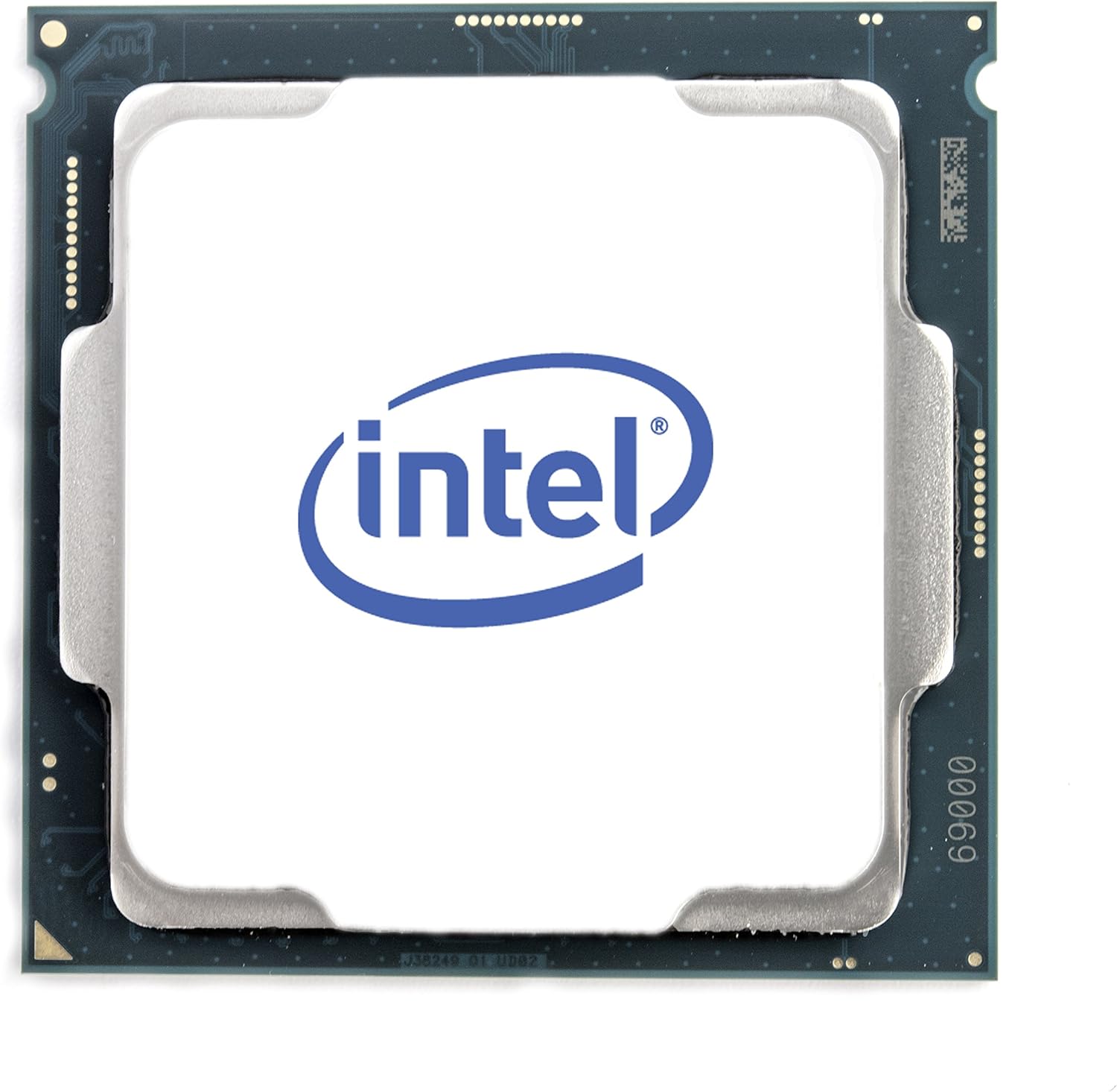
Малюнак 1: Верх view of the Intel Core i7-8700 processor. This image displays the processor's integrated heat spreader with the Intel logo, indicating the orientation for installation.

Малюнак 2: унізе view of the Intel Core i7-8700 processor. This image illustrates the contact pads on the underside of the processor, which connect to the motherboard's LGA 1151 socket.
2. Інфармацыя па эксплуатацыі
The Intel Core i7-8700 processor is designed for general computing tasks, including gaming, content creation, and everyday productivity. It features Intel UHD Graphics 630, allowing for basic display output without a dedicated graphics card, though a discrete GPU is recommended for demanding graphical applications.
2.1 Сістэмныя патрабаванні
- Матчына плата: Intel 300 Series Chipset with LGA 1151 socket.
- Аператыўная памяць: DDR4 memory (specific speeds and capacities depend on motherboard support).
- крыніца харчавання: Дастатковая колькасць вадыtage to support the CPU and other system components.
- Аперацыйная сістэма: Compatible with Windows 10 (64-bit), Linux distributions, etc.
2.2 Характарыстыкі прадукцыйнасці
- Тэхналогія Intel Hyper-Threading: Allows each physical core to run two threads simultaneously, improving multitasking performance.
- Тэхналогія Intel Turbo Boost: Dynamically increases the processor's frequency up to 4.60 GHz when needed, optimizing performance for demanding workloads.
- Падтрымліваемая памяць Intel Optane: Enhances system responsiveness by accelerating frequently accessed data.
3. Тэхнічнае абслугоўванне
While processors generally require minimal maintenance, ensuring proper cooling and a clean environment can extend their lifespan and maintain optimal performance.
- Тэрмапаста: З часам цеплапаста можа высахнуць. Калі вы заўважылі павышэнне тэмпературы працэсара, падумайце аб паўторным нанясенні новай цеплапасты.
- Ачыстка кулера працэсара: Regularly clean dust from your CPU cooler's heatsink and fan. Accumulated dust can impede airflow and lead to overheating. Use compressed air for this purpose.
- Паветраны паток у корпусе: Пераканайцеся, што корпус кампутара мае дастатковую цыркуляцыю паветра для эфектыўнага адвядзення цяпла. Не перашкаджайце ўваходным і выхадным вентыляцыйным адтулінам.
- Абнаўленні BIOS/UEFI: Keep your motherboard's BIOS/UEFI firmware updated. These updates often include performance improvements, bug fixes, and enhanced compatibility.
4. Выпраўленне непаладак
У гэтым раздзеле разглядаюцца распаўсюджаныя праблемы, з якімі вы можаце сутыкнуцца пры выкарыстанні працэсара.
| праблема | Магчымая прычына | Рашэнне |
|---|---|---|
| System does not boot / No display. | Improper CPU installation, bent pins (unlikely for LGA), incompatible motherboard, insufficient power. |
|
| Высокая тэмпература працэсара. | Insufficient thermal paste, improperly seated CPU cooler, poor case airflow, faulty cooler fan. |
|
| System instability / Crashes. | Overheating, unstable overclock (if applied), faulty RAM, driver issues. |
|
5. Тэхнічныя характарыстыкі
Detailed technical specifications for the Intel Core i7-8700 processor (SR3QS).
- Cores / Threads: 6 ядраў / 12 патокаў
- Базавая тактавая частата: 3.20 ГГц
- Максімальная турбачастата: Да 4.60 Ггц
- Кэш: 12 МБ кэша Intel Smart
- Хуткасць аўтобуса: 8 ГТ/с DMI3
- TDP: 65 Вт
- Разетка: LGA 1151
- Літаграфія: 14 нм
- Убудаваная графіка: Intel UHD Graphics 630
- Набор інструкцый: 64-бітны
- Пашырэнні набору інструкцый: Intel SSE4.1, Intel SSE4.2, Intel AVX2
- Тэхналогіі, якія падтрымліваюцца: Intel Hyper-Threading Technology, Intel Turbo Boost Technology, Intel Optane Memory Supported
- Памеры прадукту: 4.7 х 4.2 х 4.7 цалі
- Вага прадмета: 0.811 унцыі
6. Гарантыя і падтрымка
This Intel Core i7-8700 processor is a renewed product. Renewed products typically come with a limited warranty provided by the seller or refurbisher, not directly by the original manufacturer (Intel) for the renewed status. Please refer to the specific warranty information provided at the point of purchase or by the seller, "Maestro Tech Reconditioned".
For technical support related to installation or troubleshooting, it is recommended to consult your motherboard's manual, the seller's support channels, or Intel's official support resources for general processor information.
Прадавец: Maestro Tech Reconditioned
Typical Return Policy: 90-day refund/replacement (as per product listing information).
Каб атрымаць дадатковую дапамогу, вы можаце наведаць Абноўленая крама Amazon або звяжыцеся непасрэдна з прадаўцом.