
Уводзіны
This manual provides comprehensive instructions for the installation, operation, and maintenance of your NB POWER TFT Display Electric Bike Controller and Display Set. This system includes a 48V-72V, 80A, 3000W Sabvoton V2 Controller, a TFT color display, an alarm lock, a twist throttle, brake levers, and a PAS sensor. Please read this manual thoroughly before installation and use to ensure proper function and safety.
Змест пакета
Праверце, ці ёсць у вашай упакоўцы ўсе пералічаныя ніжэй прадметы:
- 1x NB POWER TFT Color Display (48V-72V compatible)
- 1x Sabvoton V2 Controller (48V-72V, 3000W, 80A)
- 1x Alarm Lock
- 1x Twist Throttle
- 1x Pair of Brake Levers
- 1x PAS (Pedal Assist System) Sensor
- Necessary wiring and connectors

выява: The complete package contents, including the controller, TFT display, and various accessories, neatly packed in a box.
Настройка і ўстаноўка
Proper installation is crucial for the safe and efficient operation of your electric bike system. If you are unsure about any step, consult a qualified technician.
1. Controller Installation
Mount the Sabvoton V2 Controller securely to your electric bike frame. Ensure it is protected from direct water exposure and excessive vibration. Refer to the dimensions for proper fitment.
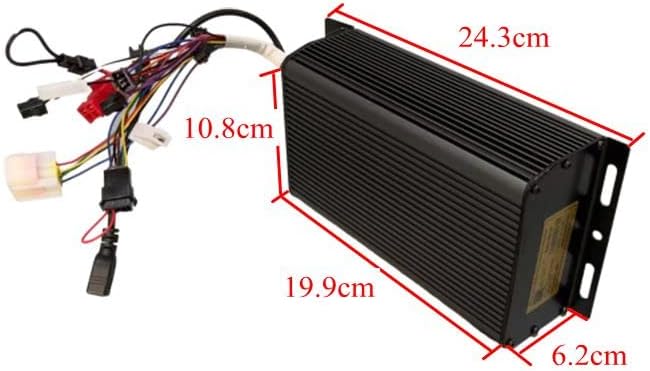
выява: The Sabvoton V2 Controller with its wiring harness, showing approximate dimensions for installation planning. The controller measures approximately 24.3cm in length, 10.8cm in width, and 6.2cm in height.
2. TFT Display Mounting
Attach the TFT color display to your handlebars in a position that is easily visible and accessible while riding. Secure it firmly to prevent movement.

выява: The TFT color display, illustrating its clear interface with speed, trip distance, wattage, and battery level indicators.
3. Падключэнне правадоў
Connect the components to the controller according to the wiring diagram (not provided in this manual, refer to product packaging or manufacturer's website for detailed diagrams). Ensure all connections are secure and waterproof where necessary.
- Падключэнне рухавіка: Connect the motor phase wires and Hall sensor wires to the corresponding ports on the controller.
- Падключэнне батарэі: Connect the battery positive and negative terminals to the controller's power input. Ensure correct polarity.
- TFT-дысплей: Connect the display cable to the designated port on the controller.
- Паварот дросельнай засланкі: Connect the throttle to its dedicated port.
- Тармазныя рычагі: Connect the brake levers to the controller. These typically provide a signal to cut motor power when brakes are applied.
- Датчык PAS: Install the PAS sensor on your pedal crank and connect its wire to the controller.
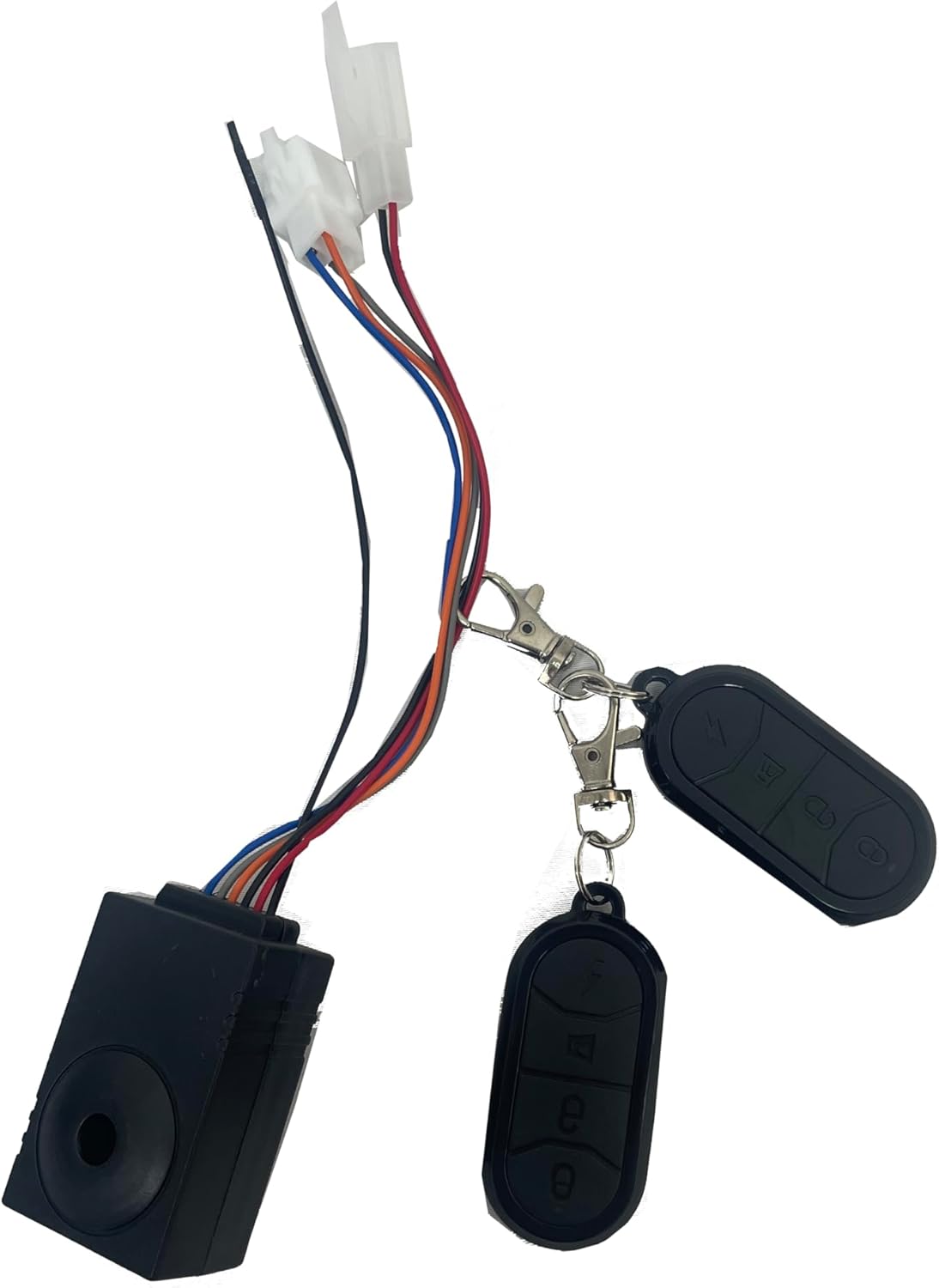
- Alarm Lock: Connect the alarm lock system.
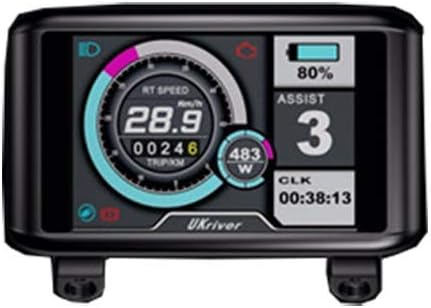
выява: Альтэрнатыва view of a TFT display, showing various metrics and a different branding, indicating display compatibility.
выява: The twist throttle assembly, featuring an integrated key switch for power control and a separate matching grip.

выява: The alarm lock system, including the main unit and two remote controls for arming and disarming.
Інструкцыя па эксплуатацыі
1. Уключэнне / выключэнне харчавання
Turn the key on the twist throttle to power on the system. The TFT display will illuminate. To power off, turn the key to the off position.
2. TFT Display Functions
The TFT display provides real-time information and allows for system adjustments:
- хуткасць: Паказвае бягучую хуткасць язды.
- Адлегласць: Паказвае адлегласць паездкі і агульны адометр.
- Ватtage: Indicates real-time power consumption.
- Індыкатар батарэі: Паказвае пакінуты ўзровень зарада батарэі.
- Час: Бягучы час.
- Speed Levers (PAS Levels): Adjust pedal assist levels (typically 5 levels).
- Рэгуляванне памеру колы: Allows calibration for accurate speed and distance readings.
- Акумулятар Voltage Рэгуляванне: Configures the display for your specific battery voltage (48-72 В).
Navigate through display settings using the buttons on the display unit. Refer to the specific display model's mini-manual for detailed button functions.
3. Throttle Operation
Gently twist the throttle grip to engage motor power. The amount of twist corresponds to the power output. Release the throttle to disengage power.
4. Сістэма дапамогі пры кручэнні педаляў (PAS)
The PAS sensor detects pedaling motion and provides motor assistance based on the selected assist level on the TFT display. Higher assist levels provide more motor power with less pedaling effort.
5. Тармазныя рычагі
Activating the brake levers will cut power to the motor, ensuring safe stopping. Always use your brakes as needed.
6. Alarm Lock
Use the remote control to arm and disarm the alarm system. When armed, any movement or tampering with the bike will trigger an audible alarm.
Тэхнічнае абслугоўванне
Regular maintenance ensures the longevity and optimal performance of your electric bike system.
- Захоўваць у чысціні: Regularly wipe down the controller and display with a soft, damp тканіна. Пазбягайце выкарыстання агрэсіўных хімікатаў або абразіўных матэрыялаў.
- Праверце злучэнні: Periodically inspect all wiring connections for tightness and signs of wear or corrosion. Secure any loose connections.
- Ахова вады: While components are designed to be water-resistant, avoid submerging them or exposing them to heavy rain for extended periods.
- Сыход за батарэяй: Follow the manufacturer's instructions for your specific battery pack regarding charging, storage, and discharge cycles.
Ліквідацыю непаладак
Калі ў вас узнікнуць праблемы, звярніцеся да наступных распаўсюджаных праблем і рашэнняў:
| праблема | Магчымая прычына | Рашэнне |
|---|---|---|
| Сістэма не ўключаецца. | Loose battery connection, dead battery, faulty key switch. | Check battery connections. Charge battery. Inspect key switch wiring. |
| Рухавік не рэагуе на дросель. | Loose throttle connection, faulty throttle, brake levers engaged, motor/controller fault. | Check throttle wiring. Ensure brake levers are not engaged. Consult a technician if problem persists. |
| Display shows incorrect speed/distance. | Няправільная ўстаноўка памеру колы. | Adjust wheel size setting in the TFT display menu. |
| PAS not working. | Loose PAS sensor connection, faulty PAS sensor, incorrect PAS level setting. | Check PAS sensor wiring. Ensure PAS level is set above 0 on the display. |
Тэхнічныя характарыстыкі
| Асаблівасць | Дэталь |
|---|---|
| Марка | NB POWER |
| Назва мадэлі | TFT Display Sabvoton V2 Controller Set |
| Тып кантролера | Sabvoton V2 Sine Wave System |
| тtage Сумяшчальнасць | 48В-72В |
| Ліміт току | 80А |
| Макс Ватtage | 3000 Вт |
| Тып дысплея | Каляровы дысплей TFT |
| Функцыі дысплея | Speed, Distance, Wattage, Battery Indicator, Time, Wheel Size Adjust, Battery Voltage Adjust, 5 PAS Levels |
| Уключаныя кампаненты | Controller, TFT Display, Alarm Lock, Twist Throttle, Brake Levers, PAS Sensor |
| ASIN | B07PF2S481 |
| UPC | 715444174148 |
Дэманстрацыя відэа
Watch the official product video for a visual guide on the controller and display functionality.
Відэа: This video demonstrates the MQCON APP, testing the controller and display. It shows the display responding to throttle input and the motor wheel spinning, illustrating the system's operational response.
Гарантыя і падтрымка
For warranty information or technical support, please contact NB POWER customer service through your purchase platform or the manufacturer's official webсайт. Захоўвайце пацвярджэнне пакупкі для прэтэнзій па гарантыі.
Дадатковыя планы абароны могуць быць даступныя для куплі:
- 2-Year Protection Plan (one-time payment)
- Поўная абарона (штомесячная падпіска)
Refer to the specific terms and conditions of these plans at the time of purchase.