
Уводзіны
Thank you for choosing the Wuloo Wireless Intercom Doorbell System. This manual provides essential information for the proper setup, operation, and maintenance of your device. This system utilizes FM wireless technology for reliable communication without relying on Wi-Fi. It features a 1/2 mile range, 20 chime options, 3 volume levels, and a built-in rechargeable battery for convenience and durability.
Прадукт скончаныview

This image illustrates the fundamental interaction with the Wuloo Wireless Intercom Doorbell. A visitor initiates a call by pressing the 'CALL' button on the outdoor unit. The homeowner then hears a tone on the indoor unit. After the tone stops, the homeowner can press and hold the 'TALK' button to speak, and the visitor can reply.
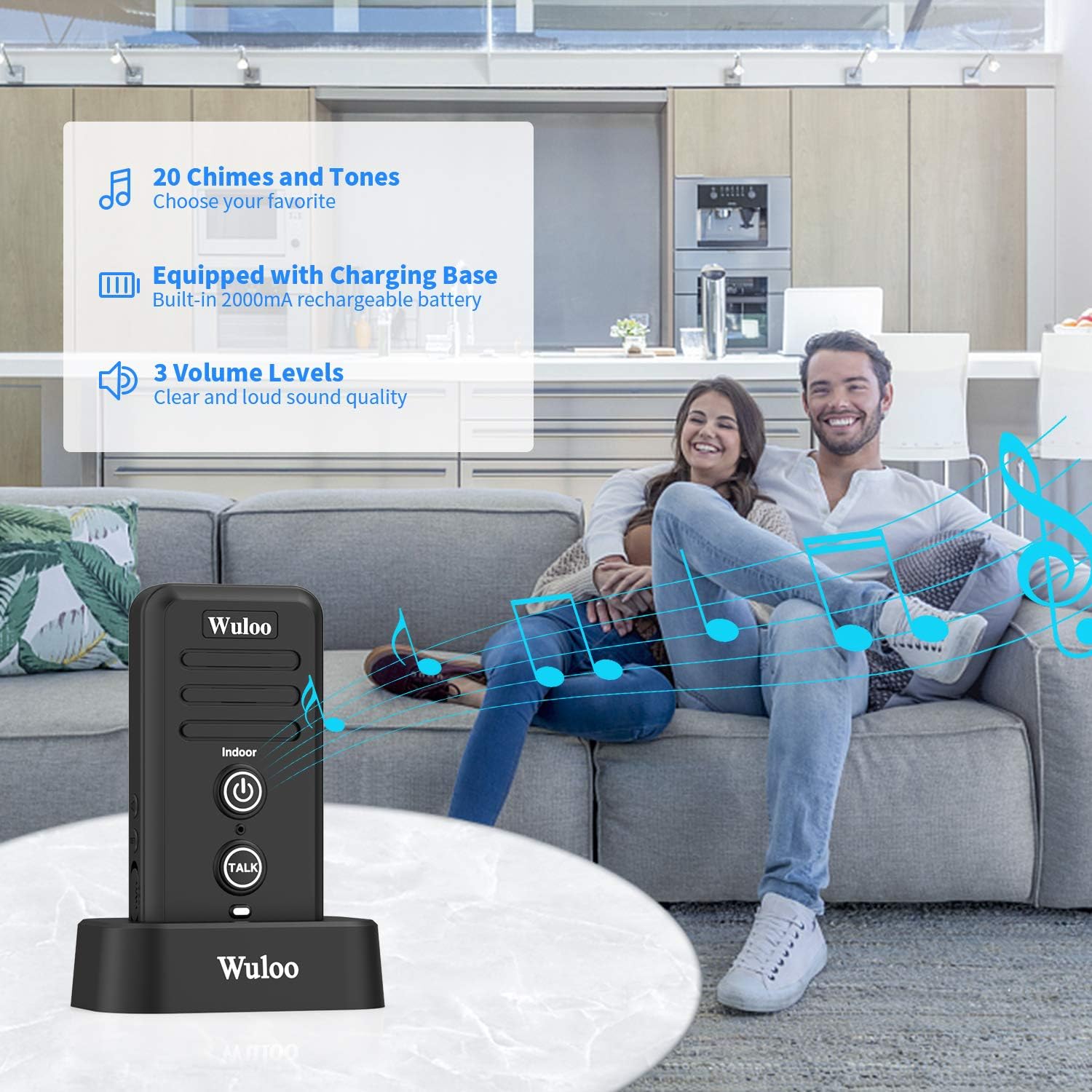
The indoor unit is shown on its charging base, emphasizing its key features: a selection of 20 chimes, 3 adjustable volume levels for clear sound quality, and a built-in 2000mAh rechargeable battery for extended use.

This image displays the outdoor unit's robust design, highlighting its IP54 weatherproof and windproof rating, suitable for temperatures from -4°F to 122°F. It also features a 2000mAh rechargeable battery, a 'TALK' button for communication, 3 volume levels, and a small screw for secure installation to prevent loss.

Буйны план view of the indoor unit, detailing its components: Speaker, Power ON/OFF button (long press for 3s to turn on/off, short press to turn off ringtone, flashing red light for low power), MIC, TALK Key (press and hold to talk), LED Indicator (red during charging, green when fully charged), Volume +/- (1-3 levels), Chime Setting, and Channel Setting (A/B/C).

A detailed diagram of the outdoor unit, showing its features: Waterproof Cap, Calling Key (short press rings indoor unit, flashing red light for low power), MIC, TALK Key (press and hold to talk after the indoor unit finishes speaking), LED Indicator (red during charging, green when fully charged), Volume +/- (1-3 levels), and Channel Setting (A/B/C).

This image illustrates the system's impressive 1/2 mile range and its expandability, allowing for multiple indoor and outdoor units to communicate across a large property. The special design ensures anti-interference with other smart devices.

The Wuloo intercom system is suitable for various environments, including offices, large homes, hotels, and apartments, providing convenient communication across different spaces.

This image details the package contents, including one outdoor machine and one indoor machine set. It also provides dimensions for both units and lists the accessories: charger, cable, detailed manual & quick start guide, 3 screws, and 2 anchors.
Інструкцыя па наладзе
1. Пачатковая зарадка
Upon receiving your Wuloo intercom doorbell, the outdoor unit will have approximately 20% power. It is recommended to fully charge both the indoor and outdoor units before first use. The indoor unit's battery lasts 1-2 days on a full charge, while the outdoor unit's battery lasts 4-6 months after a full charge.
- Унутраны блок: Keep the indoor unit on its charging stand after each use to ensure it remains charged.
- Знешні блок: To charge the outdoor unit, remove it from its waterproof cap and place it on the charging base. Alternatively, you can exchange the battery with a fully charged one from an indoor unit.
2. Уключэнне/выключэнне
- Унутраны блок: Press and hold the Power ON/OFF button for 3 seconds until you hear a beep to turn it on. A short press will turn off the ringtone.
- Знешні блок: The outdoor unit will enter sleep mode after 25 seconds of inactivity to conserve power. It will wake up when the 'CALL' or 'TALK' button is pressed.
3. Pairing Units
The units are typically pre-paired. If you are adding additional units or need to re-pair them:
- Ensure the new additional unit (indoor or outdoor) is turned off. Press the Volume button to check for sound; if there is sound, press and hold the ON/OFF button for 3+ seconds until you hear a beep to turn it off.
- Enter pairing mode: Simultaneously press the 'SET' button and 'CALL' button (for outdoor) or 'SET' and 'TALK' button (for indoor) for 3 seconds until the ON/OFF button flashes a red light.
- On an already paired unit, press the 'CALL' button to start automatic pairing. The flashing light on the new unit will stop once pairing is complete.
- Test pairing by pressing the 'CALL' button on the new outdoor unit; if the indoor unit rings, pairing is successful.
4. Ўстаноўка
The outdoor unit is designed for easy installation.
- Install the waterproof cap on the wall closest to your door using the two provided screws.
- Place the outdoor machine onto the installed cap.
- Use the smallest screw to fix the machine from the bottom for added security.
Setup Video: How to Use Wuloo Intercom Doorbell
This video provides a comprehensive guide on the basic setup and usage of the Wuloo Wireless Intercom Doorbell, including turning on units, making calls, and speaking through the intercom.
Setup Video: Adding Additional Outdoor Units
This video demonstrates the steps to add and pair additional outdoor units to your existing Wuloo intercom system, useful for homes with multiple entry points.
Setup Video: Adding Additional Indoor Units
This video illustrates the process of adding and pairing additional indoor units, allowing for expanded communication within your home or different floors.
Інструкцыя па эксплуатацыі
1. Асноўныя камунікацыі
- Visitor Calls: A visitor presses the 'CALL' button on the outdoor unit.
- Homeowner Notification: The indoor unit will ring with the selected chime.
- Responding: Once the ringing stops, the homeowner presses and holds the 'TALK' button on the indoor unit to speak.
- Visitor Reply: The visitor can then press and hold the 'TALK' button on the outdoor unit to reply.
2. Adjusting Volume and Chimes
- Аб'ём: Use the Volume +/- buttons on the side of both indoor and outdoor units to select one of the 3 available volume levels.
- куранты: On the indoor unit, press the 'SET' button to cycle through the 20 different chime melodies until you find your preferred one.
3. Змена каналаў
Both indoor and outdoor units have a channel setting switch (A/B/C) on the side. Ensure all units intended to communicate are set to the same channel to avoid interference, especially if using multiple systems or in proximity to other FM wireless devices.
4. Walkie-Talkie Functionality
If you have multiple indoor units, they can function as walkie-talkies. Simply ensure they are on the same channel, and press and hold the 'TALK' button to communicate between units within your home.
Operating Video: Features of Wuloo Intercom Doorbell
This video highlights the various operational features of the Wuloo intercom doorbell, including its communication capabilities, range, and sound quality.
Тэхнічнае абслугоўванне
1. Сыход за батарэяй
- The outdoor unit's battery lasts 4-6 months on a full charge. When the battery is low, the 'BELL' button will flash a red light.
- The indoor unit's battery lasts 1-2 days on a full charge. It is recommended to keep the indoor unit on its charging base when not in active use to maintain charge.
- Both units use built-in 2000mAh rechargeable Lithium Ion batteries.
Maintenance Video: How to Charge the Outdoor Unit
This video demonstrates the correct procedure for charging the outdoor unit of your Wuloo intercom doorbell, ensuring optimal battery life and performance.
2. Воданепранікальнасць
The outdoor unit is IPX55 waterproof, designed to withstand various weather conditions including snow and rainstorms. Ensure the waterproof cap is correctly installed to protect the unit.
Ліквідацыю непаладак
- Problem: Unit does not work.
Possible Solution 1: Check if the indoor machine is turned on. If not, long press the ON/OFF key of the indoor machine to activate it.
Possible Solution 2: Check if both devices are charged. Charge devices at least 1 hour and try again. - Problem: Cannot hear responses.
Possible Solution 1: Check if the two devices are on the same channel. If not, set them to the same channel. - Outdoor Unit Sleeping Mode: The outdoor unit will go into sleeping mode automatically if it does not detect any operations within 25 seconds. In sleeping mode, the outdoor unit cannot receive or send any messages. You must press the 'CALL' button to activate it. Only then can the indoor unit talk with the outdoor unit. Every conversation must be started by the outdoor unit first.
- Перашкоды: If you experience interference, try changing the channel setting (A/B/C) on both units to a different one.
Тэхнічныя характарыстыкі
| Асаблівасць | Дэталь |
|---|---|
| Нумар мадэлі | WUL-DB-1T1-Black |
| Памеры ўпакоўкі | 5.51 х 5.47 х 3.11 цалі |
| Вага прадмета | 1.06 фунта |
| Батарэі | Патрабуецца 2 літый-іённыя батарэі (у камплекце) |
| Вытворца | Вуло |
| Дыяпазон | Up to 1/2 Mile |
| Узроўні гучнасці | 3 |
| Параметры званка | 20 |
| Рэйтынг воданепранікальнасці | IPX55 |
Гарантыя і падтрымка
For warranty information about this product, please refer to the official Wuloo warranty policy. If you encounter any problems or have questions, please contact Wuloo customer service for assistance. The detailed manual and quick start guide are included in the package for further reference.
Instructional Video: Wuloo Wireless Intercom Doorbell
Гэта відэа дае агульны аглядview and instructional content for the Wuloo Wireless Intercom Doorbell, covering various aspects of its functionality and use.
Instructional Video: Additional Setting of Wuloo Intercom Doorbell
This video details additional settings and configurations for the Wuloo intercom doorbell, helping users customize their system beyond basic operation.
Instructional Video: Instruction Video for Wuloo Intercom Doorbell
A comprehensive instruction video covering various aspects of the Wuloo intercom doorbell, from setup to advanced features.