
Уводзіны
Thank you for choosing the EasyAcc 6-Inch USB Desk Fan. This manual provides essential information for the safe and efficient operation of your new fan. Designed for personal cooling, this compact fan features a durable metal construction, two-speed settings, and 360-degree rotation to deliver strong, quiet airflow wherever you need it.
Змест пакета
- 1 x EasyAcc 6-Inch USB Desk Fan
- 1 x USB Power Cable (4.7 inch / 1.2m)
- Кіраўніцтва карыстальніка (гэты дакумент)
Настройка
- Размяшчэнне: Place the fan on a stable, flat surface such as a desk, table, or shelf. The soft silicone feet prevent slipping and help reduce noise.
- Падключэнне сілкавання: Connect the provided USB power cable to the fan's USB port.
- Крыніца харчавання: Plug the other end of the USB cable into a compatible USB power source. This can be a computer USB port, a power bank, or a USB wall adapter. The fan is USB powered only and consumes approximately 2.5 watts per hour on the highest setting.

Figure 1: Connecting the EasyAcc USB Desk Fan to various power sources.
Інструкцыя па эксплуатацыі
- Уключэнне/выключэнне харчавання і рэгуляванне хуткасці: Locate the switch on the back of the fan. This fan features 2 speed settings.
- Position 'I' for Low Speed (Middle Speed: 1800 RPM, 25dB)
- Position 'II' for High Speed (High Speed: 2000 RPM, 31dB)
- Position 'O' for Off
- Рэгуляванне напрамку паветранага патоку: The fan head can be manually rotated 360 degrees vertically and horizontally. Gently adjust the fan head to direct the airflow as desired.

Figure 2: Power and speed control switch.

Figure 3: 360-degree adjustable fan head.
Асаблівасці
- Ціхая праца: Equipped with a DC motor, the fan operates quietly, with noise levels below 40 decibels even at the highest speed, ensuring a peaceful environment.
- Трывалая канструкцыя: Made with a durable metal mesh frame and welded, polished seams, providing a stable base and long-lasting use without harmful substances.
- Рэгуляваны паток паветра: Offers 2 speed settings and 360-degree rotation for precise control over airflow direction and intensity.
- Энергаэфектыўны: USB powered, consuming only 2.5 watts per hour on the highest setting, leading to significant electricity savings.
- Кампактны і партатыўны: With dimensions of 7.36 x 7.36 inches (6-inch blade length), it is compact enough for desktops, offices, bedrooms, or outdoor use.
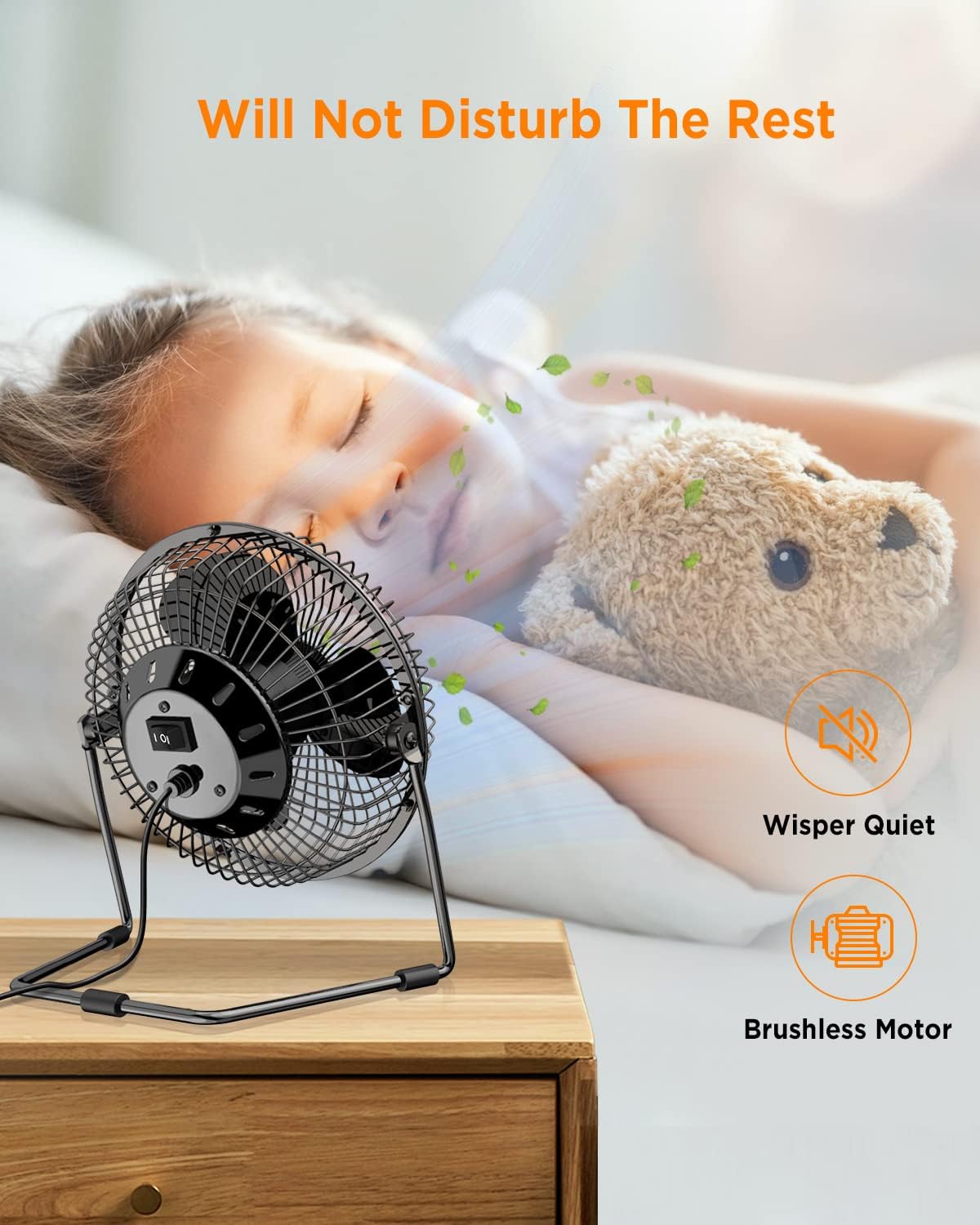
Figure 4: Quiet operation for undisturbed rest.
Тэхнічнае абслугоўванне
To ensure optimal performance and longevity of your EasyAcc USB Desk Fan, regular cleaning is recommended:
- Выключэнне: Always ensure the fan is turned off and unplugged from its power source before cleaning.
- Зняць пярэднюю рашотку: The front grille is fixed by 3 screws. Carefully unscrew them to remove the grille.
- Clean Blades and Case: Once the grille is removed, you can easily access the fan blades and the inner case. Use a soft, dry cloth or compressed air to wipe away dust and debris.
- Зборка: After cleaning, securely reattach the front grille using the 3 screws.

Figure 5: Cleaning the fan blades.
Важныя заўвагі
- The fan requires a stable power supply. While it can be plugged into various USB ports, ensure the power source can provide sufficient current, especially for the high-speed setting. Avoid plugging into sensitive or expensive devices like laptops or phones if the power supply is unstable, as this may cause voltagе кроплі.
- The fan has a physical rocker switch, meaning it retains its last speed setting when plugged in, unlike some "smart" fans" that reset to off.
Тэхнічныя характарыстыкі
| Асаблівасць | Дэталь |
|---|---|
| Марка | EasyAcc |
| Назва мадэлі | 04EA16HXQUSFA |
| Нумар мадэлі | ПД-10352 |
| Колер | Чорны |
| Дызайн электрычнага вентылятара | Настольны вентылятар |
| Крыніца харчавання | USB харчаванне |
| Памеры прадукту (Д х Ш х У) | 4.72" Г x 9.84" Ш x 9.84" У |
| Асаблівасць | Партатыўны |
| Колькасць хуткасцяў | 2 |
| Узровень шуму | 30.5 Decibels (as per spec, feature bullet states <40dB) |
| Ватtage | 2.5 ват |
| тtage | 5 вольт |
| Тып перамыкача | Кнопка |
| Матэрыял | Метал |
| Матэрыял клінка | Пластыкавыя |
| Даўжыня клінка | 6 цалі |
| Уключаныя кампаненты | USB fan & USB cord |
| UPC | 659514286969 |
Гарантыя і падтрымка
EasyAcc provides a 2 гады гарантыі from the date of purchase. If you encounter any problems with your EasyAcc USB Desk Fan, please contact us via email for support. We are committed to providing a perfect shopping experience.
For further assistance, please visit the official EasyAcc store on Amazon: EasyAcc Store


