
JJRC JJRC H71
JJRC H71 Foldable Drone User Manual
Model: JJRC H71
1. Уводзіны
This manual provides essential information for the safe operation and maintenance of your JJRC H71 Foldable Drone. Please read it thoroughly before operating the drone to ensure proper usage and to prevent damage or injury. Keep this manual for future reference.
1.1 Правілы бяспекі
- Заўсёды кіруйце дронам на адкрытай прасторы, далей ад людзей, жывёл і перашкод.
- Do not fly near airports, restricted airspace, or sensitive areas.
- Ensure the drone batteries are fully charged before each flight.
- Пазбягайце палётаў пры моцным ветры або неспрыяльных умовах надвор'я.
- Maintain a safe distance from the rotating propellers.
- Дзеці павінны кіраваць дронам толькі пад наглядам дарослых.
- Do not modify the drone or its components.
2. Змесціва ўпакоўкі
Праверце, ці ўсе пералічаныя ніжэй прадметы ўваходзяць у вашу ўпакоўку:
- JJRC H71 Foldable Drone
- Пульт дыстанцыйнага кіравання
- Modular Batteries (2 pcs)
- Spare Propellers (1 set)
- Propeller Guards (4 pcs)
- USB-кабель для зарадкі
- Адвёртка
- Кіраўніцтва карыстальніка (гэты дакумент)
- Сумка для пераноскі

Image: All components of the JJRC H71 Foldable Drone package, including the drone, remote controller, two batteries, spare propellers, propeller guards, USB charging cable, screwdriver, and carrying case.
3. Ідэнтыфікацыя кампанентаў
3.1 Drone Overview

Image: The JJRC H71 Foldable Drone in its unfolded state, alongside its remote controller with a phone holder, a folded drone, and two modular batteries.
The JJRC H71 drone features a foldable design for portability. It includes a 1080P HD camera, LED lights, and modular battery compartments.
3.2 Пульт дыстанцыйнага кіравання
The remote controller is equipped with joysticks for flight control, buttons for various functions, and a phone holder for FPV viewінж.
4. Настройка
4.1 Усталёўка і зарадка акумулятара
- Дрон Батарэя: Insert a fully charged modular battery into the drone's battery compartment until it clicks into place.
- Батарэі пульта дыстанцыйнага кіравання: Open the battery cover on the back of the remote controller and insert 4 AA batteries (not included), ensuring correct polarity. Close the cover.
- Зарадка: Connect the modular drone battery to the USB charging cable. Plug the USB cable into a 5V/1A USB power adapter (not included). The indicator light on the cable will show charging status. Charging typically takes 60-80 minutes.

Image: Illustration showing the modular battery being inserted into the JJRC H71 drone's battery compartment, with a second battery shown separately.
4.2 Propeller and Guard Installation
- Прапелеры: Ensure propellers are correctly installed according to their markings (A and B) on the corresponding motor shafts. Use the provided screwdriver to secure them.
- Ахоўныя агароджы прапелераў: Attach the propeller guards to the drone's arms for added protection, especially for beginners.
4.3 Загрузка праграмы і падключэнне
- Download the official JJRC app from your mobile device's app store. Пошук 'JJRC'.
- Turn on the drone and your mobile device's Wi-Fi.
- Connect your mobile device to the drone's Wi-Fi network (e.g., 'JJRC-H71-XXXX').
- Open the JJRC app to access FPV view and advanced flight features.
5. Інструкцыя па эксплуатацыі
5.1 Перадпалётны кантрольны спіс
- Ensure drone and remote batteries are fully charged.
- Check that propellers and guards are securely installed.
- Select an open, safe flying area.
- Power on the drone and remote controller.
5.2 Pairing and Calibration
- Спалучэнне: Turn on the drone, then turn on the remote controller. Push the left joystick up and then pull it down. The drone's lights will stop flashing, indicating successful pairing.
- Каліброўка гіраскопа: After pairing, place the drone on a flat, level surface. Push both joysticks down and to the right simultaneously. The drone's lights will flash rapidly and then become solid, indicating successful calibration.
5.3 Узлёт і пасадка
- Узлёт з дапамогай адной кнопкі: Press the one-key take-off button on the remote. The drone will automatically ascend to a stable altitude.
- Ручной ўзлёт: Push both joysticks outwards and downwards to start the motors. Then, gently push the left joystick up to ascend.
- Прызямленне адным ключом: Націсніце кнопку пасадкі з адной клавішай. Дрон аўтаматычна апусціцца і прызямліцца.
- Ручная пасадка: Gently pull the left joystick down to descend. Once landed, pull both joysticks inwards and downwards to stop the motors.
5.4 Flight Controls and Features
- Асноўныя элементы кіравання: Use the left joystick for altitude (up/down) and rotation (left/right). Use the right joystick for forward/backward and left/right strafing.
- Утрыманне вышыні: The drone maintains its current altitude automatically, allowing for stable hovering.
- Пазіцыянаванне аптычнага патоку: This feature uses a downward-facing camera to detect patterns on the ground, helping the drone maintain its position and hover steadily, especially at lower altitudes.
- Безгаловы рэжым: In Headless Mode, the drone's orientation is relative to the pilot, regardless of the drone's front direction. Press the Headless Mode button to activate/deactivate.
- Пераключэнне хуткасці: The drone offers three speed modes (30%, 60%, 100%) suitable for different skill levels. Press the speed switch button to cycle through modes.
- Flight Planning (App Control): Using the JJRC app, you can draw a flight path on your mobile screen, and the drone will follow the designated route.
- Gravity Sensor (App Control): Tilt your mobile phone to control the drone's direction. Activate this feature within the JJRC app.

Image: Diagram illustrating how Optical Flow Positioning helps the drone hover steadily by analyzing ground patterns, and how Altitude Hold maintains a specific height.

Image: Illustration showing the JJRC H71 drone in flight with three speed modes (30%, 60%, 100%) indicated on the remote controller's display.
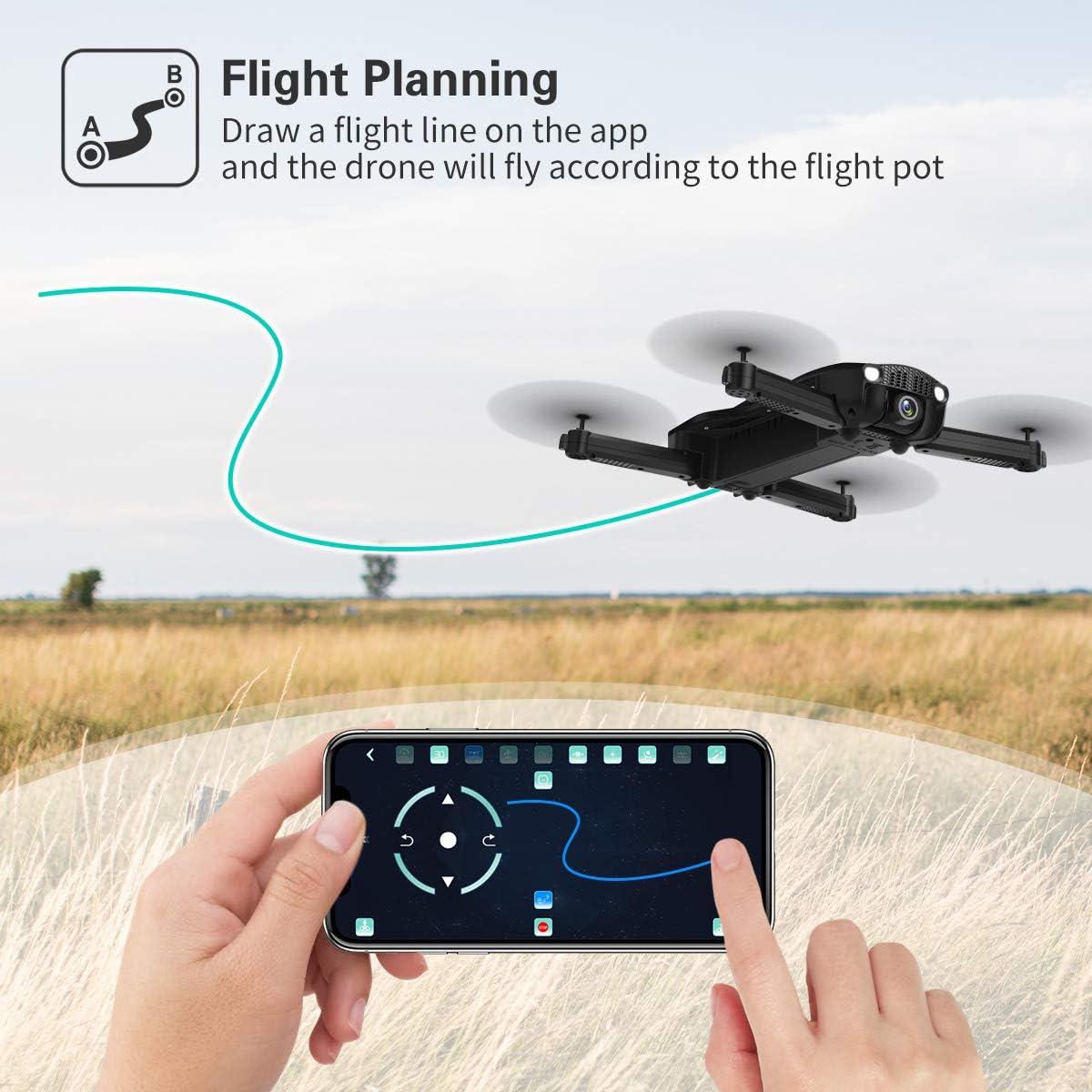
Image: A hand interacting with the JJRC app on a smartphone, demonstrating the flight planning feature where a path is drawn for the drone to follow.
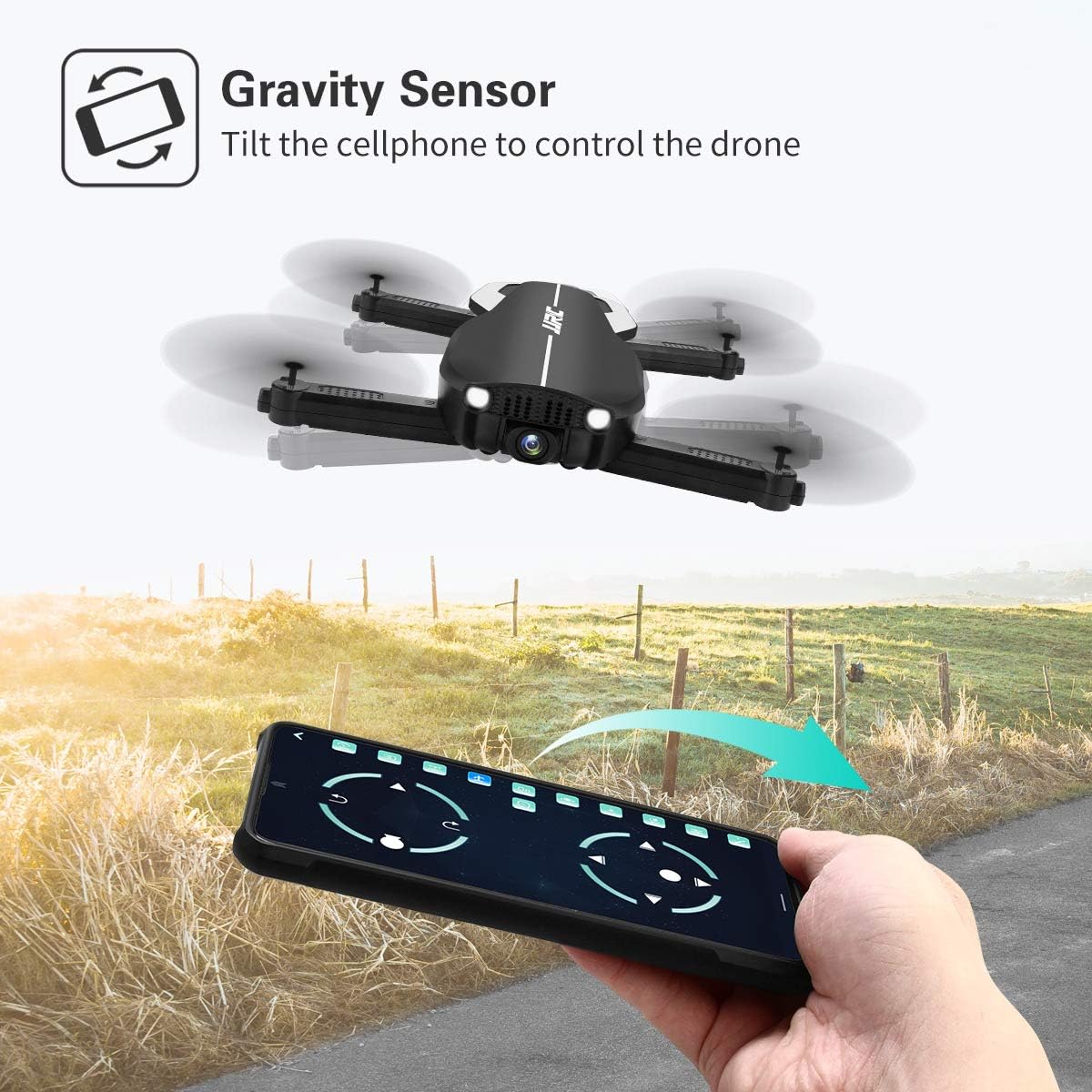
Image: A hand holding a smartphone, demonstrating the Gravity Sensor feature where tilting the phone controls the drone's flight direction.
5.5 Camera Operation and FPV
- HD-камера 1080P: The drone is equipped with a 90° adjustable 1080P HD camera for capturing high-quality photos and videos.
- FPV Function: Through the Wi-Fi FPV real-time transmission, live images and videos from the drone's camera are streamed directly to your connected mobile device via the JJRC app. The transmission range is up to 50 meters.
- Запіс: Use the dedicated buttons on the remote controller or the controls within the JJRC app to start/stop video recording or take photos.

Выява: Крупны план view of the JJRC H71 drone's 1080P HD camera, highlighting its 90-degree adjustable angle and 120-degree field of view.
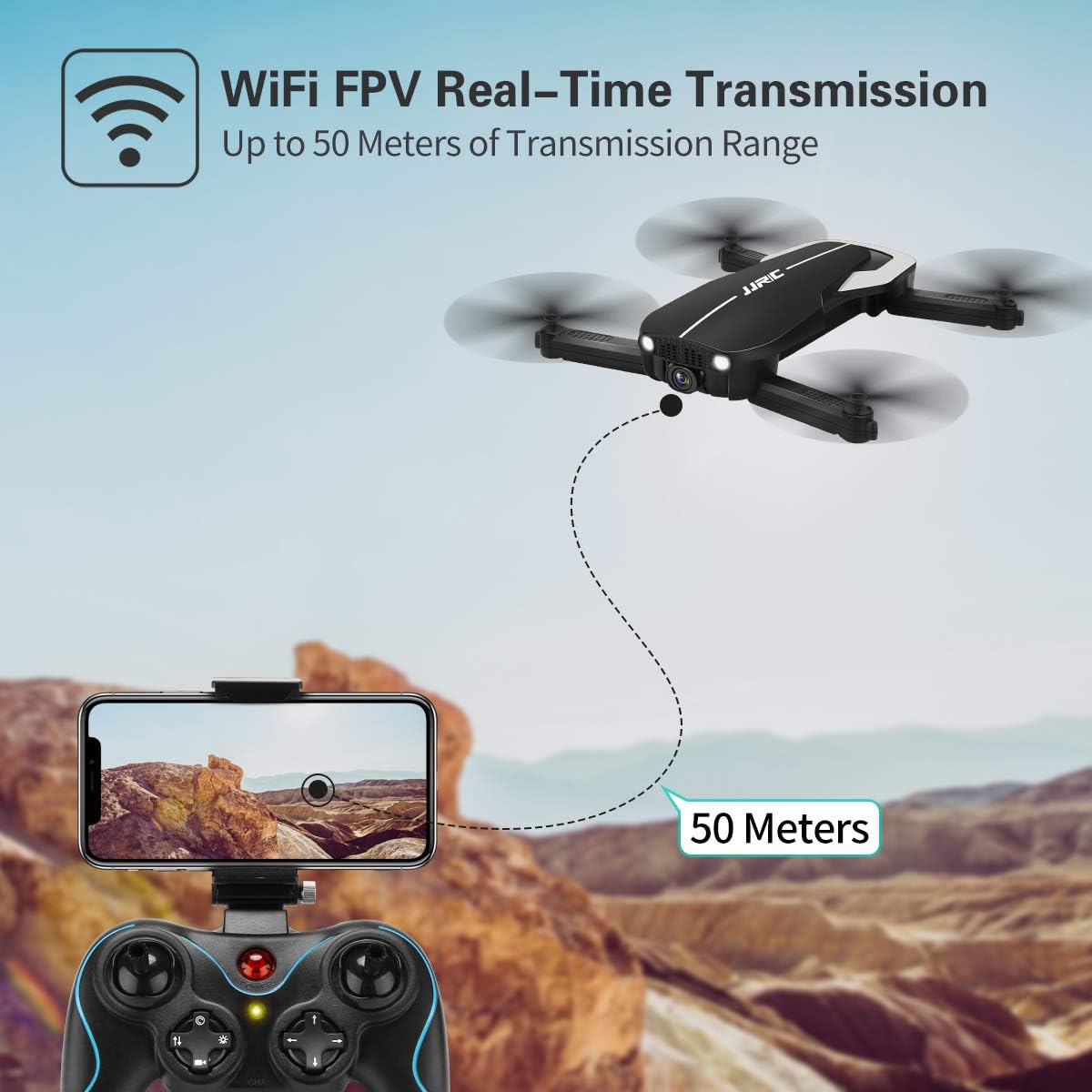
Image: Illustration showing the JJRC H71 drone transmitting live video feed via Wi-Fi to a smartphone mounted on the remote controller, with a transmission range of up to 50 meters.
6. Тэхнічнае абслугоўванне
- Уборка: Use a soft, dry cloth to clean the drone and remote controller. Avoid using water or solvents.
- Замена прапелера: If a propeller is damaged, replace it with a spare propeller of the correct type (A or B) using the provided screwdriver.
- захоўванне: Store the drone and its components in the carrying case in a cool, dry place, away from direct sunlight and extreme temperatures. Remove batteries from the remote controller if storing for extended periods.
7. Выпраўленне непаладак
| праблема | Магчымая прычына | Рашэнне |
|---|---|---|
| Дрон не рэагуе на пульт. | Не спалучаны або батарэя разраджаная. | Ensure drone and remote are powered on and paired correctly. Charge batteries. |
| Дрон дрэйфуе падчас палёту. | Gyro not calibrated or strong wind. | Perform gyro calibration on a flat surface. Avoid flying in windy conditions. |
| FPV image is blurry or disconnected. | Weak Wi-Fi signal or incorrect app. | Ensure drone and phone are within 50m range. Reconnect to drone's Wi-Fi. Use the official JJRC app. |
| Propellers do not spin. | Motors not armed or damaged propellers. | Arm motors (joysticks outwards/downwards). Check for obstructions or replace damaged propellers. |
8. Тэхнічныя характарыстыкі
| Асаблівасць | Дэталь |
|---|---|
| Марка | JJRC |
| мадэль | H71 |
| Дазвол камеры | 1080P HD (90° adjustable) |
| Час палёту | Да 22 хвілін (з 2 батарэямі) |
| Ёмістасць батарэі | 900 мАг (на акумулятар) |
| Сістэма пазіцыянавання | Optical Flow Positioning, Altitude Hold |
| Сувязь | Wi-Fi (FPV up to 50m) |
| Рэжымы кіравання | Remote Control, App Control (Flight Planning, Gravity Sensor) |
| Асаблівасці | Foldable Design, Headless Mode, 3 Speed Modes |
| Матэрыял | Plastic Carbon Fiber |
| Вага прадмета | 880 г |
9. Гарантыя і падтрымка
For warranty information and technical support, please refer to the official JJRC webсайт або звярніцеся да прадаўца. Захоўвайце чэк аб куплі як пацверджанне пакупкі.
Ask a question about this manual
Ask about setup, troubleshooting, compatibility, parts, safety, or missing instructions. Manuals+ will review the question and use this page’s manual context to help answer it.