
Уводзіны
This manual provides detailed instructions for the assembly, operation, and maintenance of your Vamvo 100-inch Portable Projector Screen with Stand (Model M2100). Designed for versatility, this screen is suitable for both indoor and outdoor projection, offering a clear and stable viewing experience. Please read these instructions carefully before setting up and using your projector screen to ensure optimal performance and longevity.
Змест пакета
Перад зборкай пераканайцеся, што ўсе пералічаныя ніжэй кампаненты ўваходзяць у камплект:
- 1 x Projector Screen Fabric (100-inch diagonal, 16:9 aspect ratio)
- 1 x Foldable Frame Set
- 2 х штатывы
- 4 x Ropes (for outdoor stability)
- 9 x Ground Stakes (for outdoor stability)
- 1 х Сумка для пераноскі

Image: All components included in the Vamvo 100-inch projector screen package.
Інструкцыя па наладзе
The Vamvo projector screen is designed for quick and easy assembly, typically taking less than 5 minutes.
- Збярыце каркас: Unfold the frame components. The poles are connected by elastic cords, similar to tent poles. Connect them securely to form the rectangular frame.
- Attach the Screen Fabric: Lay the screen fabric flat. Attach the screen to the assembled frame using the integrated fasteners (e.g., Velcro straps or clips) around the edges. Ensure the screen is taut and evenly stretched to prevent wrinkles.
- Set up the Tripod Stands: Extend the legs of the two tripod stands and adjust them to the desired height. Secure the height adjustment mechanisms.
- Mount the Screen to Stands: Attach the assembled screen frame to the top of the tripod stands. Ensure the frame is securely seated on both stands.
- Secure for Outdoor Use (Optional): For outdoor use or in windy conditions, utilize the provided ropes and ground stakes. Attach the ropes to the designated points on the screen frame and secure them to the ground with the stakes to enhance stability.

Image: Visual guide for assembling the Vamvo projector screen, detailing frame and stand setup.
Інструкцыя па эксплуатацыі
Once assembled, your Vamvo projector screen is ready for use. Position your projector at an appropriate distance and angle to fill the screen evenly. The screen offers a wide 160-degree viewing angle, ensuring a good picture from various positions.
- Унутранае выкарыстанне: Ideal for home theater setups, presentations, or gaming. Ensure the room lighting is controlled for the best image quality.
- Выкарыстанне на адкрытым паветры: Perfect for backyard movie nights or outdoor events. Always secure the screen with the ropes and stakes provided, especially in breezy conditions.
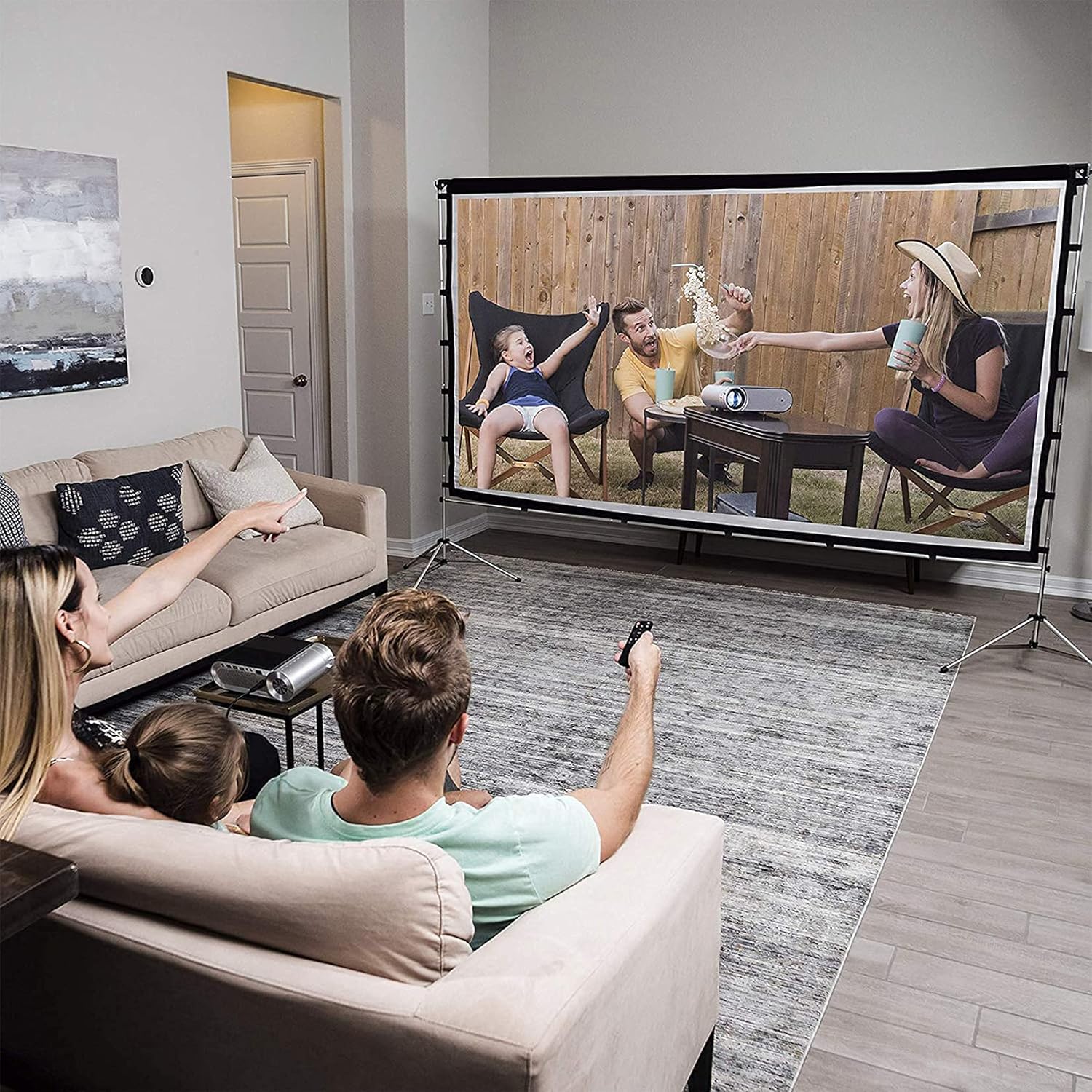
Малюнак: Example of the Vamvo projector screen in use for a family movie night.
Тэхнічнае абслугоўванне
Правільны догляд падоўжыць тэрмін службы экрана вашага праектара.
- Уборка: The screen fabric can be cleaned with mild soap and water. Gently wipe the surface with a soft cloth. Avoid harsh chemicals or abrasive materials that could damage the screen.
- Выдаленне маршчын: Due to its foldable design, the screen may develop creases. These can typically be removed by ironing the screen fabric at a нізкая тэмпература. Place a cloth between the iron and the screen to protect the surface.
- захоўванне: When not in use, disassemble the screen and store all components in the provided carrying bag. Store in a cool, dry place away from direct sunlight.

Image: The Vamvo projector screen components neatly packed in its carrying bag for easy transport and storage.
Ліквідацыю непаладак
Вось рашэнні распаўсюджаных праблем, з якімі вы можаце сутыкнуцца:
- Problem: Screen has visible creases.
рашэнне: Iron the screen fabric at a low temperature. Place a protective cloth between the iron and the screen. Ensure the screen is stretched taut during assembly. - Problem: Screen is unstable, especially outdoors.
рашэнне: Ensure the tripod stands are fully extended and locked. For outdoor use, always utilize the provided ropes and ground stakes to anchor the screen securely against wind. - Problem: Image quality is poor or distorted.
рашэнне: Check your projector's focus and keystone correction settings. Ensure the projector is aligned directly with the screen. Verify that the screen fabric is clean and free from obstructions.
Тэхнічныя характарыстыкі
| Атрыбут | Дэталь |
|---|---|
| Марка | Вамво |
| Нумар мадэлі | M2100 (100 inch with Stand) |
| Памер экрана (па дыяганалі) | 100 цаляў |
| Суадносіны бакоў | 16:9 |
| Памеры вырабу (у сабраным выглядзе) | Approx. 228.6 cm (90.5 inches) width x 167.64 cm (66 inches) height |
| Stand Depth | Прыбл. 55.88 см (22 цаля) |
| Вага прадмета | 3.28 кілаграма |
| Viewing кут | 160 градусаў |
| Матэрыял | Aluminum (frame), Polyester (screen) |
| Тып ўстаноўкі | Stand Mount (also compatible with wall mount) |

Image: Detailed dimensions of the Vamvo 100-inch projector screen.
Інфармацыя аб гарантыі
Vamvo products are manufactured to high-quality standards. For specific warranty details, including coverage period and terms, please refer to the warranty card included with your purchase or visit the official Vamvo webсайт. Калі ласка, захавайце пацвярджэнне пакупкі для любых гарантыйных прэтэнзій.
Падтрымка кліентаў
If you have any questions, require assistance with assembly, or encounter any issues not covered in this manual, please contact Vamvo customer support. You can typically find contact information on the official Vamvo webна сайце або праз прадаўца, у якога вы набылі тавар.
Каб атрымаць найбольш актуальную інфармацыю аб падтрымцы, наведайце: Vamvo Official Store on Amazon