
Уводзіны
The Rapoo 1680 Silent Wireless Mouse offers a comfortable and quiet computing experience. Featuring a reliable 2.4GHz wireless connection, 1000 DPI optical tracking, and a silent click design, it is suitable for various environments, including offices and libraries. Its ergonomic and ambidextrous design ensures comfortable use for extended periods, and a long battery life provides convenience.

Image: The Rapoo 1680 Silent Wireless Mouse, showcasing its sleek, ambidextrous design in white.
Што ў скрынцы
Калі ласка, пераканайцеся, што ўсе прадметы прысутнічаюць у камплекце:
- 1 x Wireless Mouse (Rapoo 1680)
- 1 х USB-прыёмнік
- 1 х АА батарэя
- 1 х Інструкцыя па эксплуатацыі

Image: The underside of the Rapoo 1680 mouse with the battery compartment open, showing the included AA battery and the USB nano receiver.
Інструкцыя па наладзе
- Устаўце батарэю: Open the battery compartment located on the underside of the mouse. Insert the provided AA battery, ensuring correct polarity. Close the compartment securely.
- Устаўце USB-прыёмнік: Locate the USB nano receiver, typically stored within the battery compartment or packaged separately. Plug the USB receiver into an available USB port on your computer (PC, laptop, or tablet).
- Уключэнне мышы: Slide the ON/OFF switch on the bottom of the mouse to the "ON" position. The mouse should now be powered on and ready for use.
- Аўтаматычнае падключэнне: The mouse is designed for plug-and-play functionality. Your computer should automatically detect and connect to the mouse within a few seconds. No additional drivers are typically required.
The Rapoo 1680 mouse is compatible with various operating systems, including Windows, Mac OS, Linux, and Chrome OS.
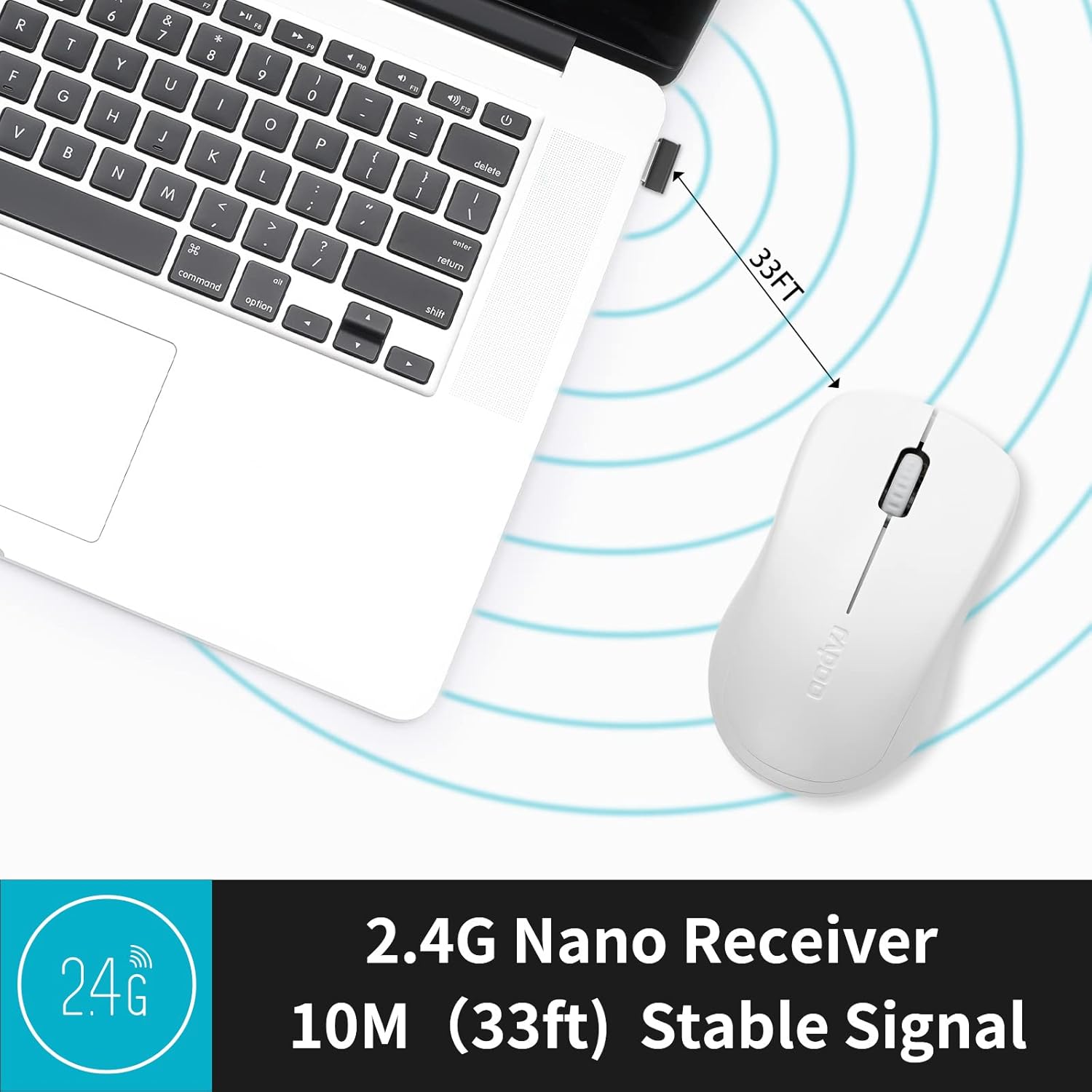
Image: A close-up of the 2.4G Nano Receiver plugged into a laptop, demonstrating the 10-meter (33ft) stable wireless signal range.

Image: The Rapoo 1680 mouse highlighting its wide compatibility with Windows, Mac OS, Linux, and Chrome operating systems.
Інструкцыя па эксплуатацыі
The Rapoo 1680 mouse features a standard 3-button layout for intuitive control.
- Пстрычка левай кнопкай мышы: Асноўная кнопка для выбару элементаў, адкрыцця fileі ўзаемадзеянне з праграмным забеспячэннем.
- Пстрыкніце правай кнопкай мышы: Дадатковая кнопка для доступу да кантэкстных меню і дадатковых опцый.
- Кола пракруткі: Выкарыстоўваецца для пракруткі дакументаў і web старонкі. Кола пракруткі таксама выконвае функцыю сярэдняй кнопкі мышы.
Дызайн бясшумнага пстрычкі: This mouse is engineered to reduce click sounds by up to 90%, providing a quiet environment without compromising the tactile click feel. This feature is particularly beneficial in quiet settings such as libraries or shared workspaces.
Аптычнае адсочванне 1000 DPI: The high-definition 1000 DPI optical tracking engine ensures responsive and smooth cursor control on most surfaces.

Image: The Rapoo 1680 mouse demonstrating its silent click feature, ideal for quiet environments.

Image: A user operating the Rapoo 1680 mouse in a library, emphasizing its quiet operation for undisturbed work.
Тэхнічнае абслугоўванне
- Замена батарэі: When the mouse performance degrades or stops responding, it may be time to replace the AA battery. Open the battery compartment, remove the old battery, and insert a new AA battery with the correct polarity.
- Уборка: Для чысткі вонкавага боку мышы выкарыстоўвайце мяккую сухую тканіну. Для аптычнага датчыка выкарыстоўвайце ватовы тампон, злёгку прамакнутыampened with rubbing alcohol, ensuring no liquid enters the mouse's internal components.
- захоўванне: When not in use for an extended period, slide the ON/OFF switch to the "OFF" position to conserve battery life. The USB receiver can be stored inside the mouse's battery compartment for safekeeping.
Ліквідацыю непаладак
- Мышка не рэагуе:
- Ensure the mouse is switched "ON" using the ON/OFF switch on the bottom.
- Check if the AA battery is correctly inserted and has sufficient charge. Replace if necessary.
- Пераканайцеся, што USB-прыёмнік надзейна падключаны да спраўнага USB-порта вашага кампутара. Паспрабуйце іншы USB-порт.
- Няправільны рух курсора:
- Ачысціце аптычны датчык у ніжняй частцы мышы.
- Пераканайцеся, што вы карыстаецеся мышшу на адпаведнай паверхні. Пазбягайце моцна бліскучых або празрыстых паверхняў.
- Праблемы з падключэннем:
- Выміце і зноў устаўце USB-прыёмнік.
- Move the mouse closer to the USB receiver to rule out range issues (maximum 10 meters).
Тэхнічныя характарыстыкі
| Асаблівасць | Дэталь |
|---|---|
| Марка | Рапу |
| Назва мадэлі | 1680 |
| Тэхналогія падлучэння | USB (2.4 ГГц бесправадная сувязь) |
| Тэхналогія выяўлення руху | Аптычны |
| Mouse Maximum Sensitivity | 1000 DPI |
| Колькасць кнопак | 3 |
| Рука арыентацыі | Амбідэкстр |
| Крыніца харчавання | Працуе ад батарэек (1 батарэйка тыпу АА ў камплекце) |
| Сярэдні тэрмін службы батарэі | Да 12 месяцаў |
| Далёкасць бесправадной сувязі | 10 метра (33 футаў) |
| Вага прадмета | 58 грам |
| Памеры прадмета (Д х Ш) | 4.33"Д х 2.56"Ш |
| Сумяшчальныя прылады | Персанальны кампутар |
| Аперацыйная сістэма | Windows, Mac OS, Linux, Chrome OS |
| Матэрыял корпуса | Пластыкавыя |
| Скончыць | Матавы |

Image: Detailed dimensions of the Rapoo 1680 mouse, showing its length and width.
Афіцыйнае відэа пра прадукт
Video: An official product video from RAPOO showcasing the features and benefits of the Rapoo 1680 Silent Wireless Mouse, including its silent clicks, ergonomic design, and ease of use.
Гарантыя і падтрымка
The Rapoo 1680 Silent Wireless Mouse comes with a Гарантыя 1 год з даты пакупкі. Гэтая гарантыя распаўсюджваецца на вытворчыя дэфекты і забяспечвае надзейную працу пры нармальных умовах выкарыстання.
For technical support, warranty claims, or any product-related inquiries, please contact Rapoo customer service. Refer to the Rapoo official webна сайце або на ўпакоўцы прадукту, каб атрымаць найбольш актуальную кантактную інфармацыю.
RAPOO is committed to providing high-performance and high-quality peripheral products. If you have any questions or require assistance, please do not hesitate to reach out to their support team.