
1. Уводзіны
This manual provides essential instructions for the safe and efficient operation of your Volkano Piston Series VK-3039-BK Bluetooth Hands-Free Car Kit. Please read this manual thoroughly before use and retain it for future reference.
Інфармацыя па бяспецы
- Не падвяргайце прыладу ўздзеянню экстрэмальных тэмператур, прамых сонечных прамянёў або вільгаці.
- Не спрабуйце разабраць або мадыфікаваць прыладу.
- Захоўваць у месцах, недаступных дзецям.
- Пераканайцеся, што прылада надзейна падключана да разеткі 12 В аўтамабіля.
- Заўсёды аддавайце перавагу бяспечнаму кіраванню аўтамабілем. Не карыстайцеся прыладай такім чынам, каб гэта адцягвала вашу ўвагу ад дарогі.
2. Прадукт скончыўсяview
The Volkano Piston Series VK-3039-BK is a versatile Bluetooth hands-free car kit designed for in-car audio streaming and device charging. It features a durable metal housing and an LED display for status updates.
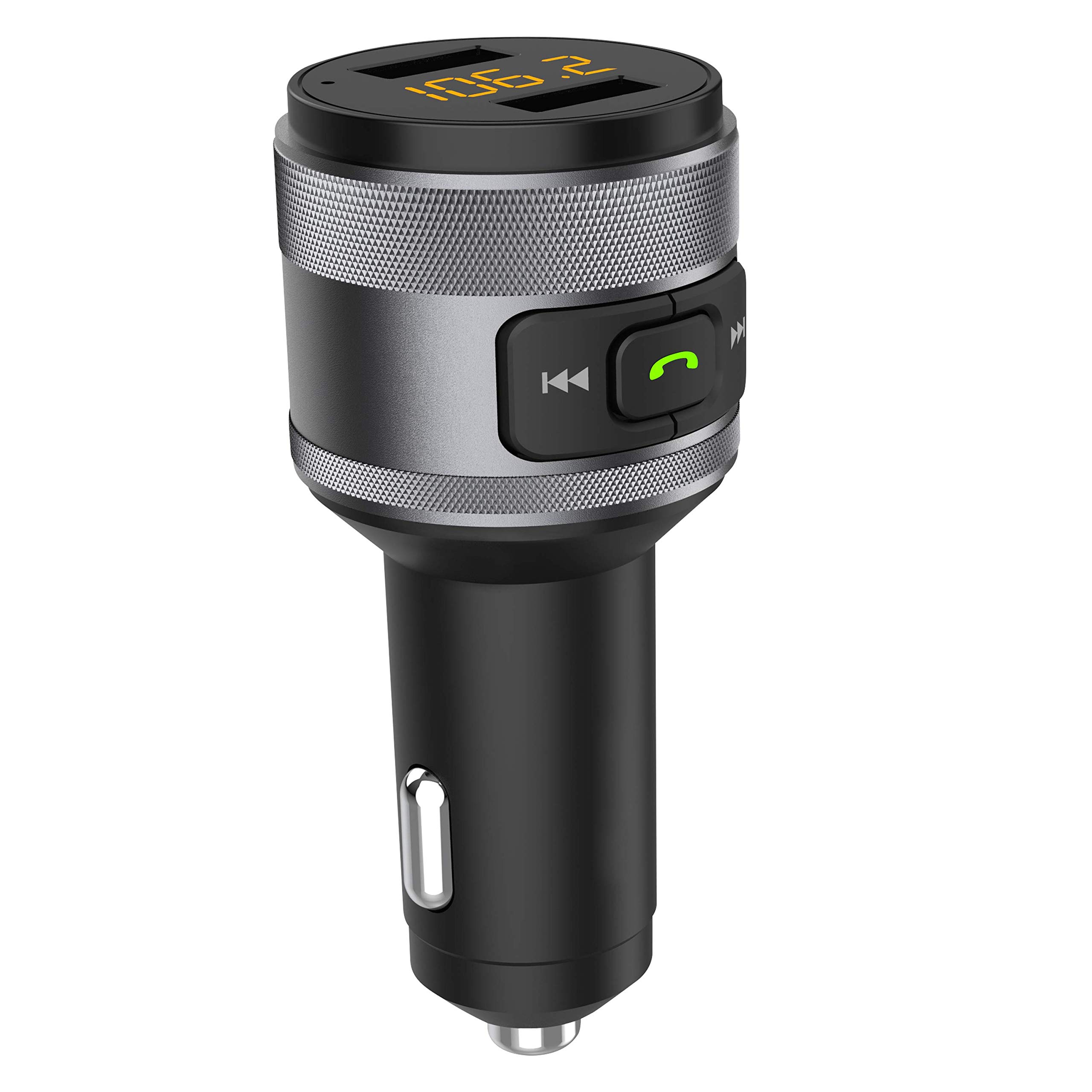
Малюнак 1: Volkano Piston Series VK-3039-BK Bluetooth Hands-Free Car Kit. This image shows the device from a slightly angled front view, highlighting the LED display, control buttons, and dual USB charging ports at the top, and the 12V car adapter plug at the bottom.
Асноўныя характарыстыкі:
- Durable metal housing for enhanced stability.
- Supports Quick Charge 3.0 (QC3) for rapid device charging.
- Integrated LED display for real-time information.
- Dual USB charging ports for simultaneous charging of two devices.
- USB input for music playback.
- Злучэнне Bluetooth для званкоў без рук і струменевага аўдыя.
3. Настройка
3.1 Ўстаноўка прылады
- Insert the Volkano Piston Series Car Kit into your vehicle's 12V power socket (cigarette lighter port).
- The LED display will illuminate, indicating the device is powered on.
3.2 Спалучэнне па Bluetooth
- На мабільнай прыладзе ўключыце Bluetooth.
- Пошук available Bluetooth devices and select "VK-3039-BK" (or similar name) from the list.
- Once paired, the device will confirm the connection, and you can begin streaming audio.
3.3 FM Frequency Tuning
- Tune your car's FM radio to an unused frequency (one with static or no broadcast).
- Adjust the FM frequency on the Volkano Piston Series Car Kit to match your car's radio frequency. Refer to the device's controls for frequency adjustment (typically buttons or a dial).
- Once matched, audio from your paired Bluetooth device or USB drive will play through your car's speakers.
4. Інструкцыя па эксплуатацыі
4.1 Прайграванне музыкі
- Паток Bluetooth: After successful Bluetooth pairing, play music on your mobile device. The audio will transmit to your car's speakers via the selected FM frequency.
- Прайграванне праз USB: Устаўце флэш-назапашвальнік USB з аўдыёфайламі MP3/WMA files into the designated USB input port. The device will automatically detect and play the music.
- элементы кіравання: Use the device's buttons to skip tracks forward/backward and pause/play music.
4.2 Званкі ў рэжыме гучнай сувязі
- Адказ на званкі: When a call comes in, press the designated call button (often indicated by a phone icon) on the device to answer.
- Завяршэнне выклікаў: Press the call button again to end the conversation.
- Адхіленне званкоў: Press and hold the call button to reject an incoming call.
- Паўторны набор: Double-press the call button to redial the last number.
4.3 Зарадка прылады
- Connect your device's charging cable to one of the USB charging ports on the car kit.
- The device supports Quick Charge 3.0 for compatible devices, providing faster charging speeds.
- The dual charging ports allow two devices to be charged simultaneously.
5. Тэхнічнае абслугоўванне
- Працірайце прыладу мяккай сухой тканінай. Не выкарыстоўвайце абразіўныя ачышчальнікі або растваральнікі.
- Ensure the 12V power socket and USB ports are free from dust and debris.
- Захоўвайце прыладу ў прахалодным, сухім месцы, калі яна не выкарыстоўваецца працяглы час.
6. Выпраўленне непаладак
| праблема | Магчымая прычына | Рашэнне |
|---|---|---|
| Няма харчавання прылады. | Not properly inserted into 12V socket; vehicle power off. | Ensure the car kit is fully inserted. Check if the vehicle's ignition is on. |
| Немагчыма падключыцца праз Bluetooth. | Bluetooth not enabled on mobile device; device too far; incorrect pairing mode. | Ensure Bluetooth is active on your phone. Move closer to the car kit. Restart both devices and try pairing again. |
| Audio interference/static. | Перашкоды FM-частоты; слабы сігнал. | Find a clearer, unused FM frequency on your car radio and match it on the car kit. Avoid frequencies used by strong local radio stations. |
| Slow charging or no charging. | Cable issue; device not compatible with Quick Charge 3.0; dirty USB port. | Try a different USB cable. Ensure your device supports QC3 for fast charging. Clean the USB ports. |
7. Тэхнічныя характарыстыкі
| мадэль | ВК-3039-БК |
| Марка | Вулкан |
| Тэхналогія падлучэння | Bluetooth |
| Асаблівасці | Fast Charging (Quick Charge 3.0), LED Display, Dual USB Ports |
| Матэрыял | Метал |
| Вага прадмета | 100 г |
| Памеры прадукту | 21 Д х 10.3 Ш х 7 У сантыметраў |
| Крыніца харчавання | Corded Electric (12V Car Socket) |
8. Гарантыя і падтрымка
The Volkano Piston Series VK-3039-BK is covered by a 1-year limited warranty. You can extend this coverage by an additional 12 months, for a total of 24 months, by registering your product.
For product support or warranty inquiries, please contact Volkano customer service via their official channels. Refer to the Volkano brand page on Amazon for contact information.