
1. Уводзіны
The LAUNCH CRP123XV2.0 is an advanced OBD2 diagnostic tool designed to assist in comprehensive vehicle diagnosis and maintenance. This 2025 upgraded model offers enhanced features, including 4-system diagnosis (Engine, Transmission, ABS, SRS) and 7 essential reset functions. Equipped with an Android 8.1 operating system, a 5-inch touchscreen, and a robust 6100mAh battery, it provides a user-friendly and efficient experience for both professional technicians and car enthusiasts. This manual provides detailed instructions for the proper use and care of your device.

Figure 1: LAUNCH CRP123XV2.0 Diagnostic Tool Overview
2. Настройка
2.1. Распакоўка і першапачатковая аплата
Upon receiving your LAUNCH CRP123XV2.0, carefully unbox all components. It is recommended to fully charge the device before its first use. Connect the provided charging cable to the device and a suitable power source. The 6100mAh battery ensures extended operation.
2.2. Уключэнне і выбар мовы
Press and hold the power button to turn on the device. Follow the on-screen prompts to select your preferred language. The device supports multiple languages.
2.3. Wi-Fi Connection and Software Update
Connect the device to a stable Wi-Fi network. This is crucial for receiving lifetime free software updates, which frequently add new vehicle models and functions. Navigate to the 'Upgrade' section in the main menu to check for and install available updates. Regular updates ensure optimal performance and compatibility.
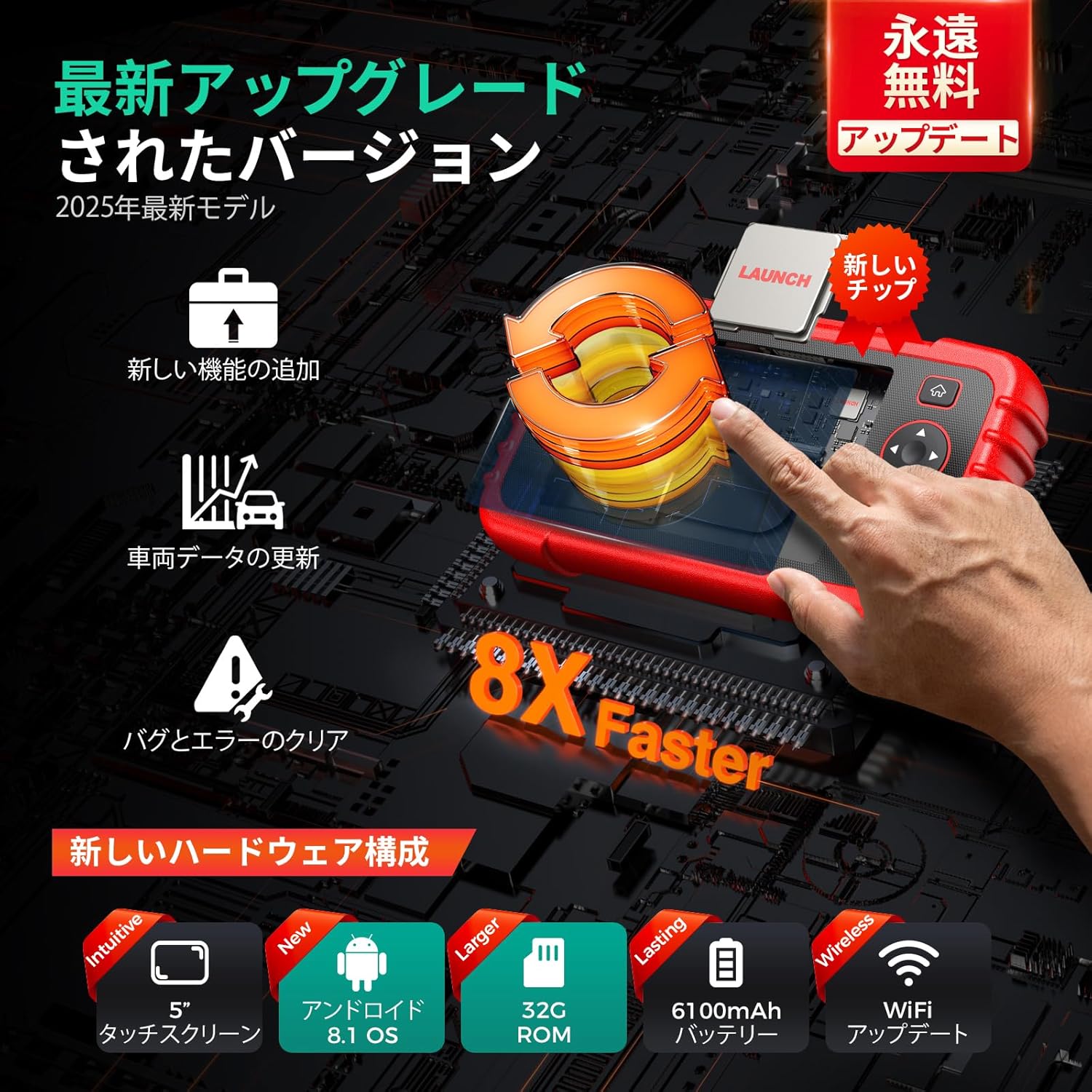
Figure 2: Hardware Upgrades and Wireless Update Capability
2.4. Падлучэнне аўтамабіля
Locate the OBD2 port in your vehicle (typically under the dashboard). Connect the diagnostic tool's cable to the vehicle's OBD2 port. Ensure a secure connection before proceeding with any diagnostic operations.
3. Інструкцыя па эксплуатацыі
3.1. 4-System Diagnosis
The CRP123XV2.0 provides in-depth diagnosis for four critical vehicle systems: Engine, Transmission, Anti-lock Braking System (ABS), and Supplemental Restraint System (SRS/Airbag). When a warning light illuminates, use this function to:
- Read DTCs (Diagnostic Trouble Codes): Identify the specific fault codes causing the issue.
- Ачысціць коды няспраўнасцяў: Erase fault codes after repairs are completed, turning off warning lights.
- View Жывыя даныя: Monitor real-time parameters from the selected system.

Figure 3: 4-System Diagnostic Capabilities
4.2.6 Функцыі скіду
The device includes 7 commonly used maintenance reset functions:
- Скід алею: Скідае сістэму тэрміну службы алею пасля замены алею.
- Скід SAS (датчык вугла павароту руля): Калібруе датчык вугла павароту руля.
- Скід BMS (сістэма кіравання батарэяй): Registers a new battery to the ECU.
- Brake Reset (EPB Electronic Parking Brake): Resets the electronic parking brake pads after replacement.
- Рэгенерацыя DPF (фільтр часціц): Initiates the DPF regeneration process.
- Крывацёк з АБС: Performs ABS bleeding to restore brake sensitivity.
- Супастаўленне дросельнай засланкі: Перавызначае становішча дросельнай засланкі.

Малюнак 4: Закончанаview of 7 Reset Functions
3.3. Live Data Stream Display
Monitor various real-time vehicle parameters such as oil temperature, pressure, transmission temperature, engine RPM, and coolant temperature. The device can display data in a single multi-graph or merge up to four PIDs (Parameter IDs) for comparative analysis, helping to pinpoint anomalies.

Figure 5: Live Data Stream with 4-in-1 Graph
3.4. DTC Code Definition
The built-in DTC library provides detailed explanations for diagnostic trouble codes, allowing you to understand the meaning of each code without needing external resources.
3.5. Vehicle Health Report
Generate a comprehensive vehicle health report automatically. This report can be recorded, played back for further analysis, shared via email, or printed from a computer. It provides a clear overview of the vehicle's status.

Figure 6: Diagnostic Report Generation and Sharing
3.6. Батарэя Voltagе тэст
Кантралюйце ўзровень зарада акумулятара аўтамабіляtage in real-time. The device displays the voltage both graphically and numerically, providing insight into the battery's health.
3.7. FCA AutoAuth
The CRP123XV2.0 supports FCA AutoAuth, enabling diagnosis of 2018 and newer FCA SGW (Security Gateway) equipped vehicles.
4. Тэхнічнае абслугоўванне
4.1. Ачыстка прылады
Выкарыстоўвайце мяккі, damp cloth to clean the device's exterior. Avoid using abrasive cleaners or solvents that could damage the screen or casing. Keep the OBD2 connector free from dust and debris.
4.2. Абнаўленне праграмнага забеспячэння
Regularly check for and install software updates via Wi-Fi. These updates provide new features, bug fixes, and expanded vehicle compatibility. Navigate to the 'Upgrade' section on the main menu to perform updates.
4.3. Сыход за батарэяй
Каб падоўжыць тэрмін службы батарэі, пазбягайце частай поўнай разрадкі прылады. Захоўвайце прыладу ў прахалодным, сухім месцы, калі яна не выкарыстоўваецца. Пры працяглым захоўванні пераканайцеся, што батарэя зараджана прыкладна на 50-70%.
4.4. Захоўванне
Store the diagnostic tool in its protective carrying case to prevent damage from impacts or environmental factors. Keep it away from extreme temperatures and direct sunlight.
5. Выпраўленне непаладак
5.1. Прылада не ўключаецца
- Пераканайцеся, што прылада цалкам зараджана.
- Праверце, ці правільна націснута і ўтрымліваецца кнопка харчавання.
5.2. Connection Issues with Vehicle
- Check that the OBD2 cable is securely connected to both the device and the vehicle's OBD2 port.
- Пераканайцеся, што запальванне аўтамабіля знаходзіцца ў становішчы ON (рухавік выключаны або працуе, у залежнасці ад праверкі).
- Confirm your vehicle is OBD2 compliant (most vehicles manufactured after 1996 are).
- Note: Some specific vehicle models, such as Daihatsu, may not be supported. Refer to the product specifications for compatible brands.
5.3. Update Failures
- Забяспечце стабільнае і моцнае злучэнне Wi-Fi.
- Check for sufficient storage space on the device.
- Restart the device and attempt the update again.
5.4. Incorrect Language Display
If the language display is incorrect or appears to be a poor translation, navigate to the settings menu to re-select the desired language. While efforts are made for accurate translations, minor discrepancies may occur.
5.5. General Issues and Technical Support
For any other issues or detailed assistance, utilize the 'Online Feedback' feature on the device or contact the seller directly. Providing detailed information about the problem will help in receiving a prompt and appropriate solution.

Figure 7: Support and Troubleshooting Resources
6. Тэхнічныя характарыстыкі
| Асаблівасць | Апісанне |
|---|---|
| мадэль | CRP123XV2.0 |
| Аперацыйная сістэма | Android 8.1 |
| Працэсар | New, faster processor |
| Памяць | 32 ГБ ПЗУ |
| Дысплей | 5-inch Touchscreen (720P) |
| акумулятар | 6100mAh Rechargeable Lithium-ion |
| Сувязь | Бесправадны WiFi |
| Пакрыццё аўтамабіля | 1996-2025 models, 80+ brands (Universal Fit) |
| Памеры | 25.3 х 18.7 х 8.2 см |
| Вага | 1.06 кг |
| UPC | 680666201616 |

Figure 8: Model Comparison and Upgrades
7. Гарантыя і падтрымка
7.1. Гарантыя якасці
The LAUNCH CRP123XV2.0 comes with a one-year quality guarantee. In the event of any quality-related issues within this period, free replacement or repair services will be provided.
7.2. Lifetime Free Software Updates
Enjoy lifetime free software updates for your device. These updates ensure your tool remains current with the latest vehicle models and diagnostic technologies. Connect to Wi-Fi regularly to download and install updates.
7.3. Тэхнічная падтрымка
For any questions or concerns regarding the product, please contact the seller directly. The device also features an 'Online Feedback' function, allowing you to submit issues and receive appropriate solutions.