
LAUNCH CRP123X V2.0
LAUNCH OBD2 Scanner CRP123X V2.0 User Manual
Model: CRP123X V2.0
1. Прадукт скончыўсяview
The LAUNCH CRP123X V2.0 is an advanced OBD2 diagnostic scan tool designed for comprehensive vehicle system analysis. It provides robust diagnostic capabilities for Engine, ABS, SRS, and Transmission systems, along with various reset functions and full OBD2 modes. This manual provides detailed instructions for its proper use and maintenance.
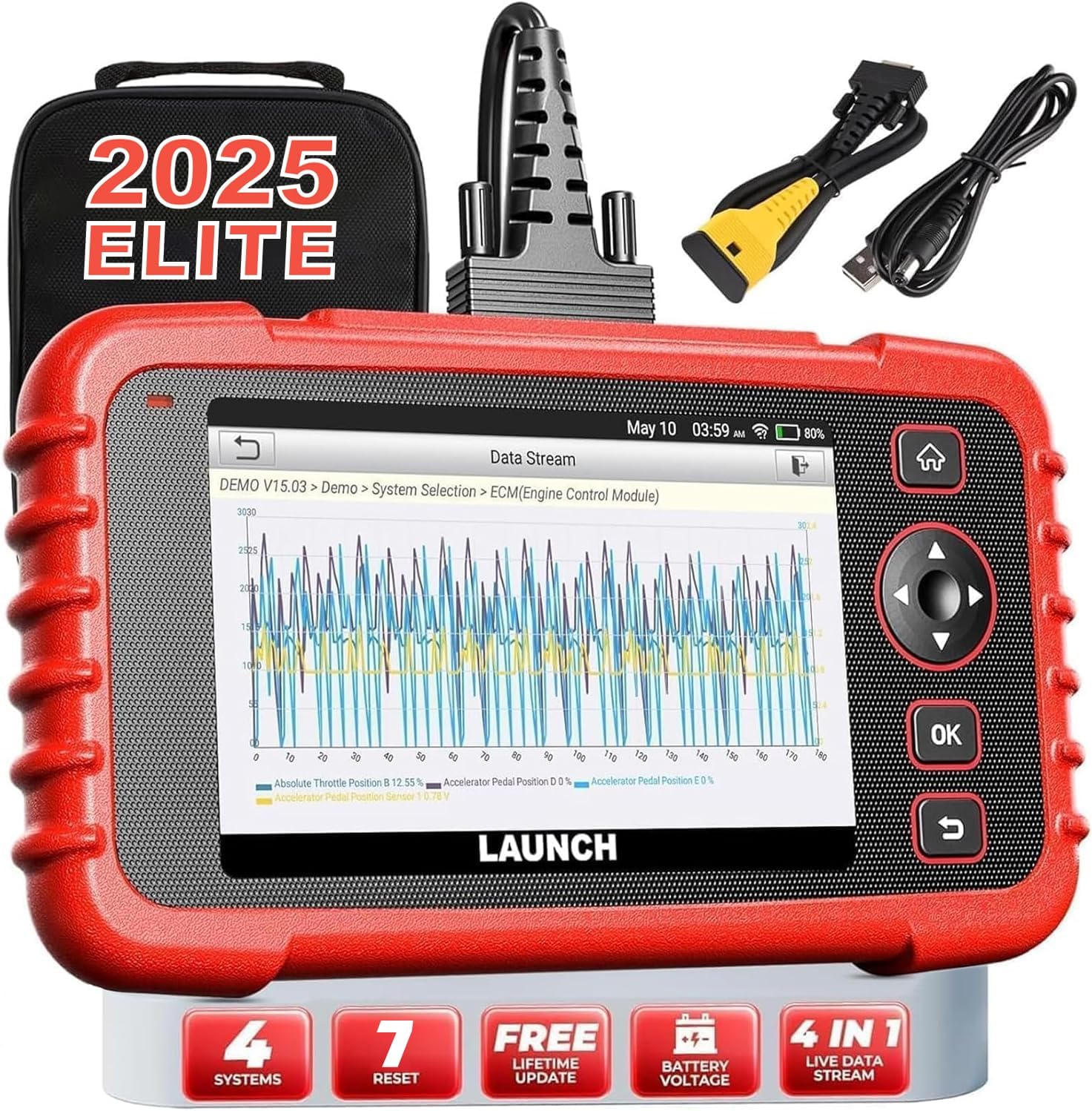
Image: The LAUNCH CRP123X V2.0 diagnostic tool, showcasing its compact design, touchscreen display, and included accessories like the carrying case and diagnostic cables.
2. Настройка
2.1 Змест пакета
Перад пачаткам пераканайцеся, што ўсе прадметы прысутнічаюць у камплекце:
- LAUNCH CRP123X V2.0 Diagnostic Scanner
- Дыягнастычны кабель OBD II
- Зарадны кабель (USB)
- Кіраўніцтва карыстальніка (гэты дакумент)
- Сумка для пераноскі

Image: A visual representation of the LAUNCH CRP123X V2.0 package contents, including the diagnostic tool, cables, and carrying bag.
2.2 Пачатковая налада
Follow these steps to prepare your scanner for first use:
- Зарадзіць прыладу: Connect the scanner to a power source using the provided charging cable. Ensure the device is fully charged before initial use.
- Уключэнне: Націсніце і ўтрымлівайце кнопку харчавання, каб уключыць прыладу.
- Налады мовы і часу: Follow the on-screen prompts to select your preferred language, time zone, and other initial settings.
- Падключыцеся да Wi-Fi: Navigate to the 'Settings' menu, select 'Network', and connect to an available Wi-Fi network. This is crucial for software updates.
- Абнаўленне праграмнага забеспячэння: After connecting to Wi-Fi, go to the 'Upgrade' section and download any available software updates. Regular updates ensure compatibility with the latest vehicle models and diagnostic features.

Image: A step-by-step guide illustrating how to connect the scanner to the OBD2 port, start the engine, and begin diagnosis.
3. Інструкцыя па эксплуатацыі
3.1 Падключэнне да аўтамабіля
To begin diagnostics, locate your vehicle's OBD2 port (typically under the dashboard on the driver's side). Plug the diagnostic cable into the OBD2 port and then connect the other end to the LAUNCH CRP123X V2.0 scanner. Turn the vehicle's ignition to the ON position (engine off or running, depending on the test).
3.2 System Diagnostics (Engine, ABS, SRS, Transmission)
The CRP123X V2.0 specializes in diagnosing four core vehicle systems:
- Сістэма рухавіка: Reads and clears engine fault codes, turns off the Check Engine Light (MIL), views live data, and performs O2 sensor tests.
- Антыблакіровачная сістэма тармазоў (ABS): Diagnoses ABS system issues, reads and clears ABS fault codes, and views live data streams related to braking.
- Supplemental Restraint System (SRS/Airbag): Detects and clears fault codes related to the airbag system, ensuring proper functionality of safety components.
- Сістэма перадачы: Accesses transmission control module information, reads and clears transmission fault codes, and displays live data for transmission performance.

Image: An illustration highlighting the four main systems (ABS, Engine, SRS, Transmission) that the CRP123X V2.0 can diagnose, showing its ability to read and clear fault codes quickly.
3.3 Поўныя функцыі OBD2
The tool supports all 10 modes of OBD2 testing for comprehensive emissions-related diagnostics:
- Чытаць коды
- Сцерці коды
- I/M Гатоўнасць
- Паток дадзеных
- View Стоп-кадр
- Тэст датчыка O2
- Тэст бартавога манітора
- Тэст сістэмы EVAP
- Інфармацыя аб транспартным сродку
- Пошук DTC

Image: Icons representing the complete suite of OBD2 functions available on the scanner, designed to assist in self-diagnosis.
3.4 Функцыі гарачага скіду
The CRP123X V2.0 includes several commonly used reset functions:
- Скід алею
- Скід датчыка вугла павароту руля (SAS)
- ETC (Electronic Throttle Control) Reset
- АБС Крывацёк
- Скід тармазоў
- D.P.F (Diesel Particulate Filter) Regeneration
- Скід BMS (сістэмы кіравання батарэямі)

Image: Visuals depicting the seven hot reset functions, such as ABS Bleeding, BMS Reset, Brake Reset, ETC Reset, D.P.F Regeneration, Oil Reset, and SAS Reset.
4. Тэхнічнае абслугоўванне і догляд
- Уборка: Выкарыстоўвайце мяккі, damp тканінай для чысткі вонкавай паверхні сканера. Пазбягайце выкарыстання абразіўных ачышчальнікаў або растваральнікаў.
- захоўванне: Store the device in its original carrying bag in a dry, cool environment, away from direct sunlight and extreme temperatures.
- Абнаўленні праграмнага забеспячэння: Regularly check for and install software updates via Wi-Fi to ensure optimal performance and compatibility with new vehicle models and diagnostic protocols.
- Сыход за батарэяй: For prolonged storage, ensure the battery is charged to approximately 50-70% to maintain battery health.
5. Ліквідацыю распаўсюджаных праблем
| праблема | Магчымая прычына | Рашэнне |
|---|---|---|
| Прылада не ўключаецца | Low battery; Loose connection to OBD2 port; Device malfunction | Charge the device; Ensure secure connection; Contact support |
| Unable to connect to vehicle | Faulty OBD2 cable; Incorrect vehicle ignition status; Vehicle not OBD2 compliant | Check cable integrity; Turn ignition to ON; Verify vehicle compatibility |
| Diagnostic report shows no codes | No active fault codes present; Incorrect system selected | This indicates no current issues; Ensure correct system is chosen for diagnosis |
| Праблемы з падключэннем да Wi-Fi | Incorrect password; Weak signal; Network interference | Re-enter password; Move closer to router; Check network settings |
6. Тэхнічныя характарыстыкі
| Асаблівасць | Дэталь |
|---|---|
| Марка | ЗАПУСК |
| мадэль | CRP123X версія 2.0 |
| Памеры прадукту | 11.72 см Д х 8.15 см Ш х 3.54 см В |
| Аперацыйная сістэма | Android |
| Аўтамабільны тып | Універсальная пасадка |
| Вага прадмета | 2.33 фунта |
| Батарэі | Патрабуецца 1 літый-іённы акумулятар |
7. Гарантыя і падтрымка
The LAUNCH CRP123X V2.0 comes with a lifetime free software update policy, ensuring your device remains current with the latest vehicle data and diagnostic capabilities without additional costs.
For further assistance, detailed information, or troubleshooting not covered in this manual, please refer to the official PDF documents:
You may also visit the official LAUNCH website or contact their customer support for direct assistance.