
1. Прадукт скончыўсяview
The myCharge HubMax HBLC10V is a portable power bank designed to charge various mobile devices. It features an internal 10050mAh battery, built-in Lightning and USB-C cables, and an integrated foldable wall plug for convenient recharging.

Image 1.1: The myCharge HubMax HBLC10V portable charger, showcasing its compact design with integrated Lightning and USB-C cables, and a foldable wall plug.
2. Змесціва ўпакоўкі
- myCharge HubMax HBLC10V Portable Charger
- Убудаваны Lightning Cable
- Убудаваны кабель USB-C
- Integrated Wall Plug
3. Усталёўка і першапачатковая зарадка
Before first use, it is recommended to fully charge your myCharge HubMax HBLC10V.
- Locate the Wall Plug: Extend the foldable wall prongs located on the side of the device.
- Падключэнне да сілкавання: Plug the device directly into a standard AC wall outlet.
- Зарадка манітора: The LED indicator lights on the device will illuminate to show the charging status. A full charge typically takes approximately 4.6 hours. All indicator lights will be solid when fully charged.
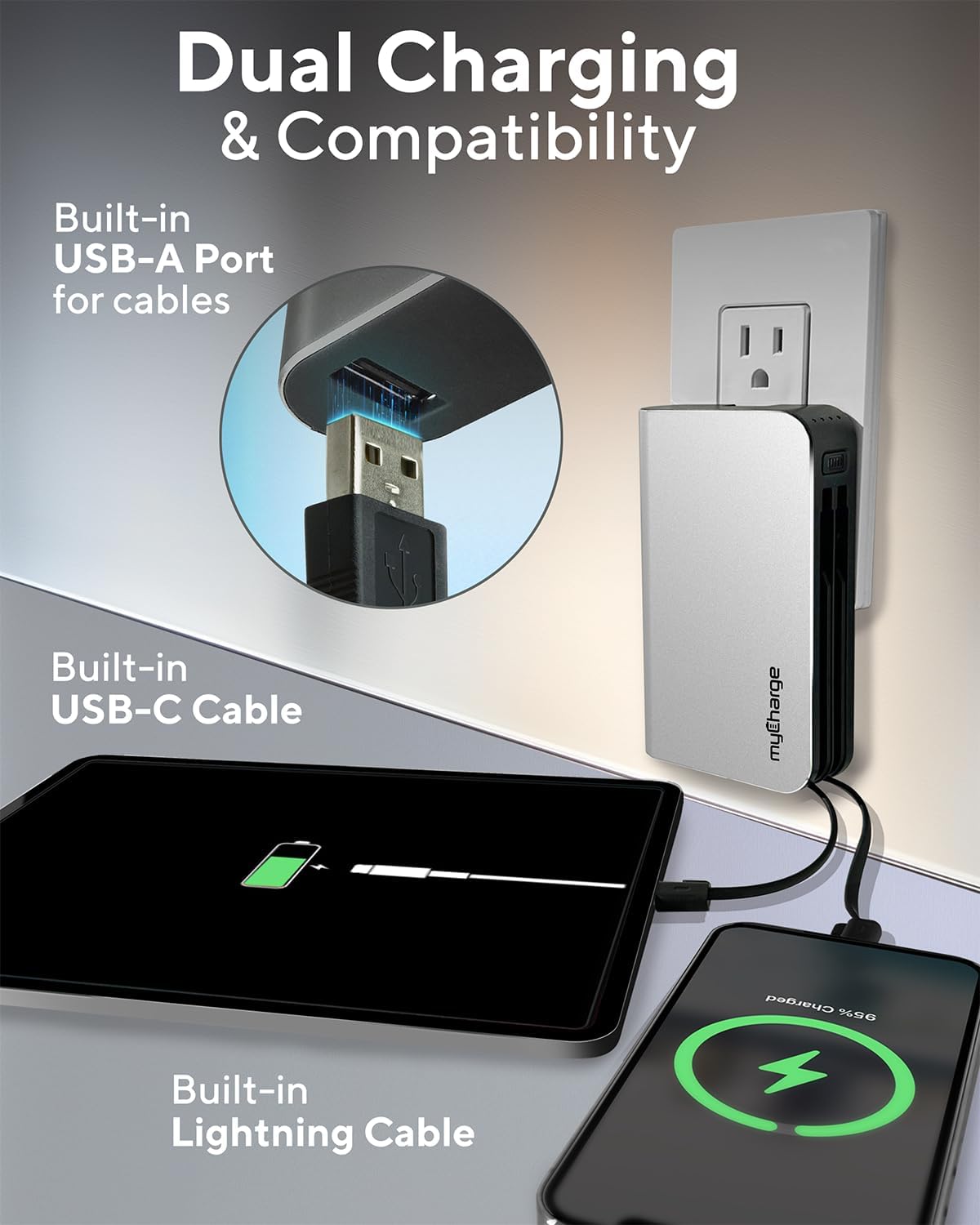
Image 3.1: The myCharge HubMax HBLC10V connected to a wall outlet for recharging, illustrating its integrated wall plug and multiple charging outputs.
4. Інструкцыя па эксплуатацыі
The myCharge HubMax HBLC10V allows you to charge up to three devices simultaneously.
4.1 Charging Devices with Built-in Cables
- Identify Cable: Select the appropriate built-in cable for your device (Lightning for Apple devices, USB-C for compatible Android and other devices).
- Падключыць прыладу: Plug the selected cable directly into your mobile device's charging port.
- Пачаць зарадку: The myCharge HubMax will automatically begin charging your device. The LED indicator lights will show the remaining battery level of the power bank.
4.2 Charging a Third Device via USB-A Port
For devices requiring a standard USB-A connection, use the integrated USB-A port.
- Connect Your Cable: Plug your device's USB-A charging cable (not included) into the USB-A port on the myCharge HubMax.
- Падключыць прыладу: Plug the other end of your cable into your mobile device.
- Пачаць зарадку: Зарадка пачнецца аўтаматычна.

Малюнак 4.1: Падрабязны view of the myCharge HubMax HBLC10V, emphasizing its all-in-one design with built-in wall prongs, Lightning and USB-C cables, and an additional USB-A port for charging up to three devices.
4.3 Fast Charging Capabilities
The HubMax supports Power Delivery and Quick Charge 3.0 via its USB-C cable, enabling faster charging for compatible devices. This can charge devices up to 2.4 times faster than standard chargers.
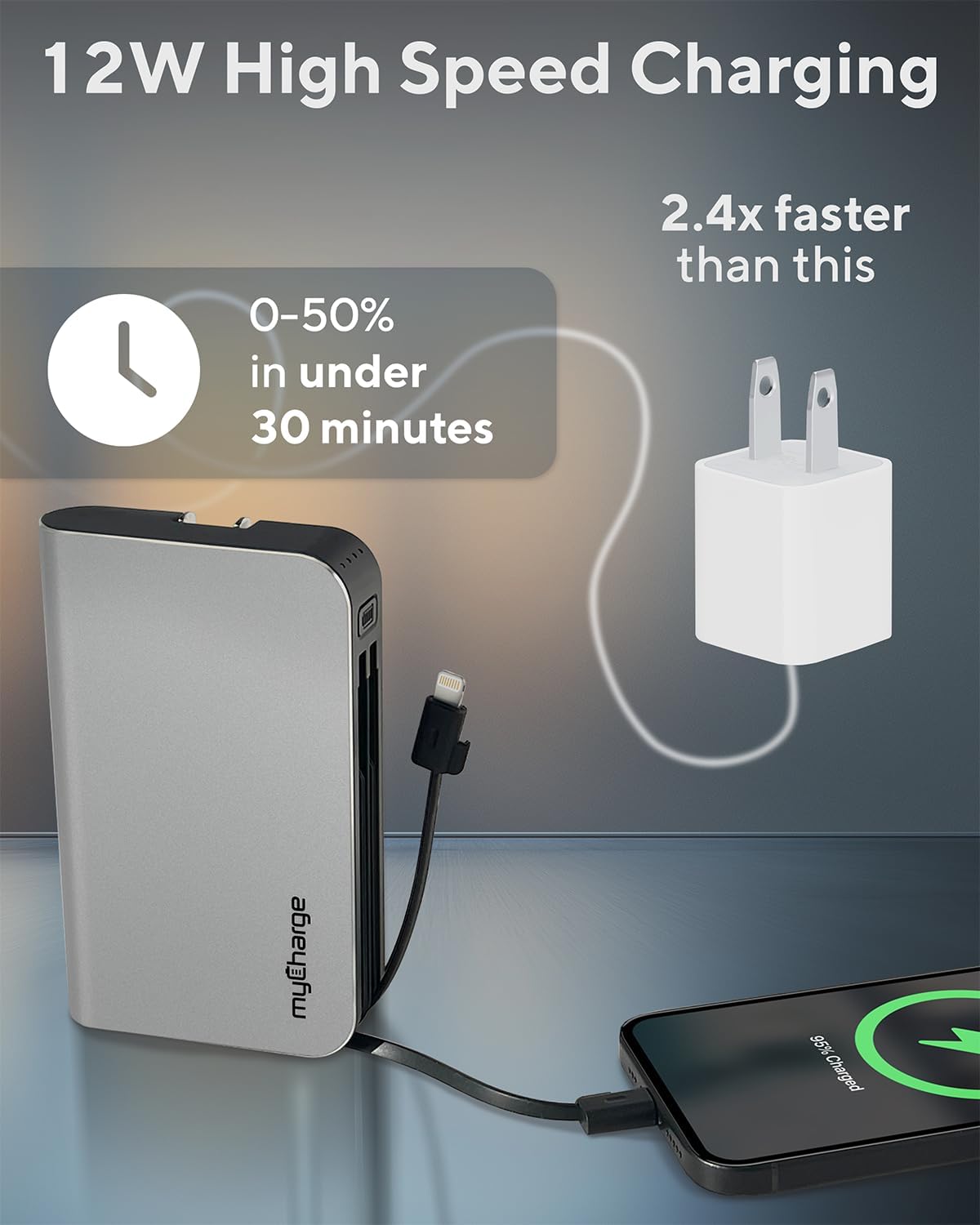
Image 4.2: The myCharge HubMax HBLC10V demonstrating its 12W high-speed charging capability, capable of charging a device from 0% to 50% in under 30 minutes.
5. Тэхнічнае абслугоўванне і догляд
- захоўванне: Захоўвайце знешні акумулятар у прахалодным, сухім месцы, удалечыні ад прамых сонечных прамянёў і экстрэмальных тэмператур.
- Уборка: Выкарыстоўвайце мяккую сухую тканіну для ачысткі вонкавага боку прылады. Пазбягайце выкарыстання агрэсіўных хімікатаў або абразіўных матэрыялаў.
- Апрацоўка: Handle the device with care. Avoid dropping it or subjecting it to strong impacts, as this can damage internal components and shorten its lifespan.
- Тэрмін службы батарэі: Для аптымальнага стану батарэі не разраджайце яе цалкам часта. Зараджайце яе, калі ўзровень зарада батарэі нізкі.
6. Выпраўленне непаладак
If you encounter issues with your myCharge HubMax HBLC10V, refer to the following common solutions:
- Прылада не зараджаецца:
- Ensure the myCharge HubMax itself is sufficiently charged. Check the LED indicators.
- Verify that the built-in cable or your external USB-A cable is securely connected to both the power bank and your device.
- Try a different device or cable to rule out issues with the connected device or cable.
- Павольная зарадка:
- Ensure your device supports fast charging protocols (Power Delivery, Quick Charge 3.0) to benefit from the HubMax's fast charging capabilities.
- Адначасовая зарадка некалькіх прылад можа знізіць хуткасць зарадкі асобных прылад.
- Check if the charging cable is damaged.
- Паўэрбанк не зараджаецца:
- Ensure the wall plug is fully extended and securely inserted into a working AC wall outlet.
- Паспрабуйце іншую разетку.
If problems persist, please contact myCharge customer support for further assistance.
7. Тэхнічныя характарыстыкі
| Асаблівасць | Дэталь |
|---|---|
| Нумар мадэлі | HBLC10V |
| Ёмістасць батарэі | 10050 мАг (літый-іённы) |
| Памеры прадукту | 2.8 х 0.9 х 4.6 цалі |
| Вага прадмета | 10.2 унцыі |
| Убудаваныя кабелі | Маланка, USB-C |
| Additional Port | USB-A |
| Час падзарадкі | Approx. 4.6 hours (via integrated wall plug) |
| Асаблівасці | Integrated Wall Plug, Fast Charging (PD, QC 3.0) |
| Вытворца | myCharge |
8. Гарантыя і падтрымка
myCharge products are typically covered by a manufacturer's warranty. For specific warranty details, registration, or to initiate a warranty claim, please refer to the official myCharge webсайт або звярніцеся непасрэдна ў службу падтрымкі кліентаў.
For technical assistance, troubleshooting not covered in this manual, or general inquiries, please visit the myCharge support page or contact their customer service department.
Note: Warranty terms and support availability may vary. Always refer to the latest information provided by the manufacturer.