
1. Уводзіны
The Norwii N29 is a multifunctional wireless presentation remote designed to enhance your presentations. It features a bright laser pointer, long control range, and customizable buttons for seamless navigation through slides, controlling volume, and managing hyperlinks. Its plug-and-play design ensures easy setup across various operating systems and presentation software.

Image 1.1: Norwii N29 Wireless Presentation Remote
2. Змесціва ўпакоўкі
Калі ласка, праверце ўпакоўку на наяўнасць наступных прадметаў:
- 1 x Norwii N29 Wireless Presenter
- 1 х USB-прыёмнік
- 1 х Кіраўніцтва карыстальніка
- 1 х сумка
3. Прадукт скончыўсяview
Familiarize yourself with the buttons and features of your Norwii N29 Wireless Presentation Remote:

Image 3.1: Detailed button functions of the Norwii N29 remote.
- Святлодыёдны індыкатар: Shows connection status and low power alert.
- Пераключальнік уключэння / выключэння харчавання: Located on the side to conserve battery.
- Павялічыць/паменшыць гучнасць: Side buttons for system volume control.
- Top Key (Square icon): Single click for Tab, Long press for Alt+Tab (switch windows). Double click to open hyperlinks.
- Page Up (Left Arrow): Single click for Page Up.
- Page Down (Right Arrow): Single click for Page Down.
- Laser Key (Yellow button): Activates the red laser pointer.
- Integrated USB Receiver: Stored securely in the tail of the presenter.

Image 3.2: The USB receiver is stored in the tail of the presenter for convenience.

Image 3.3: The bumped design on the 'Page Down' key allows for tactile navigation without looking.
4. Настройка
The Norwii N29 is a plug-and-play device, requiring no driver installation for basic functionality.
- Устаўце батарэю: Open the battery cover and insert one AAA battery (not included) into the presenter, ensuring correct polarity.
- Атрымаць USB-прыёмнік: Gently pull out the USB receiver from the tail of the presenter.
- Падключыцеся да кампутара: Plug the USB receiver into an available USB-A port on your computer (Laptop, Mac, Personal Computer).
- Уключэнне: Slide the Power On/Off switch on the side of the presenter to the 'ON' position.
- Гатовы да выкарыстання: Your computer should automatically detect the device. You are now ready to use the presenter.
For a visual guide on setup, please refer to the video below:
Video 4.1: Official Norwii N29 'How to Use' video, demonstrating initial setup and basic functions.
5. Інструкцыя па эксплуатацыі
5.1. Slide Navigation
- Націсніце Page Up (Left Arrow) key to move to the previous slide.
- Націсніце Page Down (Right Arrow) key to move to the next slide.
5.2. Лазерны паказальнік
- Націсніце і ўтрымлівайце Yellow Laser Key to activate the red laser pointer. Release to turn off.
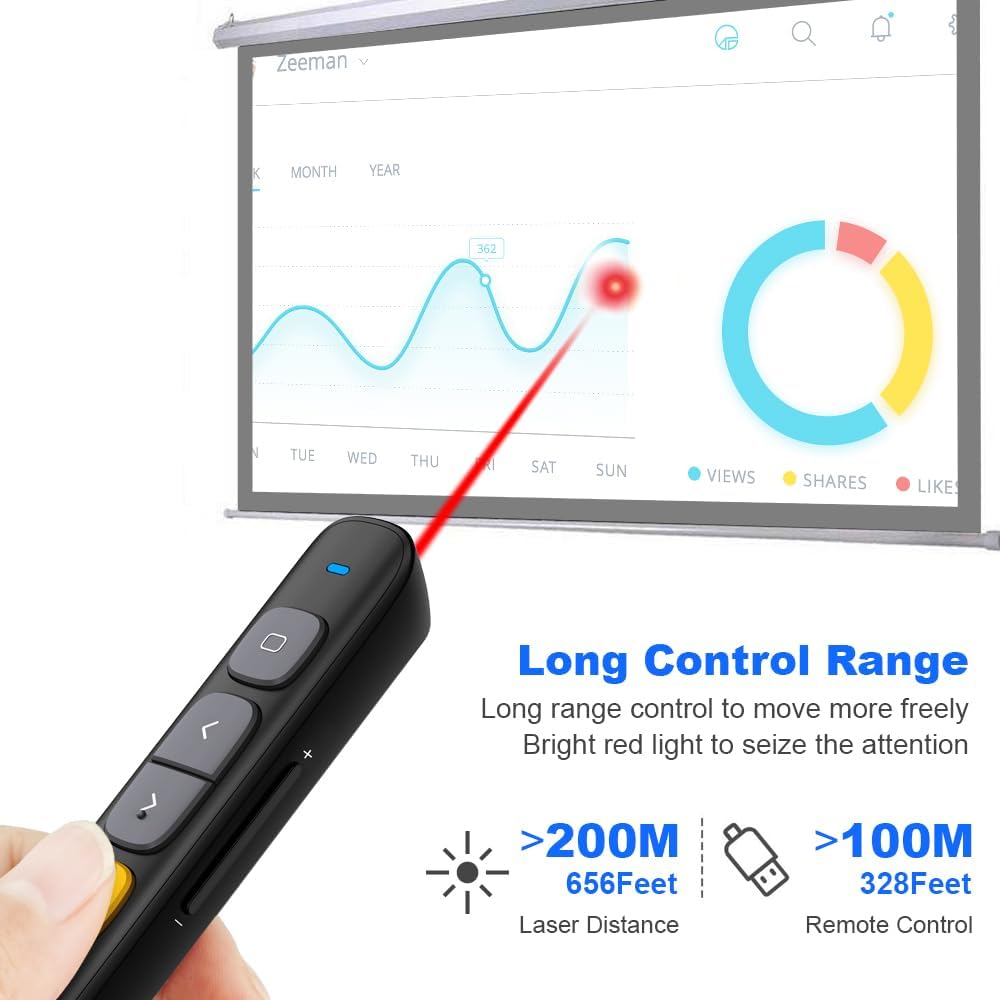
Image 5.1: The Norwii N29 offers a long control range for both the remote and the laser pointer.
5.3. Full Screen / Black Screen
- Поўны экран: Доўгі націск Page Up (Left Arrow) key to enter full screen mode in presentation software.
- Чорны экран: Доўгі націск Page Down (Right Arrow) key to turn the screen black during a presentation. Press any page turning key to exit black screen.
5.4. Hyperlink Control
- Select Hyperlink: Адзін клік Top Key (Square icon) to select a hyperlink on your slide. A dashed box will appear around the selected hyperlink.
- Open Hyperlink: Двойчы пстрыкніце Top Key (Square icon) to open the selected hyperlink.

Image 5.2: The top key allows for selection and activation of hyperlinks within presentations.
5.5. Рэгулятар гучнасці
- Доўгі націск Павелічэнне гучнасці (+) key on the side to increase system volume.
- Доўгі націск Volume Down (-) key on the side to decrease system volume.

Image 5.3: Side buttons provide convenient control over system volume.
5.6. Switching Active Windows
- Доўгі націск Top Key (Square icon) to switch between active windows (equivalent to Alt+Tab).
6. Modes Switching
The Norwii N29 supports three different modes for its page navigation keys, allowing compatibility with various presentation software. You can switch between these modes by long pressing the '<' and '>' keys simultaneously for 1-3 seconds. The device automatically remembers the last used mode.

Image 6.1: Visual representation of the three operating modes for page navigation.
- Mode 1: Up/Down Keys (Default) - Usually used in PowerPoint, Keynote.
- Mode 2: Left/Right Keys - Usually used in Prezi.
- Mode 3: PgUp/PgDn Keys - Usually used in browser or photo viewэр праграмнае забеспячэнне.
7. Наладжвальныя кнопкі
The Norwii N29 allows you to reprogram button functions using the Norwii Presenter software. This software can be downloaded from the official Norwii webсайт.
- Download and install the Norwii Presenter software.
- Ensure the USB receiver is plugged into your computer and the presenter is turned on.
- Open the Norwii Presenter software.
- Navigate to the 'Customize' tab.
- Select the key you wish to customize.
- Choose the desired function from the available options for short press, long press, or double click.
- Захавайце змены.

Image 7.1: Screenshot of the Norwii Presenter software interface for customizing key functions.
8. Сумяшчальнасць
The Norwii N29 Wireless Presentation Remote offers broad compatibility with various operating systems and presentation software.
8.1. Operating Systems
- вокны
- macOS
- Android
- Linux
8.2. Presentation Software
- PowerPoint
- Прэзі
- Асноўны даклад
- Слайды Google
- Propresenter
- MediaShout
- Word, Excel, ACD See, OneNote, Pages, Numbers, Photos (for PgUp/PgDn mode)

Image 8.1: The Norwii N29 is compatible with major operating systems and presentation applications.
9. Выпраўленне непаладак
If you encounter issues with your Norwii N29, please refer to the following common problems and solutions:

Image 9.1: Troubleshooting steps for common issues with the Norwii N29.
9.1. Weak Laser
- Ensure the battery has sufficient power. Replace if necessary.
- Note: Laser may appear weak on TV screens due to prohibitive regulations. For TV screens, consider Norwii N95s Pro or N97s models.
9.2. Short Control Range
- Пераканайцеся, што батарэя мае дастатковую магутнасць.
- An obstruction between the wireless presenter and the USB receiver may shorten the control distance. Ensure a clear line of sight or reduce distance.
9.3. Laser Works, But Page Turn Does Not Respond
- Ensure that the presentation window is the currently active window on your computer.
- Long press the '<' and '>' keys for 3 seconds to switch among the 3 or 4 working modes (Up & Down, Left & Right, Scroll, PgUp & PgDn). Ensure the correct mode is selected for your software.
- For the first time on macOS, set the keyboard type to ANSI after plugging the USB receiver into your computer.
If these steps do not resolve your issue, please contact technical support.
10. Тэхнічныя характарыстыкі
| Асаблівасць | Дэталь |
|---|---|
| Назва мадэлі | N29 |
| Тэхналогія падлучэння | Radio Frequency (2.4GHz RF) |
| Дыяпазон кантролю | Да 328 футаў (100 метраў) |
| Лазерная дыстанцыя | Да 656 футаў (200 метраў) |
| Тып лазера | Class II, Red |
| Выходная магутнасць | <1 мВт |
| Тып батарэі | 1 батарэя AAA (не ўваходзіць у камплект) |
| Памеры | 139.2 х 19.2 х 15.4 мм |
| Вага прадмета | 26.9 грам |
| Сумяшчальныя прылады | Laptop, Mac, Personal Computer |
| Асаблівасці | Reprogrammable buttons, Hyperlink & Volume Control, Integrated USB receiver storage, Bumped design for tactile feedback |
11. Гарантыя і падтрымка
11.1. Інфармацыя аб гарантыі
The Norwii N29 Wireless Presentation Remote comes with a Гарантыя 1 год з даты пакупкі. Гэтая гарантыя распаўсюджваецца на вытворчыя дэфекты і няспраўнасці пры нармальным выкарыстанні. Калі ласка, захавайце пацвярджэнне пакупкі для прэтэнзій па гарантыі.
11.2. Тэхнічная падтрымка
For technical assistance or further inquiries, please contact Norwii customer support. You can find contact information on the official Norwii webна сайце або праз вашага прадаўца.


