
TensCare B07S75CTN3
Кіраўніцтва карыстальніка для зняцця болю TensCare Perfect TENS Pain Aide
Model: B07S75CTN3
1. Уводзіны
The TensCare Perfect TENS Pain Aide is a Transcutaneous Electrical Nerve Stimulation (TENS) device designed to provide effective relief from various types of pain, including chronic, acute, and musculoskeletal conditions such as arthritis, back pain, hip pain, leg pain, arm pain, and sciatica. This manual provides essential information for the safe and effective use of your device.

Малюнак 1: Закончанаview of TENS technology benefits.
2. Важная інфармацыя па бяспецы
Please read all instructions carefully before using the TensCare Perfect TENS Pain Aide. Failure to follow these instructions could result in injury or damage to the device.
2.1 Contraindications and Warnings
- Do not use this device near any metal implants. This is a critical safety warning. Consult your doctor if you have metal implants.
- Do not use if you have a pacemaker or any other implanted electronic device.
- Do not use if you are pregnant or suspect you might be pregnant, unless advised by a medical professional.
- Do not use on areas of skin that are broken, infected, or have rashes.
- Do not use over the eyes, across the front of the neck, or directly over the heart.
- Consult a medical professional before use if you have epilepsy, heart disease, cancer, or any other serious medical condition.
- Заявы адносна харчовых дабавак не былі ацэнены FDA і не прызначаны для дыягностыкі, лячэння, вылечвання або прафілактыкі якіх-небудзь захворванняў або станаў здароўя. Гэта прылада не з'яўляецца харчовай дадаткам.
2.2 Агульныя меры засцярогі
- Захоўваць у месцах, недаступных дзецям.
- Не апускайце прыладу ў ваду ці іншыя вадкасці.
- Не выкарыстоўвайце падчас кіравання аўтамабілем або працы з цяжкімі механізмамі.
- Калі вы адчуваеце дыскамфорт або пабочныя рэакцыі, неадкладна спыніце выкарыстанне і звярніцеся да лекара.
3. Змесціва ўпакоўкі
Your TensCare Perfect TENS Pain Aide package should include the following items:
- 1 x Perfect TENS unit
- 1 x Set of 4 electrode pads
- 2 x Lead wires
- 1 х кіраўніцтва карыстальніка
- 2 батарэйкі AA (у камплекце)
- 1 х заціск для рамяня
- 1 x Soft storage pouch
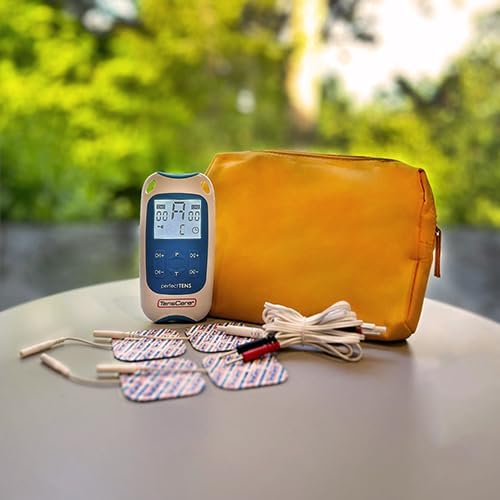
Figure 2: Contents of the Perfect TENS Pain Aide kit.
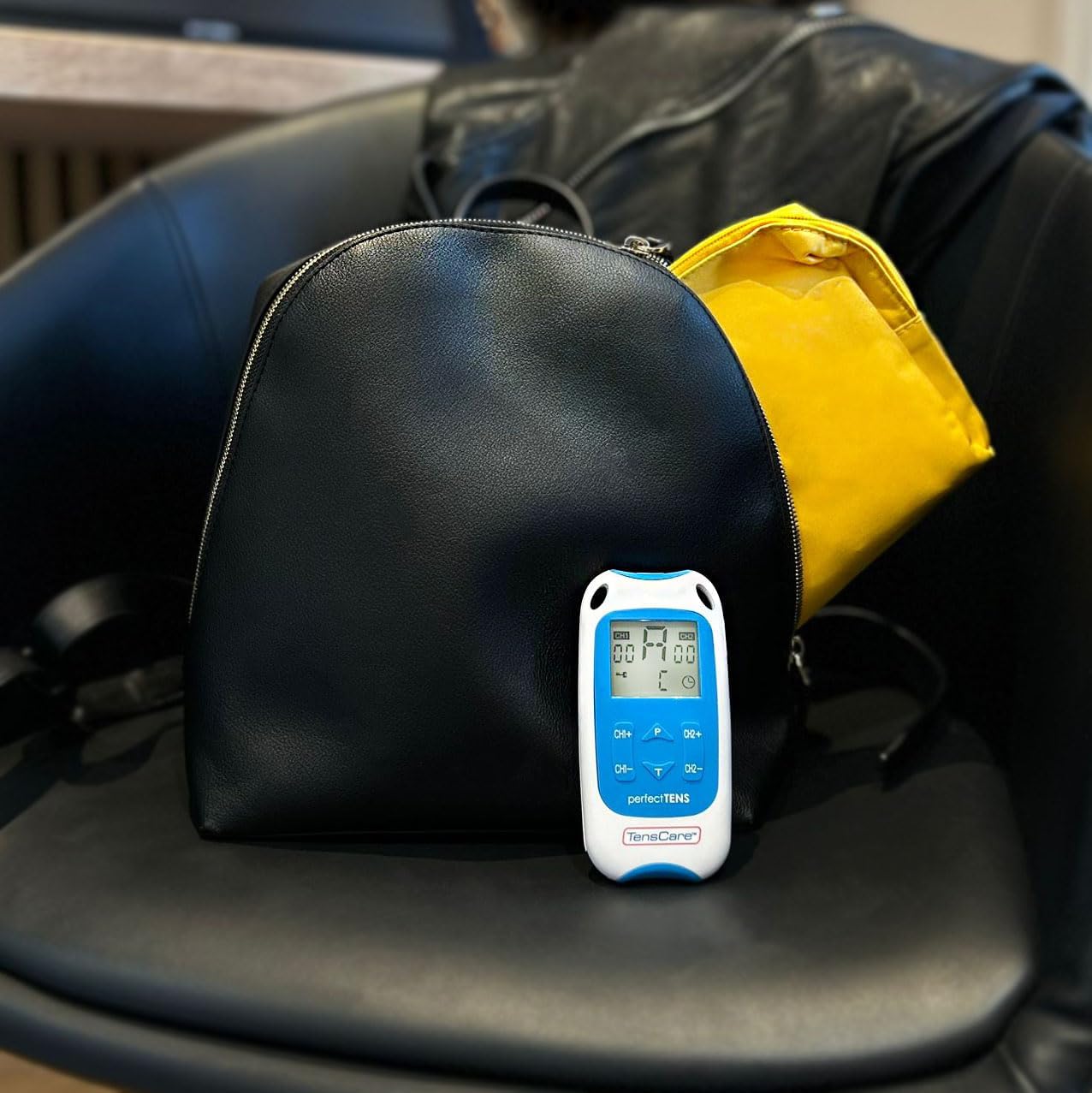
Figure 3: Perfect TENS unit with its soft storage pouch.
4. Прадукт скончыўсяview
The TensCare Perfect TENS Pain Aide is a compact and lightweight device designed for ease of use and portability. It features a clear digital display and intuitive controls.
4.1 Кампаненты прылады

Малюнак 4: Спераду view of the Perfect TENS unit.
- Лічбавай дысплей: Shows program number, intensity levels for Channel 1 (CH1) and Channel 2 (CH2), and remaining treatment time.
- Кнопка ON/OFF: Уключае або выключае прыладу.
- P Button (Program): Selects between the 8 preset programs and 1 manual program.
- T Button (Time): Карэктуе працягласць лячэння.
- CH1+/CH1- Buttons: Increase or decrease intensity for Channel 1.
- CH2+/CH2- Buttons: Increase or decrease intensity for Channel 2.
- Lead Wire Ports: Located at the top of the device for connecting electrode leads.
- Батарэйны адсек: Размешчаны на задняй панэлі прылады.
- Заціск для рамяня: Attached to the back for convenient portability.
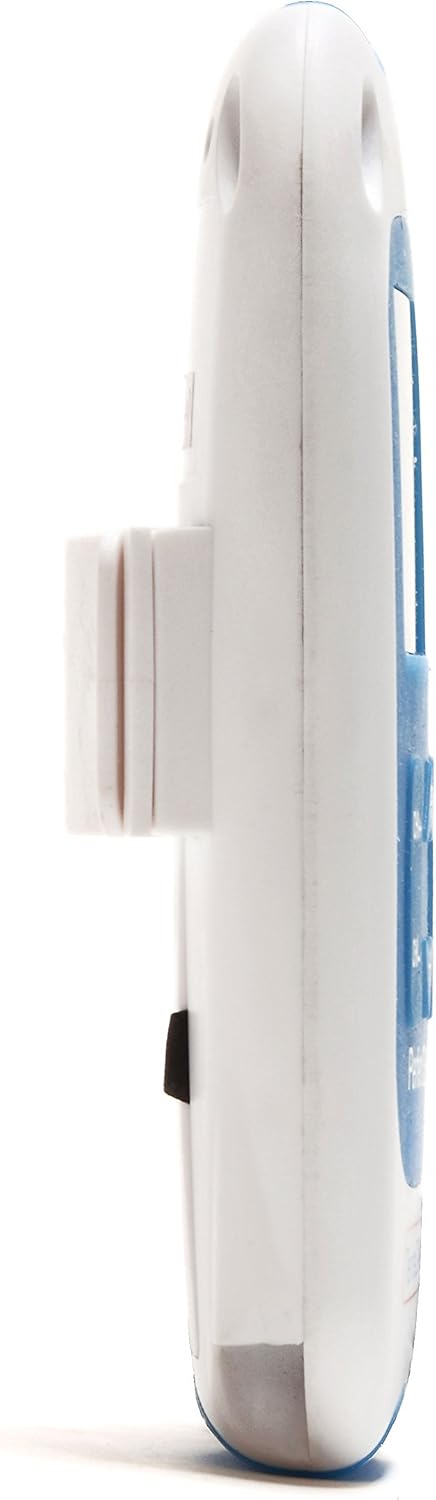
Малюнак 5: бок view showing the integrated belt clip.

Малюнак 6: Назад view прылады.

Figure 7: The Perfect TENS unit held in hand, illustrating its portable design.
5. Настройка
5.1 Устаноўка батарэі
- Адкрыйце крышку батарэйнага адсека на задняй панэлі прылады.
- Устаўце дзве батарэйкі тыпу АА, сачыце за правільнай палярнасцю (+/-).
- Надзейна зачыніце крышку батарэйнага адсека.
5.2 Connecting Lead Wires and Electrode Pads
- Insert the pin connectors of the lead wires into the ports at the top of the TENS unit.
- Connect the other end of the lead wires to the electrode pads. Ensure a secure connection.
- Peel the electrode pads from their protective backing.
- Apply the electrode pads firmly to clean, dry skin over the area requiring treatment. Ensure the pads are not touching each other.
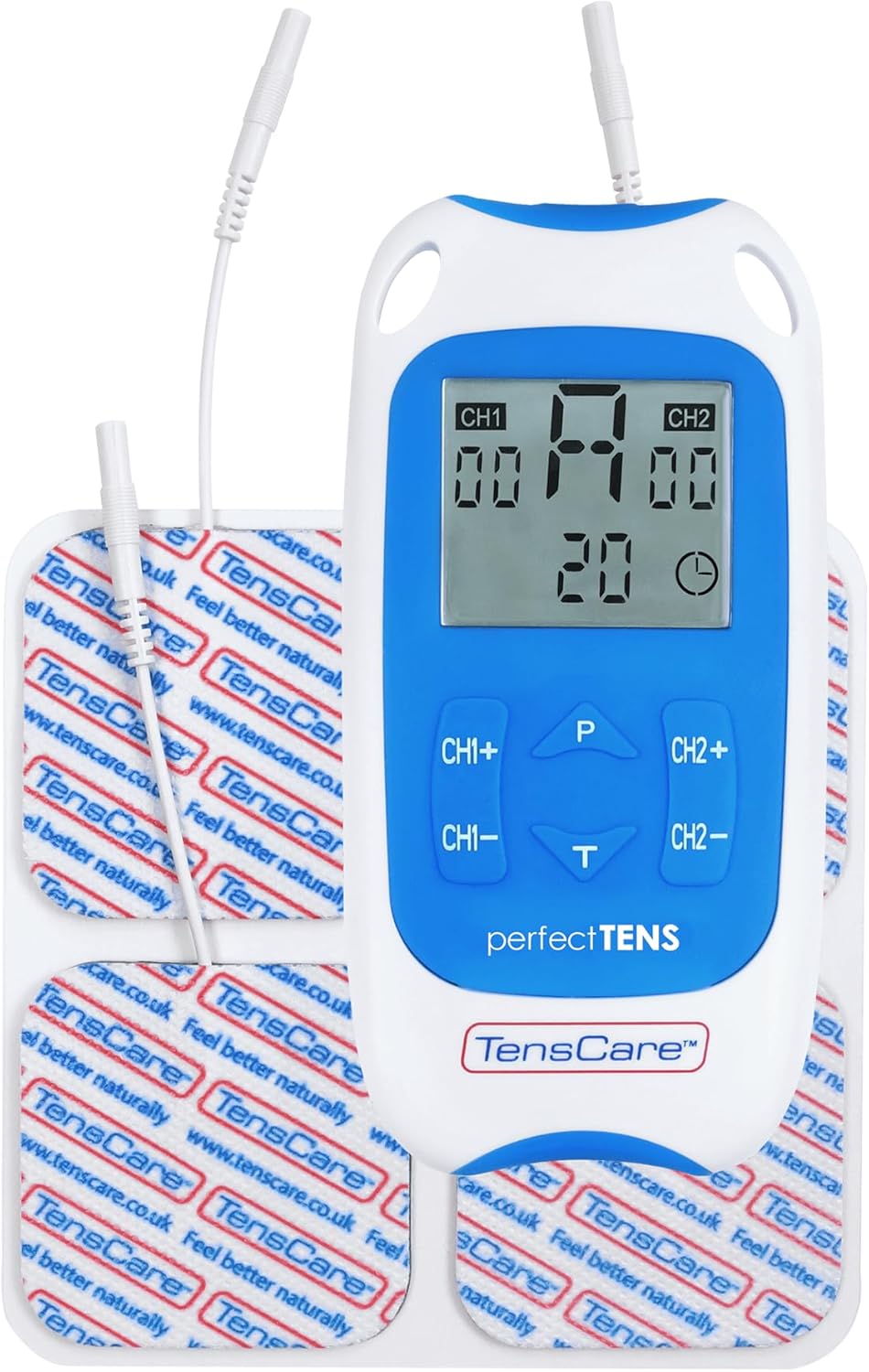
Figure 8: TENS unit with connected lead wires and electrode pads.
6. Інструкцыя па эксплуатацыі
6.1 Уключэнне і выключэнне
- Каб уключыць: націсніце кнопку ВКЛ/ВЫКЛ кнопка. Дысплей падсвяціцца.
- Каб выключыць: націсніце і ўтрымлівайце ВКЛ/ВЫКЛ кнопку, пакуль дысплей не выключыцца.
6.2 Выбар праграмы
The Perfect TENS offers 8 preset programs and 1 manual program. Press the P button to cycle through the available programs (P1-P8, then P9 for manual). The selected program number will be displayed.

Figure 9: The device features 9 programs for various pain relief needs.
6.3 Adjusting Intensity (Dual Channel)
The device features dual channels, allowing you to treat two different areas or use four pads for a larger area. Each channel's intensity can be adjusted independently.
- To increase intensity for Channel 1: Press the CH1+ кнопка.
- To decrease intensity for Channel 1: Press the CH1- кнопка.
- To increase intensity for Channel 2: Press the CH2+ кнопка.
- To decrease intensity for Channel 2: Press the CH2- кнопка.
- Adjust the intensity until you feel a strong, comfortable tingling sensation. Avoid increasing it to a painful level.

Figure 10: Dual-channel stimulation allows for treatment of multiple areas.

Малюнак 11: Выпample of dual-channel electrode placement for back pain.
6.4 Setting Treatment Time
Націсніце T button to adjust the treatment duration. Refer to the display for the selected time. Typical treatment sessions range from 20 to 60 minutes.

Figure 12: Personalized treatment options including adjustable intensity and time.
6.5 Understanding TENS Operation
TENS therapy works primarily through two mechanisms:
- Pain Gate Theory: High-frequency TENS stimulation activates nerve fibers that block pain signals from reaching the brain, effectively "closing the pain gate."
- Endorphin Release: Low-frequency TENS stimulation promotes the body's natural production of endorphins, which are natural pain-relieving chemicals.
Video 1: An animated explanation of how TENS therapy works, illustrating both the pain gate theory and endorphin release mechanisms.
6.6 Targeted Pain Relief Areas
The Perfect TENS is designed to provide relief for various pain types and body areas:
- Боль у сцягне
- Боль у калене
- Боль у локці
- Dental & Facial pain (TMJ)
- Back pain (Lumbago)
- Ішыяс
- Мігрэнь
- Артрыт
- Падэшвенны фасцыі
- Wrist pain (Carpal Tunnel Syndrome)

Figure 13: Target problem areas for TENS therapy.

Figure 14: Detailed list of pain types and body areas treatable with Perfect TENS.

Figure 15: The device is effective for acute, chronic, and musculoskeletal pain.
7. Тэхнічнае абслугоўванне
7.1 Ачыстка прылады
- Працярыце прыладу мяккай, damp тканіна. Не выкарыстоўвайце абразіўныя ачышчальнікі і не апускайце ў ваду.
- Перад захоўваннем пераканайцеся, што прылада цалкам сухая.
7.2 Electrode Pad Care
- After each use, reattach the electrode pads to their protective backing.
- If pads lose their stickiness, gently wipe the adhesive surface with a damp cloth and allow to air dry. Replace pads when they no longer adhere well to the skin, as this can affect treatment effectiveness and comfort.
- Store pads in a sealed bag to prevent drying out.
7.3 Замена батарэі
- When the battery indicator on the display is low, replace both AA batteries.
- Always use new, high-quality AA batteries.
8. Выпраўленне непаладак
| праблема | Магчымая прычына | Рашэнне |
|---|---|---|
| Няма адчуванняў або слабыя адчуванні |
|
|
| Прылада не ўключаецца |
|
|
| Pads losing stickiness quickly |
|
|
9. Тэхнічныя характарыстыкі
- мадэль: Perfect TENS Pain Aide (B07S75CTN3)
- вытворца: TensCare
- Крыніца харчавання: 2 батарэйкі AA (у камплекце)
- Каналы: Dual independent channels
- праграмы: 8 preset, 1 manual
- Узроўні інтэнсіўнасці: 60 узроўняў
- Функцыя бяспекі: Выяўленне абрыву ланцуга
- Памеры: Прыкладна 7.95 х 5.98 х 1.61 цалі
- Вага: Approximately 11.57 ounces (with batteries)
- Дата першай даступнасці: 23 мая 2019 г
10. Гарантыя і падтрымка
For warranty information, technical support, or to purchase replacement parts (such as electrode pads or lead wires), please refer to the TensCare official webсайт або звярніцеся ў службу падтрымкі кліентаў. Захоўвайце пацвярджэнне пакупкі для прэтэнзій па гарантыі.
TensCare Contact Information: Please visit the official TensCare webсайт, каб атрымаць найбольш актуальную кантактную інфармацыю і рэсурсы падтрымкі.
Ask a question about this manual
Ask about setup, troubleshooting, compatibility, parts, safety, or missing instructions. Manuals+ will review the question and use this page’s manual context to help answer it.