
Уводзіны
This manual provides detailed instructions for the safe and efficient use of your Maxcom MM426 Dual SIM Mobile Phone. Designed for simplicity and ease of use, this GSM mobile phone features a 1.8-inch color display, Dual SIM capability, Bluetooth connectivity, and an essential SOS function for emergencies. Please read this manual thoroughly before operating your device.
Змест пакета
Пераканайцеся, што ў камплекце з вашым прадуктам ёсць усе наступныя рэчы:
- Maxcom MM426 Mobile Phone
- Акумулятар (літый-іённы)
- Зарадная прылада
- Кабель USB
- Зарадная падстаўка
- Кіраўніцтва карыстальніка
- Гарантыйны талон
Перадача тэлефонаview
Familiarize yourself with the key components of your Maxcom MM426 mobile phone.
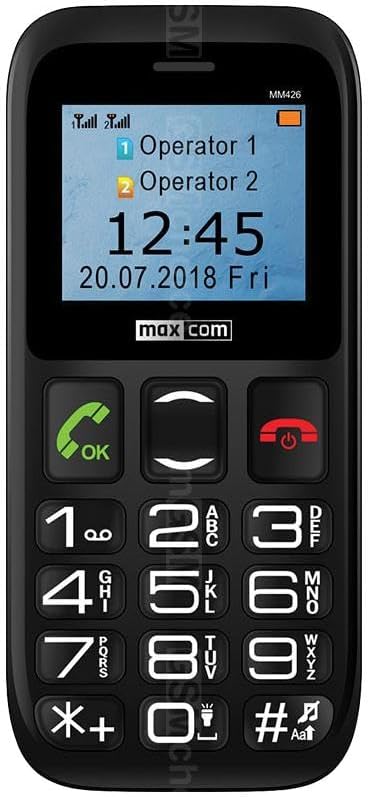
выява: Фронт view of the Maxcom MM426 mobile phone, showing its 1.8-inch color display and large, easy-to-read keypad with clearly marked buttons for calls, navigation, and numbers.
- Дысплей: 1.8-inch color LCD screen for clear visibility of menus, contacts, and messages.
- Клавіятура: Large, tactile buttons for easy dialing and navigation.
- Call/End Buttons: Dedicated buttons for initiating and ending calls.
- Клавішы навігацыі: For moving through menus and options.
- Кнопка SOS: Located on the back for emergency calls (see Special Features section).
- Гняздо для навушнікаў 3.5 мм: Для падлучэння навушнікаў.
Настройка
1. Устаноўка батарэі
- Акуратна зніміце заднюю крышку тэлефона.
- Insert the Lithium-ion battery into the battery compartment, ensuring the gold contacts align with the phone's terminals.
- Зачыніце заднюю крышку, пакуль яна надзейна не зашчоўкнецца.
2. SIM Card Installation (Dual SIM)
The Maxcom MM426 supports two SIM cards, allowing you to manage two different numbers simultaneously.
- Пасля вымання батарэі знайдзіце слоты для SIM-карт.
- Insert your SIM cards into the designated slots (SIM1 and SIM2) with the gold contacts facing down and the cut corner aligned as shown in the diagram (refer to the physical manual for diagram).
- Ensure the SIM cards are fully seated.
3. Усталёўка карты MicroSD (неабавязкова)
To expand storage for photos, music, or other files, you can install a MicroSD card (up to 32 GB, sold separately).
- Locate the MicroSD card slot, usually near the SIM card slots.
- Insert the MicroSD card into the slot until it clicks into place.
4. Зарадка тэлефона
Before first use, fully charge the phone's battery. Charging takes approximately 3 hours.
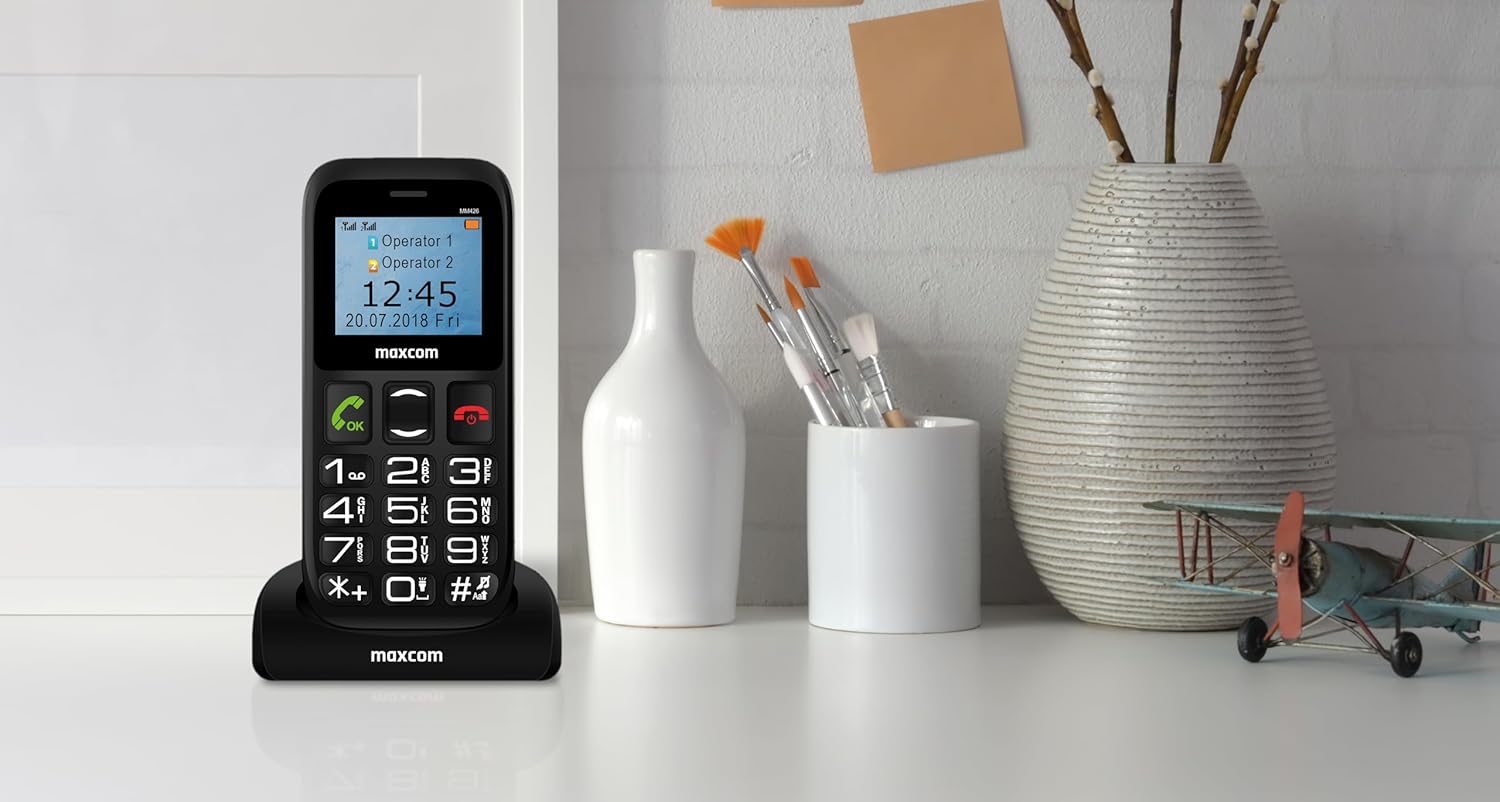
выява: The Maxcom MM426 mobile phone placed in its dedicated charging cradle, ready for charging. The phone's screen displays network and time information.
- Connect the USB cable to the charger and plug the charger into a power outlet.
- Place the phone into the charging cradle, ensuring it is properly seated. The charging indicator on the phone's screen should activate.
- Alternatively, you can connect the USB cable directly to the phone's charging port.
- Пасля поўнай зарадкі адключыце зарадная прылада.
Базавая аперацыя
1. Уключэнне/выключэнне харчавання
- Каб уключыць: Націсніце і ўтрымлівайце End Call/Power кнопку (чырвоную кнопку), пакуль не загарыцца экран.
- Каб выключыць: Націсніце і ўтрымлівайце End Call/Power button until the power-off options appear, then select "Power off".
2. Здзяйсненне званкоў
- Увядзіце нумар тэлефона з дапамогай клавіятуры.
- Націсніце Тэлефануйце кнопку (зялёную кнопку), каб пачаць званок.
- Каб завяршыць выклік, націсніце Завяршыць выклік кнопка.
- To call from contacts, navigate to the "Contacts" menu, select a contact, and press the Тэлефануйце кнопка.
3. Прыём званкоў
- When a call comes in, the phone will ring and display the caller's information.
- Націсніце Тэлефануйце кнопка (зялёная кнопка), каб адказаць.
- Націсніце Завяршыць выклік button (red button) to reject or end the call.
4. Адпраўка SMS-паведамленняў
- Go to the "Messages" menu.
- Выберыце «Напісаць паведамленне» або «Новае SMS».
- Enter your message using the keypad. Press the # key to switch input modes (e.g., ABC, abc, 123).
- Увядзіце нумар тэлефона атрымальніка або выберыце з кантактаў.
- Выберыце «Адправіць».
5. Рэгуляванне гучнасці
During a call or when navigating menus, use the dedicated volume keys (if present) or the navigation keys to adjust the volume. You can also adjust ringtone and media volumes in the "Settings" menu.
Асаблівасці
1. Функцыя SOS
The SOS button provides a quick way to contact pre-set emergency numbers in critical situations.

выява: Тыл view of the Maxcom MM426 mobile phone, highlighting the prominent orange SOS button designed for quick access in emergencies.
- Setting up SOS Numbers: Перайсці да Settings > SOS Settings to add up to five emergency contact numbers.
- Выкарыстанне функцыі SOS: У надзвычайнай сітуацыі націсніце і ўтрымлівайце Кнопка SOS on the back of the phone for a few seconds. The phone will automatically call and send an emergency SMS to the pre-set numbers in sequence until one is answered.
2. Злучэнне Bluetooth
Connect your phone to other Bluetooth-enabled devices like headsets or car kits.
- Перайсці да Налады > Bluetooth.
- Turn Bluetooth On.
- Выберыце "Пошук devices" or "Pair new device".
- Choose your desired device from the list and follow the on-screen prompts to pair.
3. FM-радыё
Enjoy listening to your favorite radio stations.
- Plug in a 3.5mm headset (acts as an antenna).
- Go to the "FM Radio" application from the main menu.
- Выкарыстоўвайце клавішы навігацыі для пошуку станцый або ручной налады.
4. MP3-плэер
Прайграванне аўдыё ў фармаце MP3 files stored on your MicroSD card.
- Ensure an MicroSD card with MP3 files is inserted.
- Go to the "Music" or "MP3 Player" application from the main menu.
- Праглядзіце і выберыце патрэбны аўдыёзапіс files гуляць.
Тэхнічнае абслугоўванне
1. Чыстка тэлефона
- Use a soft, dry cloth to wipe the phone's surface.
- Avoid using liquid cleaners, aerosols, or harsh chemicals, as these can damage the device.
- The phone is not water-resistant; keep it away from liquids.
2. Сыход за батарэяй
- Не падвяргайце батарэю ўздзеянню экстрэмальных тэмператур.
- Use only the original charger and battery provided with the phone.
- Калі тэлефон не будзе выкарыстоўвацца працяглы час, зарадзіце акумулятар прыкладна да 50%, перш чым прыбраць яго на захоўванне.
Ліквідацыю непаладак
If you encounter problems with your phone, refer to the following common issues and solutions:
| праблема | Магчымае рашэнне |
|---|---|
| Тэлефон не ўключаецца. | Пераканайцеся, што акумулятар правільна ўсталяваны і цалкам зараджаны. Паспрабуйце зараджаць тэлефон не менш за 30 хвілін. |
| Нельга рабіць або прымаць званкі. | Check if SIM cards are properly inserted. Ensure you have network signal. Contact your mobile operator if the issue persists. |
| Няма сігналу сеткі. | Move to an open area. Check network settings in the phone menu. Restart the phone. |
| Акумулятар хутка разраджаецца. | Reduce screen brightness. Close unused applications. Limit background data usage (if applicable). Ensure the battery is not old or damaged. |
| Не чую абанента / Абанент не чуе мяне. | Check volume settings. Ensure microphone and speaker are not blocked. Test with another call. |
If these solutions do not resolve your issue, please contact Maxcom customer support.
Тэхнічныя характарыстыкі
| мадэль | MM426 |
| Марка | Макскам |
| Памеры | 12 х 0.8 х 0.8 см |
| Вага | 72 г |
| Дысплей | 1.8-цалевы ВК-дысплей, дазвол 240 x 320 |
| АЗП | 4 Мб |
| Мадэль працэсара | Кара |
| Сотавая тэхналогія | 2G (GSM) |
| Слоты для SIM-карт | Дзве SIM |
| Сувязь | Bluetooth |
| Памяць з магчымасцю пашырэння | MicroSD да 32 Гб |
| Тып батарэі | Літый-іённы |
| Ёмістасць батарэі | 600 мАг |
| Час размовы | Да 3 гадзін |
| Час зарадкі | Прыбл. 3 гадзіны |
| Камера | 3 MP (Rear) |
| Асаблівасці | SOS button, FM Radio, MP3 Player, Keypad input |
| Воданепранікальнасць | Не ўстойлівы да вады |
Гарантыя і падтрымка
Your Maxcom MM426 mobile phone comes with a warranty. Please refer to the included Warranty Card for details on coverage and terms. For technical assistance, troubleshooting beyond this manual, or warranty claims, please contact Maxcom customer support. Keep your purchase receipt and warranty card handy.
You can find more information and support on the official Maxcom webсайт або наведаўшы Maxcom Store on Amazon.