1. Уводзіны
Thank you for choosing the RoHS EAL9001U Keyboard. This compact USB keyboard is designed for reliable performance and ease of use. This manual provides essential information on setting up, operating, maintaining, and troubleshooting your new keyboard to ensure optimal functionality.
1.1 Змест пакета
- RoHS EAL9001U Keyboard
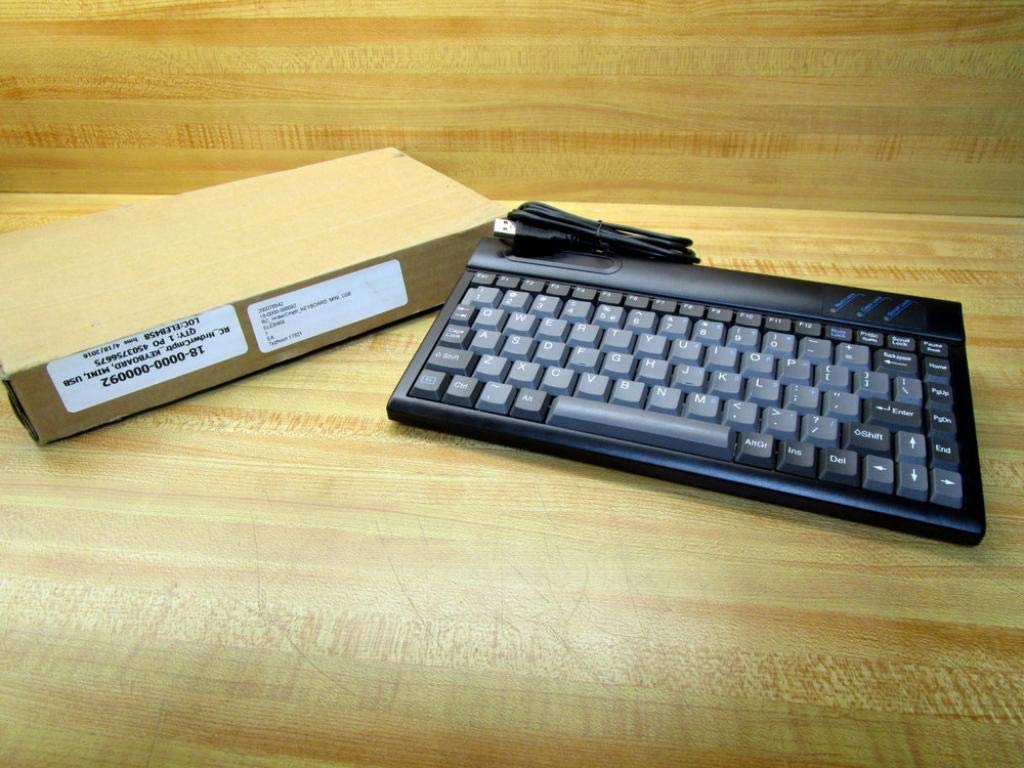
Figure 1.1: The RoHS EAL9001U Keyboard as packaged, alongside its brown cardboard box.
2. Прадукт скончыўсяview
The RoHS EAL9001U is a compact, 85-key QWERTY keyboard designed for various computing environments. Its durable plastic construction and USB connectivity ensure a straightforward and reliable user experience.
2.1 Асноўныя магчымасці
- Compact Design with 85 Keys
- Standard QWERTY Keyboard Layout
- USB Connectivity for Plug-and-Play Operation
- Трывалы пластыкавы матэрыял
- USB харчаванне
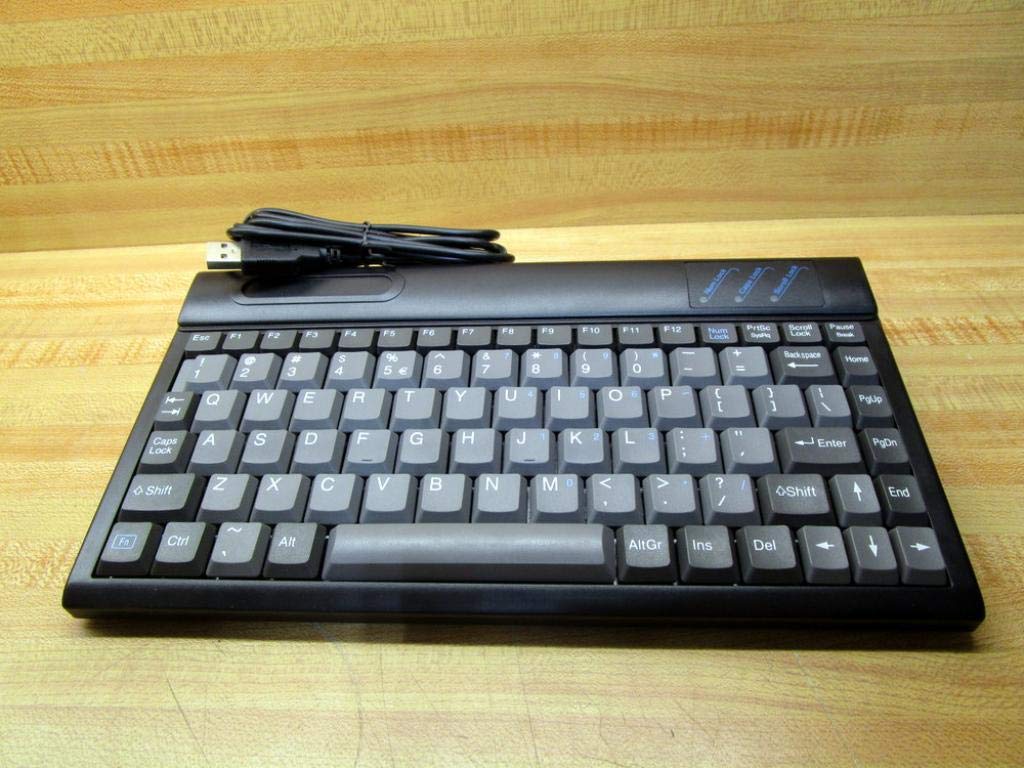
Малюнак 2.1: Верх view of the RoHS EAL9001U Keyboard, showcasing its compact QWERTY layout.
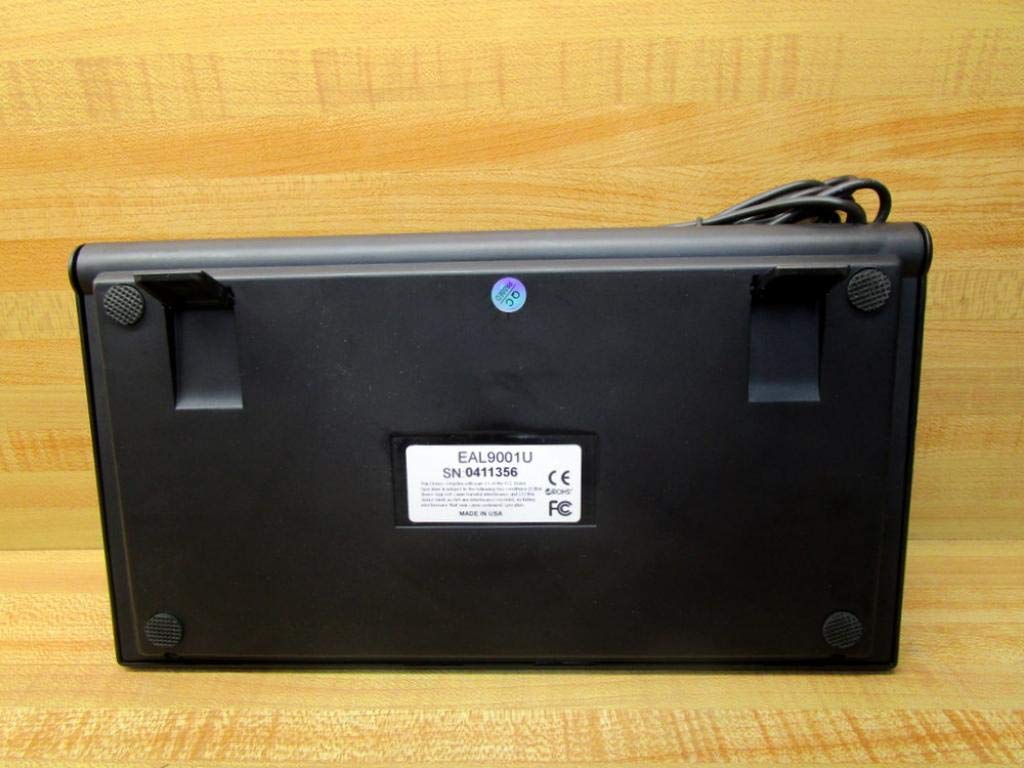
Малюнак 2.2: унізе view of the RoHS EAL9001U Keyboard, showing its stable feet and smooth surface.
3. Настройка
3.1 Падключэнне клавіятуры
The RoHS EAL9001U Keyboard is a plug-and-play device, requiring no special drivers for most operating systems.
- Знайдзіце даступны USB-порт на вашым кампутары або прыладзе.
- Insert the USB connector of the keyboard firmly into the USB port.
- Wait for your operating system to recognize the new hardware. This usually takes a few seconds.
- Цяпер клавіятура гатовая да выкарыстання.
4. Інструкцыя па эксплуатацыі
4.1 Асноўныя аперацыі
The EAL9001U keyboard functions like a standard QWERTY keyboard. Simply type as you normally would. The 85-key layout includes all essential alphanumeric keys, function keys (F1-F12), and navigation keys.
4.2 Спецыяльныя функцыі
Due to its compact design, some less frequently used keys might be accessed via a function (Fn) key combination. Refer to your operating system's keyboard settings for any custom key assignments or shortcuts.
5. Тэхнічнае абслугоўванне
5.1 Ачыстка
Каб захаваць знешні выгляд і функцыянальнасць клавіятуры:
- Адключыце клавіятуру ад кампутара перад чысткай.
- Выкарыстоўвайце мяккую безворсовую тканіну, злёгку dampened with water or a mild, non-abrasive cleaning solution to wipe the surface.
- Для выдалення пылу і смецця паміж клавішамі выкарыстоўвайце сціснутае паветра або невялікую шчотку.
- Пазбягайце распылення вадкасцей непасрэдна на клавіятуру.
5.2 Захоўванне
When not in use, store the keyboard in a cool, dry place away from direct sunlight and extreme temperatures to prevent damage.
6. Выпраўленне непаладак
| выпуск | Магчымая прычына | Рашэнне |
|---|---|---|
| Клавіятура не адказвае | Loose USB connection; Faulty USB port; Driver issue (rare) | Пераканайцеся, што кабель USB надзейна падключаны. Паспрабуйце іншы порт USB. Перазагрузіце камп'ютар. |
| Пэўныя клавішы не працуюць | Debris under key; Key mechanism damage | Use compressed air to clear debris. If problem persists, contact support. |
| Keyboard recognized but input delayed | System resource issue; USB port conflict | Close unnecessary applications. Try a different USB port. |
7. Тэхнічныя характарыстыкі
| Асаблівасць | Дэталь |
|---|---|
| Нумар мадэлі | EAL9001U (18-0000-000092) |
| Тэхналогія падлучэння | USB |
| Колькасць ключоў | 85 |
| Раскладка клавіятуры | QWERTY |
| Крыніца харчавання | USB харчаванне |
| Матэрыял | Пластыкавыя |
| Памеры прадукту | 3 х 11 х 11 цалі |
| Вага прадукту | 1.38 фунта |
| Вытворца | Рох |

Figure 7.1: Product label showing model EAL9001U, serial number, FCC, CE, and RoHS compliance, and 'MADE IN USA'.
8. Інфармацыя аб гарантыі
This product is covered by a standard manufacturer's warranty. Please retain your proof of purchase for any warranty claims. For specific warranty terms and conditions, refer to the documentation provided at the time of purchase or contact the manufacturer directly.
9. Падтрымка кліентаў
For technical assistance, troubleshooting, or product inquiries, please contact your retailer or the manufacturer's customer support. Have your product model number (EAL9001U) and serial number (if applicable) ready when contacting support.