
AIMOS TIMEUSBTY-QHEI
AIMOS USB Volume Controller Knob User Manual
Model: TIMEUSBTY-QHEI
Уводзіны
Thank you for choosing the AIMOS USB Volume Controller Knob. This device provides a convenient and precise way to adjust the audio volume of your computer or compatible Android phone. Designed for ease of use, it features a durable aluminum shell and a responsive rotary knob for seamless control. This manual will guide you through the setup, operation, and maintenance of your new volume controller.

Image: The AIMOS USB Volume Controller Knob, showcasing its compact design and included USB cable.
Змест пакета
Калі ласка, пераканайцеся, што ўсе пералічаныя ніжэй прадметы ўваходзяць у ваш пакет:
- 1 x AIMOS USB Volume Controller Knob
- 1 х USB-кабель (2 метра)
- 1 х Кіраўніцтва карыстальніка (на англійскай мове)

Image: Contents of the product package, showing the volume controller, USB cable, and user manual.
Тэхнічныя характарыстыкі
| Асаблівасць | Дэталь |
|---|---|
| Марка | AIMOS |
| Нумар мадэлі | TIMEUSBTY-QHEI |
| Матэрыял | Алюмініевая абалонка |
| Колер | Чорны |
| Памеры (Д х Ш х У) | 65 х 49 х 39 мм |
| Даўжыня кабеля USB | 2 метраў |
| Сувязь | USB |
| Крыніца харчавання | Electric Cable (USB Powered) |
| Тып кіравання | Rotary Knob with Push Button |

Image: Detailed dimensions of the AIMOS USB Volume Controller Knob (Length: 65mm, Width: 49mm, Height: 39mm) and its 2-meter USB cable.
Настройка
The AIMOS USB Volume Controller Knob is designed for plug-and-play functionality. No drivers or additional software are required for most operating systems.
- Падключэнне да ПК: Insert the USB cable from the volume controller into an available USB port on your computer.
- Аўдыёвыхад (неабавязкова): If your audio output device (e.g., speakers, headphones) is connected to your computer's 3.5mm earphone jack, ensure it is properly connected. The volume controller will adjust the system volume.
- For Android Phones (with OTG): If using with an Android phone, connect the volume controller via an OTG (On-The-Go) cable (not included).
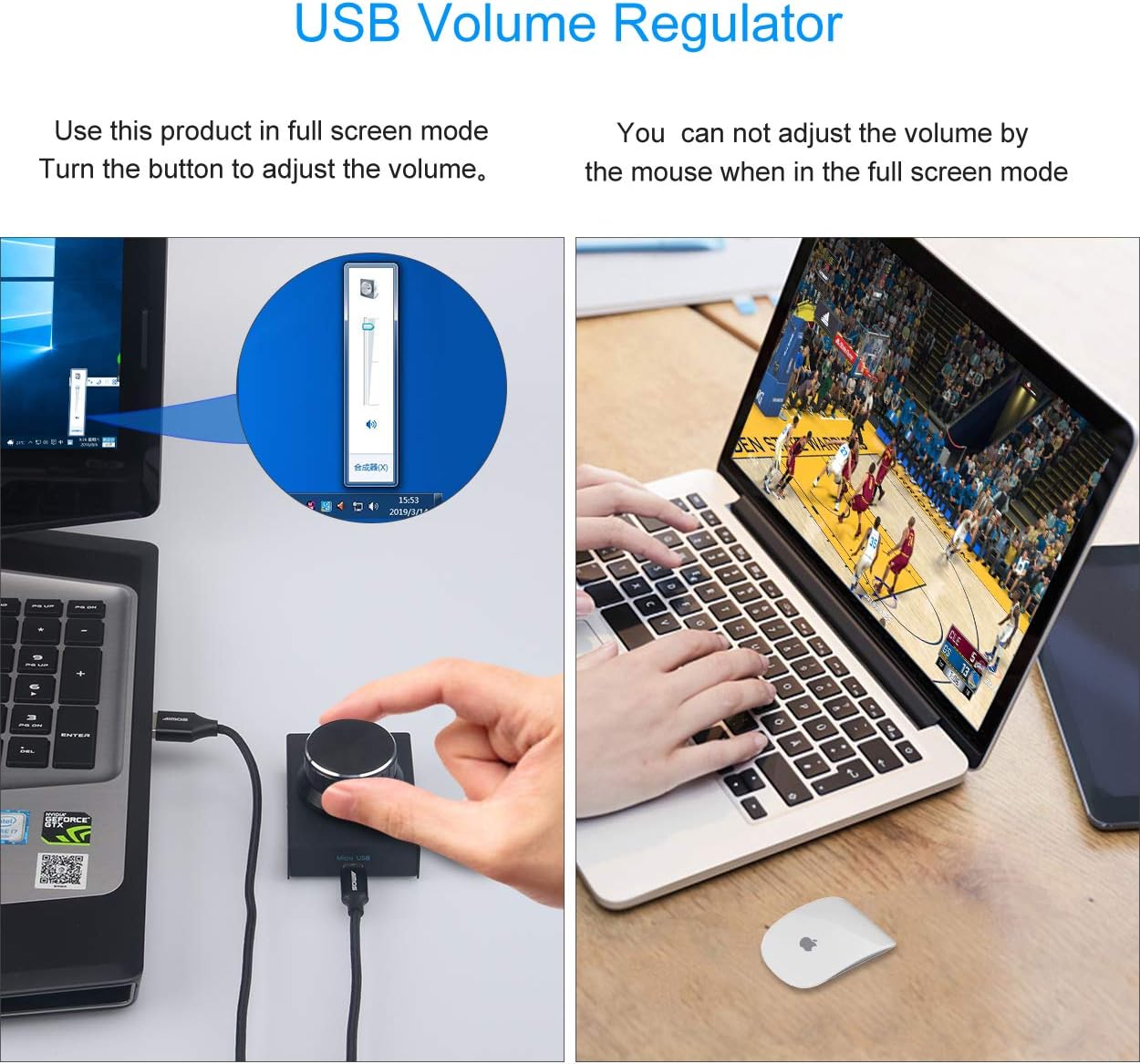
Image: The USB volume controller connected to a laptop, demonstrating its use for adjusting system volume, even in full-screen applications.
Інструкцыя па эксплуатацыі
The volume controller offers intuitive operation for managing your audio levels.
Базавая аперацыя
- Наладзіць гучнасць: Rotate the knob clockwise to increase the volume and counter-clockwise to decrease the volume. The ALPS rotary shaft supports 30 anchor points per turn for precise adjustment.
- Выключыць/уключыць гук: Press the knob once to instantly mute the audio. Press it again to unmute and resume playback.
- Хуткая налада: Press and hold the knob while rotating to quickly adjust the volume.

Image: Visual guide demonstrating the rotation of the knob for volume adjustment and pressing the knob for mute/unmute functionality.
Святлодыёдны індыкатар
- The blue LED light under the knob will illuminate when the device is in use or being rotated.
- If the knob is not rotated for 15 seconds, the LED light will automatically turn off to conserve power and reduce distraction.
Сумяшчальнасць
The AIMOS USB Volume Controller Knob is compatible with a wide range of operating systems:
- Windows 10
- Windows 8
- Windows 7
- Windows Vista
- Windows XP
- macOS (Mac)
- Android (with OTG cable)
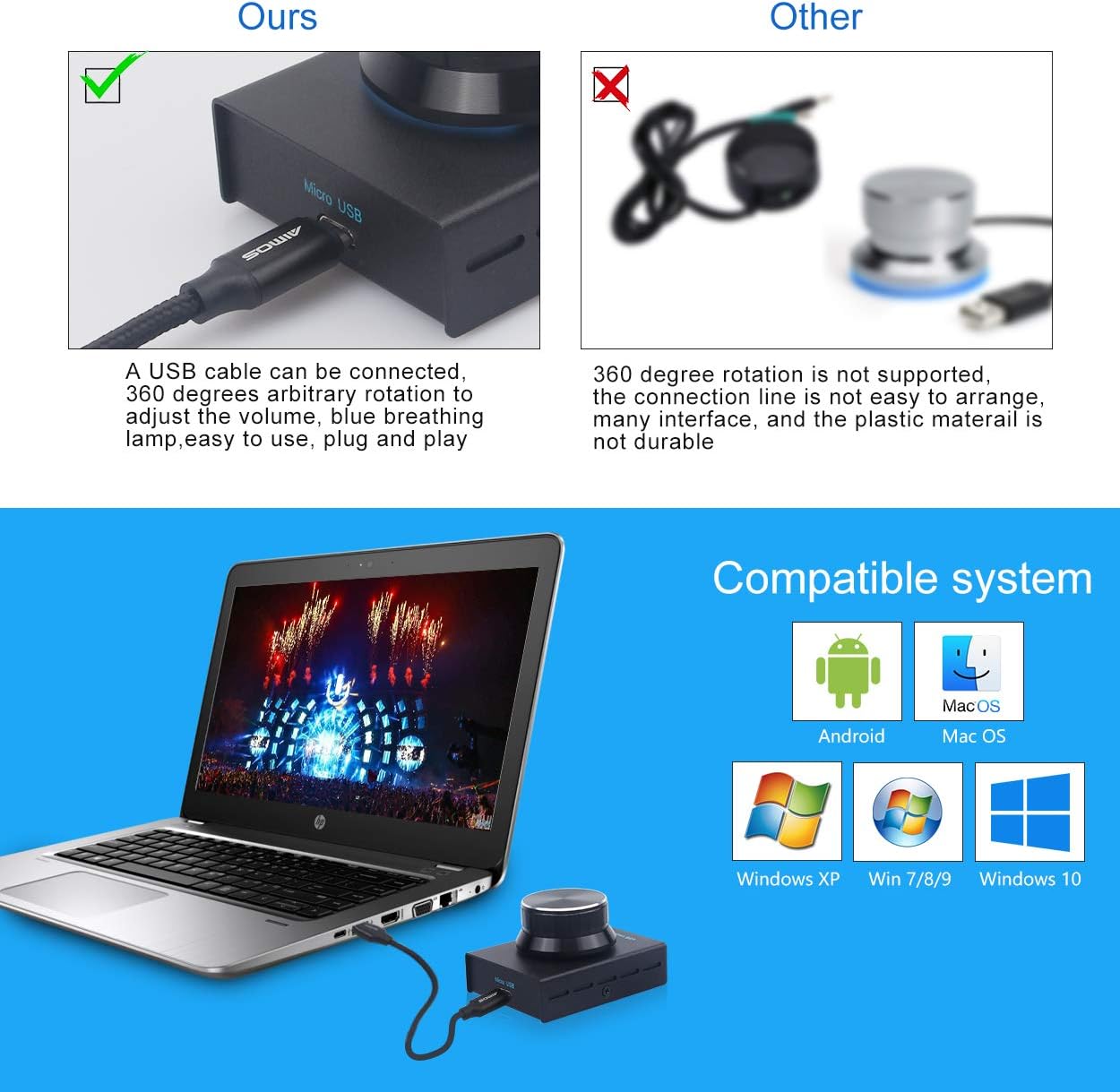
Выява: Зверхуview of compatible operating systems, including Android, macOS, and various Windows versions.
Тэхнічнае абслугоўванне і догляд
To ensure the longevity and optimal performance of your volume controller, follow these simple care guidelines:
- Уборка: Use a soft, dry cloth to wipe the surface of the device. Avoid using abrasive cleaners or solvents.
- захоўванне: Захоўвайце прыладу ў прахалодным, сухім месцы, удалечыні ад прамых сонечных прамянёў і экстрэмальных тэмператур.
- Апрацоўка: Пазбягайце падзення прылады або моцных удараў, бо гэта можа пашкодзіць унутраныя кампаненты.
Ліквідацыю непаладак
If you encounter any issues with your AIMOS USB Volume Controller Knob, please refer to the following common solutions:
| праблема | Магчымае рашэнне |
|---|---|
| Device not recognized / Not working |
|
| Volume adjustment is erratic or jumps |
|
| Святлодыёд не гарыць |
|
Гарантыя і падтрымка
Information regarding product warranty and specific support contacts is typically provided by your retailer or included with your purchase documentation. Please refer to those resources for details on warranty coverage and how to obtain technical support.