
iConnectivity AUDIO12
iConnectivity PlayAUDIO12 Audio Interface User Manual
Model: AUDIO12
1. Уводзіны
The iConnectivity PlayAUDIO12 is a professional-grade audio and MIDI interface designed for live performance and studio applications. It provides a robust and reliable solution for integrating computer-based audio and MIDI into your setup, featuring fail-safe computer switching and high-quality audio conversion.
This manual provides detailed instructions for setting up, operating, maintaining, and troubleshooting your PlayAUDIO12 device to ensure optimal performance and longevity.

Малюнак 1.1: Спераду view of the PlayAUDIO12, highlighting its compact design and intuitive controls.
2. Камплектацыя і ўстаноўка
2.1. Распакоўка
Пасля адкрыцця ўпакоўкі пераканайцеся, што ўсе кампаненты наяўныя і не пашкоджаныя. Стандартны камплект уключае:
- iConnectivity PlayAUDIO12 Audio Interface
- USB Cables (Type-B to Type-A)
- Адаптар сілкавання
- Quick Start Guide (digital version available online)
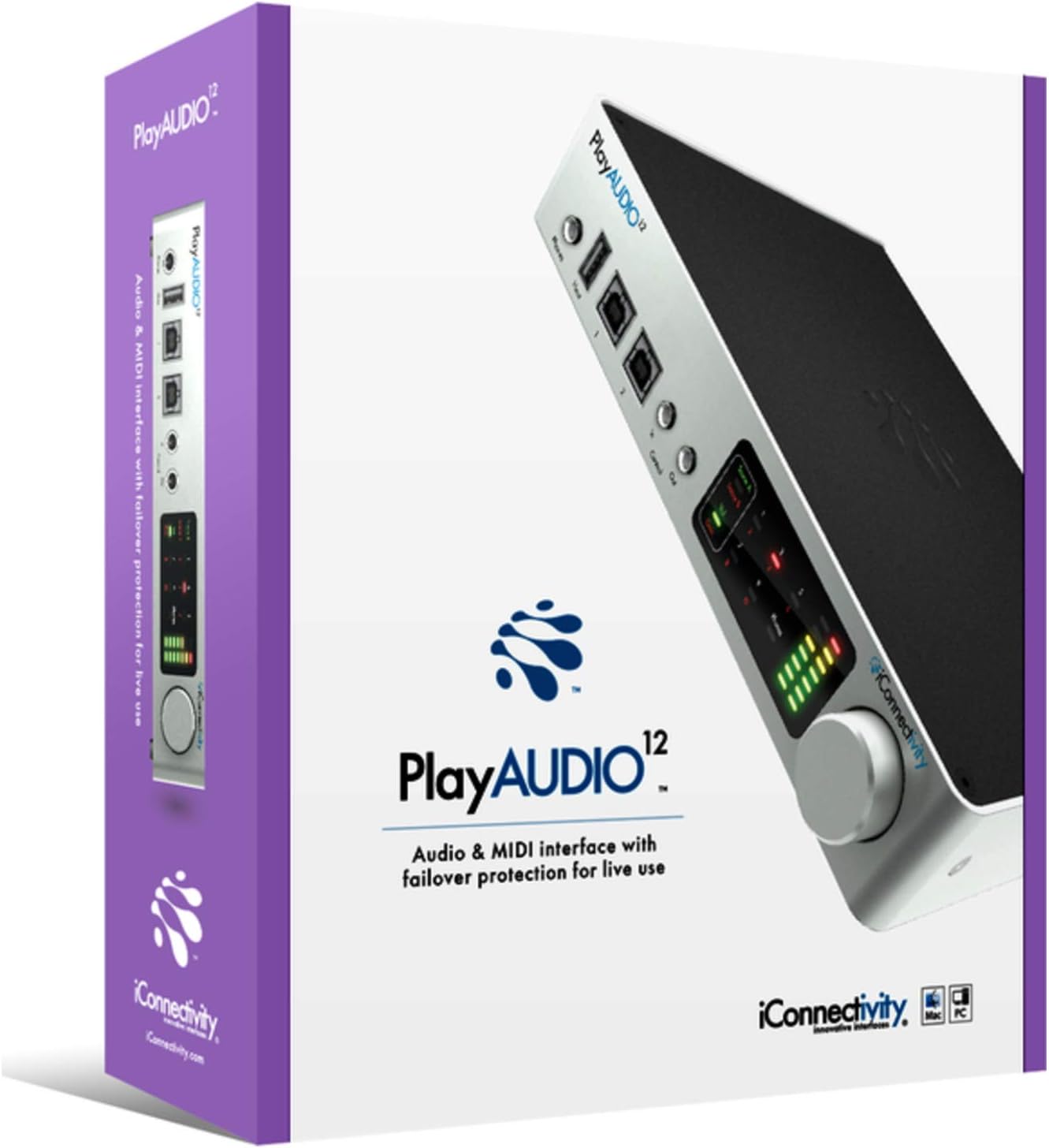
Figure 2.1: The PlayAUDIO12 packaging, ensuring safe transport and clear branding.
2.2. Падключэнне прылады
Follow these steps to connect your PlayAUDIO12 to your computer and audio system:
- Падключэнне сілкавання: Connect the included power adapter to the DC input on the rear panel of the PlayAUDIO12 and then to a power outlet.
- USB-злучэнне: Use the provided USB cables to connect the PlayAUDIO12's "Host 1" and "Host 2" USB ports to your computer(s). For failover protection, connect both ports to two separate computers.
- Аўдыёвыхады: Connect your studio monitors, mixer, or PA system to the 12 ultra-low noise outputs on the rear panel using appropriate cables.
- Уваходы/выхады кіравання: If using external footswitches or linking additional PlayAUDIO12 units, connect them to the "Control In" and "Control Out" ports on the front panel.

Figure 2.2: Rear panel connections of the PlayAUDIO12, detailing the 12 audio outputs and power input.
2.3. Ўстаноўка праграмнага забеспячэння
The PlayAUDIO12 is class-compliant on Windows, meaning no specific drivers are typically required for basic functionality. However, for advanced features and firmware updates, it is recommended to download and install the latest iConnectivity software from the official webсайт.
- Visit the official iConnectivity webсайт: www.iconnectivity.com
- Navigate to the Support or Downloads section for PlayAUDIO12.
- Download and install any available drivers, firmware updates, or control applications.
3. Operating the PlayAUDIO12
3.1. Элементы кіравання на пярэдняй панэлі
The front panel of the PlayAUDIO12 features capacitive touch controls and clear metering for easy operation, even in low-light conditions.
- Замер: Visual indicators for audio levels, allowing you to monitor your signals at a glance.
- Выхад для тэлефонаў: Dedicated headphone output for monitoring.
- Host 1 / Host 2 Indicators: Show which computer is currently active.
- Уваход/выхад кіравання: Ports for external footswitches or linking additional PlayAUDIO12 units.

Малюнак 3.1: Пад вуглом view of the PlayAUDIO12, showcasing the front panel's capacitive touch controls and metering.
3.2. Computer Switching and Failover
The PlayAUDIO12 is designed for seamless computer switching, providing a robust failover solution for live performances. If one connected computer fails, the unit can automatically switch to the secondary computer, ensuring uninterrupted audio and MIDI flow.
- Аўтаматычнае пераключэнне: Configurable through the iConnectivity software to automatically switch based on signal loss or other parameters.
- Ручное пераключэнне: Utilize the "Control In" footswitch input for manual computer switching, allowing for user-assignable controls.
3.3. MIDI Capabilities
Beyond its audio capabilities, the PlayAUDIO12 offers extensive MIDI connectivity, leveraging iConnectivity's expertise in MIDI technology. It can route MIDI data between connected computers, external MIDI devices, and software applications.
- MIDI Routing: Flexible routing options for complex MIDI setups.
- MIDI Host Ports: Connect USB MIDI controllers and devices directly to the PlayAUDIO12.
3.4. Expanding Your Setup
For larger productions requiring more outputs, the PlayAUDIO12 can be linked with additional PlayAUDIO12 interfaces. Use the "Control Out" connection to slave additional units, expanding your connectivity as your production needs grow.
4. Тэхнічнае абслугоўванне
Proper maintenance ensures the longevity and reliable performance of your PlayAUDIO12.
- Уборка: Use a soft, dry cloth to clean the exterior of the device. Avoid abrasive cleaners or solvents.
- захоўванне: Калі прылада не выкарыстоўваецца, захоўвайце яе ў прахалодным сухім месцы, удалечыні ад прамых сонечных прамянёў і экстрэмальных тэмператур.
- Абнаўленні прашыўкі: Regularly check the iConnectivity website for firmware updates. Keeping your device's firmware up-to-date can improve performance, add new features, and resolve potential issues.
5. Выпраўленне непаладак
If you encounter issues with your PlayAUDIO12, refer to the following common troubleshooting steps:
- Няма аўдыявыхаду:
- Праверце, ці ўсе аўдыёкабелі надзейна падключаны.
- Check the volume levels on the PlayAUDIO12, your computer, and your audio system.
- Ensure the correct audio output device is selected in your computer's sound settings and DAW.
- Computer Not Recognizing Device:
- Паспрабуйце падключыцца да іншага порта USB на вашым кампутары.
- Ensure USB cables are not damaged.
- Restart your computer and the PlayAUDIO12.
- Verify that the necessary drivers or software are installed (if applicable).
- Праблемы з MIDI:
- Check MIDI routing settings within your DAW or iConnectivity software.
- Ensure MIDI devices are properly connected and powered.
- Перарывістае злучэнне:
- Забяспечце стабільнасць электразабеспячэння.
- Avoid using unpowered USB hubs.
For more complex issues, consult the detailed troubleshooting guide on the iConnectivity webсайт або звярніцеся ў службу падтрымкі кліентаў.
6. Тэхнічныя характарыстыкі
| Асаблівасць | Дэталь |
|---|---|
| Нумар мадэлі | АЎДЫЯ12 |
| Вага прадмета | 2.29 фунта |
| Памеры прадукту | 3 х 3 х 3 цалі |
| Тэхналогія падлучэння | USB |
| Колькасць каналаў | 12 |
| Праграмнае забеспячэнне, якое падтрымліваецца | Windows (class compliant) |
| Аперацыйная сістэма | вокны |
| Сумяшчальныя прылады | Персанальны кампутар |
| Пераўтварэнне AD / DA | Да 24 біт/96 кГц |
7. Гарантыя і падтрымка
7.1. Інфармацыя аб гарантыі
iConnectivity products typically come with a limited manufacturer's warranty covering defects in materials and workmanship. Please refer to the warranty card included with your product or visit the official iConnectivity webсайт, каб азнаёміцца з найбольш актуальнымі і падрабязнымі гарантыйнымі ўмовамі.
Заўвага: Warranty terms may vary by region and retailer. Keep your proof of purchase for warranty claims.
7.2. Падтрымка кліентаў
For technical assistance, product registration, or further inquiries, please contact iConnectivity customer support through their official channels:
- Webсайт: www.iconnectivity.com/support
- Інтэрнэт-рэсурсы: FAQs, knowledge base, and user forums may be available on their webсайт.
When contacting support, please have your product model (AUDIO12) and serial number ready.