
Macally ACEBTKEY-US
Macally Wireless Bluetooth Keyboard Instruction Manual
Model: ACEBTKEY-US | Brand: Macally
Уводзіны
Thank you for choosing the Macally Wireless Bluetooth Keyboard. This multi-device keyboard is designed to enhance your productivity across various platforms, including Mac, iOS, Windows, and Android devices. Featuring 110 keys, 20 Mac OS shortcuts, and a numeric keypad, it offers a comfortable and efficient typing experience. Its ultra-slim design and rechargeable battery make it an ideal companion for both work and leisure.

Image: The Macally Wireless Bluetooth Keyboard, showcasing its full layout and sleek silver design.
Змест пакета
- Macally Wireless Bluetooth Keyboard
- Зарадны кабель
- Кіраўніцтва карыстальніка
Настройка
1. Зарадка клавіятуры
Before initial use, fully charge the keyboard using the included charging cable. Connect the cable to the keyboard's charging port and a USB power source. The LED indicator will show charging status.

Image: Illustration showing the keyboard connected to a charging cable, emphasizing its rechargeable nature.
2. Спалучэнне з прыладамі
The Macally Wireless Bluetooth Keyboard supports connecting up to three Bluetooth-enabled devices simultaneously. Follow these steps to pair your devices:
- Уключыце клавіятуру з дапамогай выключальніка.
- Press and hold one of the Bluetooth keys (BT1, BT2, or BT3) for a few seconds until the corresponding LED indicator starts blinking rapidly. This indicates pairing mode.
- On your device (computer, tablet, or smartphone), go to Bluetooth settings and search for available devices.
- Select "Macally Keyboard" (or similar name) from the list.
- If prompted, enter the pairing code displayed on your screen using the Macally keyboard and press Enter.
- Once paired, the LED indicator will stop blinking and remain solid for a few seconds before turning off.
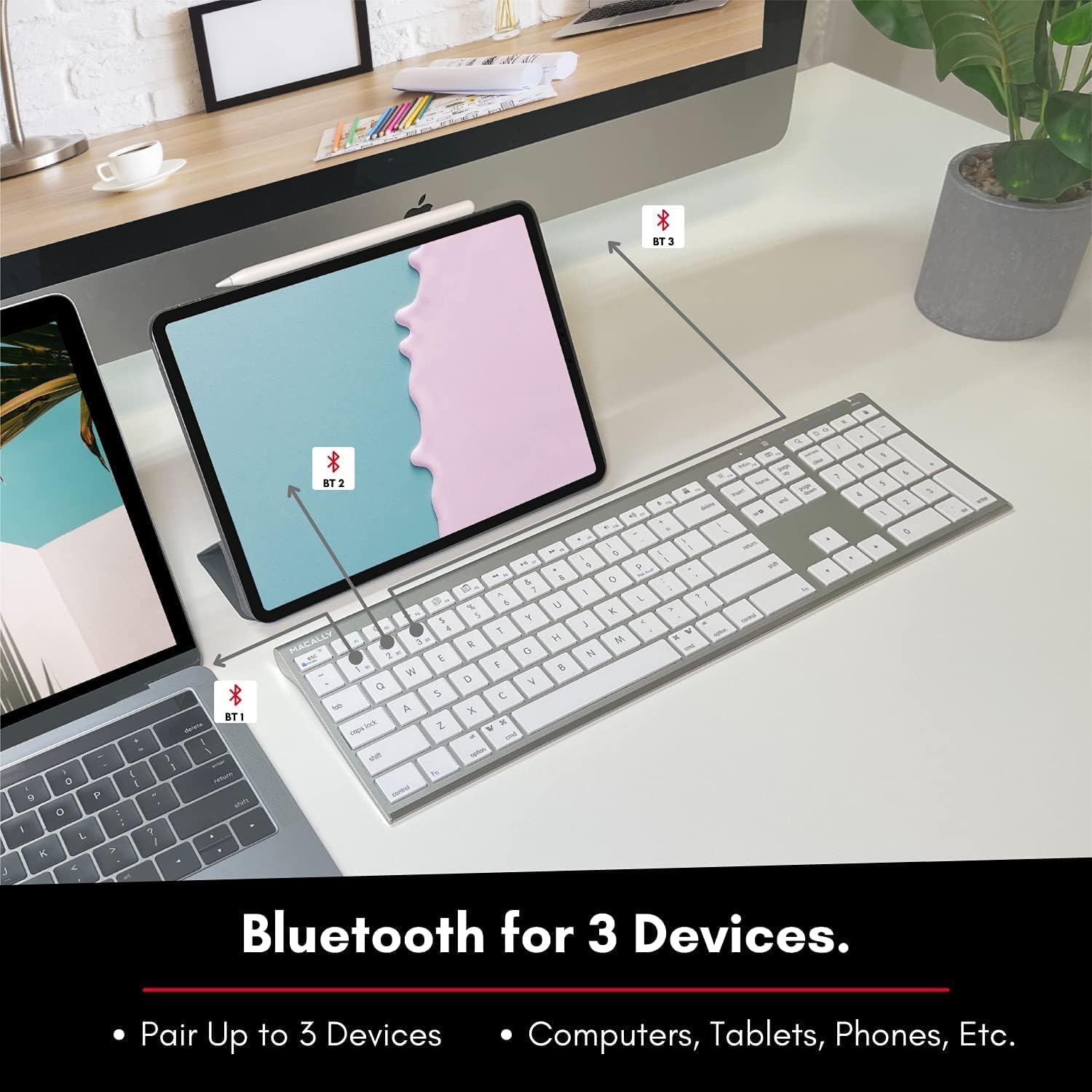
Image: The keyboard connected to a laptop and a tablet, illustrating its multi-device pairing capability.
Інструкцыя па эксплуатацыі
Пераключэнне паміж прыладамі
To switch between paired devices, simply press the corresponding Bluetooth key (BT1, BT2, or BT3) once. The keyboard will automatically connect to the selected device within a few seconds.

Image: Visual representation of the keyboard seamlessly switching between a smartphone, iMac, and laptop, highlighting the multi-sync feature.
Функцыянальныя клавішы і спалучэнні клавіш
The keyboard features a full set of 110 keys, including a numeric keypad and 20 dedicated Mac OS shortcut keys. These shortcuts provide quick access to various functions such as brightness control, volume adjustment, media playback, and more. Refer to your device's operating system documentation for specific shortcut functionalities.
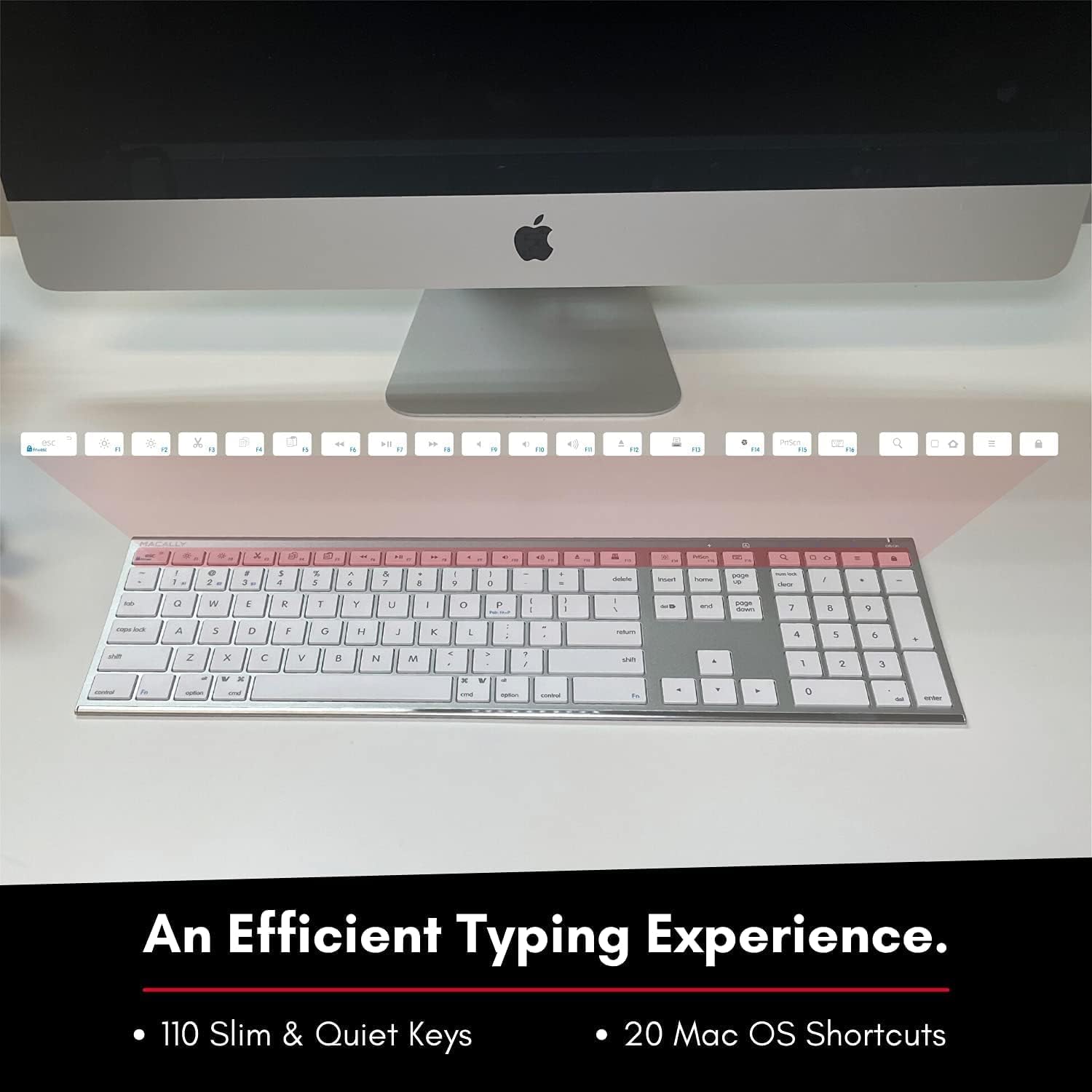
Image: Close-up of the keyboard's top row, highlighting the dedicated function and shortcut keys.
Сумяшчальнасць
This keyboard is broadly compatible with a range of operating systems and devices, including:
- macOS
- вокны
- iOS (iPhone, iPad)
- Android

Image: The keyboard positioned in front of an iMac, indicating its compatibility with Mac systems.
Тэхнічнае абслугоўванне
To ensure the longevity and optimal performance of your Macally Wireless Bluetooth Keyboard, follow these maintenance guidelines:
- Уборка: Выкарыстоўвайце мяккую тканіну без ворса, каб праціраць паверхню клавіятуры. Для выдалення ўстойлівага бруду злёгкуampПрацярыце тканіну вадой або мяккім ачышчальным растворам. Пазбягайце празмернай вільготнасці.
- Сыход за батарэяй: The keyboard features a built-in rechargeable battery. To maximize battery life, avoid fully discharging the battery frequently. Charge the keyboard when the low battery indicator appears.
- захоўванне: Калі клавіятура не выкарыстоўваецца працяглы час, выключайце яе, каб падоўжыць тэрмін службы батарэі. Захоўвайце яе ў прахалодным, сухім месцы, удалечыні ад прамых сонечных прамянёў і экстрэмальных тэмператур.
- Пазбягайце разліваў: Трымайце вадкасці далей ад клавіятуры, каб пазбегнуць пашкоджання ўнутраных кампанентаў.
Ліквідацыю непаладак
Keyboard Not Responding or Typing Incorrectly
- Пераканайцеся, што клавіятура зараджана.
- Verify that the keyboard is powered on and the correct Bluetooth channel (BT1, BT2, or BT3) is selected for your device.
- Паспрабуйце зноў падключыць клавіятуру да прылады.
- Check if the Fn lock is active. On the top right, there should be a lock symbol with an FN in the lock. If there is a Blue LED light on the panel which is on the top right, then press and hold Fn і націсніце ESC to shut off the Fn lock.

Image: A troubleshooting tip for the Fn lock feature, showing the relevant keys.
Mouse Keys Issue (macOS)
- If your keyboard inputs are behaving like mouse movements, you may have "Mouse Keys" enabled.
- Go to System Preferences (or System Settings on newer macOS versions), then click on Даступнасць. After that, scroll to Кіраванне паказальнікам і адключыць Уключыць клавішы мышы.

Image: A troubleshooting tip for disabling Mouse Keys in system settings.
Праблемы з падключэннем Bluetooth
- Пераканайцеся, што Bluetooth вашай прылады ўключаны і даступны для пошуку.
- Move the keyboard closer to your device to ensure a strong signal.
- Выдаліце ўсе патэнцыйныя крыніцы перашкод (напрыклад, іншыя бесправадныя прылады, буйныя металічныя прадметы).
- Перазагрузіце клавіятуру і прыладу.
Тэхнічныя характарыстыкі
| Марка | Макальна |
| Нумар мадэлі | ACEBTKEY-US |
| Памеры прадукту | 18.11 х 6.3 х 0.91 цалі |
| Вага прадмета | 14.9 унцыі |
| Тэхналогія падлучэння | Bluetooth |
| Колькасць ключоў | 110 |
| Сумяшчальныя прылады | MacOS, Windows, iOS, Android |
| акумулятар | 3 Lithium Polymer batteries (included, rechargeable) |
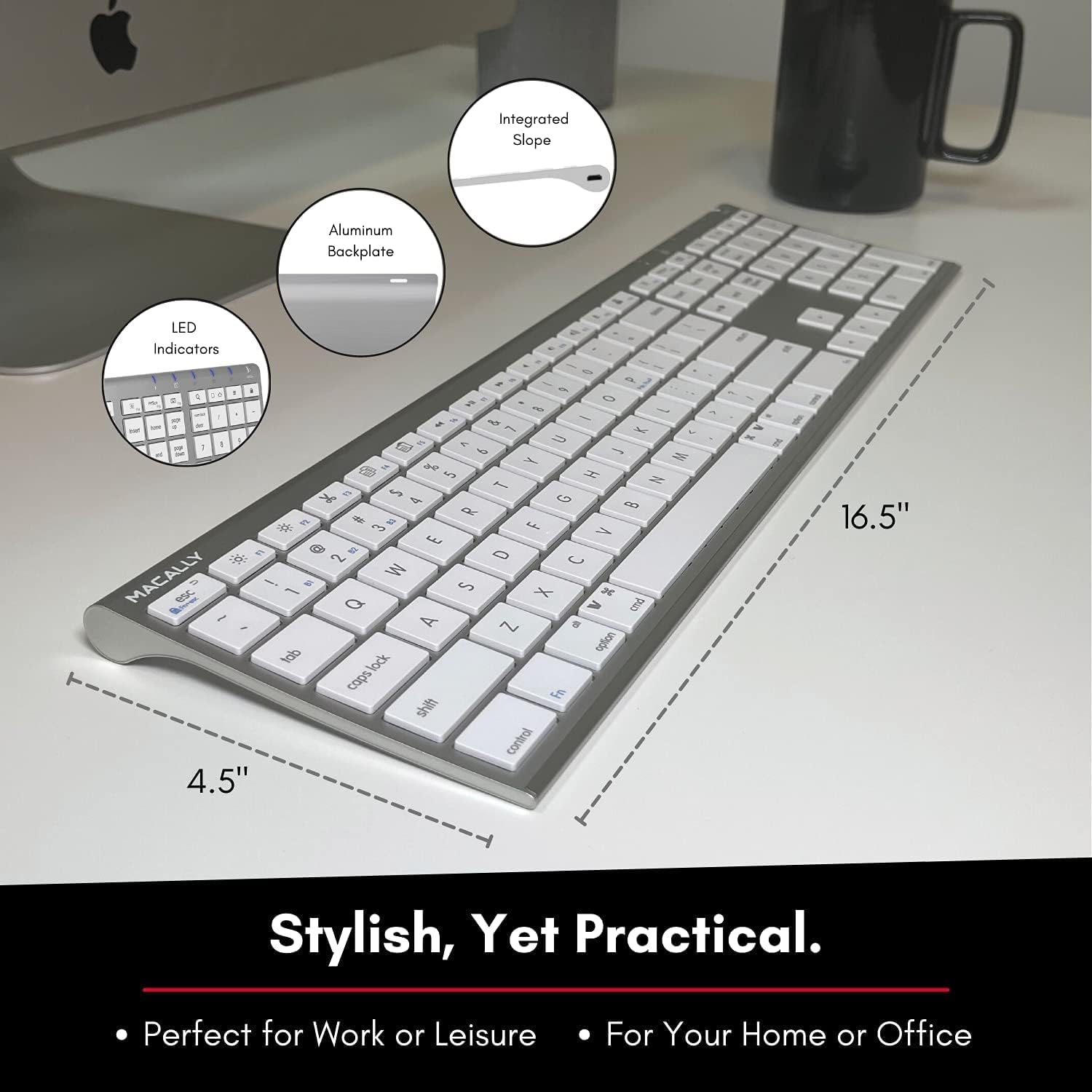
Image: Diagram illustrating the physical dimensions of the Macally Wireless Bluetooth Keyboard.
Гарантыя і падтрымка
Macally is committed to delivering high-quality, user-friendly workflow solutions. For any product inquiries, technical support, or warranty information, please visit the official Macally webна сайце або звярніцеся ў службу падтрымкі кліентаў. Больш падрабязную інфармацыю і рэсурсы падтрымкі можна знайсці на Macally Store on Amazon.