
D-Link DCS-8515LH
D-Link Mydlink HD Pan & Tilt Wi-Fi Camera (DCS-8515LH) User Manual
Мадэль: DCS-8515LH
Уводзіны
This manual provides comprehensive instructions for the setup, operation, and maintenance of your D-Link Mydlink HD Pan & Tilt Wi-Fi Camera (DCS-8515LH). This camera offers 360° viewing capabilities, automatic motion tracking, and integration with smart home assistants, providing enhanced monitoring for your indoor spaces.
Змест пакета
Праверце, ці ўсе пералічаныя ніжэй прадметы ўваходзяць у вашу ўпакоўку:
- DCS-8515LH Camera
- Адаптар сілкавання
- Мантажны кранштэйн
- Кіраўніцтва па хуткай ўстаноўцы

Figure 1: D-Link DCS-8515LH Camera Components
This image displays the D-Link DCS-8515LH camera from multiple angles, highlighting its key components. Labels indicate the location of the IR LEDs, light sensor, built-in microphone, microSD card slot, speaker, and power connector at the base.
Прадукт скончаныview
The D-Link DCS-8515LH is an HD Pan & Tilt Wi-Fi Camera designed for indoor surveillance. It features a 120° angle lens with a 340° pan range and 105° tilt capability, allowing for extensive coverage of your room. Key functionalities include:
- HD Video Quality: Captures clear 720p HD video.
- Начное бачанне: Built-in infrared LEDs provide visibility up to 5 meters in darkness.
- Выяўленне руху і гуку: Alerts you to activity with snapshots and contact options.
- Двухбаковы аўдыё: Забяспечвае сувязь у рэжыме рэальнага часу праз камеру.
- Гнуткае захоўванне: Supports cloud recording and local microSD card storage.
- Інтэграцыя разумнага дома: Сумяшчальнасць з Amazon Alexa і Google Assistant.

Figure 2: D-Link DCS-8515LH Camera
This image shows the D-Link DCS-8515LH camera, a white and black dome-shaped device with a visible camera lens, designed for indoor use.
Інструкцыя па наладзе
Follow these steps to set up your D-Link DCS-8515LH camera:
- Спампуйце праграму mydlink: Пошук "mydlink" in your device's app store (iOS or Android) and install the application.
- Уключыце камеру: Connect the provided power adapter to the camera and plug it into a power outlet. Wait for the camera's LED indicator to blink orange, indicating it's ready for setup.
- Дадаць прыладу ў праграму: Open the mydlink app, sign in or create a new account. Tap the menu icon, then select "Add a Device." Scan the QR code located on the camera or its Quick Installation Guide.
- Выконвайце падказкі на экране: The app will guide you through connecting the camera to your Wi-Fi network and configuring initial settings. Ensure your mobile device is connected to the 2.4 GHz Wi-Fi network you intend to use for the camera.
- Размяшчэнне: Position the camera in your desired indoor location. The included mounting bracket can be used for wall or ceiling installation if needed.
Video 1: D-Link Product Overview і налада
Гэта відэа дае агульны аглядview of a D-Link camera and demonstrates basic setup steps, including connecting power and using the mydlink app for initial configuration. While it features a different model, the setup process is similar for the DCS-8515LH.

Figure 3: mydlink App Interface for Camera Control
This image illustrates the mydlink app on a smartphone, showing the interface for controlling the camera's view, including a panorama view angle selection feature that allows users to tap to jump to a specific area.
Інструкцыя па эксплуатацыі
Кантроль панарамавання і нахілу
From the mydlink app, you can remotely control the camera's pan (horizontal) and tilt (vertical) movements to view different areas of your room. Use the on-screen controls to adjust the camera's direction.
- 360° View: The camera offers a comprehensive 360° coverage when combining its 120° lens with its pan and tilt capabilities.
- Панарама View Angle Selection: Tap on a specific area in the panoramic view within the app to quickly direct the camera to that point.

Figure 4: Pan & Tilt Live Video in mydlink App
This image shows a hand holding a smartphone displaying the mydlink app. The app is showing a live video feed from the camera, demonstrating the pan and tilt functionality to view a wide area of a room.
Auto Motion Tracking
When enabled, the camera will automatically pan and tilt to follow moving objects within its field of view, гарантуючы, што яны застануцца ў кадры.
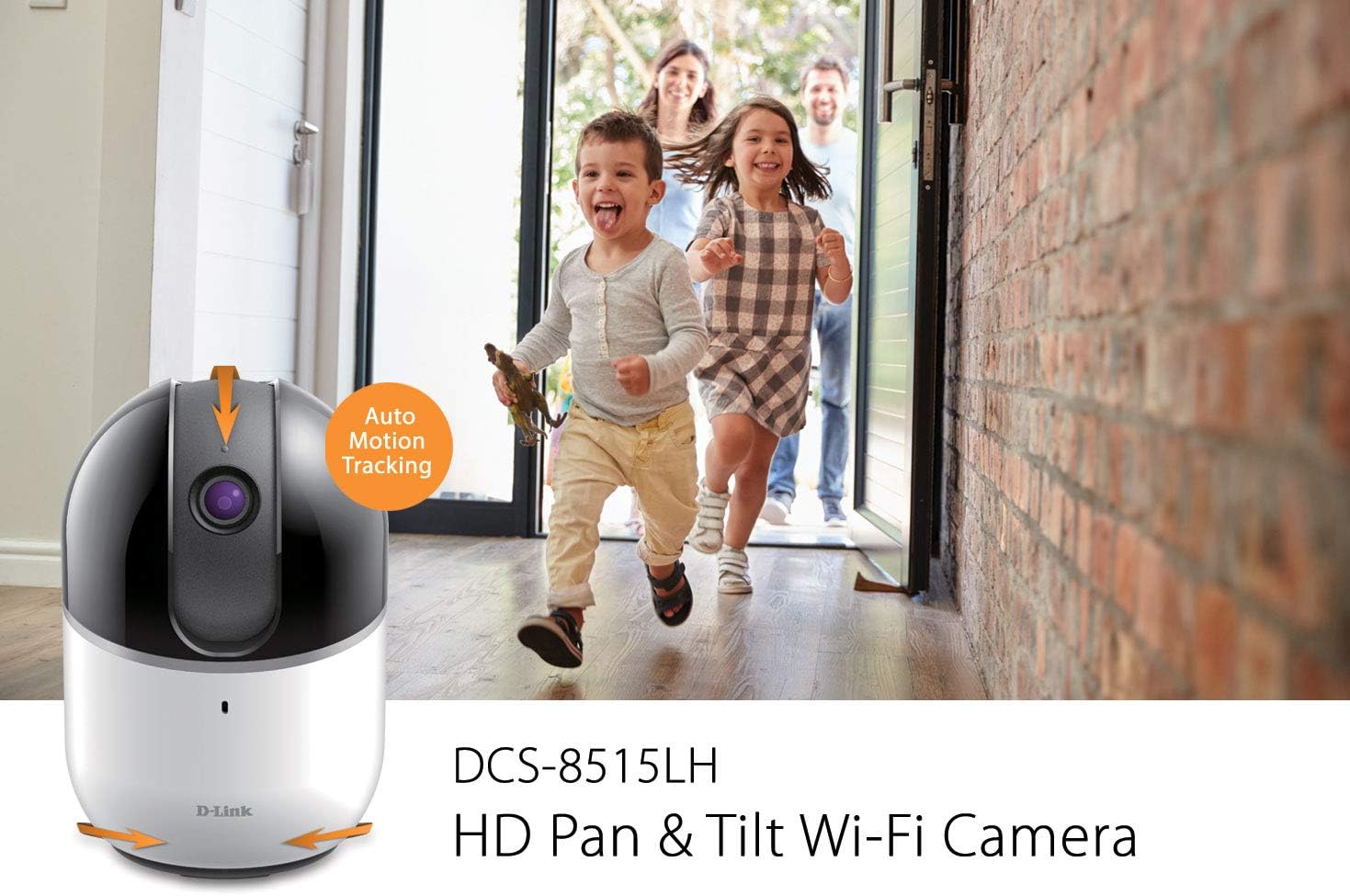
Figure 5: Auto Motion Tracking Feature
This image illustrates the camera's auto motion tracking feature. The D-Link DCS-8515LH camera is shown with an overlay indicating "Auto Motion Tracking," while children are depicted running in the background, demonstrating the camera's ability to follow movement.
Начное бачанне
The camera is equipped with infrared LEDs for night vision, allowing it to capture clear video in low-light or complete darkness up to 5 meters.
Выяўленне руху і гуку
Configure the mydlink app to receive instant notifications on your mobile device when motion or sound is detected. These alerts can include snapshots and options to call a designated contact.

Figure 6: Rich Notifications from mydlink App
This image displays a smartphone screen with a notification from the mydlink app, indicating that motion has been detected by the DCS-8515LH camera. The notification provides options to view жывы footage or call a designated contact.
Двухбаковае аўдыё
Utilize the built-in microphone and speaker to engage in two-way conversations through the camera, allowing you to communicate with individuals in the camera's vicinity.
Параметры запісу
The camera supports multiple recording methods:
- Воблачны запіс: Store video recordings securely in the mydlink cloud. Free and paid plans are available.
- Local MicroSD Card: Insert a microSD card (up to 256 GB, as per latest firmware) into the camera for local storage of recordings.
Рэжым прыватнасці
Activate Privacy Mode via the mydlink app to physically cover the camera lens, ensuring complete privacy when needed.
Інтэграцыя разумнага дома
The DCS-8515LH camera is compatible with Amazon Alexa and Google Assistant, allowing for voice control and integration into your smart home ecosystem. You can stream live video to compatible devices like Fire TV, Echo Spot, or Google Chromecast.

Малюнак 7: Інтэграцыя разумнага дома
This image demonstrates the D-Link camera's compatibility with smart home platforms. It shows the camera integrated with Amazon Alexa (displaying a baby monitor feed on an Echo Show) and Google Assistant (displaying a live camera feed on a television).
Тэхнічнае абслугоўванне
Каб забяспечыць аптымальную прадукцыйнасць і даўгавечнасць вашай камеры:
- Уборка: Акуратна працярыце аб'ектыў і корпус камеры мяккай сухой тканінай. Пазбягайце выкарыстання агрэсіўных хімікатаў або абразіўных ачышчальнікаў.
- Абнаўленні прашыўкі: Regularly check for and install firmware updates through the mydlink app to ensure your camera has the latest features and security enhancements.
- Размяшчэнне: Ensure the camera is placed in a stable, dry indoor environment, away from direct sunlight, heat sources, and excessive moisture.
Ліквідацыю непаладак
If you encounter issues with your D-Link DCS-8515LH camera, consider the following:
- Праблемы з падключэннем:
- Ensure your Wi-Fi network is active and the camera is within range of your router.
- Verify that your Wi-Fi password is entered correctly in the mydlink app.
- Restart your camera and Wi-Fi router.
- Дрэнная якасць відэа:
- Check your internet connection speed. A stable and fast connection is crucial for HD streaming.
- Ачысціце аб'ектыў камеры, каб выдаліць пыл або плямы.
- Motion/Sound Detection Not Working:
- Ensure motion and sound detection settings are enabled in the mydlink app.
- Adjust sensitivity levels to suit your environment.
- Праблемы прыкладання:
- Ensure your mydlink app is updated to the latest version.
- Try force-closing and reopening the app, or reinstalling it if problems persist.
- Скід да заводскіх налад: If all else fails, perform a factory reset (refer to the Quick Installation Guide for specific steps) and re-add the camera to the mydlink app.
Тэхнічныя характарыстыкі
| Асаблівасць | Дэталь |
|---|---|
| Назва мадэлі | DCS-8515LH |
| Дазвол відэазахопу | 720p HD |
| Pan Range | 340° |
| Дыяпазон нахілу | 105° |
| View Angle (Lens) | 120° |
| Дыстанцыя начнога бачання | Да 5 метраў |
| Пратакол злучэння | Wi-Fi |
| Тэхналогія бесправадной сувязі | Wi-Fi |
| Параметры захоўвання | Cloud, Local MicroSD Card (up to 256GB) |
| Аўдыё | Двухбаковае аўдыё |
| Тып абвесткі | Аўдыё і рух |
| Сумяшчальныя прылады | Смартфон, планшэт |
| Тып кантролера | Amazon Alexa, Google Assistant |
| Крыніца харчавання | Правадная электрычная |
| Памеры прадукту (Д х Ш х У) | 3.3 х 3.3 х 4.9 цалі |
| Вага прадмета | 12.6 унцыі |
Гарантыя і падтрымка
For detailed warranty information, please refer to the warranty card included with your product or visit the official D-Link website. Technical support and additional resources can be found on the D-Link support pages.
Вы таксама можаце наведаць в Крама D-Link на Amazon для атрымання інфармацыі аб прадукце і абслугоўвання кліентаў.
Ask a question about this manual
Ask about setup, troubleshooting, compatibility, parts, safety, or missing instructions. Manuals+ will review the question and use this page’s manual context to help answer it.