
1. Інфармацыя па бяспецы
Before using the Zipro Beat RS Magnetic Exercise Bike, please read and understand all safety instructions. Retain this manual for future reference.
- Пракансультуйцеся з лекарам, перш чым пачынаць любую новую праграму фізічных практыкаванняў.
- Перад кожным выкарыстаннем пераканайцеся, што ўсе балты і гайкі надзейна зацягнуты.
- Place the exercise bike on a flat, stable surface. Use a mat to protect the floor.
- Трымайце дзяцей і хатніх жывёл далей ад абсталявання падчас працы.
- The maximum user weight for this device is 120 kg.
- Апранайце адпаведную вопратку і абутак для заняткаў спортам.
- Неадкладна спыніце практыкаванні, калі вы адчуваеце слабасць, галавакружэнне або боль.
2. Прадукт скончыўсяview
The Zipro Beat RS is a magnetic exercise bike designed for home fitness. It features an ergonomic design, adjustable resistance, and a multi-function computer to track your workout progress.

Малюнак 1: Закончанаview of the Zipro Beat RS Magnetic Exercise Bike. This image displays the full exercise bike with its main components, including the handlebars, seat, pedals, and central unit with the computer display.
3. Інструкцыя па зборцы
Assembly of the Zipro Beat RS exercise bike typically involves attaching the base stabilizers, pedals, seat, handlebars, and the computer console. Refer to the included assembly diagram for detailed steps.
- Прымацаваць стабілізатары: Замацуйце пярэднія і заднія стабілізатары да асноўнай рамы з дапамогай прадугледжаных нітаў і шайб.
- Усталяваць педалі: Attach the left and right pedals to their respective crank arms. Note that pedals are often marked 'L' and 'R' and thread in opposite directions.
- Мацаванне падсядзельнага штыра і сядзення: Insert the seat post into the frame and secure it. Attach the seat to the seat post.
- Збярыце руль: Attach the handlebar post to the main frame, then secure the handlebars to the post. Connect any sensor cables if applicable.
- Install Computer Console: Mount the computer console onto the handlebar post. Connect the sensor cables (pulse, speed) and the battery.

Figure 2: A user exercising on the Zipro Beat RS bike, demonstrating its ergonomic design and compact size suitable for home use. This image highlights the bike's overall appearance and how it fits into a living space.
4. Інструкцыя па эксплуатацыі
4.1 Рэгуляванне сядзення
Proper seat height is crucial for comfort and effective exercise. Adjust the seat so that your leg is slightly bent at the knee when the pedal is at its lowest point.

Figure 3: Illustration of the seat height adjustment mechanism. The image shows how to raise or lower the seat to achieve the correct ergonomic position for the user.
4.2 Using the Multifunction Computer
The integrated computer displays various workout metrics. It is battery-powered.
- Уключэнне/выключэнне харчавання: The computer typically turns on automatically when you start pedaling or press any button. It will power off after a period of inactivity.
- Рэжымы адлюстравання: Use the 'MODE' button to cycle through different display functions such as Time, Speed, Distance, Calories, and Pulse.
- Функцыя сканавання: The 'SCAN' function automatically cycles through all metrics, providing a continuous overview of your workout without manual input.
- Скінуць: Press and hold the 'RESET' button to clear all current workout data.
- Вымярэнне пульса: Grip the pulse sensors on the handlebars to display your heart rate. An alarm may sound if your heart rate exceeds a preset safety level.

Малюнак 4: Буйны план view of the multifunction computer display, showing various metrics and control buttons. This image illustrates the interface for tracking workout data.
4.3 Рэгуляванне супраціву
The Zipro Beat RS features an 8-level manual magnetic resistance system. Turn the resistance knob located below the handlebars to increase or decrease the workout intensity.
- Turn the knob clockwise to increase resistance (higher numbers).
- Turn the knob counter-clockwise to decrease resistance (lower numbers).

Малюнак 5: падрабязна view of the manual resistance adjustment knob. The image shows the numbered dial (1-8) used to control the intensity of the magnetic resistance.
4.4 Using the Device Holder
A dedicated holder is provided on the console for your smartphone or tablet, allowing you to enjoy media during your workout.

Figure 6: The integrated smartphone or tablet holder on the exercise bike's console. This feature allows users to place their devices securely for entertainment or tracking during exercise.
5. Тэхнічнае абслугоўванне
Рэгулярнае тэхнічнае абслугоўванне забяспечвае даўгавечнасць і бяспечную працу вашага велатрэнажора.
- Уборка: Працярыце ровар рэкламайamp анучай пасля кожнага выкарыстання, каб выдаліць пот і пыл. Пазбягайце абразіўных ачышчальнікаў.
- агляд: Перыядычна правярайце ўсе балты, гайкі і рухомыя дэталі на надзейнасць і знос. Падцягніце ўсе аслабленыя крапежныя элементы.
- змазка: Сістэма магнітнага супраціву звычайна не патрабуе абслугоўвання. Калі вы заўважылі якія-небудзь незвычайныя шумы ад рухомых частак, звярніцеся ў службу падтрымкі вытворцы.
- захоўванне: When not in use, store the bike in a dry, cool place. The integrated transport wheels facilitate easy relocation.
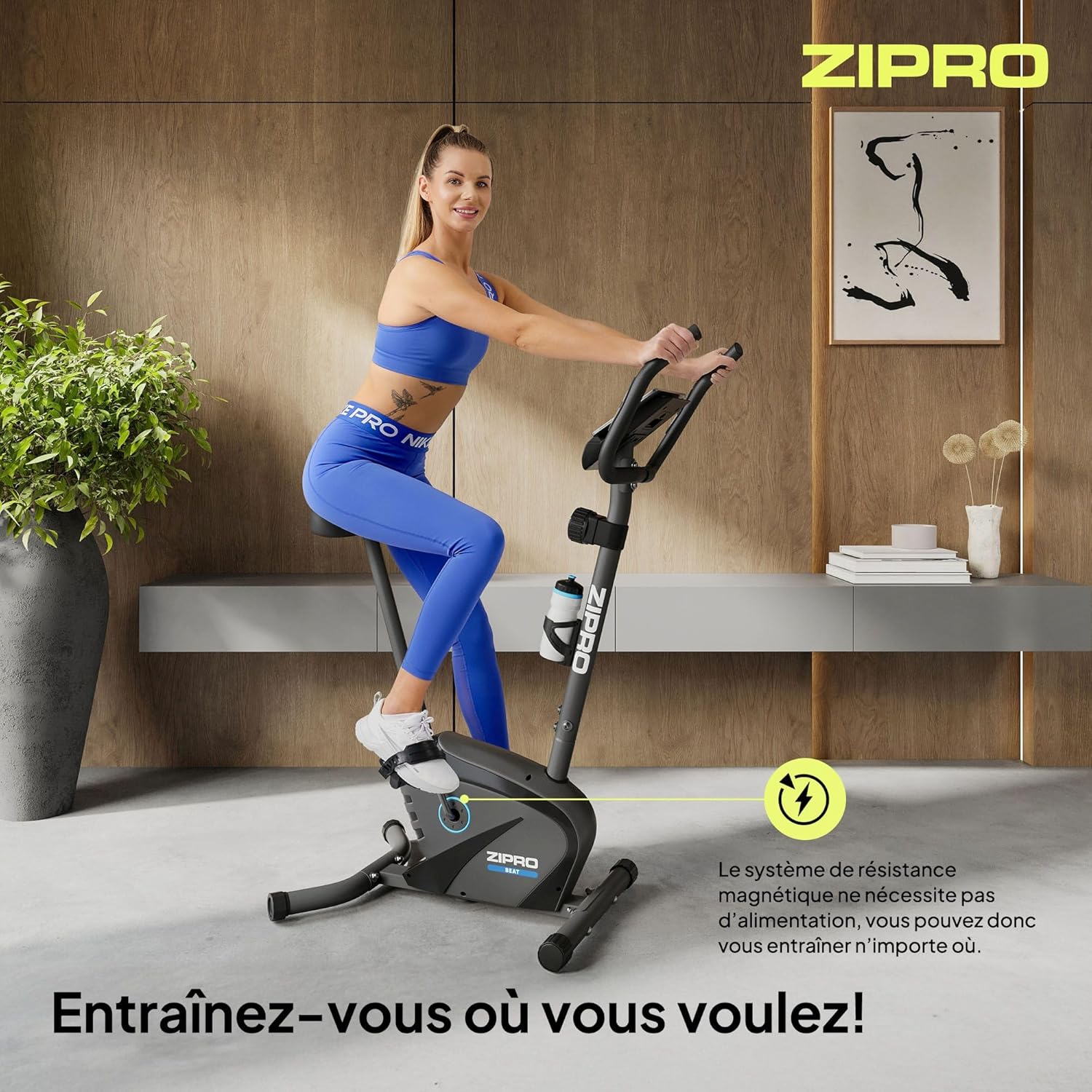
Figure 7: Close-up of the transport wheels located at the front base of the exercise bike. These wheels allow for easy movement and storage of the equipment.
6. Выпраўленне непаладак
This section addresses common issues you might encounter with your Zipro Beat RS exercise bike.
- Computer Display Not Working:
рашэнне: Check the batteries in the computer console. Replace them if necessary. Ensure all cables connecting to the console are securely plugged in. - No Resistance or Inconsistent Resistance:
рашэнне: Verify that the resistance adjustment knob is functioning correctly and is not stuck. Ensure no foreign objects are obstructing the magnetic flywheel. - Незвычайныя шумы падчас працы:
рашэнне: Stop exercising and inspect the bike for any loose parts, bolts, or connections. Tighten any loose components. If the noise persists, contact customer support. - Unstable During Use:
рашэнне: Ensure the bike is placed on a flat, level surface. Adjust the leveling feet (if present) on the stabilizers to eliminate wobbling.
7. Тэхнічныя характарыстыкі
Detailed technical specifications for the Zipro Beat RS Magnetic Exercise Bike.
| Асаблівасць | Спецыфікацыя |
|---|---|
| мадэль | Біт РС |
| Марка | ЗІПРО |
| Механізм супраціву | Магнітныя |
| Ўзроўні супраціву | 8 (Ручная рэгуляванне) |
| Максімальная вага карыстальніка | 120 кг |
| Памеры прадукту (Д х Ш х У) | 107 х 59 х 127 см |
| Вага прадукту | 20.5 кг |
| Функцыі кампутара | Time, Speed, Distance, Calories, Pulse, SCAN |
| Крыніца харчавання (камп'ютар) | Працуе ад акумулятара |
| Асаблівасці | Bottle holder, Transport wheels, Device holder |
| Suggested User Height | 155-200 см |

Figure 8: Diagram illustrating the key dimensions of the Zipro Beat RS exercise bike and the suggested user height range. This provides visual context for the product's size and ergonomic fit.
8. Гарантыя і падтрымка
For warranty information, please refer to the documentation provided with your purchase or contact your retailer. Specific warranty terms may vary by region and retailer.
If you require technical assistance or have questions not covered in this manual, please contact the manufacturer's customer support or your point of purchase. Keep your purchase receipt and model number (1592574) handy for faster service.