
1. Уводзіны
This manual provides essential information for setting up, operating, and maintaining your NEBULA by Anker Capsule Max Mini Projector. Please read it thoroughly before using the device to ensure optimal performance and longevity.
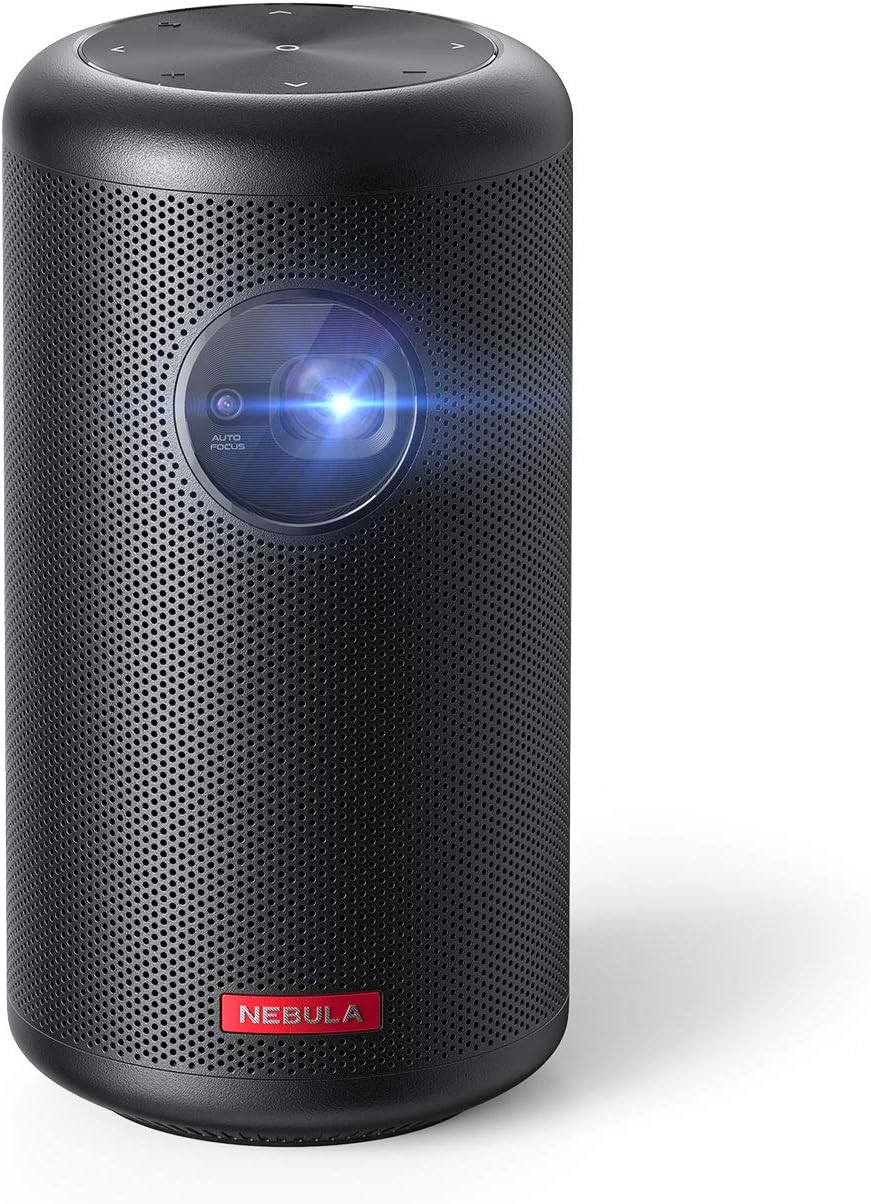
Image 1.1: NEBULA by Anker Capsule Max Mini Projector. This image displays the compact, cylindrical black projector with its lens visible on the front, highlighting its portable design.
2. Што ў скрынцы
Пасля распакавання пераканайцеся, што ўсе наступныя элементы наяўныя:
- Капсульны міні-праектар NEBULA Max
- Пульт дыстанцыйнага кіравання
- Кароткае кіраўніцтва
- DC-in Charger (15V/3A)
3. Прадукт скончыўсяview
3.1 Макет прылады

Малюнак 3.1: ззаду view of the NEBULA Capsule Max showing the input/output ports. From left to right, the ports include AUX, HDMI, USB Type-A, and DC-in.
- Спераду: Projection Lens, Autofocus Sensor
- Верх: Touch Buttons (D-pad, Volume ±, Back)
- Ззаду: AUX Out, HDMI Input, USB Type-A Port, DC-in Port
- Унізе: Tripod Mount Thread
4. Настройка
4.1 Уключэнне/выключэнне
- To power on, press and hold the Power button on the device or remote control.
- Каб выключыць прыладу, зноў націсніце і ўтрымлівайце кнопку харчавання.
4.2 Зарадка
Connect the provided DC-in charger (15V/3A) to the DC-in port on the projector. The device supports approximately 4 hours of local video playtime on a full charge, with a charging time of 2.5 hours.
4.3 Пачатковая налада
The Capsule Max runs on Android 8.1 with Nebula UI. Follow the on-screen instructions for initial setup, including language selection and network connection.
4.4 Сеткавае падключэнне
Перайсці да Налады > Сетка to connect to a Wi-Fi network. The device supports 802.11b/g/n/ac dual frequency (2.4/5GHz).
4.5 Злучэнне Bluetooth
For connecting external Bluetooth devices, go to Налады > Bluetooth. The projector supports BT4.2 Dual Mode/A2DP.
5. Кіраванне праектарам
5.1 Навігацыя і кіраванне
- Physical/Touch Buttons: Use the D-pad, Volume ±, and Back buttons on the device for basic navigation.
- ВК-пульт: The included remote control offers Power, D-pad, Volume ±, Mouse Mode, Home, Back, and Menu (for autofocus) functions.
- Bluetooth Remote App: Download the 'Nebula Connect' app for Android and iOS devices for enhanced control, especially for apps like Netflix.
5.2 Налада відарыса

Image 5.1: Diagram illustrating optimal projection distances for various screen sizes (40, 80, 100 inches) with the NEBULA Capsule Max.
- Аўтафокус: The projector features 1-second autofocus. You can also trigger it by slightly moving the device or long-pressing the 'Menu' button on the remote.
- Карэкцыя трапецеідальных скажэнняў: Automatic vertical keystone correction (±40°) is available. Manual horizontal (±40°) and quadrilateral keystone correction can be adjusted via Settings > Projector.
- Рэжым выявы: Select between 'Auto', 'Standard Mode' (for maximum brightness), and 'Battery Mode' (for extended battery life) in Settings > Projector > Image Mode.
- Рэжым праекцыі: Adjust the projection orientation (Front, Rear, Front Ceiling, Rear Ceiling) based on your setup in Settings > Projector > Projector Mode.
5.3 Content Playback

Image 5.2: The Android 8.1 user interface of the NEBULA Capsule Max, displaying various streaming app icons like Amazon, YouTube, and Netflix.
- Убудаваныя праграмы: The projector comes with Android 8.1 and Nebula UI, allowing you to download and stream apps like YouTube, Netflix, and Amazon from the Nebula Manager Store.
- Important Note on Copyrighted Content: Copyrighted content from services like Netflix cannot be mirrored or screencast. Download and use the apps directly through the Capsule Max to view such content. Chromecast is not supported.
- Уваход HDMI: Connect external devices such as gaming consoles, Blu-ray players, or other media players via the HDMI 1.4 input (supports up to 1080p).
- Прайграванне праз USB: Insert USB flash drives into the USB Type-A port to play local video and audio files.
- Аўдыявыхад: The projector features an 8W speaker. For external audio, use the AUX Out port to connect to a sound system.
6. Тэхнічнае абслугоўванне
To ensure the longevity and optimal performance of your Capsule Max, follow these maintenance guidelines:
- Уборка: Use a soft, dry cloth to clean the exterior of the projector. Avoid using liquid cleaners or abrasive materials.
- Сыход за лінзамі: Gently clean the projection lens with a lens cleaning cloth. Do not touch the lens directly with your fingers.
- Абнаўленні прашыўкі: For peak performance and access to the latest features, regularly check for and install firmware updates via the device's settings.
- захоўванне: Калі праектар не выкарыстоўваецца, захоўвайце яго ў прахалодным сухім месцы, удалечыні ад прамых сонечных прамянёў і экстрэмальных тэмператур.
7. Выпраўленне непаладак
If you encounter any issues with your Capsule Max, refer to the following common solutions:
- Няма выявы/нізкая якасць выявы:
- Пераканайцеся, што праектар уключаны і цалкам зараджаны або падлучаны да сеткі харчавання.
- Adjust focus using the autofocus feature or manually.
- Check keystone correction settings if the image is distorted.
- Ensure the projection surface is suitable and the room lighting is appropriate (ideal in low-light environments).
- Няма гуку:
- Праверце ўзровень гучнасці на праектары і ўсіх падлучаных знешніх аўдыёпрыладах.
- If using external speakers, ensure they are correctly connected via AUX or Bluetooth.
- Немагчыма падключыцца да Wi-Fi/Bluetooth:
- Restart the projector and your router/Bluetooth device.
- Пераканайцеся, што пароль Wi-Fi правільны.
- Keep the projector within range of the Wi-Fi router or Bluetooth device.
- App Issues (e.g., Netflix not playing):
- Пераканайцеся, што праграма абноўлена да апошняй версіі.
- Remember that copyrighted content from certain services cannot be mirrored; use the apps directly on the projector.
- Update the projector's firmware to the latest version for optimal compatibility.
8. Тэхнічныя характарыстыкі
| Асаблівасць | Спецыфікацыя |
|---|---|
| Нумар мадэлі | D2423 |
| Тэхналогія адлюстравання | 0.3-in HD DLP |
| Роднае дазвол | 1280 x 720 (720p) |
| Яркасць | 200 прасветаў ANSI |
| Lamp жыццё | 30,000 гадзін |
| Суадносіны бакоў | 16:9 |
| Каэфіцыент выкіду | 100 in@2.87m; 80 in@2.29m; 60 in@1.72m; 40 in@1.14m |
| Зрушэнне | 100% |
| Рэгуляванне фокусу | 1-second autofocus |
| Карэкцыя Keystone | Auto (Vertical ±40°), Manual (Horizontal ±40°) |
| Уваход HDMI | HDMI 1.4 (up to 1080p) |
| Порт USB | USB Type-A (for Flash Drives) |
| DC-ў | 15 В/3 А |
| Выхад AUX | так |
| Дакладчык | 8W |
| Wi-Fi | 802.11b/g/n/ac (2.4/5 Ггц) |
| Bluetooth | BT4.2 Dual Mode/A2DP |
| OS | Android 8.1 with Nebula UI |
| АЗП | 2 ГБ DDR3 |
| ПЗУ | 16 ГБ eMMC |
| акумулятар | 9,700mAh 3.7V |
| Video Playtime | 4 Hours (Local Video Playtime) |
| Час зарадкі | 2.5 Hours (with DC-in 15V/3A) |
| Памеры прадукту | 3.15 х 3.15 х 5.91 цалі |
| Вага прадмета | 1.6 фунта |
9. Гарантыя і падтрымка
The NEBULA by Anker Capsule Max comes with a 12-month warranty. For any product inquiries, technical assistance, or warranty claims, please contact our friendly customer service.