
1. Прадукт скончыўсяview
The EONON L0154 is an 11.6-inch HD flip-down monitor designed for in-car entertainment. It features a slim profile, high-resolution display, HDMI and USB connectivity, built-in IR transmitter, and customizable LED room lighting. This manual provides essential information for installation, operation, and maintenance.
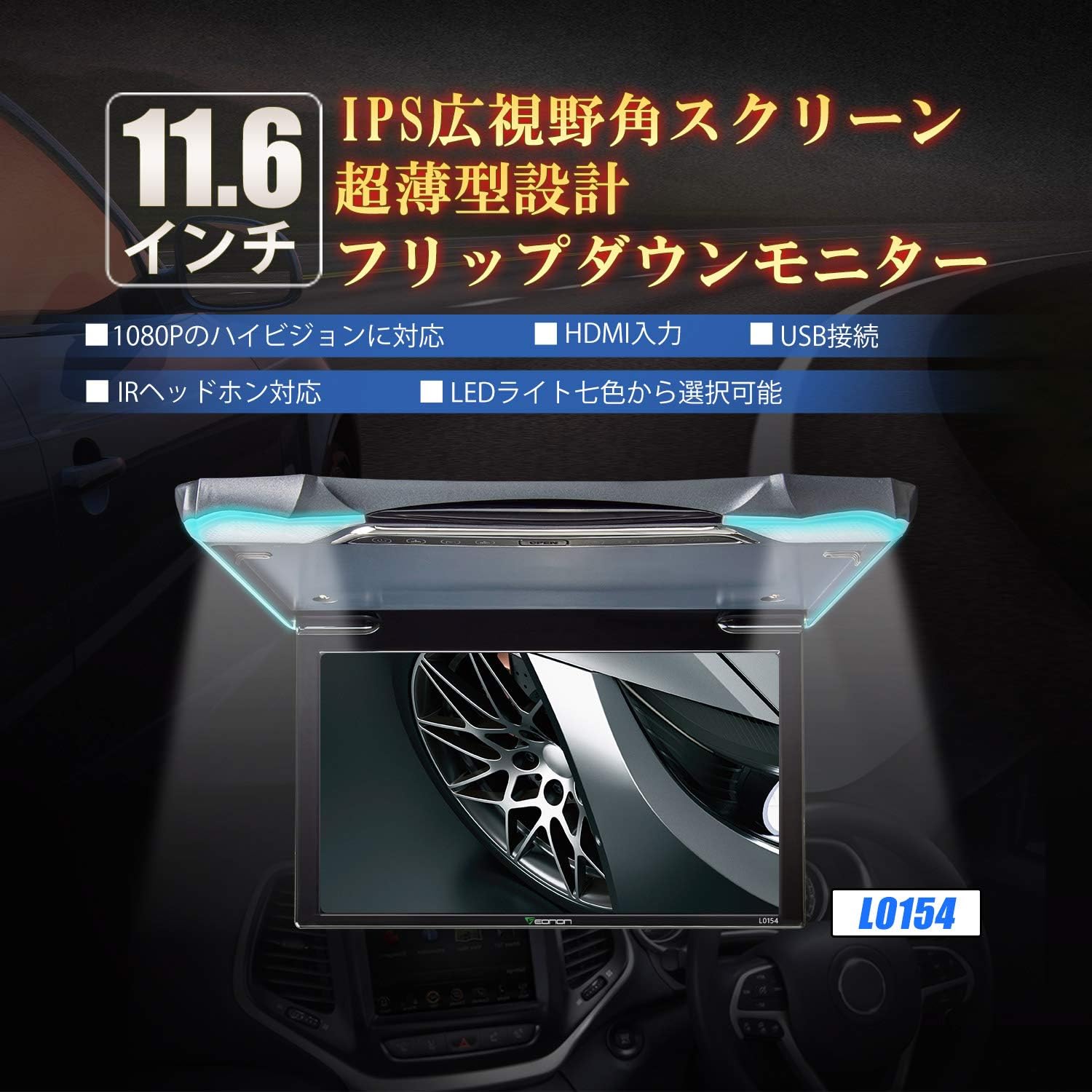
Figure 1: EONON L0154 11.6-inch Flip-Down Monitor installed in a vehicle.
2. Асноўныя магчымасці
- Ультратонкі дызайн: With a thickness of only 16mm, this 11.6-inch flip-down monitor offers compact storage when not in use. Its lightweight design reduces the load on mounting points.
- High-Resolution IPS Screen: The LCD features an IPS wide-viewing-angle screen, providing a clear and beautiful 1920x1080 high-definition display.
- Customizable LED Room Light: Equipped with a luxurious LED room lamp offering 7 selectable colors (Red, Green, Blue, Yellow, Purple, Cyan, White). Adjust the color and brightness to create your desired ambiance. Can also be used as night lighting.
- Уваход HDMI: Connect smartphones or tablets via the HDMI input terminal to enjoy apps, videos, and internet content on a large screen. (Note: HDMI cable is not included.)
- Падключэнне USB: Supports MP3 music playback and 1080P high-definition video via USB connection.
- 140-Degree Opening Angle: The monitor can open up to 140 degrees, allowing adjustment to a comfortable viewing angle for passengers.
- IR Transmitter Built-in: For wireless audio transmission to compatible IR headphones.
- Функцыя памяці харчавання: Retains settings even after power is turned off.
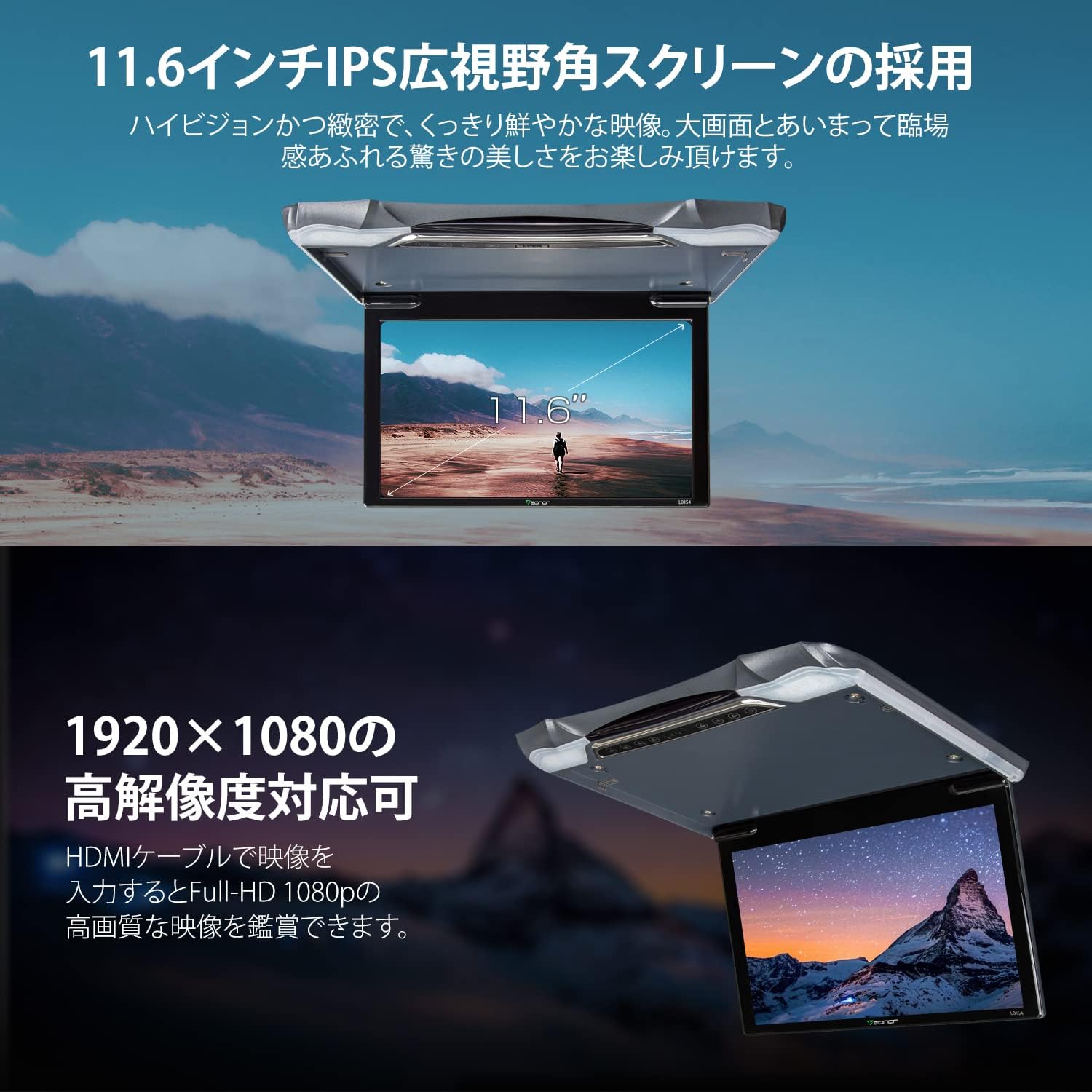
Figure 2: High-resolution display of the EONON L0154 monitor.

Figure 3: The ultra-thin design and 140-degree opening capability of the monitor.
Figure 4: The 7-color LED room lighting feature.
3. Змесціва ўпакоўкі
Калі ласка, праверце, ці ўсе прадметы ўваходзяць у камплект:
- 1 x EONON L0154 Main Unit
- 1 x Japanese Instruction Manual
- 1 x AV Power Cable
- 1 x Dome Light Door Control Wiring
- 1 х пульт дыстанцыйнага кіравання (батарэі не ўключаны)
- 4 x Screw Hole Covers
- 10 х крапежных шруб

Малюнак 5: Усе ўключаныя аксэсуары і кампаненты.
4. Кіраўніцтва па ўстаноўцы
This product is designed for DIY installation. Please ensure you have the necessary tools and technical knowledge before proceeding. If you are unsure, it is recommended to seek professional assistance.
4.1 Мантаж манітора
- крок 1: Secure the metal plate to the vehicle's ceiling using the provided screws.
- крок 2: Attach the monitor to the metal plate using the monitor mounting screws.
- крок 3: Cover the screw holes with the 4 provided rubber caps.

Figure 6: Illustration of securing the metal plate.

Figure 7: Illustration of attaching the monitor.

Figure 8: Illustration of covering the screw holes.
4.2 Электрычная схема
Refer to the diagram below for proper wiring connections.

Figure 9: Detailed wiring diagram for the EONON L0154 monitor.
- ① + ②: +12V Red
- ③: Ground Black
- ④: AUX-V OUT Yellow
- ⑤: AUX-L OUT White
- ⑥: AUX-R OUT Red
- ⑦: AUX-V IN Yellow
- ⑧: AUX-L IN White
- ⑨: AUX-R IN Red
- ⑩: Fuse: 5A
- Уваход HDMI
- USB ўваход
Важная заўвага: Content input via HDMI cannot be output again via RCA/HDMI. Content input via USB devices also cannot be output again via RCA/HDMI.
5. Інструкцыя па эксплуатацыі
5.1 Уключэнне/выключэнне харчавання і асноўныя элементы кіравання
The monitor can be powered on by pressing the power button or via the remote control. The power memory function will restore the last state.
5.2 Выбар крыніцы ўваходнага сігналу
Use the remote control or the buttons on the unit to switch between input sources (HDMI, USB, AV).

Figure 10: Connecting devices via HDMI and USB.
5.3 Adjusting LED Room Lights
The LED room lights can be controlled via the menu settings. You can select from 7 different colors or set them to automatically change. The lights can also be turned off.
5.4 Screen Angle Adjustment
The monitor can be manually adjusted to an opening angle of up to 140 degrees for optimal viewз камфортам.
6. Тэхнічныя характарыстыкі
| Асаблівасць | Спецыфікацыя |
|---|---|
| Марка | Эонон |
| Вытворца | ЭОНОН |
| серыял | L0154 |
| Нумар мадэлі прадукту | L0154 |
| Памер экрана | 11.6 цаляў |
| дазвол | 1920 x 1080 пікселяў (FHD 1080p) |
| Суадносіны бакоў | 16:9 |
| Апісанне паверхні экрана | Non-glossy |
| Фармат сувязі | Інфрачырвоны |
| тtage | 12 вольт |
| Вага прадмета | 2.01 кілаграма |
| Памеры ўпакоўкі | 37.1 х 34.79 х 10.9 см |
7. Тэхнічнае абслугоўванне
To ensure the longevity and optimal performance of your EONON L0154 monitor, follow these maintenance guidelines:
- Уборка: Use a soft, dry cloth to clean the screen and exterior. For stubborn marks, lightly dampПрацярыце тканіну вадой або мяккім неабразіўным ачышчальнікам для экранаў. Пазбягайце агрэсіўных хімічных рэчываў.
- Выдаленне пылу: Рэгулярна чысціце прыладу ад пылу, каб прадухіліць яго назапашванне, асабліва вакол вентыляцыйных адтулін і кнопак.
- Пазбягайце экстрэмальных тэмператур: Do not expose the monitor to extreme heat or cold for extended periods, as this can affect its performance and lifespan.
- Праверка кабеля: Перыядычна правярайце ўсе падлучаныя кабелі на наяўнасць зносу, пашкоджанняў або няшчыльных злучэнняў.
8. Выпраўленне непаладак
If you encounter issues with your EONON L0154 monitor, please refer to the following common troubleshooting steps:
- Няма харчавання:
- Праверце ўсе злучэнні харчавання, каб пераканацца ў іх надзейнасці.
- Verify the vehicle's power source is active.
- Inspect the 5A fuse (item ⑩ in the wiring diagram) and replace if blown.
- Няма выявы/сігналу:
- Ensure the correct input source (HDMI, USB, AV) is selected.
- Check the connection cables (HDMI, AV) for damage or looseness.
- Test with a different source device if possible.
- Няма гуку:
- Adjust the volume on the monitor and the source device.
- If using IR headphones, ensure they are powered on and correctly paired.
- Check AV audio connections if using RCA input.
- LED Room Lights Not Working:
- Check menu settings to ensure the LED lights are enabled and not set to OFF.
- Verify the dome light door control wiring connection if applicable.
- Screen Flickering or Distorted Image:
- Check the input cable for damage or interference.
- Ensure the source device's output resolution is compatible with the monitor.
If these steps do not resolve the issue, please contact EONON customer support for further assistance.
9. Гарантыя і падтрымка
The EONON L0154 monitor typically comes with a 1-year warranty from the date of purchase. Please retain your proof of purchase for warranty claims.
For product support, technical assistance, or warranty inquiries, please contact EONON customer service. You can find contact information on the official EONON webна сайце або праз вашага прадаўца.

EONON is a brand specializing in in-car electronics, operated by New Treasure Digital Co., Ltd.
10. Important Disclaimers
Please read the following important notes carefully before considering your purchase. By confirming your order, you are deemed to have agreed to these terms.
- Upon receipt, please inspect the appearance and contents of the product. For any damage, breakage, or shortages due to shipping, please contact the respective shipping company.
- This product is intended for DIY installation by the customer.
- Labor costs for installation by professionals and costs for parts other than those included are not covered by the warranty. We are not responsible for any costs other than the product price, including removal, replacement, or installation of alternative parts due to product defects.
- Damage, breakage, or malfunctions due to incorrect wiring during the installation process are not covered by the warranty. If you request installation from a professional, please confirm the work process, content, and product characteristics with the professional and proceed at your own discretion.

Figure 11: Important disclaimers and warranty information.
11. Related Product Videos (Demonstration Purposes)
The following videos demonstrate features and functionality similar to the EONON L0154, though they may feature different models or sizes. They are provided for general reference and to illustrate common usage scenarios.
11.1 XTRONS 14-inch Flip-Down Monitor Overview
This video showcases an XTRONS 14-inch flip-down monitor, demonstrating its ultra-thin design, HDMI input, built-in speakers, and 120-degree opening angle. While a different brand and size, it illustrates general features common to flip-down monitors.
11.2 LOSKA 14-inch Flip-Down Monitor Features
This video presents a LOSKA 14-inch flip-down monitor, highlighting its wide viewing angle, ultra-thin design, 1080P compatibility, and LED ambient lighting. It provides a visual understanding of similar product functionalities.
11.3 LOSKA 12.1-inch Thin Type Flip-Down Monitor
This video demonstrates a LOSKA 12.1-inch thin type flip-down monitor, showcasing its compact form factor and display capabilities. It offers insight into the design and operation of similar in-car entertainment systems.