
1. Прадукт скончыўсяview
The AOPUTTRIVER AP-846A is a professional digital anemometer designed for high-accuracy measurement of wind speed, wind temperature, and air flow (CFM/CMM). This multi-functional device is suitable for various applications including HVAC system analysis, air blower testing, environmental monitoring, and outdoor activities.
Key features include a large backlit LCD display, data hold function, MAX/MIN/AVG measurement modes, unit switching, and automatic power-off for battery conservation. The remote vane sensor with an extendable coiled cable allows for flexible and precise measurements in various environments.

Figure 1: AOPUTTRIVER AP-846A HVAC Anemometer
2. Змесціва ўпакоўкі
Пасля адкрыцця ўпакоўкі пераканайцеся, што ўсе пералічаныя ніжэй прадметы наяўныя і знаходзяцца ў добрым стане:
- 1 x AOPUTTRIVER AP-846A Digital Anemometer Main Unit
- 1 x Remote Vane Sensor with Coiled Cable
- 1 x 9V (6F22) Battery
- 1 x Hard Carrying Case
- 1 х Кіраўніцтва карыстальніка
Малюнак 2: Змест пакета
3. Ідэнтыфікацыя кампанентаў
Familiarize yourself with the main components and controls of the AP-846A anemometer:

Figure 3: Labeled Components
- ВК-дысплей: Паказвае паказанні вымярэнняў, адзінкі вымярэння і індыкатары.
- MAX/MIN Value Switch: Toggles between maximum, minimum, and current readings.
- Ключ харчавання: Уключае/выключае прыладу.
- Wind Velocity/Flow Transform Key: Switches between wind velocity and air flow (CFM/CMM) modes.
- Data Holding Key: Зафіксуе бягучае паказанне на дысплеі.
- Unit Transform Key: Changes measurement units (e.g., m/s, mph, °C, °F).
- Data Record Key: Initiates data recording.
- Measuring Key for Average Value of Wind Flow: Calculates and displays the average air flow.
- Read Recorded Data Key: Recalls stored data.
- Wind Flow AVG 2/3 MAX and Figure Input: Used for advanced air flow calculations and area input.
- Reset Key in "READ" Mode/Clear Recorded: Resets recorded data.
- Backlight On/Off Key: Press to activate/deactivate the display backlight.
- Пераключальнік адзінак тэмпературы: Toggles between Celsius (°C) and Fahrenheit (°F).
- Duct Area Input and Sampling Time Setting Key: Used for setting duct area for CFM/CMM calculations.
- Злучальны провад: Connects the main unit to the vane sensor.
- Wind Velocity Sensors: Rotating vane for wind speed measurement.
4. Настройка
4.1 Устаноўка батарэі
The AP-846A requires one 9V (6F22) battery. To install or replace the battery:
- Знайдзіце батарэйны адсек на задняй частцы асноўнага блока.
- Адкруціце два шрубы, якія мацуюць вечка батарэйнага адсека.
- Устаўце батарэйку 9 В, сачыце за правільнай палярнасцю.
- Заменіце крышку батарэйнага адсека і замацуйце яе шрубамі.
Note: For optimal performance and to prevent leakage, use alkaline batteries and remove batteries if the device will not be used for an extended period.
4.2 Connecting the Vane Sensor
Connect the remote vane sensor to the main unit by plugging the USB-style connector of the coiled cable into the corresponding port on the top of the main unit.
Video 1: Demonstrates battery installation and connecting the vane sensor to the main unit.
5. Інструкцыя па эксплуатацыі
5.1 Уключэнне/выключэнне сілкавання
- Каб уключыць, націсніце Ключ харчавання (3 на малюнку 3).
- Каб выключыць харчаванне, націсніце і ўтрымлівайце Ключ харчавання for a few seconds. The device also features an auto power-off function after 5 minutes of inactivity to save battery.
5.2 Кантроль падсветкі
Націсніце Backlight On/Off Key (12 in Figure 3) to turn the display backlight on or off. This improves visibility in low-light conditions.
5.3 Выбар блока
The AP-846A supports multiple units for wind speed and temperature:
- Адзінкі вымярэння хуткасці ветру: Націсніце Unit Transform Key (6 in Figure 3) to cycle through m/s, km/h, ft/min, knots, and mph.
- Адзінкі вымярэння тэмпературы: Націсніце Пераключальнік адзінкі тэмпературы (13 in Figure 3) to switch between Celsius (°C) and Fahrenheit (°F).
5.4 Wind Speed and Temperature Measurement
To measure wind speed and temperature:
- Ensure the vane sensor is connected to the main unit.
- Уключыце прыладу.
- Hold the vane sensor in the airflow, ensuring the air flows through the vane in the direction indicated by the arrow on the sensor.
- The wind speed and temperature readings will be displayed on the LCD.

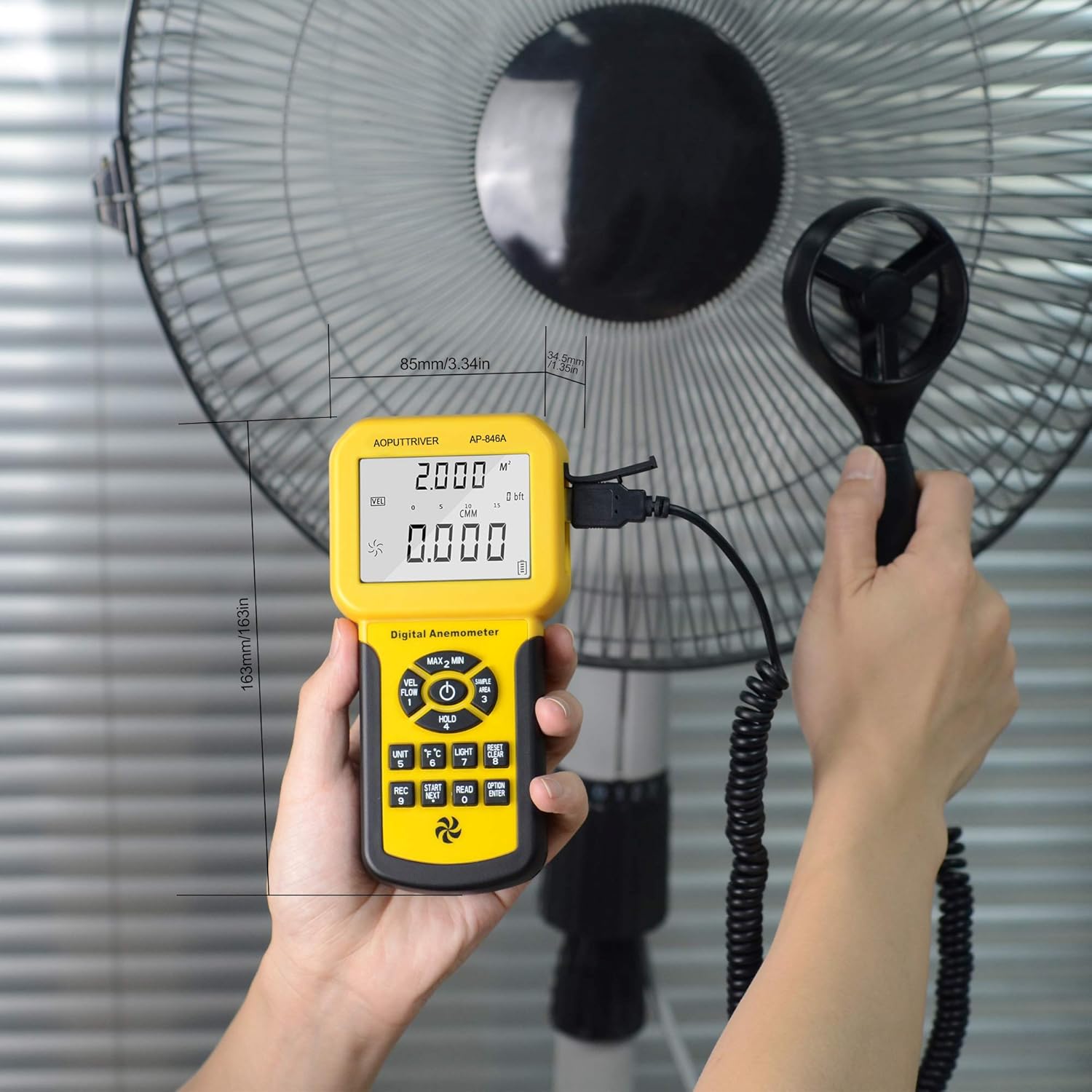
Figure 4: Measuring airflow from an HVAC unit.

Figure 5: Measuring airflow from a fan.
5.5 CFM (Cubic Feet per Minute) Measurement
To measure CFM, you need to input the area of the duct or vent:
- Націсніце "UNIT" ключ (6 in Figure 3) to select CFM or CMM mode.
- Націсніце "AREA" ключ (14 in Figure 3), then use the number keys to enter the duct area (e.g., 1 or 2 for predefined areas, or custom input).
- Націсніце "ENTER" key to confirm the area.
- Position the vane sensor in the airflow. The CFM/CMM reading will be displayed.
Formula: Flow = Velocity * (Free Area)
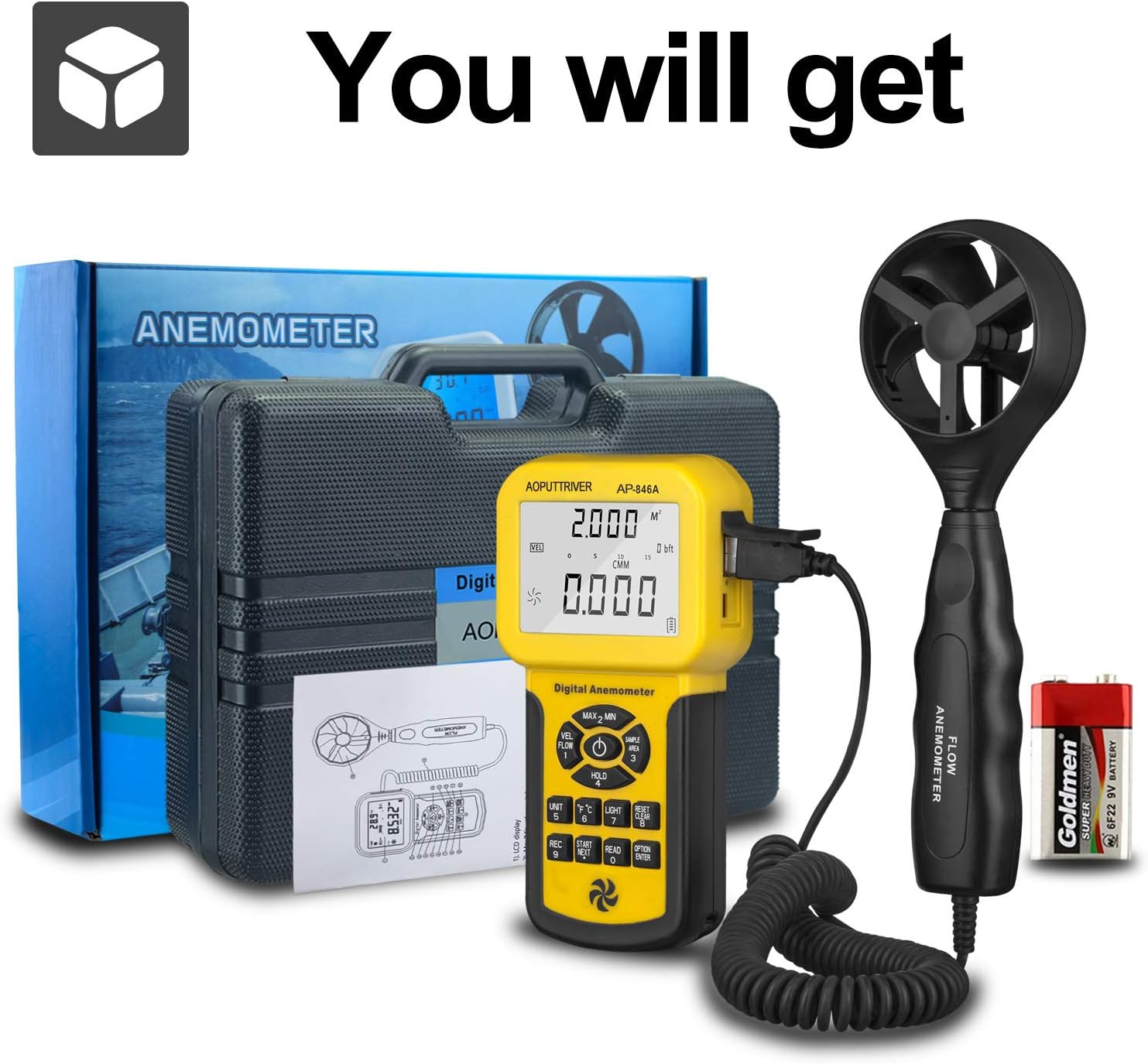
Figure 6: CFM Measurement Guide
5.6 MAX/MIN/AVG Measurement
Націсніце MAX/MIN Value Switch (2 in Figure 3) to cycle through maximum, minimum, and current readings. For average air flow, use the Measuring Key for Average Value of Wind Flow (8 на малюнку 3).
5.7 Утрыманне дадзеных
Націсніце Data Holding Key (5 in Figure 3) to freeze the current reading on the display. Press it again to release the hold.
6. Тэхнічнае абслугоўванне
- Трымайце прыладу чыстай і сухой. Працірайце мяккай тканінайamp тканіна. Не выкарыстоўвайце абразіўныя ачышчальнікі або растваральнікі.
- Store the anemometer in its protective carrying case when not in use to prevent damage to the vane sensor.
- Replace the 9V battery when the low power indicator appears on the display.
- Пазбягайце ўздзеяння экстрэмальных тэмператур або высокай вільготнасці на прыладу.
7. Выпраўленне непаладак
- Няма дысплея/прылады не ўключаецца: Check battery installation and ensure the battery has sufficient charge. Replace if necessary.
- Няправільныя паказанні: Ensure the vane sensor is clean and rotates freely. Verify that the sensor is positioned correctly in the airflow, facing the direction of the flow. Check for any obstructions.
- Display Not Changing: Check if the Data Hold function is activated. Deactivate it by pressing the Data Holding Key.
- CFM/CMM Readings Incorrect: Double-check the entered duct area value. Ensure the correct units (CFM/CMM) are selected.
8. Тэхнічныя характарыстыкі
| Асаблівасць | Спецыфікацыя |
|---|---|
| Дыяпазон хуткасці ветру | 0.001-100 міль у гадзіну (0.001-45 м/с) |
| Дакладнасць хуткасці ветру | ±3% + 0.2 rdg (mph), ±3% + 0.1 rdg (m/s) |
| Дыяпазон тэмператур | 32-113°F (0-45°C) |
| Wind Flow Range (CFM) | 0-999900 XNUMX фут³/мін |
| Wind Flow Range (CMM) | 0-999900 м³/мін |
| Wind Flow Area | 0.001-9999 ft² |
| дазвол | 0.001 mph (wind speed), 0.001-100 (wind flow) |
| Дысплей | 1.69 x 2.3 inch Large LCD with Backlight |
| Электразабеспячэнне | 1 x 9V (6F22) Battery (included) |
| Аўтаматычнае выключэнне | Пасля 5 хвілін бяздзейнасці |
| Памеры (асноўны блок) | 3.4 х 1.5 х 6.5 цалі |
| Вага прадмета | 11.3 унцыі (320 грама) |
| Матэрыял | Акрыланітрылбутадыенстырол (АБС) |

Figure 7: Wind Velocity Range and Accuracy
9. Гарантыя і падтрымка
AOPUTTRIVER provides 2-Years Technical Support for this product. If you encounter any problems or have questions regarding your AP-846A anemometer, please contact AOPUTTRIVER customer support for assistance. They will provide troubleshooting guidance or arrange for a replacement if necessary.