1. Уводзіны
Thank you for choosing TREBLAB Z2 Hybrid Active Noise Cancelling Wireless Headphones. This manual provides essential information for setting up, operating, and maintaining your headphones to ensure optimal performance and longevity. Please read it carefully before use.
2. Што ў скрынцы
- TREBLAB Z2 Headphones
- TREBLAB Z2 Carrying Case
- Аўдыёкабель 3.5 мм (AUX)
- Зарадны кабель USB Type-C
- User Manual; Quick Start Guide; Catalogue; Warranty card
3. Прадукт скончыўсяview
Асаблівасці навушнікаў
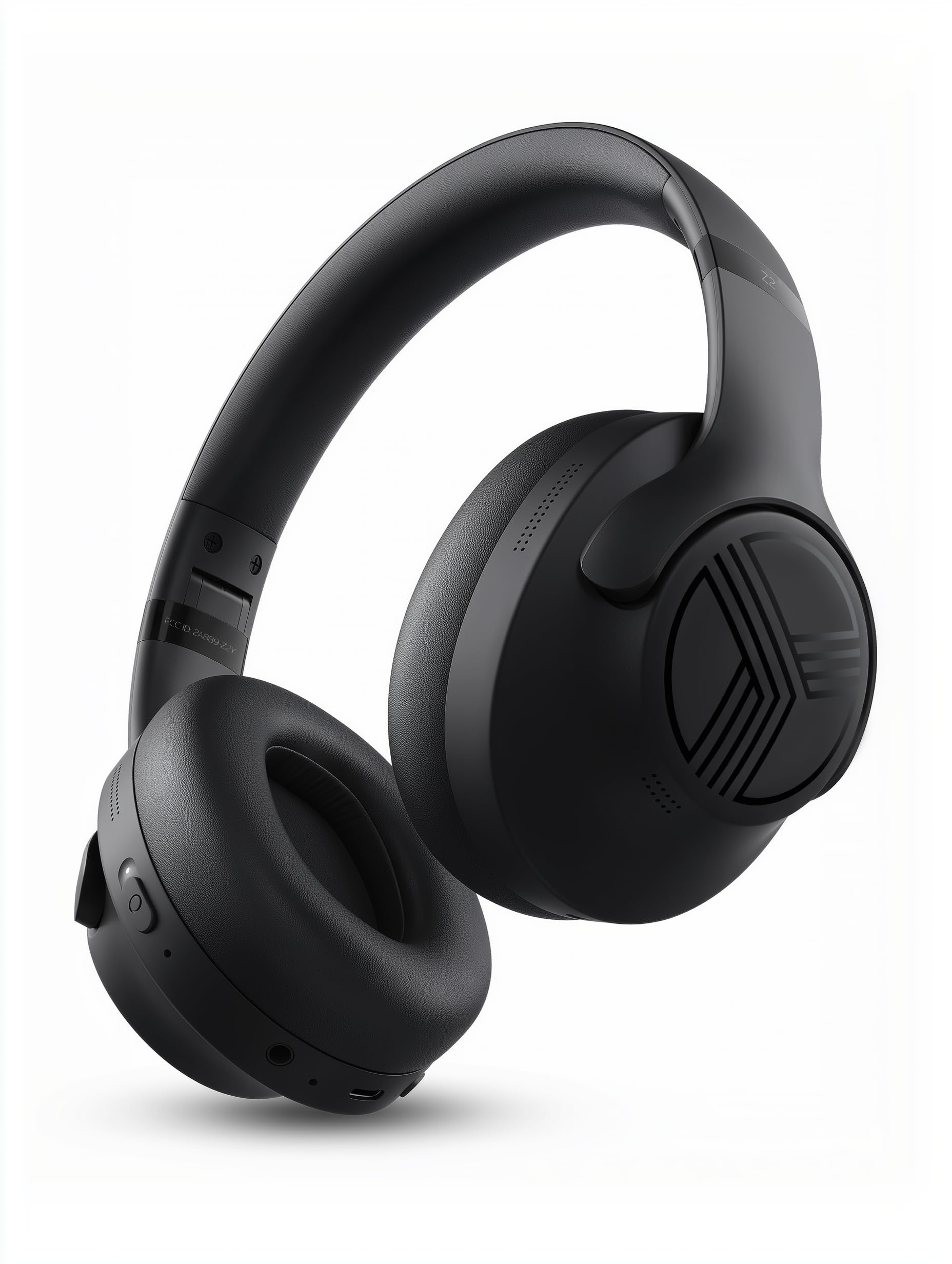
The TREBLAB Z2 headphones are designed for versatility and performance, featuring Hybrid Active Noise Cancelling (ANC) to minimize distractions, a long-lasting battery, and a comfortable, sweat-resistant design suitable for various activities.
- Гібрыднае актыўнае шумапрыглушэнне: Blocks external noise for immersive audio.
- Падоўжаны час прайгравання: Up to 58 hours of battery life (without ANC, at 70% volume).
- Глыбокі бас: Powerful audio with balanced sound.
- IPX4 Water Resistant & Sweatproof: Трывалы для трэніровак і выкарыстання на адкрытым паветры.
- Bluetooth 5.3 і шматкропкавае падключэнне: Stable wireless connection to multiple devices.
- Убудаваны мікрафон: Clear voice pickup for calls.
- Складаны дызайн: Lightweight and comfortable for extended wear and easy storage.
Элементы кіравання і парты
The headphones feature intuitive button controls for playback, volume, calls, and ANC activation. All controls and ports are conveniently located on the earcups.
- Power/Play/Pause/Phone Button: Central control for power, media playback, and call management.
- Кнопка павелічэння гучнасці/наступнага трэка: Адрэгулюйце гучнасць або перайдзіце да наступнай песні.
- Кнопка памяншэння гучнасці/пераключэння на папярэдні трэк: Адрэгуляваць гучнасць або перайсці да папярэдняй песні.
- ANC On/Off Switch: Activate or deactivate Active Noise Cancelling.
- Micro USB/USB Type-C Charging Port: Для зарадкі навушнікаў.
- AUX-уваход (раздым 3.5 мм): Для праваднога падключэння.
- Мікрафон: Для званкоў у рэжыме hands-free і каманд галасавога памочніка.
- Святлодыёдны індыкатар: Паказвае стан харчавання, спалучэння і зарадкі.
4. Настройка
4.1 Зарадка навушнікаў
Before first use, fully charge your TREBLAB Z2 headphones. A full charge takes approximately 3 hours.
- Connect the USB Type-C charging cable to the charging port on the headphone.
- Падключыце другі канец кабеля да сумяшчальнай крыніцы харчавання USB (напрыклад, адаптара для сеткі, USB-порта кампутара).
- Святлодыёдны індыкатар будзе гарэць чырвоным колерам падчас зарадкі і выключацца пасля поўнай зарадкі.
4.2 Спалучэнне па Bluetooth
Каб падключыць навушнікі да прылады праз Bluetooth:
- Пераканайцеся, што навушнікі зараджаны і выключаны.
- Press and hold the Power/Play/Pause button for a few seconds until the LED indicator flashes blue and red, indicating pairing mode.
- На вашай прыладзе (смартфоне, планшэце, камп'ютары) уключыце Bluetooth і знайдзіце даступныя прылады.
- Select "TREBLAB Z2" from the list of found devices.
- Once successfully paired, the LED indicator will flash blue slowly, and you will hear a confirmation tone.
For multipoint connection, pair the first device, then disable Bluetooth on the first device. Put the headphones back into pairing mode and connect to the second device. Once connected, re-enable Bluetooth on the first device, and the headphones should connect to both.
5. Інструкцыя па эксплуатацыі
5.1 Уключэнне/выключэнне сілкавання
- Уключэнне: Press and hold the Power/Play/Pause button for 3 seconds.
- Выключэнне: Press and hold the Power/Play/Pause button for 5 seconds.
5.2 Прайграванне музыкі
- Прайграванне/Паўза: Кароткачасова націсніце кнопку харчавання/прайгравання/паўзы.
- Наступны трэк: Доўга націсніце кнопку павелічэння гучнасці/пераходу на наступны трэк.
- Папярэдні трэк: Доўга націсніце кнопку памяншэння гучнасці/пераключэння на папярэдні трэк.
- Павялічыць гучнасць: Кароткачасова націсніце кнопку павелічэння гучнасці/пераходу на наступны трэк.
- Паменшыць гучнасць: Кароткачасова націсніце кнопку памяншэння гучнасці/пераключэння на папярэдні трэк.
5.3 Кіраванне выклікамі
- Адказаць на званок: Кароткачасова націсніце кнопку харчавання/прайгравання/паўзы.
- Завяршыць выклік: Short press the Power/Play/Pause button during a call.
- Адхіліць выклік: Long press the Power/Play/Pause button for 2 seconds.
- Паўторны набор: Double-press the Power/Play/Pause button.
5.4 Актыўнае шумапрыглушэнне (ANC)
To activate ANC, slide the ANC switch on the left earcup to the 'ON' position. The LED indicator will light up. Slide to 'OFF' to deactivate.
5.5 Галасавы памочнік
Activate your device's voice assistant (Siri, Google Assistant, Alexa) by pressing the Power/Play/Pause button for 1 second.
6. Тэхнічнае абслугоўванне
- Clean headphones with a soft, damp тканіна. Не выкарыстоўвайце агрэсіўныя хімікаты.
- Store headphones in the provided carrying case when not in use to protect them from dust and damage.
- Avoid exposing headphones to extreme temperatures, direct sunlight, or excessive moisture.
- Не спрабуйце разбіраць або мадыфікаваць навушнікі, бо гэта прывядзе да анулявання гарантыі.
7. Выпраўленне непаладак
| праблема | Рашэнне |
|---|---|
| Навушнікі не ўключаюцься | Пераканайцеся, што навушнікі цалкам зараджаныя. |
| Немагчыма падключыць прыладу праз Bluetooth | Пераканайцеся, што навушнікі знаходзяцца ў рэжыме спалучэння (міргае сіні/чырвоны святлодыёд). Выключыце і ўключыце Bluetooth на прыладзе. Ачысціце папярэднія спалучэнні на прыладзе. |
| Няма гуку альбо малая гучнасць | Check volume levels on both headphones and connected device. Ensure headphones are properly paired. Try a wired connection with the AUX cable. |
| АНК працуе неэфектыўна | Ensure ANC switch is in the 'ON' position. Check for proper fit of earcups over ears. |
8. Тэхнічныя характарыстыкі
| Асаблівасць | Дэталь |
|---|---|
| Назва мадэлі | Z2 |
| Кантроль шуму | Гібрыднае актыўнае падаўленне шуму |
| Версія Bluetooth | 5.3 |
| Дыяпазон Bluetooth | 33 футаў (10 метраў) |
| Тэрмін службы батарэі (макс.) | Up to 58 hours (No ANC, 70% volume) |
| Тэрмін службы батарэі (з уключаным ANC) | Up to 51 hours (ANC + Wireless, 70% volume) |
| Час зарадкі | 3 гадзін |
| Памер аўдыё драйвера | 40 міліметра |
| АЧХ | 20 Гц - 20 кГц |
| Адчувальнасць | 103 дБ |
| Імпеданс | 32 Ом |
| Узровень воданепранікальнасці | IPX4 (воданепранікальнасць і потаўстойлівасць) |
| Вага прадмета | 8.5 унцый |
| Памеры | 6.4 х 3.2 х 8 цалі |
9. Гарантыя і падтрымка
Your TREBLAB Z2 headphones are covered by a 1-YEAR WARRANTY & 30-DAY RETURNS. For any questions, suggestions, or issues, please refer to the warranty card included in the box or contact TREBLAB customer support.
10. Медыягалерэя
Выявы прадукту